

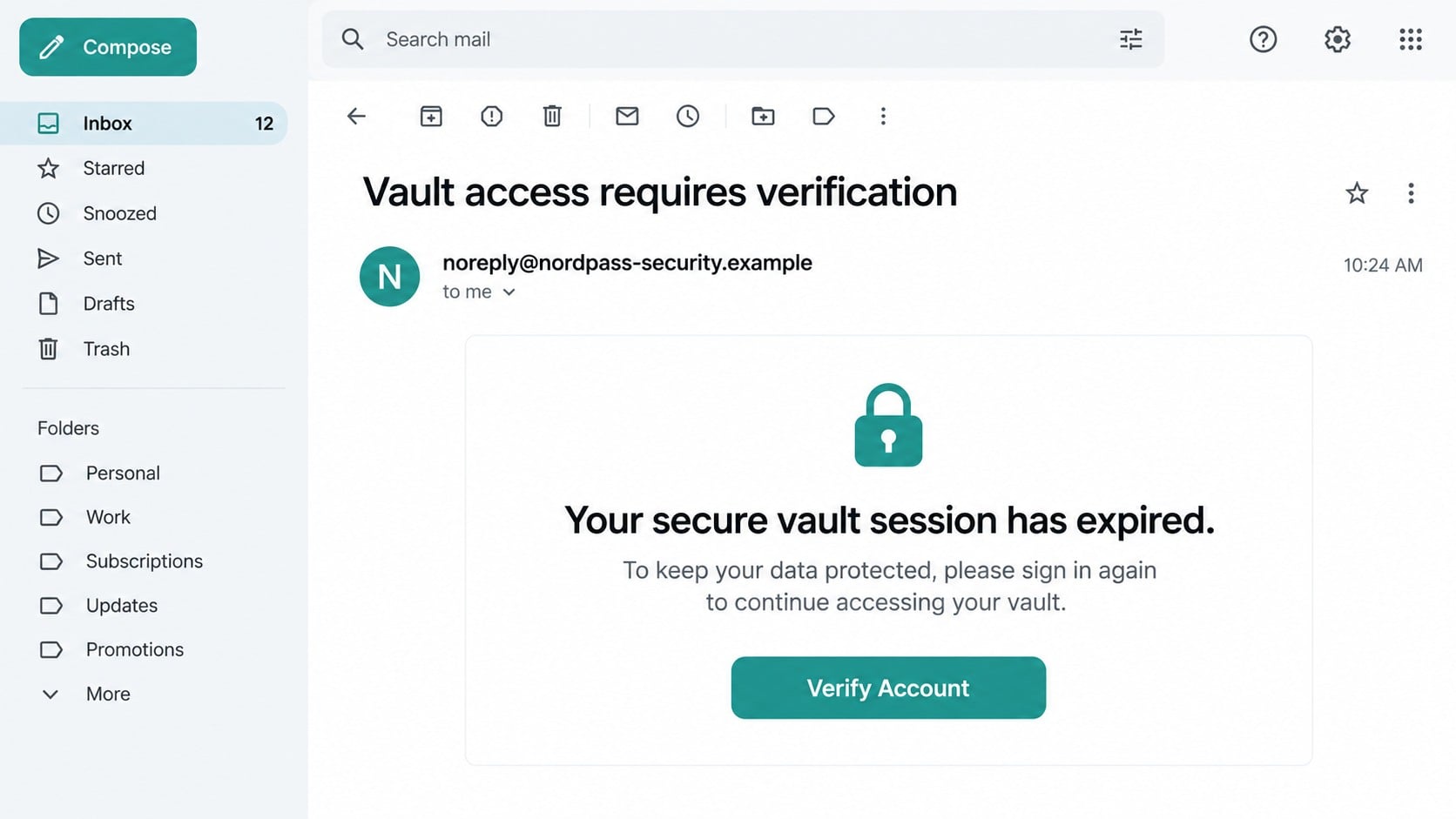
An email says your password vault has been locked, your session has expired, or a new device is waiting for approval. The message looks calm and professional, but it gives you only one obvious way forward: sign in through its button.
That small request deserves a much closer look. A password manager holds the keys to the rest of your digital life, which makes a convincing login alert unusually valuable to a thief.
Overview
The message targets the account you trust with everything else
The NordPass login scam is a phishing campaign that impersonates NordPass or the broader Nord Account sign-in system. A typical message claims that vault access must be verified, a subscription needs attention, or an unfamiliar login has placed the account at risk.
The name in the message does not mean NordPass sent it. Criminals can place a familiar brand name in the sender label, copy colors and security language, and build a login page that resembles the real service closely enough to fool a hurried reader.
The button leads away from the real account system
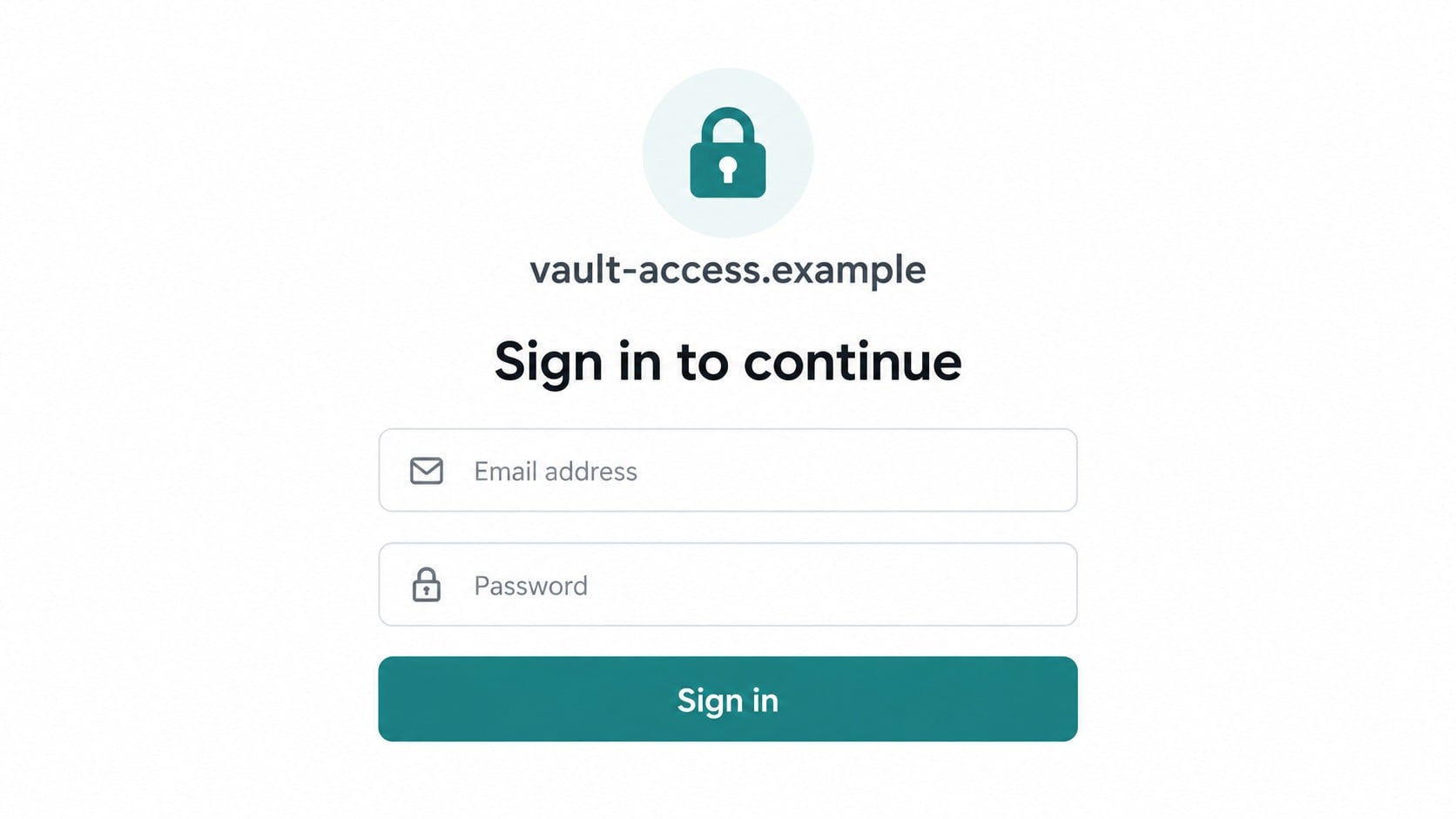
The important clue is the destination. Instead of taking the reader to an official Nord domain, the button opens an unrelated or lookalike address. That page may request an email address, Nord Account password, multi-factor authentication code, or recovery information.
Some versions stop after collecting credentials. Others continue through several screens so the victim believes a real security check is taking place. The extra steps also help attackers collect enough information to defeat account protections.
The danger extends beyond one password manager
A stolen Nord Account password can affect connected Nord services. A stolen email password or vault recovery code creates a much broader problem, because it can help an attacker reset other accounts or unlock stored credentials.
- The sender address may use an unrelated domain or a subtle misspelling.
- The link may hide behind a reassuring button such as “Verify Account.”
- The fake page may request passwords, authentication codes, or recovery data.
- A follow-up call or email may pressure the victim to complete the process.
- NordPass itself remains a legitimate password manager that is being impersonated.
Why a Fake Vault Warning Can Feel So Convincing
Password-manager users are already trained to take account security seriously. A warning about a vault, unfamiliar device, or expired session therefore feels more urgent than an ordinary promotional email. The scam borrows that healthy caution and redirects it toward a fraudulent page.
The message may also arrive when the recipient recently used NordPass, changed a password, or saw a genuine sign-in prompt. That timing can be coincidence. Criminals send large campaigns and rely on the fact that some recipients will recognize the named service.
Professional grammar is no longer proof of authenticity. Phishing kits now produce clean layouts, accurate colors, mobile-friendly forms, and polished security language. The domain behind the link remains more useful evidence than the design.
A real security service may ask you to authenticate, but you should reach it through its installed app, extension, saved bookmark, or a manually typed official address. An unexpected email should never choose the route you use to unlock a vault.
What a Real NordPass Sign-In Involves
NordPass documentation distinguishes between the Nord Account password and the Master Password. The account password signs you into Nord Account, while the Master Password unlocks the encrypted NordPass vault. They serve different purposes and should not be reused.
The official login flow can also include a six-digit email code or multi-factor authentication. These protections help only when the code is entered into the genuine service. A phishing page can relay or collect a valid code while an attacker attempts a real login elsewhere.
NordPass states that the Master Password is known only to the user. A message asking you to email, text, or read that password to a supposed support agent is therefore inconsistent with how the service is designed.
NordPass explains in its official zero-knowledge architecture guide that it does not store the Master Password and that vault encryption happens on the user’s device. Open official guidance independently instead of following a link inside the suspicious message.
How the NordPass Login Scam Works
Step 1: A security-themed email creates a reason to act
The first message usually describes a problem that cannot be safely ignored. Your vault may supposedly be suspended, a new browser may have requested access, or stored passwords may be scheduled for deletion unless you verify the account.
The claim is deliberately vague. It provides enough detail to cause concern without giving a transaction, device record, or account event that can be checked independently.
Step 2: The sender label borrows the NordPass name
Email apps often emphasize a display name and hide the full address. A scammer can write “NordPass Security” in that visible label even when the message originates from a newly registered domain or a compromised mailbox.
Some messages use a domain containing words such as vault, secure, account, nord, or verification. Those words are not ownership evidence. The meaningful part is the registered domain immediately before its ending, not the familiar terms placed elsewhere in the address.
Step 3: A button sends the victim to a cloned login form
The “Verify,” “Review Activity,” or “Restore Access” button opens a page controlled by the attacker. The page may copy the structure of a Nord Account login while using a lookalike address, an unrelated subdomain, or a long redirect link.
The form commonly asks for an email address and password. A more ambitious kit may request the Master Password as a second step, even though the real service separates the account sign-in from vault unlocking.
Step 4: The fake page collects the second authentication factor
After the password is submitted, the phishing site may display an authentication-code field. At the same moment, the attacker can try those credentials on the real service and trigger a genuine one-time code.
If the victim enters that code into the fake page, the criminal may gain a short window to complete the real sign-in. A one-time code should be treated like a temporary password and entered only after you independently opened the legitimate service.
Step 5: A convincing delay hides the credential theft
The page may show a spinner, announce that verification succeeded, or return the victim to a genuine Nord website. This ending reduces suspicion because the final page looks legitimate and the victim may assume the earlier form simply completed its task.
Other versions display an error and ask for the password again. That lets the operator capture several password variations, which is especially harmful when the victim is unsure which password the page expects.
Step 6: Stolen access is used against connected accounts
Attackers may change recovery settings, look for reused credentials, or target the victim’s email account. If they obtain vault access, they can search stored entries for financial, shopping, social, work, and cloud accounts.
The information can also support a second scam. Someone may call as a “security specialist,” refer to the alert, and ask for remote access, another verification code, or payment for an invented recovery service.
Company, Address, and Fulfillment Checks
The visible brand name proves nothing about the sender
NordPass is a real service, but the sender must still be verified. Expand the email header, inspect the complete address, and compare the link destination with an official address you reached independently.
A web address matters more than copied design
A padlock symbol only shows that a connection is encrypted. It does not prove that the operator is NordPass. Lookalike domains, extra words, unexpected country endings, and unrelated redirect services are stronger warning signs than an attractive page.
Support should be reached through the product
Do not reply to the alert or use a telephone number printed inside it. Open the NordPass app or official support site yourself. That keeps the suspected attacker from controlling both the warning and the supposed solution.
No physical product or fulfillment chain exists here
This scam sells no genuine item and has no legitimate shipping stage. An address in the footer may be copied from a real company, invented, or inserted by a phishing template. It does not authenticate the message or provide a reliable recovery route.
Information the Fake Page May Try to Capture
The first screen may appear limited to ordinary login details, but later prompts can expand the theft. Stop immediately if an unexpected page requests any of the following:
- Your Nord Account email address and password.
- Your NordPass Master Password or recovery code.
- A code from an authenticator app, email, or text message.
- Email-account credentials supposedly needed to “confirm ownership.”
- Payment-card details for a fabricated subscription renewal.
- Remote access to inspect or repair the vault.
A recovery code deserves exceptional care. It exists to restore access when the normal Master Password route is unavailable. Handing it to someone else can undermine the very recovery protection it was meant to provide.
Warning Signs in a NordPass Phishing Message
- You did not request a login, reset, renewal, or device approval.
- The message threatens immediate vault deletion or suspension.
- The sender domain is not one you independently recognize as official.
- The button destination differs from the text shown in the email.
- The page asks for both an account password and a Master Password.
- A caller asks you to share a one-time code or recovery code.
- The message discourages opening the app directly.
- The final page redirects to the real site after collecting information.
One clue may have an innocent explanation, but several appearing together should end the interaction. Close the page and start a fresh session through the installed NordPass app or a known official bookmark.
What to Do if You Have Fallen Victim to This Scam
- Leave the phishing page and use a trusted device. Close the tab without submitting anything else. If you installed software or allowed remote control, disconnect that device from the internet and perform the remaining account changes from another device you trust.
- Change the exposed Nord Account password. Open NordPass or Nord Account through an official route and create a new, unique password. Do not reuse a variation of the stolen password. Sign out other sessions if the account settings provide that option.
- Protect the vault and recovery path. If you entered a Master Password or recovery code, follow official NordPass support guidance immediately. Change the Master Password when possible, generate a new recovery code, and store the replacement somewhere the suspected attacker cannot access.
- Secure the connected email account. Change the email password if it was entered, reused, or stored in an exposed vault. Review forwarding rules, recovery addresses, recent sessions, and sent mail. Enable multi-factor authentication with an authenticator or security key where available.
- Review high-value accounts stored in the vault. Start with banking, payment, primary email, cloud storage, shopping, social media, and work accounts. Change credentials that may have been visible and check for unauthorized recovery changes or new devices.
- Contact the card issuer about financial exposure. If you supplied card or bank information, call the number printed on the card or shown in the bank’s official app. Explain that the data was entered on a phishing page and ask about replacing the card, monitoring, and disputing unauthorized charges.
- Scan the affected device. If you downloaded a file, installed a browser extension, or granted remote access, run a complete scan with Malwarebytes. It can identify malicious installers and unwanted software that a fake support flow may have placed on the device.
- Reduce repeat exposure. AdGuard can block many malicious advertising destinations, trackers, and known scam pages before they fully load. It is an extra layer, so continue checking domains and never treat a blocked-or-unblocked result as proof that a login page is genuine.
- Save and report the evidence. Keep the original email, full headers, destination URL, screenshots, and any telephone numbers. Report the message to the impersonated service and to the appropriate national fraud or cybercrime reporting channel.
- Ignore recovery offers. Anyone who promises to retrieve passwords, reverse cryptocurrency payments, or trace the attacker for an advance fee may be starting another scam. Use the service provider, card issuer, police, and established reporting agencies.
Frequently Asked Questions
Is NordPass itself a scam?
No. NordPass is a legitimate password-management service. The scam described here uses its name and the fear of losing vault access to direct victims toward a fraudulent login or fake support process.
Would NordPass ask for my Master Password by email?
No legitimate support email should ask you to send or reply with your Master Password. NordPass documentation explains that the Master Password unlocks the vault and is known only to the user.
Is a six-digit code safe to share with support?
No. A login or authentication code can authorize access during a live sign-in attempt. Enter it only into the genuine app or site that you opened independently, and never read it to an unsolicited caller.
What if I clicked but entered nothing?
Close the page and clear any download it started. Risk is lower if no data was submitted and nothing was installed, but review the account directly and scan the device if the page downloaded a file or prompted unusual browser actions.
Can a phishing page have HTTPS and a padlock?
Yes. HTTPS encrypts traffic between you and that particular website. Criminals can obtain certificates for their own domains, so the padlock does not establish that NordPass owns or operates the page.
Why would attackers target a password-manager user?
A password vault can provide access to many other accounts, while the account email reveals which person uses the service. Even partial information can support password resets, impersonation, or more convincing follow-up phishing.
The Bottom Line
The NordPass login scam turns a sensible concern about password security into a route for stealing the credentials that protect everything else. Its strongest evidence is not the logo, wording, or padlock, but the sender and destination domains.
Open NordPass through the installed app, extension, or an official address you entered yourself. If the alert is real, the same account issue should be visible there without relying on the email button.
If you already submitted information, act from a trusted device and secure the account, vault recovery path, email, and important stored logins in that order.

Join the discussion
0 commentsShare your experience or ask a question about this article.
Discussion
Start the conversation
Have a question or something useful to share? Add the first comment.