

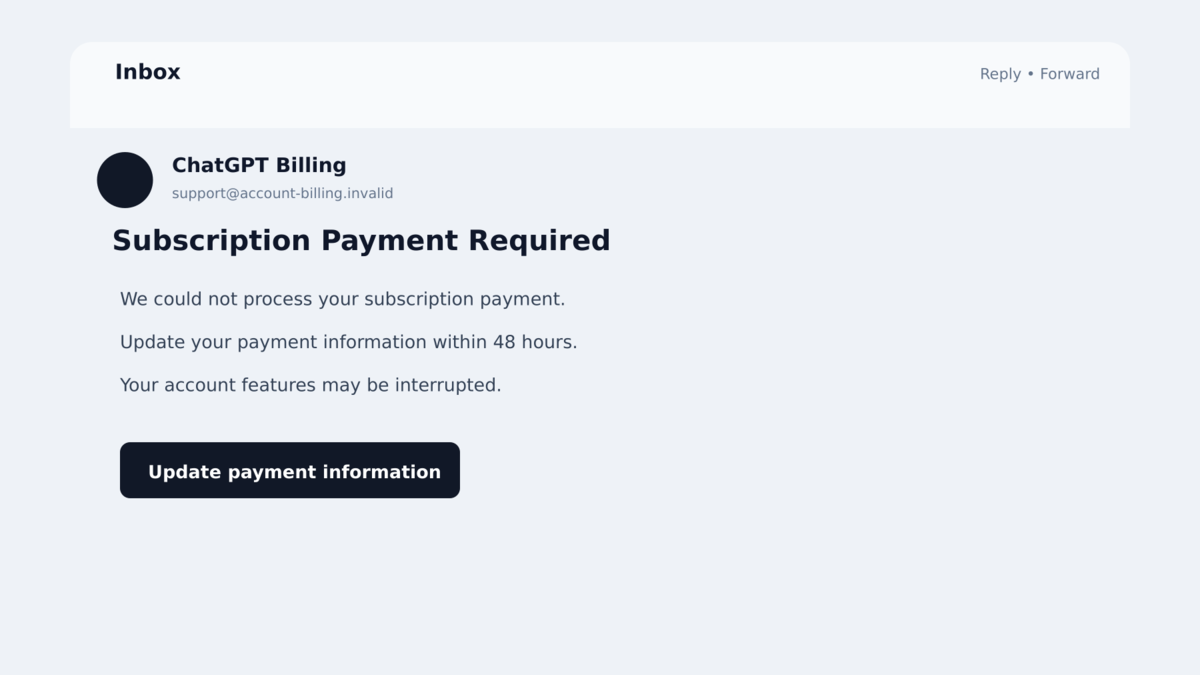
A billing email says your ChatGPT subscription could be interrupted unless you update the payment method within 48 hours. The logo looks right, the wording sounds routine, and the button appears to lead to an account page.
That combination can catch anyone who uses ChatGPT for work or at home. A real subscription does involve invoices and card updates, so the request does not feel wildly out of place.
This particular message is not an ordinary billing reminder. It is a carefully staged route to a copied sign-in page, and the small details around the button matter more than the polished design.
Overview
The email invents an urgent subscription problem
The fake ChatGPT billing emails claim that a subscription payment requires attention. One documented version uses the heading “Subscription Payment Required” and warns that the recipient has only 48 hours to update the payment information.
The message uses familiar branding, bold urgency, and a large action button. It closes with a polite sign-off from “The OpenAI Team,” making the request look like a routine account notice instead of an attempt to steal credentials.
The button hides a redirect to an unrelated site
The visible button does not take the recipient directly to an official OpenAI account page. Researchers found a Google notification redirect wrapped around the link, followed by an attacker-controlled address on the nxcli.io domain.
A trusted redirect service can make a link look less suspicious during a quick glance or automated inspection. The final destination is what matters, and it does not belong to OpenAI or ChatGPT.
The copied login page records whatever the victim enters
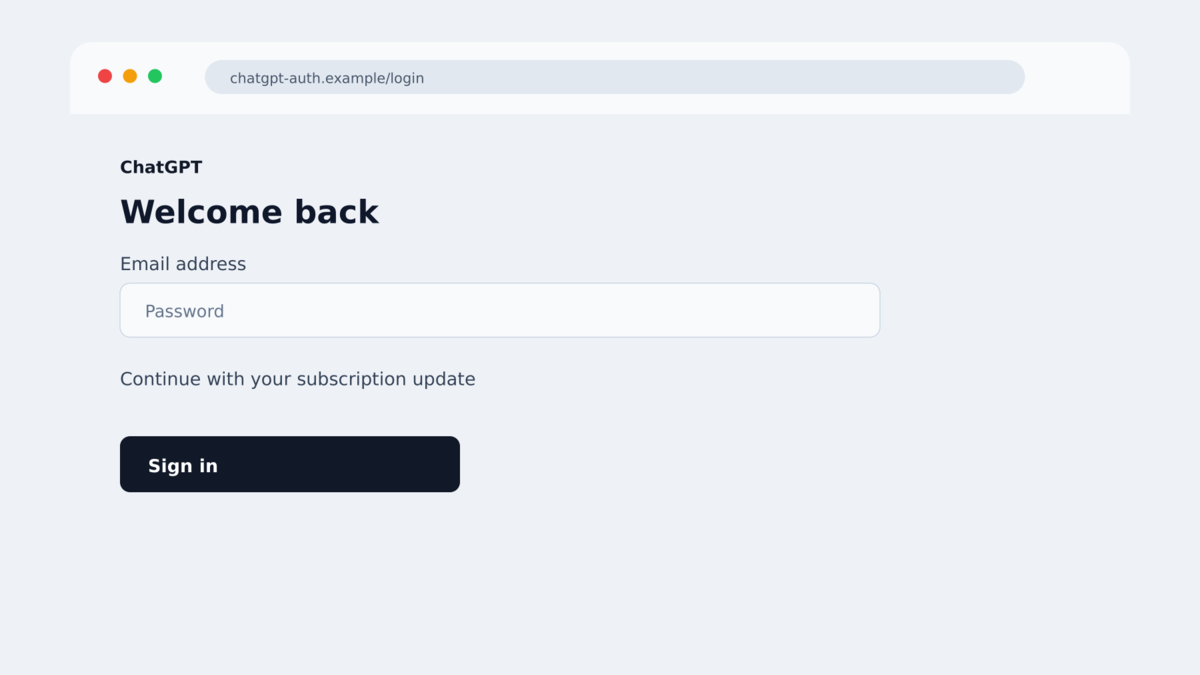
After the redirect, the victim sees a page designed to resemble the real ChatGPT sign-in experience. The page welcomes the user back and repeats recognizable logos, colors, and wording, but the browser address does not match OpenAI’s legitimate authentication domain.
Credentials typed into the form are sent to the attackers. The page then shows an error, giving the victim a believable explanation for why the supposed billing update did not work.
- The lure is a fake ChatGPT subscription or payment notice.
- The message creates a 48-hour deadline to discourage careful checking.
- The sender address is unrelated to OpenAI.
- A Google redirect masks the attacker-controlled destination.
- The landing page copies the appearance of a ChatGPT login.
- The form captures the email address and password entered by the victim.
- An error page can hide the theft and encourage another attempt.
- OpenAI and ChatGPT are being impersonated, not identified as the operators.
Why This Billing Email Feels Believable
Subscription notices are familiar. People expect streaming services, cloud tools, and productivity apps to send reminders when a card expires or a renewal fails. A ChatGPT user may therefore react to the account risk before questioning the message.
The 48-hour deadline is long enough to sound administrative but short enough to create pressure. It suggests that delaying could interrupt work, saved conversations, or paid features. None of those consequences needs to be real for the deadline to influence a rushed decision.
The email also borrows genuine visual elements. A real logo is easy to copy and proves nothing about the sender. The same is true of a professional layout, correct spelling, and a familiar sign-off.
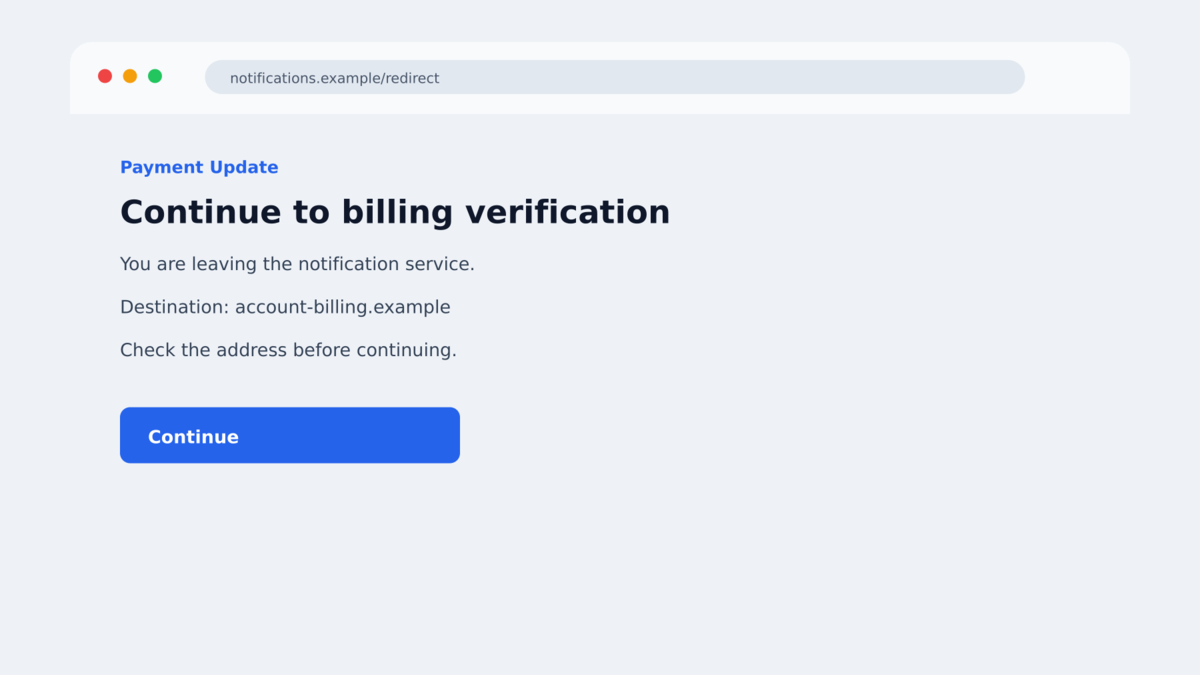
The link is especially deceptive because it begins with a Google-owned redirect address. That first hostname may be visible when a security tool or cautious user inspects the button. The redirect then passes the browser to the malicious page.
This does not mean Google sent or approved the phishing campaign. Redirect and notification services can be abused just as file-sharing sites, form builders, and URL shorteners are abused. A trusted service in the middle does not make the final destination trustworthy.
The simplest safe response is to ignore the button and open ChatGPT through a saved bookmark or by typing the known address. If the subscription genuinely needs attention, the account’s official billing area will show it.
Company, Address, and Fulfillment Checks
The sender domain does not belong to OpenAI
In the campaign documented by Cofense, the email came from an address ending in nxcli.io. The display name and body referenced ChatGPT, but the technical sender did not match the company being impersonated.
A display name can say almost anything. Expand the sender details before trusting a billing request, and compare the domain after the @ symbol with the organization’s official domain.
The real sign-in address is different
The copied page may look convincing while the address bar tells another story. Cofense noted that the legitimate ChatGPT authentication flow uses an OpenAI-controlled domain. The observed phishing page remained on an unrelated nxcli.io address.
Do not judge a login page by its logo. Password managers are helpful here because they normally refuse to autofill credentials on a domain that does not match the saved account.
The supposed billing fix begins with a password request
A real account portal may ask you to authenticate, but an unsolicited message should never be the route you use to reach it. The safe route starts independently, from the official app or a bookmark you created earlier.
Be more suspicious if the page asks for card details immediately after a copied sign-in. The campaign’s goal is credential theft, and stolen payment information would increase the damage.
Independent research confirms the phishing chain
Cofense’s Phishing Defense Center documented the email, sender, redirect, copied login page, and credential capture. Researchers observed the victim being sent to an error page after the submitted information was stolen.
This evidence confirms a phishing operation impersonating ChatGPT. It does not show that OpenAI’s systems were breached or that a genuine ChatGPT invoice was involved.
How the Fake ChatGPT Billing Email Scam Works
Step 1: The attacker sends a familiar subscription notice
The recipient receives an email that resembles an invoice or account alert. It claims that the ChatGPT subscription payment cannot be completed or that the payment method must be updated.
The attacker may send the same template widely. It does not matter whether every recipient pays for ChatGPT. The enormous user base makes it likely that some people will recognize the service and assume the notice applies to them.
Step 2: Urgency pushes the recipient toward the button
The message warns that action is required within 48 hours. Bold text and a prominent “Update Payment Information” button make clicking feel like the fastest way to protect the account.
There may be no account name, invoice number, plan type, or other detail that a real billing system would know. The template relies on branding and pressure instead of verifiable account information.
Step 3: A trusted redirect disguises the route
The button first opens a notifications.googleapis.com redirect URL. That service forwards the browser to the attacker’s page. The intermediate Google hostname can create false confidence even though Google does not control the final site.
Redirects are common on the web, so the movement can happen too quickly for a victim to notice. Always inspect the address after the page finishes loading.
Step 4: The fake page asks the victim to sign in
The landing page recreates a ChatGPT login with familiar icons and a welcoming message. The form asks for the email address and password associated with the account.
The page is only a visual copy. Information submitted there goes to the attackers rather than OpenAI’s authentication service.
Step 5: The stolen credentials are tested or reused
After the form receives the credentials, the site displays an error. Meanwhile, the attackers can try the password against ChatGPT, the victim’s email account, and other services where the same password may have been reused.
Access to an email account can be more damaging than access to ChatGPT alone. Email often controls password resets for banking, shopping, social media, cloud storage, and workplace systems.
Step 6: The victim may be targeted again
A person who completed the form has confirmed that the address is active and that the billing story worked. Follow-up messages may request card details, a one-time code, or another “verification” step.
The attackers may also change the brand while reusing the same method. A later message could impersonate Microsoft, Google, Adobe, or another subscription service.
How to Check a ChatGPT Subscription Safely
Begin from the official ChatGPT app or a bookmark you created before the email arrived. Open the account settings and billing area yourself. A genuine payment failure should be visible there without relying on a message, shortened link, or search advertisement.
Compare the plan, renewal date, and recent invoices with your own records. A scam template often avoids those details because the sender does not know whether you have a paid plan, which card is used, or when it renews.
If the account page shows no problem, do not reply to the warning to ask whether it is real. Reporting the message gives your email provider useful evidence without confirming to the sender that the address is active.
For a workplace account, send the original message to the security team using the organization’s normal reporting method. Other employees may have received the same template, and one report can help remove the campaign from additional inboxes.
Warning Signs in a ChatGPT Payment Message
- The sender domain is not controlled by OpenAI.
- The message threatens interruption within a short deadline.
- The greeting does not identify the account holder or plan.
- The button passes through a redirect instead of opening the official account directly.
- The loaded page remains on an unfamiliar domain.
- Your password manager does not recognize the sign-in page.
- The email asks for credentials before showing a verifiable invoice.
- The account’s official billing page shows no problem.
- The message asks for a one-time code or card details after a failed login.
- Replying reveals that the return address is different from the display name.
Any one clue deserves a pause. Several clues together are enough to close the page and check the account independently.
What to Do if You Have Fallen Victim to This Scam
- Open the genuine service independently. Close the phishing tab. Type the known ChatGPT address yourself or use the official app, then review the subscription from the account settings.
- Change the exposed password immediately. Start with the email account connected to ChatGPT if the same or a similar password was used there. Create a unique password that has never been used on another site.
- Sign out of other sessions. Review active devices and sessions for the affected email and ChatGPT accounts. Remove anything you do not recognize, even if it appears to be in your country.
- Enable strong multi-factor authentication. Prefer an authenticator app, security key, or passkey where available. Never approve an unexpected prompt or share a one-time code with someone who contacts you.
- Check recovery details and mailbox rules. Attackers with email access may add forwarding rules, alternate addresses, app passwords, or recovery methods so they can return later.
- Contact the card issuer if payment data was entered. Use the number printed on the card. Ask about blocking the card, disputing unknown charges, and monitoring for small test transactions.
- Preserve evidence. Save the original email, full sender address, headers, final page address, screenshots, and any transaction records. Do not revisit the phishing page just to collect more.
- Scan the device if anything was downloaded. This campaign centers on credential theft, but an unexpected file changes the risk. Malwarebytes can check the device for malicious software. AdGuard can block known phishing destinations and deceptive ads, though it cannot recover a password already submitted.
- Report the message. Use the mail provider’s phishing report, notify the impersonated service through its official support channel, and report financial loss to the appropriate national fraud authority.
Frequently Asked Questions
Are all ChatGPT billing emails scams?
No. A genuine service may send legitimate billing notices. The safe practice is to avoid the email button and check the subscription through the official app or website.
Was OpenAI hacked in this campaign?
The documented evidence shows criminals impersonating OpenAI on unrelated infrastructure. It does not demonstrate a breach of OpenAI or ChatGPT systems.
Why does the link show a Google address first?
The attackers used a Google notification redirect as an intermediate step. A trusted redirect can forward to an unsafe destination, so check the final loaded domain.
What happens after I enter my password?
The phishing form sends the entered information to the attackers and may display an error. The password can then be tested against ChatGPT, email, and other accounts.
Is changing the ChatGPT password enough?
It may not be. Change any account that reused the password, secure the connected email first, revoke sessions, and inspect recovery settings and mailbox rules.
Can a security app undo credential theft?
No. Security software may block the page or detect a downloaded threat, but it cannot make a submitted password private again. The password must be changed and exposed sessions revoked.
The Bottom Line
Fake ChatGPT billing emails turn an ordinary subscription concern into a credential theft trap. The polished logo and Google redirect are presentation layers, not proof that the message is legitimate.
Never use an unsolicited billing button to reach a sign-in page. Open ChatGPT independently, check the account there, and treat any unrelated domain as a reason to stop.
If you entered information, secure the connected email and every account that reused the password. The error page does not mean the submission failed.








