

A customer who never signed up for online banking might assume there is no online account to steal. That assumption sounds reasonable until someone else enrolls first.
The customer may not see a suspicious login, a strange email, or even a missing statement before the money starts moving.
Overview
A bank insider exploited customers who were offline
Former bank employee Yue Cao was sentenced to 10 years in prison in September 2026 after a jury convicted him of bank fraud and identity theft.
According to federal prosecutors, Cao targeted older customers who had not enrolled in online banking. The victims were between 90 and 103 years old.
He used access from his position to obtain confidential information, create email addresses in victims’ names, and enroll them without permission.
Prosecutors said he conducted approximately $2 million in unauthorized transfers. The conviction included bank fraud, aggravated identity theft, and money laundering counts.
The hidden account made alerts miss their owners
Cao used an offshore service to create email addresses for more than 100 victims, the Justice Department said.
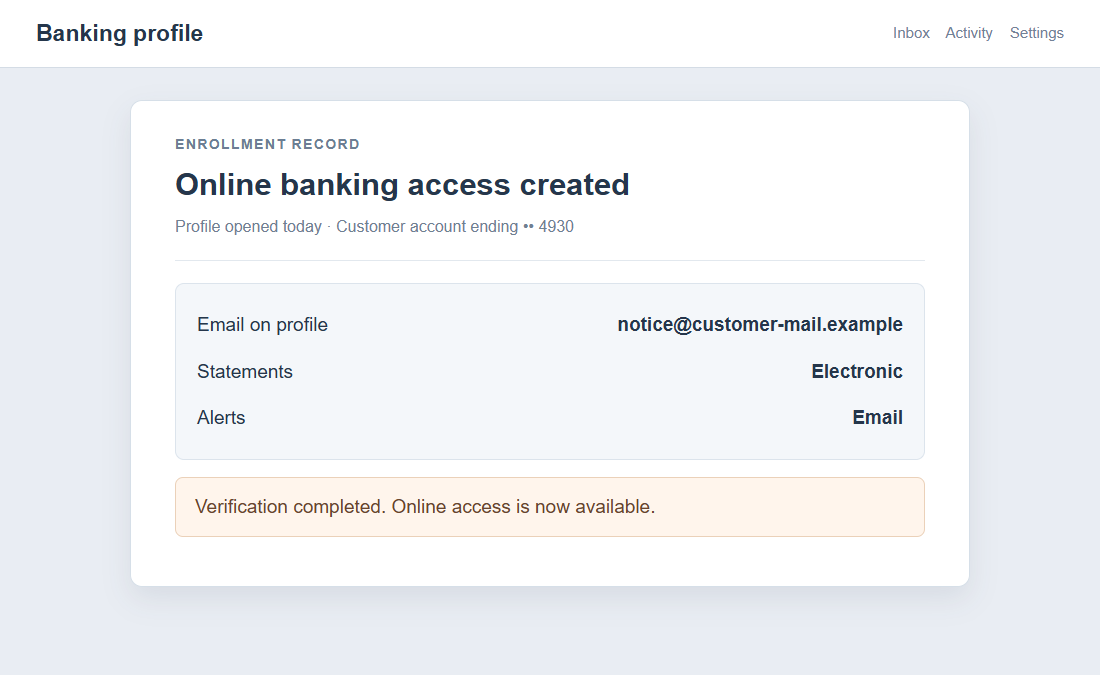
He enrolled customers in online banking with those addresses, then directed statements and notifications there. The real customers could remain unaware of the digital account.
He transferred funds to accounts he controlled and also opened other accounts in victims’ names. Some were brokerage accounts used for options trading.
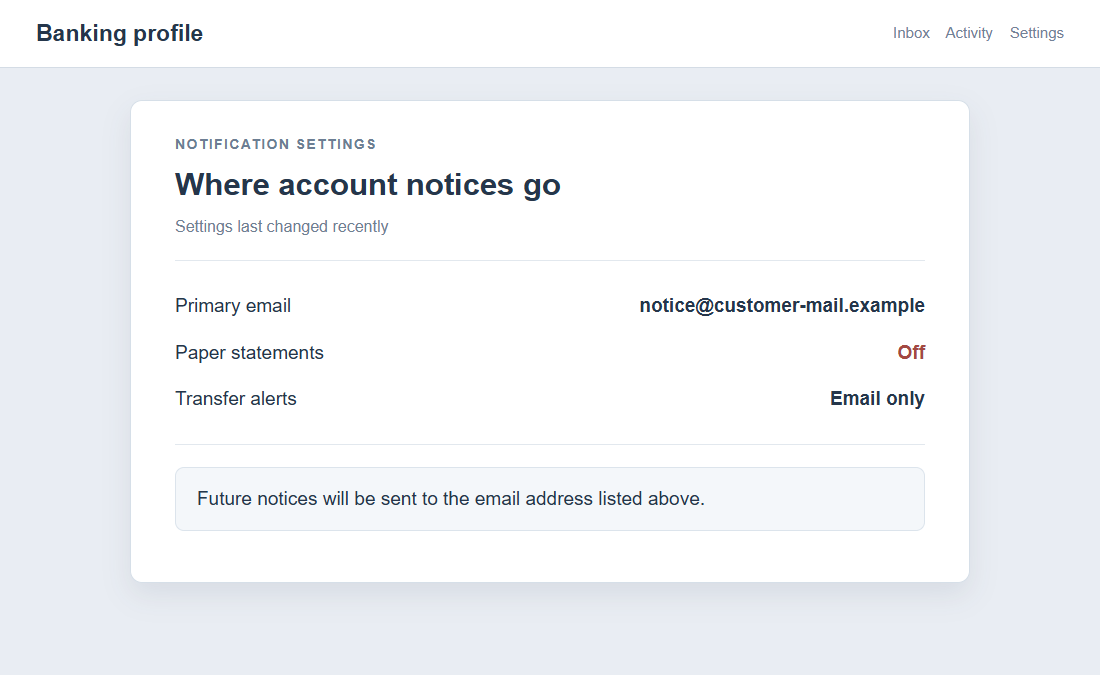
The images in this article are fictionalized, non-functional reconstructions. They illustrate an unauthorized enrollment and alert change, not actual screens from the bank.
- Never enrolling yourself does not prove an online profile does not exist.
- Missing statements can be a warning, especially when delivery settings have changed.
- An unfamiliar email address on a bank profile should be investigated immediately.
- Ask the bank to review enrollment history, contact changes, and linked accounts.
- A trusted relative can help an older customer review records without taking away their control.
This is a specific insider crime, not a universal bank failure
The case concerns Cao’s documented actions at an Ohio-based bank. It does not show that every bank employee can perform the same changes unnoticed.
It also does not make older customers responsible for being targeted. Cao chose people he believed would be less likely to see digital changes.
The practical response is to verify the account’s actual contact settings and transaction history through the bank, not to fear every digital service.
What the Yue Cao Case Establishes
Cao worked as a quant analytics manager at a bank, a role meant to help protect customers from fraud, prosecutors said.
He instead used access to information about older customers who had not activated online banking. That allowed him to identify a vulnerable gap.
The victims lived in New York, Pennsylvania, Connecticut, Washington, and Ohio. Their ages ranged from 90 to 103 during the unauthorized enrollment.
With email addresses he controlled, Cao created online banking access in their names. He then routed their statements and alerts away from them.
The change matters because account notifications often provide the earliest warning. If a criminal receives them instead, ordinary monitoring loses its alarm.
After controlling the online accounts, he transferred money directly to his personal bank and credit card accounts, according to the DOJ.
He also opened accounts using victims’ identities. In brokerage accounts, he traded options with money that belonged to those customers.
A federal jury convicted him in February 2026. In September, a judge imposed a 120-month prison term and five years of supervised release.
The DOJ described roughly $2 million in unauthorized transfers. It did not publish a transaction-by-transaction ledger in the announcement.
That limitation matters when assessing an unfamiliar account event. Do not claim your bank has the same insider problem simply because a statement is late.
How the Online Banking Enrollment Scam Works
Step 1: A criminal identifies accounts with no digital enrollment
In this case, Cao selected elderly customers who had not signed up for online banking. Their lack of enrollment became an opening, not a cause of blame.
He could use internal information because he was employed at the bank. An outside impostor would need a different way to gather the same details.
We do not know every internal control he bypassed or how the bank detected the conduct. The public statement focuses on his acts and conviction.
A reader should take away the risk pattern: a person with enough data can sometimes create an account in another person’s name before they do.
Step 2: Email addresses are created in the victims’ names
Prosecutors said Cao used an offshore service to create addresses for more than 100 victims. Those addresses appeared to belong to the customers.
In reality, he controlled them. That control allowed later enrollment messages and bank notices to go somewhere the victims would not see.
A name inside an email address does not prove the named person owns it. The bank must verify control through its own secure processes.
If you discover an unfamiliar address on a financial profile, ask when it was added and how the change was authorized.
Step 3: The customers are enrolled without permission
Cao enrolled victims in online banking using the addresses he created. The customers did not ask for this service, prosecutors said.
That step turned a previously offline relationship into a digital account controlled by someone else. It also created a path for remote transfers.
An account-opening confirmation can be important, but only if it reaches the right person. A hijacked address can make the confirmation invisible.
Ask the bank whether online access exists even if you never used it. A customer service representative can explain enrollment status and login history.
Step 4: Statements and alerts are diverted
The DOJ says Cao directed statements and notifications to the email addresses he controlled. That suppressed a natural way victims might have discovered the fraud.
A missing paper statement is not proof of theft. Mail delays, delivery preferences, and address changes can also explain it.
Still, if routine statements stop arriving, call the bank. Ask where statements are being sent and whether any delivery preference changed.
Confirm the bank’s recorded phone number, postal address, and email, not just the balance. A criminal may alter contact details before moving money.
Step 5: Funds are transferred and other accounts appear
With online access under his control, Cao sent victims’ money to his own bank and credit card accounts. He also opened accounts in their names.
Some accounts were brokerages where he traded options. That added financial products the victims may never have known existed.
Reviewing one checking balance would not necessarily reveal every related account. Ask the bank to identify all products opened under your identity.
If unauthorized transfers appear, report them promptly and request a documented investigation. The bank can preserve enrollment and transfer records.
What to Check if You Have Never Used Online Banking
You do not need to create an online profile immediately to check whether one exists. Call your bank using a verified number and ask directly.
Request the enrollment date, email address on file, and the method used to establish access. Ask whether recent changes were made to statements or alerts.
If the email is unfamiliar, ask the bank to suspend the online profile while it investigates. Do not try to take over an account through unknown links.
Review paper statements and account history for transfers, new payees, withdrawals, and fees. Compare several months, not only the most recent page.
Check whether a new savings, credit, or brokerage account appears under your identity. Cao’s case involved additional accounts, not only existing balances.
Ask for a written record of any unauthorized enrollment. It can support a bank dispute and identity-theft report later.
If you rely on paper mail, make sure the delivery address is current and that statements have not quietly switched to electronic-only.
For an older relative, offer practical help with consent. Sitting together during a bank call is different from taking control of their accounts without agreement.
What This Crime Does Not Mean for Every Customer
It is tempting to conclude that online banking is unsafe. The case shows misuse of access and identity, not that every digital account is inherently fraudulent.
Strong online credentials, alerts, and regular review can help many people spot unusual activity earlier. They are safeguards, not guarantees against insiders.
An institution also has responsibilities for access control and monitoring. The victim should not carry the blame for a criminal employee’s choices.
We do not know whether these specific customers would have detected the fraud sooner by enrolling themselves. That would be speculation.
What we can say is that direct, periodic verification of account settings is valuable whether you prefer paper, an app, or both.
If someone says you must pay to “clean” an account because of this case, ignore them. No outsider can resolve a bank profile through an upfront fee.
Helping an Older Customer Without Taking Over
The victims in this case were between 90 and 103. Age made them attractive targets to Cao, but it does not define their ability to make decisions.
Begin by asking what help they want. Some may prefer a shared call with the bank; others may want you to sort statements or write down dates.
Bring the conversation back to concrete account questions. Does online banking exist? Which email receives notices? Were any accounts opened recently?
If the customer uses paper statements, compare the most recent delivery date with earlier months. A gap may reveal a changed preference or address.
Do not assume every unusual fee is part of an insider fraud. Separate unexplained charges from confirmed changes so the bank can investigate each one.
Ask whether the customer has named a trusted contact or financial power of attorney. Those arrangements can help, but they have legal limits and should be handled carefully.
Keep copies of the account holder’s consent and any authorization you rely on. A bank may need to verify your role before discussing confidential records.
When the bank responds, repeat the answer in plain language. A clear summary of what changed and what remains unresolved helps the customer stay in control.
Consider a second review a few weeks later. Fraud investigations and corrected statements may not appear immediately after the first call.
If money is missing, ask whether provisional credits or other support may be available during the investigation. Eligibility depends on the bank and transaction type.
Do not promise repayment before the facts are known. Reassurance is valuable, but a false guarantee can make the next difficult conversation harder.
Most importantly, avoid shame. A criminal employee exploited entrusted access; a customer’s preference for paper banking did not authorize theft.
What to Do if You Have Fallen Victim to This Scam
- Contact the bank’s fraud team. Use a number from an established statement or official site. Say someone enrolled you in online banking or changed alerts without permission.
- Secure every affected account. Ask the bank to disable unauthorized access, correct contact details, block suspicious transfers, and identify any new products opened in your name.
- Dispute the activity in writing. List each unauthorized transfer or account. Request case numbers, deadlines, and copies of the bank’s findings.
- Preserve the evidence. Keep statements, envelopes, emails, screenshots, call notes, and a timeline of missing notices or unfamiliar changes.
- Review your identity records. Obtain credit reports and consider a freeze if new accounts were opened. Check tax and brokerage records if relevant.
- Report the crime. Use IdentityTheft.gov, local law enforcement, and IC3 when online access or transfers are involved.
- Reject recovery-fee calls. A stranger offering to retrieve funds or restore access for payment may be exploiting the news of the fraud.
If the bank’s first response is confusing, ask for its complaint or escalation process. Keep each answer in writing where possible.
A trusted family member, advocate, or lawyer can help organize records, but the account holder should remain informed and involved in decisions.
Running an antivirus scan may be appropriate if you opened a suspicious link. It is not the primary remedy for an insider-created online account.
Frequently Asked Questions
Can online banking exist if I never enrolled myself?
Yes. Cao created online access for customers who had not enrolled. Ask your bank to check enrollment history if you suspect this happened to you.
Did the victims give Cao their passwords?
The DOJ describes unauthorized enrollment using information he accessed at work. It does not say victims voluntarily supplied passwords.
Why did the victims not receive alerts?
Prosecutors said Cao redirected statements and notifications to email addresses he controlled, reducing the chance the real customers would see them.
Was Yue Cao convicted?
Yes. A jury convicted him in February 2026, and he received a 10-year prison sentence in September.
Does this mean I should avoid online banking?
No. The case involved a criminal insider. Use the account method that suits you, but verify contact settings and review transactions regularly.
What if my paper statement simply stopped arriving?
Call the bank through a verified number. Confirm your address, statement preference, email, online enrollment, and recent account activity.
The Bottom Line
The online banking enrollment scam in the Cao case hid behind accounts the victims had never asked to create. Diverted alerts helped unauthorized transfers go unnoticed.
You cannot prevent every insider crime yourself. But checking whether online access exists, where notices go, and what accounts are open can expose dangerous changes.








