

An email says someone made an offer on your NFT. The number looks generous, and the button to review it is right there.
If you sell digital collectibles, that message is hard to ignore. The important question is whether the offer exists anywhere outside the email.
Overview
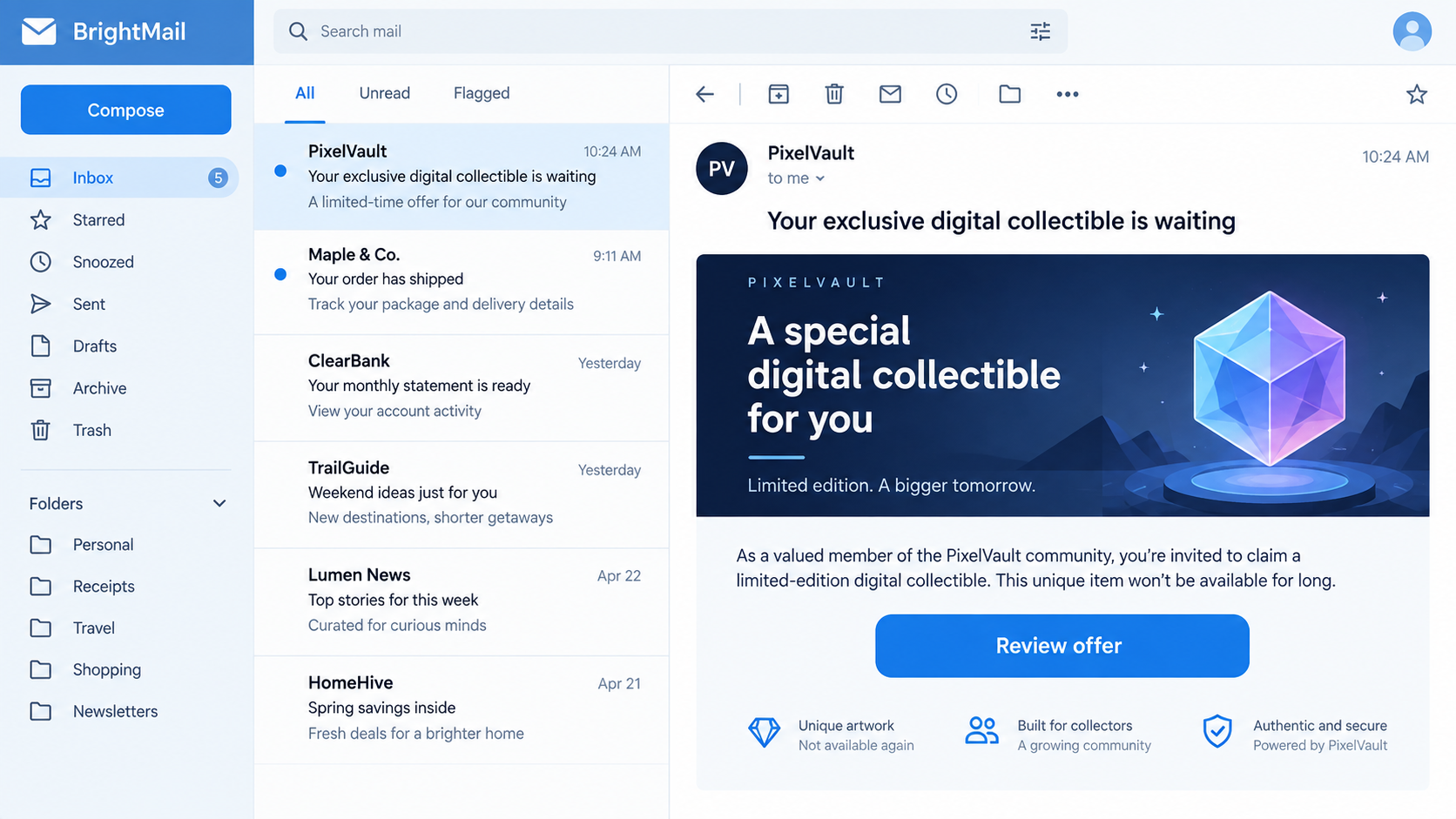
The fake OpenSea offer email
Scammers imitate OpenSea notifications to make wallet owners believe an NFT sale, offer, account review, or reward needs immediate attention.
The fake email may link to a lookalike marketplace. From there, it can push a wallet connection, an approval, a signature, or a request for a recovery phrase.
OpenSea itself warns about emails and direct messages that ask people to validate items, solve a buyer error, send funds, or sign a transaction on another site.
What the message is trying to borrow
OpenSea is a real marketplace. A genuine offer is possible, and legitimate email preferences exist. The scam is the impersonating message and its off-platform destination.
A familiar image, polished button, or sender display name cannot establish authenticity. The full sender address, final link destination, and activity in your actual account matter more.
- Verify the offer in your account by opening OpenSea independently.
- Inspect the exact domain before connecting a wallet.
- Never share a recovery phrase, private key, or password through an email flow.
- Do not send funds to a private wallet to “release” a sale.
The real risk
Opening an email does not automatically drain a wallet. The loss usually follows a harmful approval, signature, transfer, or disclosure of recovery information.
That distinction gives you a chance to stop the chain. If the offer is absent from your real OpenSea account, do not use the email button.
If you already approved something, treat the event as urgent. Wallet access and blockchain transfers may not be reversible through a card-style dispute.
Why the Offer Hook Works
NFT owners expect alerts about bids, sales, and listings. A scam message can blend into that normal stream without making an outrageous claim.
The lure often starts with good news. A high offer can pull the seller toward the button before they notice anything odd about the sender.
Other messages use fear instead. They say a sale failed, a listing needs migration, or an account must be verified before funds can arrive.
Both versions create a reason to connect a wallet. The emotional tone changes, but the requested action is similar.
The message may include your NFT image, collection name, or public wallet address. Those details can be collected from public blockchain or marketplace information.
Personalized details make the email look targeted, but they do not prove the sender has access to your account.
OpenSea offers an in-product notification inbox and account offer views. Those provide a better starting point than a button in an unexpected message.
There is one subtlety: a genuine email from a real service may still contain links.
The safe habit is to open the service yourself when money or wallet permissions are involved.
How the OpenSea Scam Email Works
Step 1: The attacker sends an offer or account alert
The email might announce a new bid, a completed sale, a payout delay, or a problem with your listing. It uses marketplace language to sound routine.
Some messages claim that a buyer has paid but you must verify ownership first. OpenSea’s safety guidance identifies this “buyer error” and verification pretext.
The sender display name may say OpenSea even when the underlying address is unrelated. Email apps can hide the full address until you expand sender details.
Do not rely on a logo or graphic. Images and HTML styling can be copied into an impostor email with little effort.
A real-looking subject line is not a transaction record. Find the activity inside your account before doing anything with the email.
Step 2: The button moves you to a lookalike site
A “Review offer” button may lead to a site designed to resemble the marketplace. The page can ask you to connect a wallet before showing the supposed bid.
Check the full hostname. Attackers can use extra words, subdomains, or swapped letters so a glance at the first few characters feels reassuring.
A secure connection icon does not validate the business behind the page. It only describes the encrypted connection to that particular server.
The fake site may show a countdown or claim the offer expires in minutes. That clock exists to discourage careful inspection.
Close the page and type the known marketplace address yourself. If the same offer is real, you should be able to locate it without the emailed link.
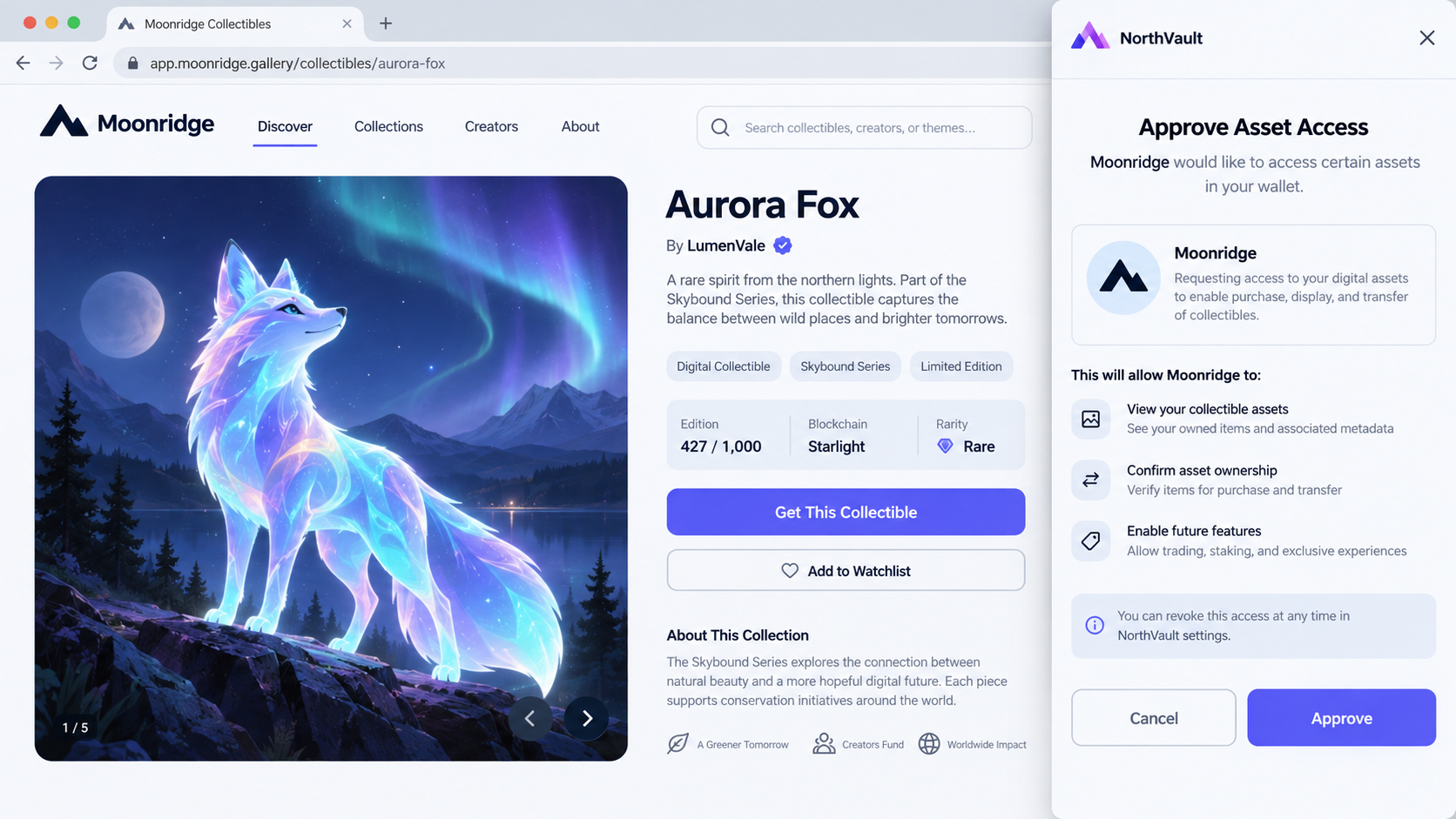
Step 3: A wallet request appears
Connecting a wallet can expose your public address to a website, but the most consequential step is what the site asks you to approve afterward.
A malicious approval may give a contract permission over assets. A misleading signature may authorize a transaction that differs from the promised offer review.
Wallet prompts can be technical and hard to interpret. If the request is unclear, do not sign it simply to see the next screen.
OpenSea says its emails never contain links that directly prompt a wallet transaction. A message pushing you into an immediate signature is a major warning.
Some scams instead ask for a recovery phrase. That phrase is the master key to the wallet, not a customer-service verification code.
Step 4: The scammer tries to take assets or payment
After a harmful approval or signature, a scammer may move NFTs or tokens if the permission allows it. The exact outcome depends on what was approved.
Other versions request a deposit or “gas fee” sent to a private wallet.
OpenSea says it does not ask sellers to send funds to its private wallet to complete a sale.
Be careful with a small “test” transfer. A tiny first payment can be used to make a larger follow-up seem normal.
If the page asks for a password and recovery phrase, stop. No legitimate marketplace support process should need the phrase to investigate an offer.
A fake completion screen does not mean the transaction succeeded safely. Check wallet activity and official marketplace records from a clean session.
Step 5: Follow-up messages keep the victim engaged
When someone hesitates, the sender may claim that a buyer is waiting or a compliance deadline is near. This preserves the urgency that started the exchange.
A second account may pose as “support” and offer to fix the failed transaction. That person may direct you to another site or ask for another signature.
Scammers sometimes change channels, moving from email to Discord, Telegram, or a direct message. A platform switch does not make the claim more credible.
OpenSea says it will not initiate social media direct messages to provide help. Use its official Help Center instead of responding to strangers.
The later pitch may promise to recover lost assets. Recovery claims deserve the same skepticism as the original offer.
How to Check Whether an Offer Is Real
Open a new tab and navigate to OpenSea using your saved bookmark or manually typed address. Do not paste a URL from the suspicious email.
Review your notifications and the relevant item’s offer view. OpenSea documents an in-product inbox for offer, trading, account, and other activity.
Check your account’s notification settings. Genuine emails depend on your preferences and verified address; an unsolicited message alone is not enough to prove activity.
Read the sender’s full email address. OpenSea says its emails use the opensea.io domain, with separate support replies through its documented Help Center channel.
Remember that a From address can sometimes be spoofed. A familiar sender is a clue, not permission to skip the independent account check.
Inspect the link without opening it, then compare its hostname with the official one. If the destination is shortened or obscured, avoid it.
Never enter a seed phrase to confirm an offer. Keep hardware-wallet confirmations and contract approvals separate from email-driven urgency.
If you are unsure, ask OpenSea through its official phishing-report guide.
Connection, Approval, and Signature Are Different Decisions
The word “connect” is often used loosely, but wallet interactions have different consequences. Understanding the difference can prevent panic and guide a precise response.
Connecting generally lets a site see the wallet’s public address. That can reveal public holdings, but it does not automatically authorize a transfer.
An approval can grant a smart contract permission to interact with certain tokens or NFTs. The scope depends on the exact request you accepted.
A signature can authorize a transaction or other action. Never assume that a message labeled “verify” is harmless without reading what the wallet displays.
Some wallets make risk easier to understand by showing the assets, contract, and requested permissions. If the details are missing or confusing, cancel.
Do not let a support agent talk you through approving an unread prompt. A legitimate buyer does not need to control your wallet to make an offer.
Recovery phrases are in a separate category. Anyone who learns yours can recreate the wallet elsewhere. No later password change can secure that same phrase.
If you are uncertain which action occurred, inspect wallet history before deciding what to do. A cancelled prompt is different from a confirmed on-chain transaction.
Write down the time, site, and wallet address you used. Those details help you match browser activity with transaction records and suspicious approvals.
What the Email’s Details Can and Cannot Prove
A fake message may include a realistic bid amount. That amount is just text until a matching offer appears in the official marketplace view.
An NFT title or collection image can be copied from a public listing. It does not mean the sender has a buyer or inside information.
A sender address ending in the expected domain is worth checking, but it is not enough by itself. Email headers can be complex, and display names are easy to forge.
The strongest check is independent account activity. OpenSea’s own notification inbox and offer display should show the event that supposedly requires action.
If the email claims a security emergency, use the site’s normal account settings and support channels. Do not treat an urgent button as your only option.
Look at the requested payment recipient. A stranger’s wallet address for “tax,” “gas,” or “verification” is not an ordinary marketplace checkout.
Likewise, a request to download software is not a normal step in accepting an NFT offer. OpenSea says its genuine emails do not carry attachments.
These checks take a minute, but they interrupt the scam’s sequence. Without that sequence, a polished email remains only an untrusted message.
Keep a copy of the message if you plan to report it. Screenshots and full headers may help support teams investigate an impersonator.
Do not forward the suspicious email to friends as a warning with its live links intact. Describe the tactic instead and share official safety guidance.
What to Do if You Have Fallen Victim to This Scam
- Stop interacting with the page and sender. Close the tab, block the account, and keep the email, URL, and wallet transaction details for investigation.
- If you only clicked, review your actions. A page visit is different from signing or sharing keys. Check whether any wallet prompt was approved.
- If you signed or approved access, act quickly. Review recent permissions and revoke suspicious approvals using a trusted wallet or blockchain tool you reach independently.
- If you exposed your recovery phrase, move remaining assets. Create a new wallet on a trusted device and transfer what remains. A compromised phrase cannot be made private again.
- If you sent funds, preserve transaction hashes. Report the loss to your wallet provider, relevant marketplace, and law enforcement. Blockchain transfers may not be reversible.
- Secure connected accounts. Change reused passwords, enable strong authentication, and inspect your email for forwarding rules or unauthorized access.
- Check your device if you downloaded something. Run a reputable malware scan, such as Malwarebytes, and consider AdGuard to reduce exposure to malicious ads and redirects.
- Report the impostor. Use OpenSea’s Help Center, your email provider’s phishing control, and FBI IC3 if you lost assets in the United States.
Do not share your recovery phrase with a person claiming to help trace funds. Many recovery offers are another stage of the same theft.
Frequently Asked Questions
Can an OpenSea email alone drain my wallet?
No. Loss usually requires a further harmful action, such as approving access, signing a transaction, sending funds, or revealing a recovery phrase.
What if the email contains my real NFT image?
That detail does not authenticate the sender. NFT images and wallet activity may be visible publicly and can be copied into a convincing message.
Does OpenSea ever send offer emails?
Yes, depending on notification settings. Verify a particular offer inside your real account rather than trusting the emailed button.
Should I pay gas to receive an offer?
Do not send a “gas fee” to a private wallet supplied by an email or stranger. Verify any legitimate network fee inside a transaction you initiated.
What if I connected my wallet but signed nothing?
Review wallet connections and recent activity. Connecting alone is different from granting asset access, but disconnect any unfamiliar site and remain alert.
Can OpenSea reverse a stolen NFT transfer?
Blockchain transfers are often irreversible. OpenSea can receive reports and may take marketplace actions, but it cannot promise the return of a transferred asset.
The Bottom Line
A fake OpenSea offer email turns a normal seller alert into a path toward a dangerous wallet request. The genuine marketplace is not the scammer.
Check offers inside your account, not through an email button. If you already approved access or shared a recovery phrase, protect remaining assets immediately.








