

A $500 preorder voucher sounds tempting when a new phone has barely been announced. The page looks familiar enough to invite a quick glance.
Before you decide whether that offer deserves your details, notice what happens before the form is even finished.
Overview
The offer in front of the visitor
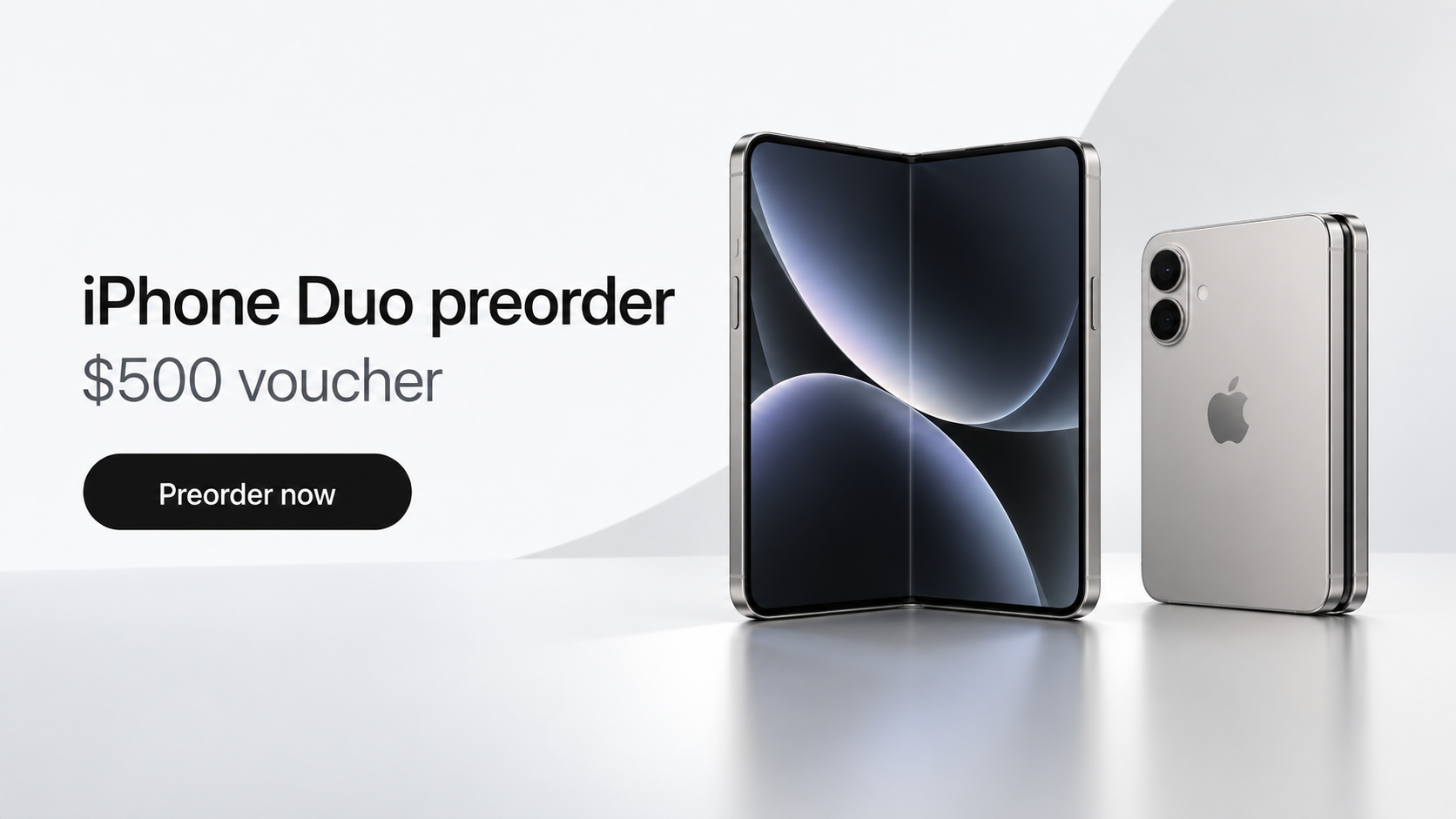
A counterfeit iPhone Duo preorder page copied Apple’s visual language and promised a $500 voucher to people who joined early.
It presented the choice as a reservation, not a high-risk security decision. A countdown and Apple-like navigation made the offer feel temporary and official.
The page also asked for contact details, including a phone number. That looked like the obvious reason for the visit.
Yet the visible form was not the most important part of the page. A separate process attempted to run as soon as the page opened.
What researchers actually observed
Malwarebytes researchers analyzed a fake preorder site carrying code associated with the DarkSword iPhone exploit chain.
The researchers found an attempt to reach into vulnerable phones and access valuable data. They did not observe a completed theft from a live device.
That distinction matters. The site was dangerous by design, but opening it does not prove that every visitor’s phone was compromised.
- The lure was an Apple-style preorder and a $500 voucher.
- The risk began when a vulnerable browser loaded the page, before any form submission.
- The code attempted access to credentials, wallet information, notes, and other private data.
- Current software updates are an important protection against the reported exploit chain.
Why the real company is not behind it
A copied logo, polished device render, and familiar menu do not establish that Apple operates a page.
Apple preorders belong on Apple’s verified site or an authorized retailer’s established domain. A social ad or unfamiliar link can imitate both.
The suspicious page offered details that did not match the real preorder process. Its countdown restarted, and its policy links led nowhere.
In the version examined, pressing the final button produced a success message without processing a genuine order. The preorder was scenery around the attack.
How the Fake iPhone Duo Preorder Scam Works
Step 1: A remarkable offer finds the right audience
New product launches generate searches, videos, rumors, and hurried conversations. Fraudulent pages thrive when people are already expecting fresh announcements.
A $500 voucher gives the visitor a reason to move quickly. It sounds like a promotional benefit rather than a warning sign.
The page Malwarebytes examined used an Apple-like appearance and a deadline. It asked visitors to select a model and provide contact details.
That sequence feels normal for a reservation. Someone might reasonably think the page is collecting interest before a product becomes available.
But a deal that appears only through a stray ad or shared link deserves independent verification. The visible design can be copied in hours.
Check the destination through Apple’s own website, not by clicking another button on the promotional page. The page cannot verify itself.
Step 2: The page steers visitors toward Safari
The attack code was designed around iPhones and Safari. Visitors using other browsers could see a restriction message urging them to open the page differently.
On an iPhone, the page also attempted to reopen itself in Safari. That behavior was not necessary to reserve a phone.
It served the attacker’s preferred technical environment. A legitimate retail page should not need a particular browser to display a simple preorder form.
Researchers also noted that background resources might load in some other browsers. Seeing a restriction notice does not automatically make the visit harmless.
Do not treat a request to switch browsers as helpful customer support. Close the page and check the offer from a known address.
Step 3: The hidden code checks the phone
An invisible frame on the page examined the visitor’s iOS version and selected additional code to load.
This is the crucial difference from an ordinary fake checkout. The attack did not have to wait for a tap on the preorder button.
DarkSword is an exploit chain aimed at weaknesses in older iOS versions. It tries to break through layers that normally keep websites isolated.
Apple has patched the reported weaknesses. A current update substantially changes the risk compared with an unpatched phone in the targeted range.
The precise outcome for an individual visitor depends on device version, patch status, browser behavior, and whether the exploit succeeds.
No article can determine infection merely from a URL in someone’s history. The right response is prompt, proportionate investigation.
Step 4: The payload attempts to reach private data
Malwarebytes found code designed to gather device information and lists of installed applications. It also targeted Apple Notes and cryptocurrency wallets.
The code looked for wallet applications such as MetaMask, Phantom, Trust Wallet, Coinbase Wallet, Exodus, and Tonkeeper.
It attempted to recover keychain credentials and send selected wallet data if earlier communication with its server succeeded.
Other targeted material included photos, messages, contacts, call history, email, calendar entries, and cached location information.
These are attempted capabilities observed in code, not a public list of confirmed victims or stolen records.
The distinction should reassure neither complacent readers nor alarmed ones. A failed attack is possible, but so is a successful one on a vulnerable device.
Step 5: The site keeps the preorder story going
The form and its confirmation help the page appear useful after the exploit has already started in the background.
In the captured version, submitting the form did not create a real preorder. The site’s own code displayed a success message.
That means someone could leave believing they reserved a phone while missing the security event that mattered.
The form itself still invited the visitor to type personal details. The inspected copy did not transmit those entries, but other copies could behave differently.
Do not assume a harmless form simply because one analyzed version had an empty submission handler. Attackers can change pages without notice.
A genuine order should produce confirmation through the retailer’s verified account and official channels, not just a message on a suspicious page.
Step 6: The attacker may use whatever access remains
The analyzed payload could contact its server for instructions and retrieve more information from the device.
Researchers found no automatic persistence mechanism that would necessarily survive a restart. That finding is useful, but it is not a guarantee.
Restarting cannot retrieve information already sent out. It also cannot undo a stolen password or compromised wallet.
For that reason, a reader who opened the site on an old, unpatched iPhone should update first, then address accounts and funds from a trusted device.
Be especially careful with recovery messages. Someone offering to diagnose an iPhone through a random direct message may be a second scammer.
What Makes This Preorder Different From an Ordinary Fake Store
Many fake product pages want card numbers. This one combined an enticing product story with a technical attempt to exploit the browser.
That makes the usual advice, “Do not enter your card,” incomplete. The visitor might face risk without typing anything.
It also changes how evidence should be interpreted. A fake confirmation screen is not proof of an order, but it can distract from the page’s background behavior.
Malwarebytes did not see the captured page transmit the form contents. Calling it a confirmed card theft page would overstate the case.
The research supports a narrower, serious conclusion: the page attempted a drive-by attack against vulnerable iPhones.
A well-patched device may resist that chain. That is why software status matters more here than the quality of the fake logo.
People who opened the link on a desktop computer should not assume the exact iPhone exploit ran there. Still, avoid revisiting the site.
People who shared the link should warn recipients without reposting an active malicious URL. Send a plain warning and the official Apple address instead.
How to Check a New iPhone Offer Safely
Start at Apple’s website by typing the address yourself or using a trusted bookmark. Navigate to the product from there.
For a retailer promotion, verify the retailer’s real domain separately. An advertiser’s display name can differ from the actual destination.
Compare the date, model options, prices, and preorder availability with the official listing. A page claiming privileged early access needs strong evidence.
Do not rely on a padlock. HTTPS protects a connection to a website; it does not prove who owns the website.
Watch for decorative details that fail basic checks. A countdown that resets, broken policy links, or invented colors make the offer less credible.
Ask why a retailer would need WhatsApp or unusual contact details for a normal preorder. Extra channels can also support follow-up impersonation.
Check whether the promotion exists through the retailer’s official support pages, not through a phone number or chat widget on the suspicious page.
Search results may contain paid placements that resemble ordinary listings. An ad label is not a safety certificate, and an advertiser can change its landing page later.
When a friend forwards a preorder link, ask where they found it. A shared message can spread an unsafe page without the sender realizing what it does.
Save a screenshot only if you can do so without reopening the page. The web address and visit time are more useful to responders than a polished product image.
If the page insists you disable protections, change browsers, install a profile, or open a special file, leave immediately.
Keep iOS and Safari up to date even when you do not expect to encounter a suspicious ad. Here, patching was a meaningful defense.
What to Do if You Opened the Fake Preorder Page
Take a breath. Opening the page does not establish that the exploit succeeded, but delaying updates and account protection is not helpful.
- Leave the page and preserve its address. Close it without returning. Save the link from your history or message if safe, and record when you visited.
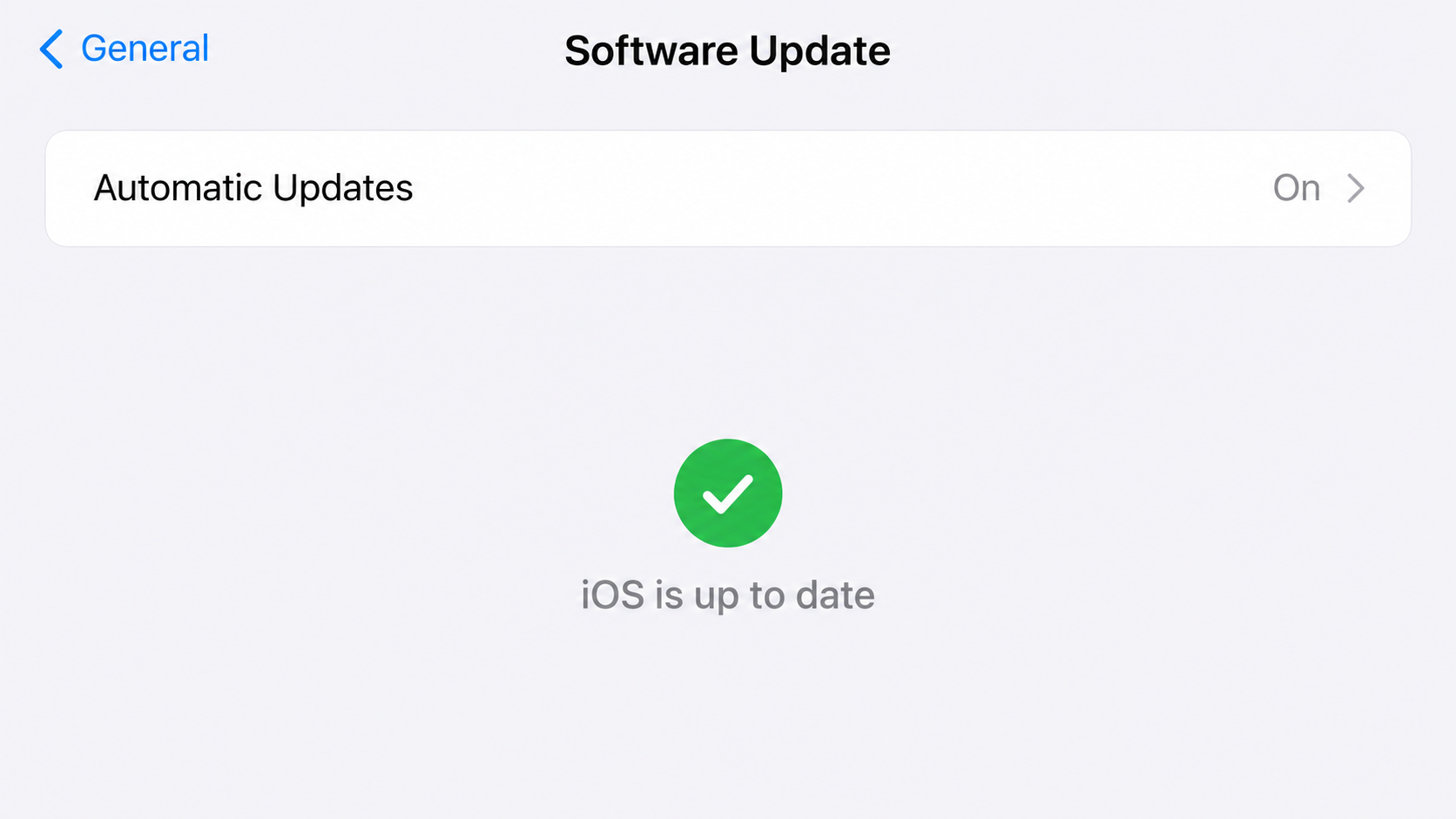
- Update the iPhone. Open Settings, General, then Software Update. Install the newest version available for the device and restart after updating.
- Use a trusted device for sensitive changes. Change the passwords for email, Apple Account, banking, and any account stored on that phone. Review active sessions.
- Protect cryptocurrency funds. If the exposed phone held wallet keys, create a new wallet on a trusted device and move remaining assets. Contact exchanges promptly.
- Review financial and account activity. Look for unfamiliar sign-ins, transfers, recovery changes, and new devices. Contact each provider through its verified support route.
- Check for related threats. Malwarebytes can help inspect other affected devices or browsing exposure; AdGuard can block known malicious destinations. Neither replaces an iOS update.
- Report the page. Send the URL and your observations to Apple and your national cybercrime reporting service. Avoid sharing private wallet keys or passwords.
If you entered only contact details, watch for follow-up texts and calls claiming your preorder needs a deposit or identity check.
If you installed a profile or app after visiting, mention that fact to a qualified responder. It changes the investigation beyond the web exploit described here.
Do not pay a stranger to “unlock” your phone or recover coins. A second payment request is often another attempt at theft.
Frequently Asked Questions
Is the iPhone Duo preorder page an Apple promotion?
No. The page Malwarebytes analyzed imitated Apple’s style but was not an official Apple preorder.
Verify any offer by visiting Apple directly. Logos, product renders, and a familiar navigation bar are easy to imitate.
Can a page harm an iPhone if I never tap Preorder?
The analyzed page attempted to load an exploit on vulnerable phones before form submission. Whether it succeeds depends on the device and patches.
That is why closing the page, updating iOS, and reviewing sensitive accounts are sensible steps even without a completed form.
Was the $500 voucher real?
Researchers found no genuine preorder behind the inspected page. Its visible $500 offer was part of the lure.
Do not infer that every $500 retailer promotion is fake. Confirm each offer through the retailer’s independently reached site.
Did the fake form steal my name and phone number?
Malwarebytes reported that the captured copy did not read or send those form entries when submitted.
That finding applies to the version examined. A changed or copied page could collect details, so remain alert for follow-up messages.
Will restarting the iPhone solve everything?
The analyzed code showed no automatic restart persistence, but restarting cannot undo data already copied or restore a compromised wallet.
Update the phone, restart it, and secure accounts and funds from a trusted device. Seek specialist help if evidence suggests compromise.
How can I tell whether my phone was infected?
A visit alone cannot confirm infection. Warning signs may be absent, and the public research did not provide a simple self-test.
Document the visit, update promptly, review accounts, and contact Apple or a reputable incident responder if the phone held especially sensitive information.
The Bottom Line
The fake preorder made a $500 voucher look like the story. The more serious issue was code that attempted to exploit vulnerable iPhones on page load.
Check promotions through official sites, keep iOS current, and treat an unfamiliar preorder link as a security question before it becomes a purchase decision.








