

A trusted application can look ordinary on screen while a modified copy beside it does something else entirely.
A recent investigation shows why the name of a legitimate program is only one part of a download’s safety story.
Overview
What was found on the affected system
FortiGuard investigated an intrusion where SectopRAT was hidden among modified components of legitimate digital audio workstation software.
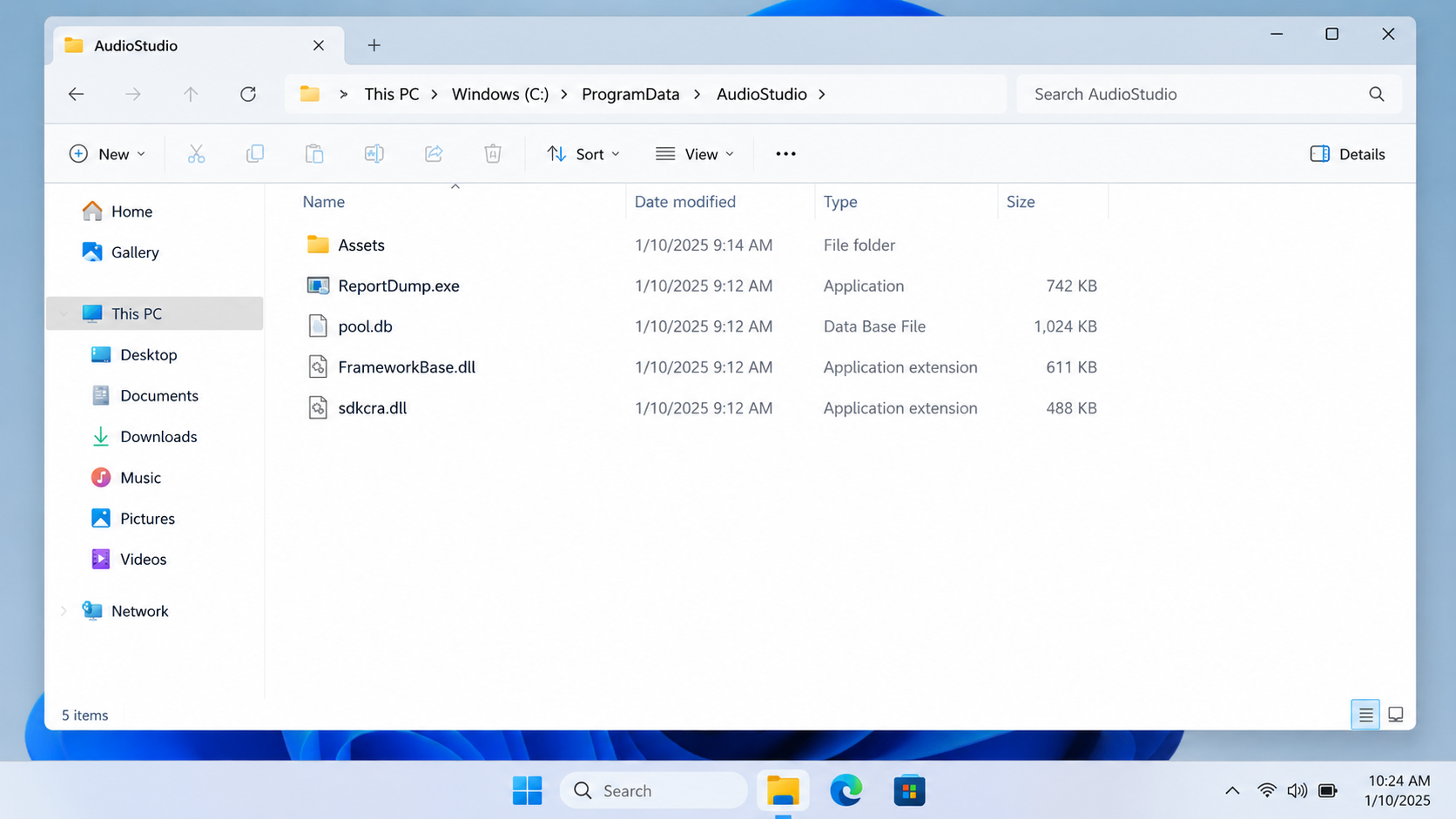
The suspicious folder sat under Windows ProgramData, outside the software’s normal installation location. It contained ordinary-looking program files alongside malicious changes.
SectopRAT is a remote access trojan, sometimes called ArechClient2. It can give an attacker control of an infected Windows computer.
The threat is not that all copies of the audio software are unsafe. The case concerns a tampered set of files on one investigated system.
The detail that prevents a false accusation
FortiGuard reported no evidence that the software vendor distributed a compromised official release. It did not identify the initial delivery route publicly.
That means we cannot honestly say a fake installer, search ad, cracked download, or supplier breach caused this particular intrusion.
Those routes are possible in other malware campaigns. They are not established facts for this case.
- A legitimate executable was present, but nearby components had been altered.
- A scheduled task launched the executable automatically.
- The altered components unpacked a hidden SectopRAT payload.
- The trojan could seek browser credentials, cookies, payment data, and cryptocurrency information.
- The official software vendor was not shown to be compromised.
Why this matters to everyday users
A file bearing a trusted application’s name can still be part of an unsafe folder. The surrounding DLLs, data files, and location matter.
Someone scanning only the visible program name might miss what the modified components load when it starts.
Once active, a remote access trojan can make a password reset alone inadequate. The attacker may still control the computer used to change it.
Understanding the chain helps victims respond in the right order: contain the device, clean it, then secure accounts from a trusted system.
How the SectopRAT Intrusion Unfolded
Step 1: Investigators found a suspicious software folder
The folder resembled a legitimate digital audio application package. It included an executable, database-like files, and several DLL components.
Windows ProgramData can hold application data, but FortiGuard noted this was not the software’s normal installation directory.
Location alone is not a malware verdict. It is a clue that becomes meaningful alongside modified files and unexpected execution behavior.
The public report did not establish how the folder first arrived. It could not fairly be labeled an official vendor update.
For a user, that uncertainty means checking download history, email attachments, remote support activity, and other recent changes without guessing.
Preserve the folder for a qualified responder if possible. Randomly deleting files may destroy evidence while leaving persistence elsewhere.
Step 2: An automatic task ran a real program component
FortiGuard found a scheduled task configured to launch ReportDump.exe, a component associated with the legitimate software.
A scheduled task lets Windows start a program without the user manually opening it each time.
That behavior can be normal for maintenance tools. In this case, it repeatedly started the altered chain in the suspicious folder.
The executable name sounded like crash reporting, not an obvious threat. Attackers often benefit when normal-looking program parts carry the first visible action.
Do not conclude that every file named ReportDump.exe is malicious. The relevant finding was this file’s context and what it loaded.
A security investigation should consider the task’s creation time, command, parent folder, and the signed status of each associated component.
Step 3: A modified library loaded the malicious component
When the legitimate executable ran, it loaded FrameworkBase.dll. FortiGuard found that the copy in this folder had been tampered with.
The modification caused another file, sdkcra.dll, to load. That added component was the entry point for the malicious chain.
This is why an apparently genuine executable can be part of an infection. It may rely on supporting files that an attacker replaced or altered.
The problem is not the general act of using DLLs. Windows applications do that constantly. The problem is the unauthorized change.
Security software and incident responders can compare file hashes, digital signatures, and normal installation layouts to separate expected components from tampered ones.
For ordinary readers, the practical lesson is simpler: do not trust a bundle merely because its main program looks familiar.
Step 4: A data file concealed the trojan
FortiGuard found the encrypted SectopRAT payload inside a file called pool.db, where it would not look like a standard executable.
The malicious loader recovered and ran that payload in memory. The technical details matter to defenders, but users do not need to reproduce them.
Encryption and memory loading make a threat harder to recognize from a quick folder inspection.
A data-file extension does not make content harmless. Applications can read data files and interpret their contents in ways the user never sees.
That is one reason a manual search for a single suspicious EXE can miss the actual infection chain.
Do not open or execute the files to test them. Isolate the machine and let security tools or professionals examine the package safely.
Step 5: SectopRAT contacted its controller
Once running, a remote access trojan can receive instructions from a server controlled by the attacker.
FortiGuard analyzed command-and-control information in the payload and described the functions available to the operator.
Those functions included file and process management, screen capture, and other forms of remote device control.
A successful connection does not mean every capability was used in every incident. Investigators need logs and forensic evidence to determine actual activity.
Still, the available control is serious. The device should not be trusted for banking or password changes until contained and cleaned.
Disconnecting a machine from the network can interrupt communication, but it does not remove the trojan or undo stolen information.
Step 6: Stored accounts and wallets became targets
FortiGuard described a command that gathered browser credentials, autofill information, saved payment data, and cookies.
The malware could also target email clients, gaming applications, cryptocurrency browser extensions, and installed wallet software.
Cookies matter because some can represent an authenticated session. An attacker may not need a password every time an account is accessed.
Wallet material can be even more consequential. A recovery phrase or private key cannot be made safe by changing a website password.
The public analysis establishes capabilities of the examined sample, not a complete inventory of data actually taken from every affected machine.
That uncertainty is why a response plan should cover both device cleanup and possible account exposure.
What the Report Does Not Establish
It does not show that the Italian software company intentionally included SectopRAT or that its official update channel was breached.
FortiGuard explicitly found no evidence the vendor distributed the compromised copy.
It also does not identify a universal download website to avoid. The initial access route in this case was not publicly established.
Do not infer that anyone using the genuine application is infected. A version number or product name alone is insufficient.
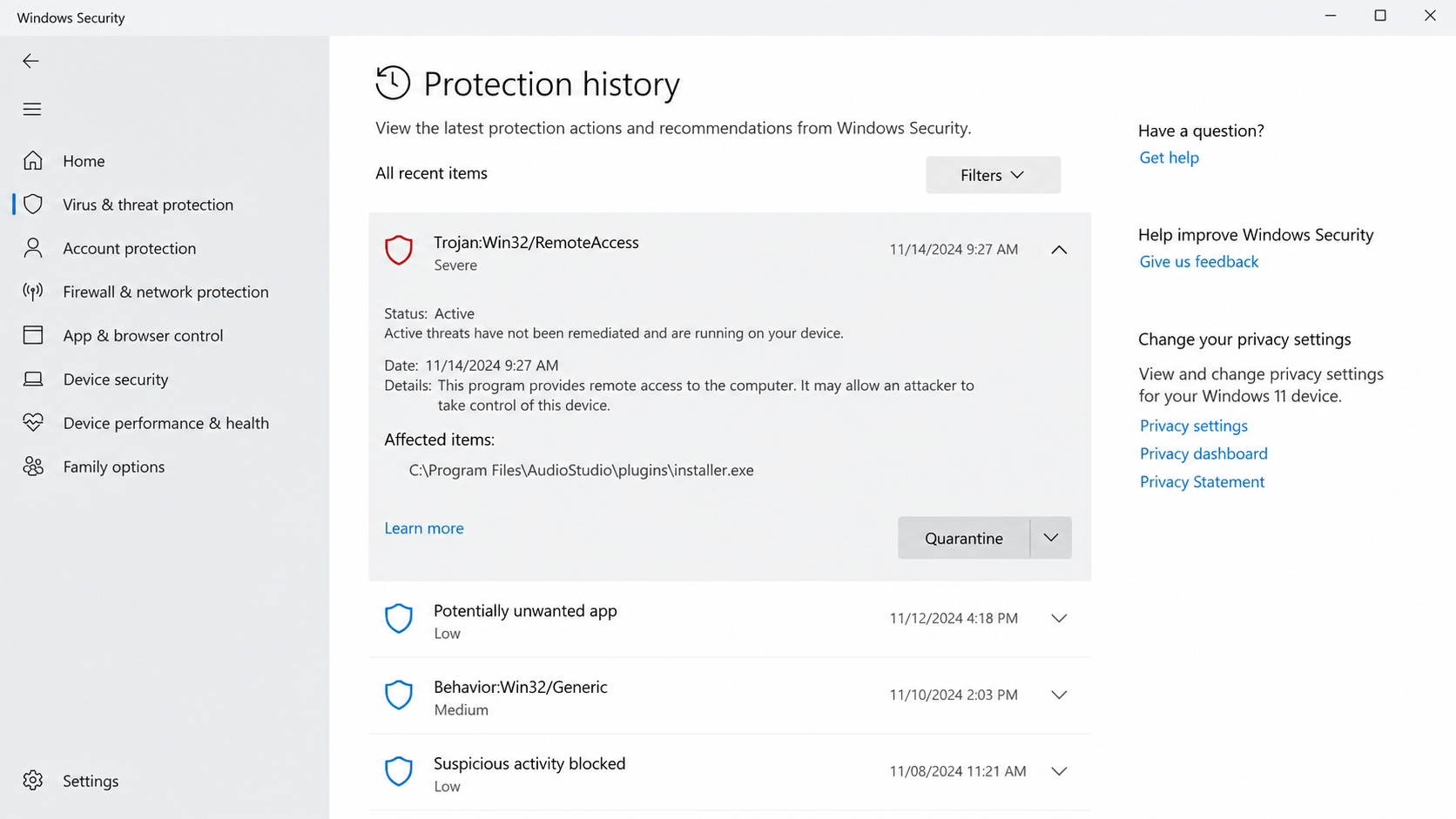
Another mistake would be to treat the generated images in this article as forensic captures. They illustrate the kind of folder and alert involved.
Finally, the sample’s ability to steal data is not proof that every listed category was exfiltrated in the investigated incident.
Good security reporting preserves these limits. It lets affected users act without turning a narrow case into a false accusation against a vendor.
How to Evaluate a Software Package Before Installation
Download from the developer’s official website or a verified app store. Avoid search ads when you can navigate directly through a trusted bookmark.
Check the publisher signature and installation path. A signed main file is useful information, but inspect the package as a whole.
Be cautious with archives that ask you to run a separate helper or disable antivirus before installing. Those instructions deserve independent confirmation.
Compare checksums only when the vendor publishes them through a trusted channel. A checksum on the same suspicious download page proves little.
Keep Windows and security tools updated. They may detect malicious components that an ordinary file manager does not expose.
Do not install cracked software or unofficial repackages on a machine holding saved passwords or wallet keys.
If a program appears in an unusual directory, ask whether the vendor documents that location. Avoid moving unknown files into a normal folder to make them look safer.
Review scheduled tasks when investigating unexplained startup behavior, but do not delete them blindly. Many legitimate applications use them too.
A security warning deserves attention even when the application itself is familiar. The alert may refer to one altered supporting file rather than the whole product.
Do not rely on a folder icon or a familiar executable name. Compare the entire download source with the vendor’s documented installation path.
If a colleague supplied the archive, ask where they obtained it. A well-meaning person can forward an unsafe package without noticing changed components.
Keep regular offline or versioned backups. They help you rebuild a computer without trusting files from the same suspicious bundle.
Separate daily work from administrator access. A program running with fewer privileges may have fewer opportunities to change system-wide settings.
Use a password manager that does not leave every account signed in indefinitely. Review saved browser passwords and remove those you no longer need.
For cryptocurrency, consider keeping long-term holdings off the everyday Windows machine. Malware that searches browser wallets benefits from convenience.
Businesses should inventory scheduled tasks and software directories centrally. An unexpected task launching from ProgramData is easier to investigate when normal activity is known.
What to Do if You Suspect SectopRAT on Your Computer
Act as though the device might expose anything you type into it until you know whether the threat is contained.
- Disconnect the affected Windows device. Turn off Wi-Fi or unplug its network cable. Do not continue banking or wallet activity on it.
- Preserve the alert and timeline. Save detection names, file paths, recent downloads, and unusual scheduled tasks. Give them to a qualified responder.
- Run reputable security tools. Use Malwarebytes and your existing Windows protection to scan and quarantine detections. AdGuard may help block malicious sites, but is not a trojan remover.
- Consider professional incident response. A business system or computer holding sensitive records may need forensic preservation before cleanup or reinstallation.
- Secure accounts from a clean device. Change passwords, revoke sessions, inspect email forwarding, and review MFA methods after the affected machine is isolated.
- Protect financial and crypto assets. Contact banks and exchanges about suspicious activity. Move wallet funds to a new wallet if private keys may have been exposed.
- Rebuild trust in the computer. If compromise is confirmed, a clean reinstall may be safer than relying on one removed file. Restore only verified data.
If this is a workplace machine, tell the security team before attempting major cleanup. They may need evidence to protect other systems.
Do not simply delete the suspicious folder and assume the problem is solved. Scheduled tasks, copied credentials, or additional malware may remain.
After recovery, monitor key accounts for unfamiliar activity. A clean device cannot reverse an earlier unauthorized login.
Frequently Asked Questions
Is the official audio software infected?
FortiGuard found a tampered copy on an investigated system. It reported no evidence that the vendor distributed a compromised official release.
Use the vendor’s verified download channel and do not treat every copy of the application as malicious.
How did the modified files reach the computer?
The public report did not establish the initial delivery path. Claiming a specific fake installer or search advertisement caused this incident would be speculation.
A responder can review local downloads, email, browser history, and remote access logs for the affected machine.
What is SectopRAT?
SectopRAT, also known as ArechClient2, is a remote access trojan for Windows. It can receive commands and collect sensitive data.
Its presence is an intrusion problem, not an ordinary unwanted subscription or misleading offer.
Can deleting pool.db remove the threat?
No single-file deletion should be treated as complete cleanup. The scheduled task, modified libraries, and other components may remain.
Use reputable security tools and professional response where warranted. Preserve evidence before making irreversible changes on a business system.
Are saved passwords and crypto wallets at risk?
The examined variant had functions to target browser credentials, cookies, saved payment details, and wallet-related data.
That does not prove every category was stolen from every device. Protect sensitive accounts from a clean system while the incident is investigated.
Is a malware scan enough after a remote access trojan?
A scan can find and remove files, but it cannot reverse stolen credentials or guarantee the full scope of an intrusion.
Contain the computer, review accounts, and consider a clean reinstall or professional assistance when compromise is confirmed.
The Bottom Line
The SectopRAT case shows how altered supporting files can turn familiar software components into a path for remote control and data theft.
The vendor’s official release was not shown to be compromised. Focus on the affected device, the modified folder, and protecting accounts after containment.








