

A take-home coding assignment can be the most convincing part of a job interview. It gives the applicant something concrete to build and discuss.
One set of projects looked like ordinary infrastructure work. The danger sat in a file many developers would skim while setting up the environment.
Overview
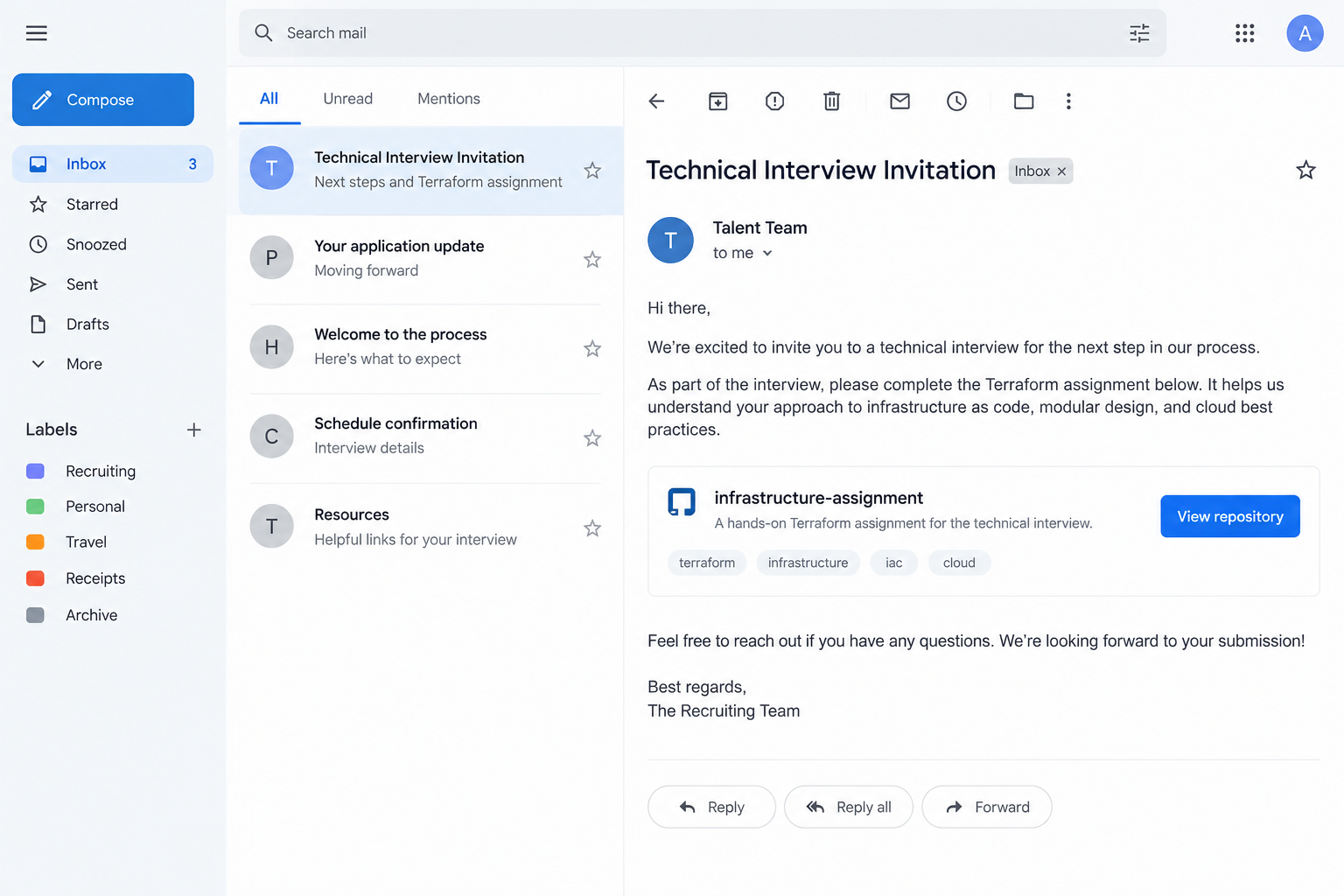
The interview request fits a developer’s routine
Infrastructure and DevOps candidates are often asked to clone a repository, read a README, and make a small project run locally.
That workflow makes a malicious repository unusually tempting. The applicant may expect to execute setup steps to show they can complete the task.
SentinelOne’s research examined fake interview projects linked to the TraderTraitor campaign, alongside macOS backdoors found in a separate organization.
The threat actor used project themes that matched the supposed employer. Some repositories looked like normal infrastructure assignments rather than obvious malware packages.
Job seekers are not at fault for expecting a technical task. The warning is that untrusted interview code can reach far beyond an interview.
A lock file changed where software came from
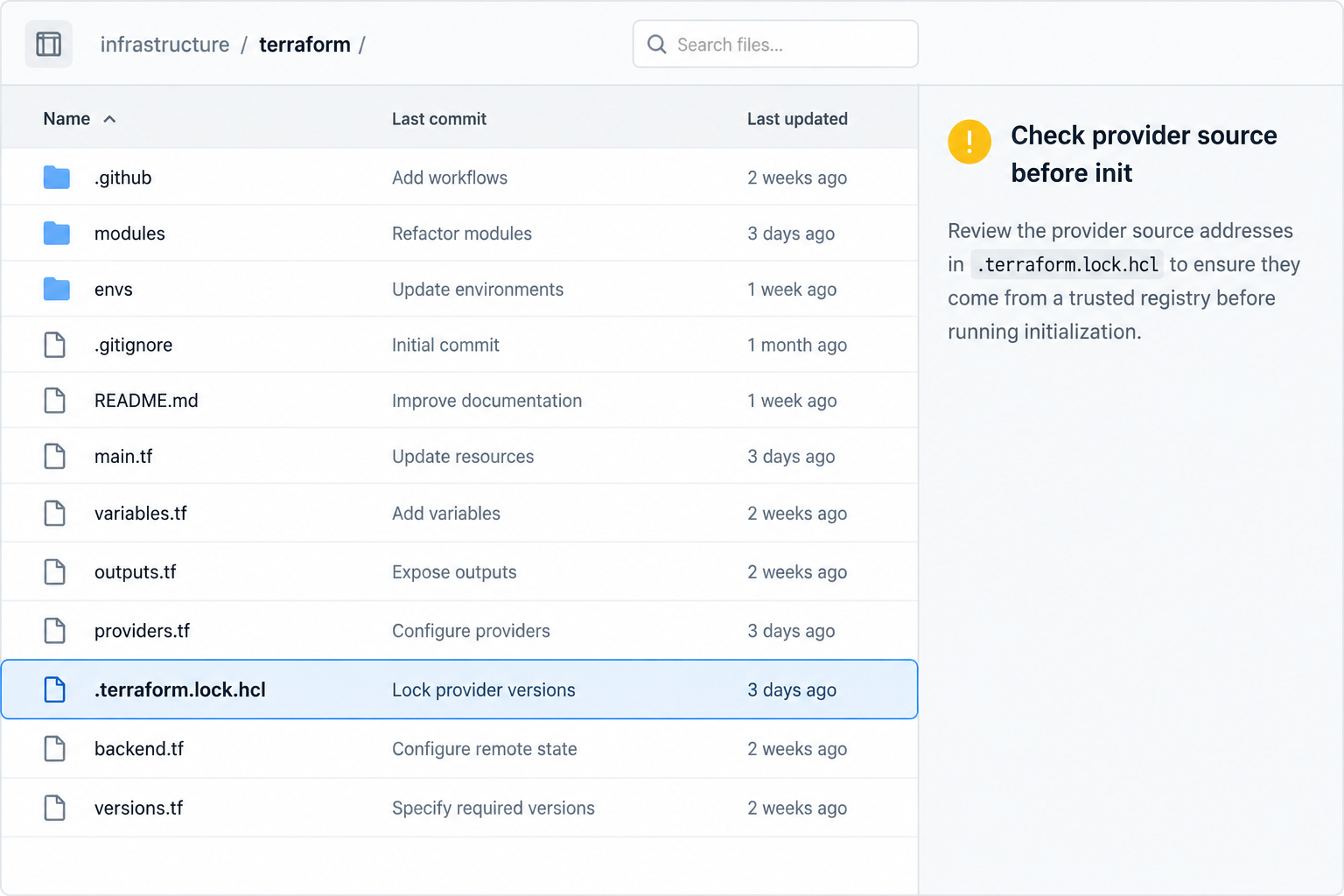
The investigated repositories carried a modified .terraform.lock.hcl file. It referenced custom provider sources on domains controlled by the attacker.
Those domains resembled legitimate Terraform or cloud-provider registries. A quick glance could miss the altered spelling and unusual source.
When a candidate initialized the project, Terraform could download and execute a provider module from the attacker-controlled registry.
A lock file normally helps pin dependency versions. In this case, it helped redirect a familiar setup action toward an untrusted dependency.
Two incidents must not be merged
The LayerZero Labs incident provides a confirmed connection between a weaponized interview project and deployment of FLATROOF and ROOFDECK backdoors.
SentinelOne also found the same backdoor families on a DevOps engineer’s Mac at an unrelated Indian IT-services company.
On that second machine, the backdoors existed before a suspicious interview repository was later cloned. Researchers explicitly say they cannot prove how the malware first arrived.
That timing prevents a neat but false story. The repository is a documented attack method; it is not proven to be the initial infection route for every observed victim.
- A fake hiring conversation leads the applicant to a project repository.
- The assignment appears relevant to Terraform or cloud infrastructure.
- A provider source in the lock file points to attacker-controlled infrastructure.
- Initializing the project can bring untrusted code onto the computer.
- The broader operation used macOS backdoors to seek credentials and access.
How the Fake Terraform Job Interview Scam Works
Step 1: The candidate receives a plausible engineering task
The attacker approaches people whose profiles show DevOps, infrastructure, or cryptocurrency engineering experience. Those skills match the repositories they are asked to examine.
The project names and README text resemble the needs of a hiring team. A candidate wants to prepare well and may begin work quickly.
Unlike an obvious attachment called “invoice.exe,” a code repository feels like normal professional material. That expectation is the attacker’s advantage.
The supposed company may be fabricated or impersonated. SentinelOne could not establish that every organization name seen in the lures represented a real employer.
Verify the role through a company career page and an established recruiter channel. A convincing profile or repository name cannot authenticate the sender.
Be wary if the recruiter pressures you to use a work laptop. A personal application should not require exposing your employer’s cloud credentials.
Step 2: The repository presents ordinary-looking project files
Directories, README instructions, and configuration files create the feel of a genuine assessment. The malicious file can sit among material candidates expect to see.
The weaponized .terraform.lock.hcl entry is not prominent in a short assignment description. Many developers focus first on source files and requested output.
Lock files often travel with repositories, so their mere presence is not suspicious. The important question is what provider sources they specify.
The observed lures included several interview-themed repositories. Their names are less important than the pattern: project code arriving from someone whose identity is unverified.
Reading the repository without executing it is a safer first pass. Review dependencies, initialization scripts, hooks, and external endpoints.
If the assignment requires private tokens, cloud access, or corporate tooling, stop and ask why. A legitimate interview should be possible in an isolated environment.
Step 3: A lookalike registry turns setup into a download
SentinelOne found provider references on lookalike domains resembling official registry naming. A hyphen or alternate ending made the destination easy to misread.
The changed source could steer Terraform toward a provider package controlled by the attacker when the candidate ran normal initialization.
This is dependency confusion with a human pretext. The command itself is routine; the source of the dependency is not.
A developer might notice no browser warning because the action occurs inside terminal-based project setup. The output can look like ordinary provider installation.
Check the full provider address, not just the familiar words at its beginning. Compare it with the official documentation through an independent channel.
Do not paste a provider URL into a browser and assume a plausible page proves it safe. Domain control is the point of the deception.
Step 4: The malicious provider can execute on a sensitive machine
Terraform providers are executable components. Installing one from an attacker-controlled location is not like opening a harmless text file.
That matters especially for DevOps engineers. Their laptops often have cloud sessions, source-code access, SSH keys, and saved browser credentials.
In the confirmed LayerZero case, an employee installed a weaponized interview project on a company workstation. Backdoors were then used to gather API keys.
SentinelOne’s additional victim was an IT-services DevOps engineer with access to several cloud environments. That access made the machine valuable even without crypto trading.
However, the later cloned repository did not precede the backdoors on that second device. It cannot be presented as the proven source of that infection.
The general lesson still stands: untrusted interview dependencies can run with the privileges and access of the person preparing the assignment.
Step 5: Backdoors can use the workstation as a doorway
SentinelOne analyzed two macOS backdoors called FLATROOF and ROOFDECK. Both were present in the wider TraderTraitor activity.
FLATROOF could collect local information and help launch further components. ROOFDECK supported deeper control, reconnaissance, and movement through available access.
The attacker was interested in more than one resume or one code sample. Cloud credentials and source-control access can lead into an employer’s systems.
On the unrelated IT-services Mac, the implants remained quiet until later activity appeared in the research timeline. Dormancy can make a past download hard to connect.
A missing pop-up or antivirus alert is therefore not enough reassurance. The question is whether unknown code ran on a machine with valuable privileges.
Organizations should treat the situation as an access investigation, not merely a file-removal task. Account tokens may need rotation and audit.
Step 6: The job lead becomes an incident, not a hiring process
Once security staff identify a malicious dependency, the original interview conversation is evidence. Preserve messages, repository links, commit references, and times.
Don’t confront the supposed recruiter from the compromised device. The attacker may see messages or adjust the repository after learning it was detected.
The infected workstation might have reached internal services. Investigators need to identify what credentials, cloud roles, and source repositories it could access.
For applicants, the personal cost can include lost accounts or exposed keys. For employers, the same mistake can become a broader compromise.
Report the repository to its hosting platform after evidence is preserved. Takedown helps others, but it does not clean an already affected endpoint.
Keep the factual distinction intact: a documented lure and a matching backdoor do not prove every person who cloned a repo was compromised through it.
Why This Trap Can Fool Experienced Developers
Developers often trust workflows more than visual branding. A normal command in a normal project can feel safe even when the project source is not.
Terraform also turns configuration into real infrastructure actions. Its provider system is powerful, so a dependency source deserves the same scrutiny as any executable download.
Job interviews encourage speed. A candidate may worry that refusing to run the project looks uncooperative, especially if a deadline is short.
That pressure is misplaced. A reputable employer should accept a reasonable security question and allow an isolated, credential-free environment.
Another pitfall is assuming a code-hosting platform has inspected every repository. Hosting a project is not an endorsement of its contents.
The key change is to treat third-party interview tasks as untrusted software. Inspect them, isolate them, and give them no account access they do not need.
A Safer Way to Handle Technical Assignments
Confirm the job opening and recruiter independently before cloning. Search the employer’s official careers page or call a published office number.
Use a disposable environment with no personal wallet, cloud credentials, employer VPN, password manager session, or SSH keys.
Read the README and dependency files first. Look for custom provider registries, install scripts, package hooks, and unexplained external domains.
Ask the interviewer what each unusual dependency does. A legitimate assessment can explain why a provider is necessary and where it comes from.
Do not let a “quick setup” instruction override an obvious mismatch. The few minutes needed for verification are part of professional engineering practice.
If you work for a company, notify its security team before running external interview projects on managed hardware. Many organizations prohibit exactly this risk.
Keep a record of what you inspected and which commands you ran. If an issue appears later, a precise timeline will help responders act quickly.
What an Incident Review Should Establish
The first question is whether the project was merely downloaded or actually initialized. A suspicious lock file is dangerous when its provider is fetched and run.
Next, identify the machine’s privileges at that moment. An isolated test laptop and a production DevOps workstation create very different organizational exposure.
Check whether cloud tokens, repository credentials, SSH agents, password managers, or browser sessions were active. These assets may need separate revocation steps.
Review provider downloads and endpoint telemetry around the setup time. Record hashes and destinations without repeatedly launching the sample to “see what happens.”
If a backdoor is found, examine neighboring systems and cloud audit records. Removing one file does not show whether the attacker used its access already.
The case also illustrates why timelines matter. In the Indian IT-services incident, the implants preceded the later repository clone, limiting what investigators could conclude.
A careful report should say which links are proven, which are plausible, and which remain unknown. That precision helps recovery and avoids blaming the wrong step.
Finally, use the findings to improve the hiring-task policy. Staff need a safe way to inspect external code without risking their employer’s live access.
What to Do if You Ran the Terraform Interview Project
- Stop using the project on that machine. Do not rerun initialization or delete the repository immediately. Preserve the link, files, messages, and execution timeline.
- Contact your security team if it was a work device. Tell them whether cloud credentials, VPN, source-control sessions, or SSH keys were available. Isolation and evidence collection come first.
- Secure accounts from a clean device. Rotate exposed tokens and keys, revoke suspicious sessions, and inspect cloud audit logs. A password change alone may miss API credentials.
- Review the full dependency path. A responder should compare provider sources with official registries and examine downloaded binaries. Do not assume every repository clone executed the payload.
- Scan and rebuild where warranted. Malwarebytes can assist with detection, but a confirmed backdoor calls for professional incident response and often a trusted rebuild.
- Reduce future lure exposure. AdGuard may block some malicious landing pages, but it does not validate code repositories or undo a downloaded provider.
- Warn the hosting platform and relevant contacts. Report the repository after preserving evidence. Share the risk without sending colleagues a live malicious link.
Frequently Asked Questions
Is Terraform itself malicious?
No. Terraform is a legitimate infrastructure tool. The danger here was a project file directing it to an attacker-controlled provider source.
Does cloning the repository always infect a computer?
No. Cloning and executing a provider are different actions. Responders should determine what was actually run on the device.
Was the unrelated IT-services victim infected by the later interview repo?
SentinelOne says it cannot prove that. Its timeline placed the backdoors on the Mac before that repository was cloned.
Why target DevOps engineers instead of crypto traders?
DevOps machines often reach cloud systems and source code. That access can be valuable even when the employer has no cryptocurrency business.
Can I complete a take-home task safely?
Use an isolated, credential-free environment and inspect dependency sources before execution. Verify the hiring team through an independent company channel.
Should I delete the project if I suspect an attack?
Report it first and preserve evidence. Deleting files without guidance can make it harder to establish what ran and which accounts need protection.
The Bottom Line
This fake Terraform job interview scam turned a plausible coding task into a route for downloading untrusted provider code.
Treat interview repositories as external software, especially on privileged machines. Verify the sender and dependencies before a routine setup command becomes an incident.








