

A short video promising a free Roblox item can send players searching for one unfamiliar address. The link may look harmless when the reward sounds small.
Before anyone signs in or follows another prompt, the address itself deserves a fresh look. What it displays today matters more than an old thumbnail.
Overview
The 53k.my link does not currently offer a Roblox reward
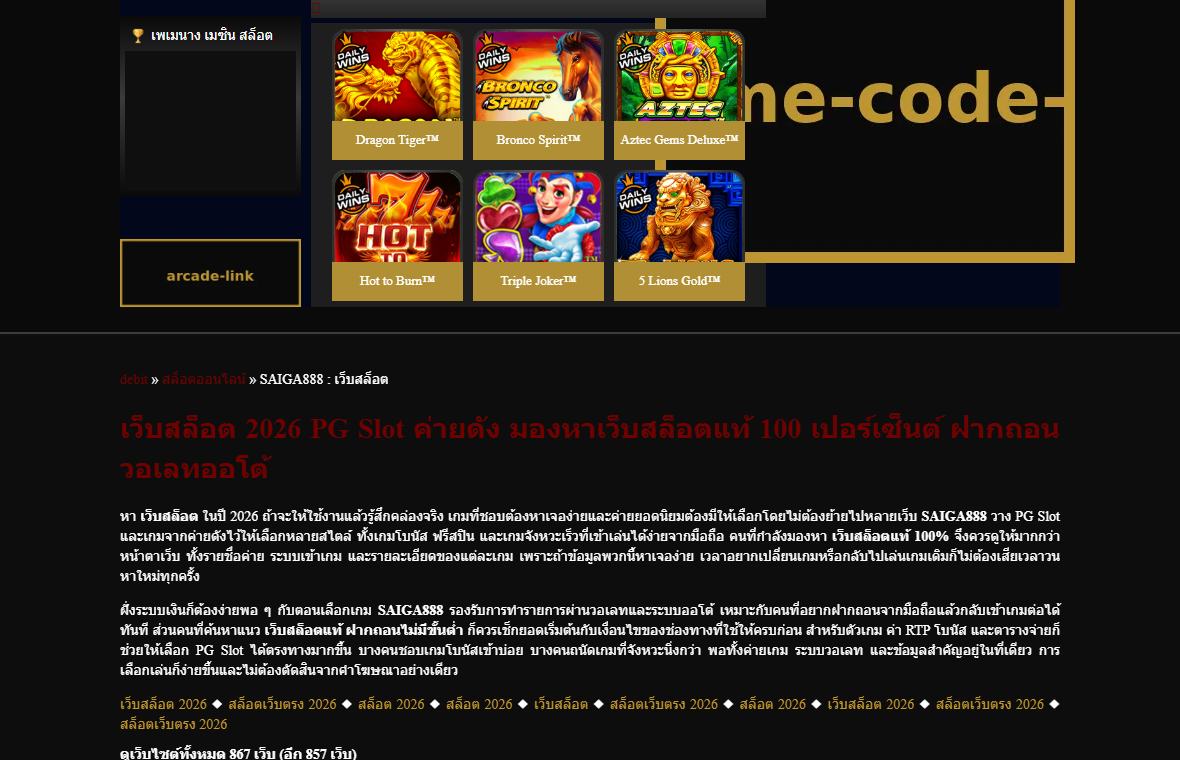
Videos and searches associate 53k.my with a purported free Roblox item. During our October 3, 2026 check, the domain opened a Thai-language casino page.
The page displayed slot games, account registration links, and gambling content. It did not show a Roblox reward redemption process in the page reviewed.
That is the central result of this investigation. A player following an older “free item” recommendation is now being sent somewhere unrelated.
We cannot establish from today’s page exactly what 53k.my displayed when the earlier video was made. Domains and their operators can change.
We also cannot prove that the prior page stole passwords. The current mismatch is enough reason not to use this link for a Roblox item.
Roblox’s own warning covers outside reward pitches
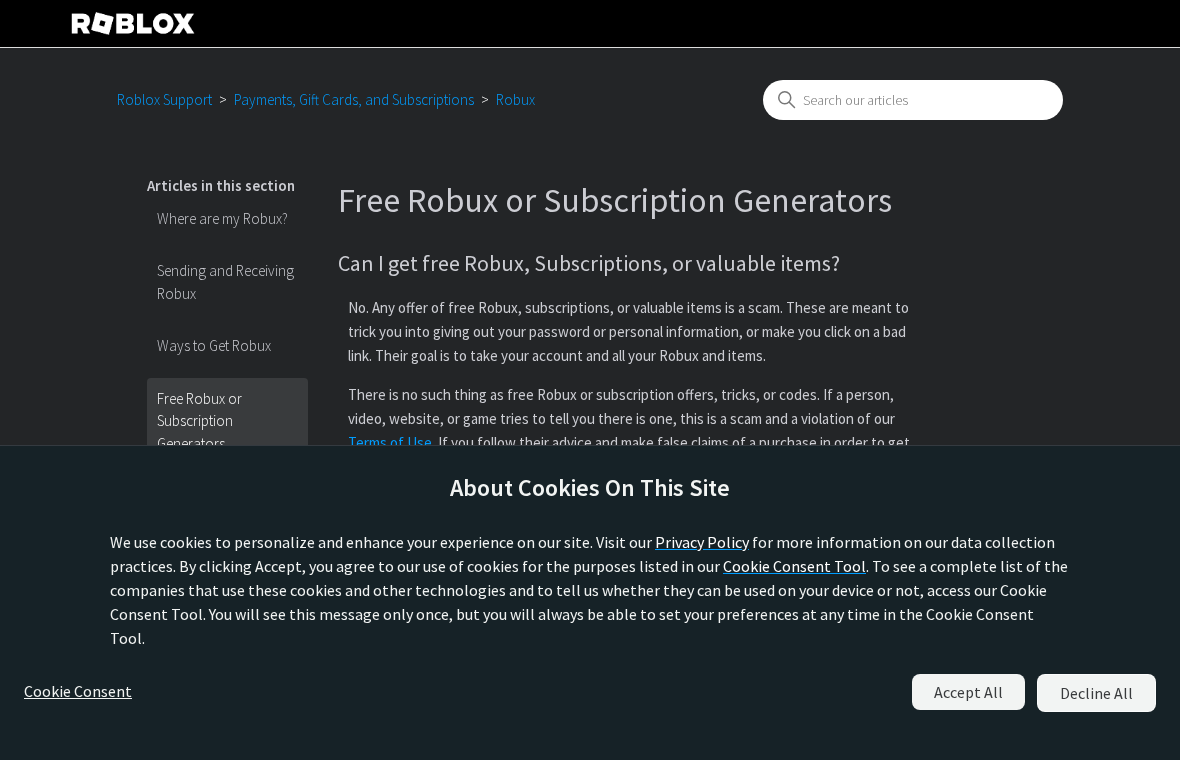
Roblox Support warns that outside promises of free Robux, subscriptions, or valuable items can be attempts to collect passwords or send users to bad links.
That warning does not mean every legitimate in-game promotion is impossible. Roblox separately documents approved promotional rewards within its ecosystem.
The safe distinction is who issued the promotion and where it is redeemed. A random external domain is not authenticated by a video’s title.
Our verdict is to stop at the link
Do not enter a Roblox username, password, recovery code, card, or phone number into 53k.my because someone once described it as a reward site.
Do not install an Android package from the current casino page. Its own visible instructions discuss downloading an APK, unrelated to Roblox rewards.
Use this quick check whenever a free-item link appears:
- Open Roblox directly through the official app or a saved bookmark, not the promotional link.
- Find the event or reward through Roblox’s official notice or the verified game’s own page.
- Check whether the address now shows content unrelated to the promise.
- Never provide a password, two-factor code, or payment to “unlock” a free item.
- If the link changes destination, treat the old recommendation as obsolete.
Why an Old Reward Link Can Become Dangerous
People remember the promise, not the exact web address. A video thumbnail may remain visible long after the linked site has changed.
The change can happen for several reasons. A site owner may repurpose a domain, let it expire, sell it, or lose control of it.
Without historical records and ownership evidence, we should not choose one explanation and present it as fact. The browser’s current destination is observable.
That observable change matters because trust is being carried forward from an older context. A player sees a familiar video, clicks, and expects the same thing.
Someone looking for a virtual knife, skin, or other game item might assume the next page is part of the reward process.
A casino registration page is not a normal step in claiming a Roblox item. The disconnect should end the journey immediately.
The current site also presents many game links and advertising-style navigation. Following them can expose a player to more unfamiliar domains.
We did not register, deposit money, or download an app. This review is based on the visible page and official Roblox guidance.
Therefore, this article does not claim a verified theft occurred through today’s site. It documents a misleading destination and explains how to avoid further risk.
The same principle applies to shortened links and QR codes. A destination can change after the person sharing it stops paying attention.
Always evaluate the page you actually reach. Do not rely on a video creator’s past description as a permanent safety certificate.
How a “Free Roblox Item” Link Can Put Players at Risk
Step 1: A reward claim attracts a specific audience
Rare or fashionable Roblox items create urgency. Players may feel they must claim one before a supposed window closes.
Videos can package that desire into a simple instruction: visit a domain and follow the steps. The shorter the pitch, the easier it is to overlook verification.
An unfamiliar domain does not become official because the item name, game title, or Roblox logo appears nearby.
Ask where the promotion was announced by Roblox or the game’s verified developer. If no official announcement exists, pause.
Step 2: The link creates a false sense of continuity
A browser opens an address that was mentioned in the video. The player may assume everything at that address still relates to the same reward.
That assumption is fragile. Websites change daily, while videos and search snippets can remain online for years.
At our check, 53k.my showed casino and slot content. That is not a minor change in wording; it is a different type of site.
Do not try to find the missing Roblox reward by clicking through its menus. The absence of the promised content is the answer.
Step 3: Registration or download prompts can widen exposure
The current page shows registration and login controls. It also includes Android installation instructions for an APK, according to its visible text.
Neither action is needed to receive a Roblox reward. Supplying details to an unrelated site adds risk without making the original promise more credible.
An APK is an Android installer. Software installed outside a trusted store can require additional scrutiny, particularly when promoted through unrelated reward claims.
We have not tested this site’s package and do not label it malware. The sensible action is simply not to install it for a Roblox item.
Step 4: A reused password can turn a detour into account loss
If a player enters a Roblox password on an outside page, that credential could be exposed. The concern applies to any third-party reward page.
Roblox’s support warning specifically describes password collection and bad links as common goals of free-item offers.
A second risk is password reuse. The same password on email or another game account could open more than one door.
Keep the sign-in process inside official Roblox surfaces. A legitimate event should not demand your password on an unrelated casino site.
Step 5: Confusion can invite another fake “fix”
When the promised item is absent, a player may search for another link or ask strangers why the first one failed.
That is when impostors may offer a replacement code, “verification” service, or account recovery help in direct messages.
Do not pay a fee or hand over a one-time code to someone claiming they can rescue a free reward. Return to official support channels.
Stop following the chain of links. One wrong destination should not become five more chances to expose an account.
What the Current 53k.my Page Actually Shows
The observed homepage is written largely in Thai and presents itself around slot games, casino categories, sports betting, and related gambling navigation.
Its visible registration controls and game tiles match that theme. We found no Roblox-specific item claim in the content reviewed.
The page contains links to other gambling-themed domains. Those links are not evidence of an official relationship with Roblox.
We intentionally did not create an account or submit personal data. That would not be necessary to answer whether the page matches the free-item claim.
A changed destination does not automatically identify who controlled the older version. It also does not prove every earlier visitor was harmed.
However, the present mismatch is decisive for anyone considering the link today. It should not be used to pursue the advertised item.
Children and teens may not recognize the language or gambling context. Adults reviewing a link for a young player should close the page.
Blocking access to the current domain on a child’s device can prevent repeated clicks from an old video or chat message.
If the browser offered to save a password, check whether any credential was entered first. Merely seeing a page is not the same as giving it a password.
If you clicked a menu but submitted nothing and downloaded nothing, the immediate risk is lower. You can close the tab and move on.
How to Verify a Real Roblox Promotion
Roblox does sometimes host legitimate promotional rewards. Its support guidance explains that these may occur through authorized experiences or event mechanics.
That nuance matters. A blanket statement that “no free Roblox item is ever real” would be inaccurate and unhelpful.
Instead, verify the specific offer. Search Roblox’s own announcements, the official experience page, and the developer’s verified communication channels.
Check whether a promotion asks you to complete an in-game action or enter credentials on a separate website. Those are very different situations.
Watch for pressure to act immediately. A countdown can be genuine, but urgency also discourages the few seconds needed to inspect a URL.
Look closely at spelling. An extra letter, unusual top-level domain, or shortened address should trigger independent verification.
Do not trust an image of a Roblox interface pasted onto an unrelated page. A screenshot can be copied without authorization.
If an offer says you must complete surveys, install unrelated apps, or deposit money, step back and check official sources.
A reward should be visible in the Roblox account or game once legitimately earned. An outside “verification pending” page is not proof of delivery.
Parents can ask children to show the official event page before allowing a download or login. That small habit prevents many avoidable problems.
What to Do If You Visited 53k.my
- Separate viewing from exposure. If you only opened the page, close it. Do not assume your account was stolen without an additional action.
- Change any password you entered. Use the official Roblox app or a typed bookmark. Change reused passwords on email and other services too.
- Strengthen the account. Enable Roblox’s current two-step and phishing-resistant security options, then review logged-in sessions and connected devices.
- Remove unwanted downloads. If you installed an APK or browser extension from the page, uninstall it and run a reputable security scan, such as Malwarebytes.
- Check browser permissions. Revoke notification access for unfamiliar sites. An ad blocker such as AdGuard can reduce future malicious or deceptive ad exposure.
- Review purchases and inventory. Look for missing Robux, changed settings, new trades, or unfamiliar payment activity. Report unauthorized transactions promptly.
- Tell the person who shared the link. Explain that the address now shows casino content. Ask them to remove or update the old recommendation.
- Contact official Roblox Support if needed. Use Roblox’s help site for account recovery, rather than a stranger offering a shortcut in chat.
If a child provided a password or card, help them without blame. Shame can make them hide the next warning sign.
If no details were entered and no installer ran, the response can stay simple: close the page and avoid the obsolete link.
Why the Domain’s Past Does Not Settle Today’s Safety
A web address is not a permanent identity document. The same string can serve different content over time for reasons outsiders cannot immediately see.
One person may remember a Roblox-themed page. Another sees today’s casino homepage. Both observations can be accurate at different times.
For a reader deciding what to do now, the present destination is more useful than speculation about ownership history.
That is also why we avoid declaring a specific past theft mechanism. We did not recover a reliable earlier form showing what data it requested.
Our strongest supported finding is narrower and clearer: the currently available domain does not match the old free-item expectation.
This is enough to recommend against using it. A safety decision need not wait for proof of every possible harm.
Search engines can preserve old titles, and social posts can circulate after a domain changes. Check the live page every time a link resurfaces.
If a video creator updates the description, the original spoken address may still be heard. Treat both as leads requiring verification.
The safest habit is to find the promotion from the official game’s current channels instead of reviving a stale third-party link.
Frequently Asked Questions
Does 53k.my currently give a free Roblox item?
No such offer appeared in our October 3, 2026 check. The homepage showed Thai-language casino and slot-game content.
Was the older 53k.my page definitely stealing passwords?
We cannot verify that claim from the current site. Avoid presenting an unobserved past mechanism as established fact.
Can Roblox items ever be earned through real promotions?
Yes. Roblox documents authorized virtual-reward promotions. Verify a specific event through official Roblox or the game’s verified channels.
Is opening the page alone the same as losing my account?
No. The more important questions are whether you entered credentials, installed software, granted notifications, or supplied payment details.
What if I installed an Android app from the link?
Remove the installer, review permissions, and run a reputable security scan. Change account passwords if you entered them afterward.
Should I use a replacement link in the video comments?
Not without independent verification. Comments can contain fresh impersonation attempts. Find a current official event page instead.
The Bottom Line
Whatever 53k.my showed previously, its current page is a casino site, not a Roblox reward page. Do not use it to claim an item.
If you only looked, close it. If you entered credentials or installed something, secure the account and device now.








