

A crypto trading extension promises a cleaner dashboard and quicker access to your positions. Its store page looks ordinary, and installation takes only a moment.
Before adding another tool to the browser you use for trading, look closely at what it will be allowed to do there.
Overview
A helpful-looking tracker with a hidden purpose
Malicious extensions can present themselves as trading companions while collecting information from accounts already open in the same browser.
The confirmed case here concerns specific analyzed extensions, not every crypto tracker. A trading tool is not fraudulent simply because it requests relevant browser access.
Socket’s September 9, 2026 investigation identified malicious collection in J7Tracker and VREO for Chrome, VREO for Firefox, and Orbit Tracker for Firefox.
The analyzed code targeted authenticated Axiom Trade and Padre sessions, collecting tokens and wallet-related application data and sending it to external infrastructure.
Some collectors used existing logged-in sessions automatically. The victim did not have to deliberately export wallet information for the code to retrieve available data.
The risk follows you into a logged-in trading account
A browser extension is more than a shortcut pinned beside the address bar. Depending on its permissions, it can interact with the websites you use.
A permission to read website data becomes especially consequential on a financial account. You should understand the need for that access before granting it.
In this case, the problem was not an unpopular interface or a disputed subscription. Researchers found purposeful collection and external transfer of sensitive application data.
- The lure: convenient crypto tracking or an improved trading interface.
- The exposure: an extension operating in a browser with an authenticated trading session.
- The confirmed behavior: collection and exfiltration of session and wallet-related data in the analyzed code.
- The potential consequence: account compromise and cryptocurrency theft, depending on the data and access available.
- The immediate response: remove the malicious extension and secure the affected accounts through verified routes.
A store listing is not a permanent safety certificate
Socket reported that the malicious Chrome listings had been removed in July 2026. Its report described Orbit Tracker as available on Firefox when published in September.
On October 4, Mozilla’s public API still listed Orbit Tracker, now at version 3.0. The cited malware analysis concerns its earlier analyzed release, not this update.
A current listing is not a fresh code review. We have not established whether version 3.0 retains the analyzed collector or changes its behavior.
The official listing can change again. Availability alone proves neither safety nor that every version contains identical malicious code.
Axiom and Padre are targets of the malicious extensions. This evidence does not establish that their infrastructure was breached or that the platforms distributed the malware.
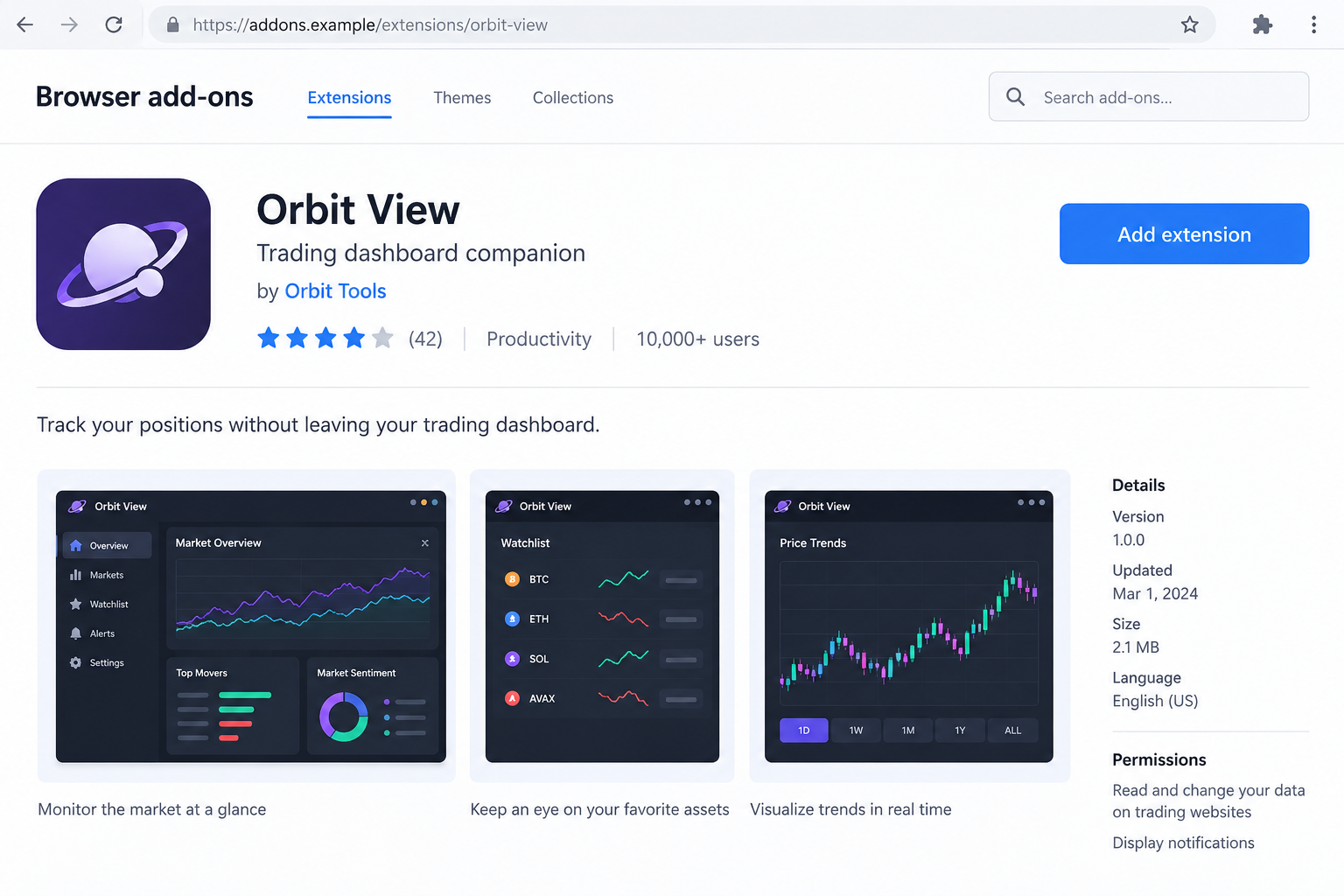
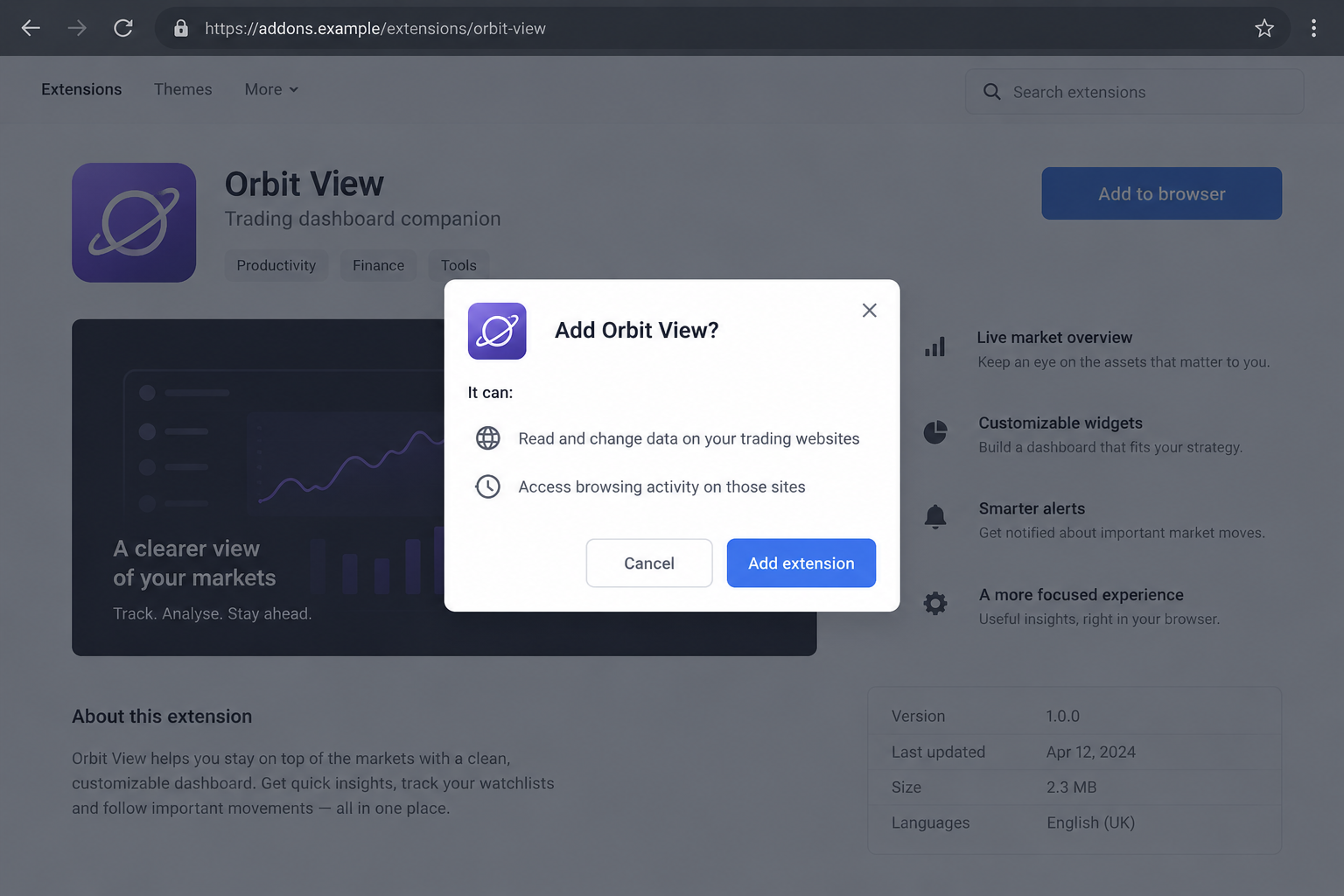
The images below are fictional interface reconstructions using an invented add-on. They illustrate the installation decision, not the actual listings analyzed by researchers.
How the Crypto Trading Extension Scam Works
Step 1: A trading tool offers a reason to install it
The promise can sound practical rather than extravagant: track positions, make the dashboard easier to read, or save time while watching several tokens.
That is why the request deserves attention even when nobody guarantees profits. Convenience can be enough to persuade someone to add software to a sensitive browser.
Before installation, verify whether the platform recommends the tool through an established official channel. A mention in a community chat is not the same endorsement.
Do not let a copied name, familiar icon, or impressive user count make that decision alone. Those details say little about what the code actually does.
If you only need a simple price view, consider whether installing another extension is necessary. Unused access creates risk without providing a useful benefit.
Step 2: The browser asks for access to trading websites
The installation prompt is the moment to slow down. Read which sites and data the extension wants to reach, not just its advertised feature list.
Some legitimate tools need website access to work. That means the permission is important, not that granting it to any tracker is safe.
Ask whether the requested access matches the feature you want. A cosmetic change and an account-management tool may require very different levels of trust.
Broad access should trigger a stronger review. If the publisher cannot explain why it is necessary, cancel rather than experiment inside an active financial session.
A restrictive-looking prompt is not a complete code audit either. It cannot tell you whether every action inside the allowed website serves the advertised purpose.
Step 3: The extension runs where you are already authenticated
Once a tool can interact with the trading page, your existing session becomes important. The browser may already contain information supporting that logged-in experience.
You do not need to type a password into a fresh fake login for an extension incident to matter. Existing account access can be the target.
This makes the usual advice to avoid sharing a recovery phrase incomplete for this scenario. Protecting the phrase is vital, but browser access still needs scrutiny.
Separating sensitive accounts from casual extensions is a practical boundary. A trading browser profile should not carry every add-on you use for unrelated browsing.
That separation is not a guarantee against malicious software. It reduces the number of tools given access to a particularly valuable account context.
Step 4: Hidden collection reaches beyond the visible feature
A tracker can appear to work while performing an additional action you did not ask for. A useful screen does not prove that collection is harmless.
The important question is whether account information is being accessed and shared for an authorized purpose. A dashboard’s appearance cannot answer that by itself.
Do not assume an extension must cause crashes or display warnings to be dangerous. Unauthorized data collection may leave the advertised interface looking normal.
If a trusted source identifies your exact installed extension as malicious, respond to that evidence. Waiting for a visible malfunction is not a meaningful safety test.
Also avoid substituting a similar-sounding name for the identified extension. Publishers can share names; the exact store identity matters when checking exposure.
Step 5: Data leaves the browser and creates a compromise risk
Sensitive session material should not be handed to an unknown operator. Depending on what was exposed, that operator may gain opportunities to misuse account access.
The outcome is not identical for every account. Token validity, platform controls, wallet architecture, and timing affect what an attacker can do next.
That uncertainty is a reason to secure the account promptly, not a reason to claim the entire wallet must already be empty.
Use official account history to check for unauthorized activity. Do not rely on a message from someone offering to confirm your safety through another tool.
Removing the extension stops that installation’s future access. It does not automatically invalidate credentials or session information already disclosed before removal.
How to Check Whether You Installed an Identified Extension
Open the browser’s own extension manager. Review what is actually installed, including disabled items, rather than trying to remember every tool you have added.
Compare the exact name, publisher, and identifier against the research. A matching identifier is more useful than a look-alike icon or an approximate product name.
The report’s indicators provide those identifiers. Use the research page for that comparison rather than searching for a download of the suspected extension.
If your browser is managed by an employer, involve its security team. They may have installation history or policies that a personal visual check cannot see.
Do not reinstall a removed tracker to test it. You do not need to reproduce the collector’s behavior inside your own trading account.
Record the version and relevant dates before removal if it is safe to do so. Keep sensitive account information out of screenshots you share publicly.
Review other browser profiles and devices you actually use for trading. Finding one affected installation does not tell you what is present in another profile.
Keep the scope precise. A browser with no matching extension and no related evidence should not be declared compromised just because another device was affected.
What to Do if You Have Fallen Victim to This Scam
If you installed an identified malicious extension, prioritize the browser and the trading accounts it could reach. Do not wait for a visible theft.
- Remove the extension through the browser’s settings. Avoid using a cleanup button inside the suspect add-on. Record its identifier first if that can be done safely.
- Contact the affected platform through its verified site. Explain the extension exposure and ask how to revoke sessions and invalidate affected authentication tokens.
- Use a clean browser or device to secure accounts. Change exposed credentials and review account recovery settings. Do not reset passwords through links sent by strangers.
- Review wallet and trading activity. Preserve transaction hashes and timestamps for anything unauthorized. Ask official support about the specific wallet data that may have been exposed.
- Preserve evidence without publishing secrets. Keep extension details and relevant logs. Redact tokens, recovery phrases, balances, and personal data before sharing outside trusted channels.
- Report the malicious listing or incident. Use the browser marketplace’s reporting route and appropriate law enforcement channels if theft occurred.
Google’s extension-management instructions explain Chrome’s built-in removal controls. Mozilla’s instructions cover disabling and removing Firefox add-ons.
A password change may not cover every stolen token. Ask the platform about session revocation instead of assuming all earlier access ended with the new password.
If a wallet’s secret material was exposed, obtain verified guidance about moving remaining assets to a newly secured wallet. Never reuse an exposed recovery phrase.
Do not assume that every connected wallet requires the same remedy. Work from the wallet architecture and the information actually available to the malicious extension.
For a personal device, a Malwarebytes scan can help check for additional unwanted software. It cannot reverse a transaction or invalidate a platform’s session tokens.
AdGuard may reduce exposure to some deceptive ads and websites. It is not a substitute for removing a malicious extension or revoking affected account access.
No scan result can prove that previously transmitted data was never used. Account review and platform-specific recovery remain important even after the device appears clean.
Be particularly wary of recovery offers in direct messages. Someone asking for a recovery phrase, remote access, or an upfront rescue payment creates a new risk.
Practical Rules for Extensions on a Trading Browser
Start with fewer tools, not a longer list of trusted-looking badges. Every installed extension should have a clear purpose you still need.
Keep a dedicated profile for financial activity and review its add-ons regularly. Remove abandoned experiments rather than leaving them installed because they once seemed useful.
Check an extension again if its publisher changes, its requested access expands, or its function becomes unclear. Earlier trust does not automatically cover a later update.
Do not install from a zip file or developer-mode instructions supplied in a chat just because a store version disappeared. That removes another opportunity for scrutiny.
Be careful with sponsored search results for trading tools. Reach official platform resources directly, then follow any genuinely documented integration instructions from there.
For organizations, an approved extension list is easier to defend than an informal collection of recommendations. Exceptions should have a named owner and a review.
Make account recovery information available before an incident. Knowing the verified support route saves time when a browser or trading session may no longer be trustworthy.
Use multi-factor authentication where supported, but do not treat it as permission to install unreviewed software. A logged-in session remains a sensitive place.
Keep security alerts separate from price alerts. A token moving quickly is not a reason to postpone dealing with a confirmed malicious add-on.
When recommending tools to friends, share the verified publisher and official listing, not just a screenshot. Better identification reduces confusion between originals and imitations.
Frequently Asked Questions
Are all crypto trading extensions scams?
No. This report concerns identified malicious extensions and their analyzed behavior. Legitimate trading add-ons exist, and a useful permission alone does not prove fraud.
Evaluate the exact publisher, identity, permissions, and reliable security evidence. Avoid turning a finding about one tool into an accusation against every competing product.
Can an extension steal data without asking for my recovery phrase?
Yes. This case targeted information available within authenticated trading sessions. The analyzed collection did not require the victim to intentionally export wallet information.
That does not mean every wallet secret was accessible. It means refusing to type a phrase is not the only protection your trading browser needs.
Does the research prove Axiom or Padre was hacked?
No. The reported attack operated through malicious extensions inside users’ authenticated sessions. That is different from evidence of a breach of the platforms’ infrastructure.
Contact the relevant platform for recovery advice if you were exposed. Do not attribute the extension operator’s actions to the legitimate service without separate evidence.
Am I safe after deleting the extension?
Removal is an important first step, but data already transmitted may remain useful to an attacker. Revoke affected sessions and review credentials and wallet activity.
The right follow-up depends on the information exposed. A device scan alone cannot perform those account-side actions or return funds that were already transferred.
Does a vanished store page mean I was never at risk?
No. A listing’s removal does not establish that your earlier installation was harmless. Check installation history and whether the tool ran with relevant account access.
Also avoid assuming a historical listing is still live. Availability changes, while the confirmed code analysis remains useful for identifying past exposure.
Should I move every asset immediately?
Do not act through links or instructions from strangers. Secure affected sessions first and get verified guidance about the particular wallet material that was exposed.
If wallet secrets were compromised, remaining funds may need a newly secured wallet. Use a clean environment and never share the new phrase with anyone.
The Bottom Line
A crypto trading extension can be dangerous even when its dashboard looks useful. The confirmed issue here is hidden collection, not merely an unfamiliar brand.
Keep unnecessary add-ons away from financial sessions. If an identified malicious extension was installed, remove it, revoke affected access, and verify activity through the real platform.








