

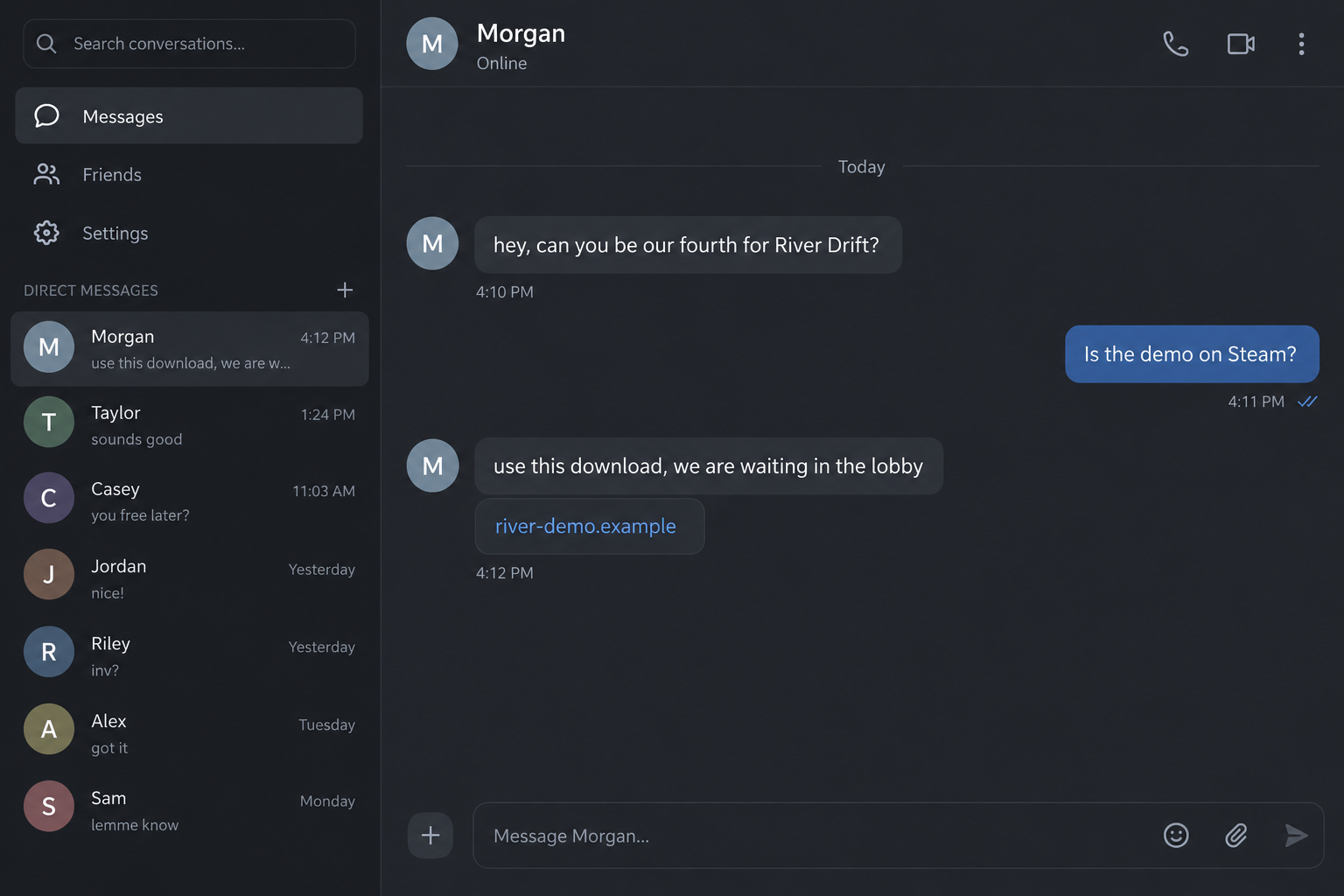
A friend messages you on Discord. Their group needs another player for River Drift, and they have a download ready so you can join.
The River Drift download scam starts with an invitation that sounds like an ordinary favor. One small detail deserves a closer look before game night begins.
Overview
The fake download borrows a real game’s name
This is a confirmed impersonation scam involving an outside download. River Drift itself is a legitimate game, and its developer has warned about the fraudulent website.
The dangerous instruction is to leave the verified distribution route and run a file supplied through the conversation. A familiar sender does not authenticate that file.
The message can appear to come from a friend whose account has already been taken over. That possibility makes the invitation unusually easy to accept.
The developer has publicly disavowed the website
In a late-September Steam announcement, developer Unreal Habitat warned that someone had created a convincing fake website whose download button linked to a virus.
The developer directed players to obtain River Drift through Steam. That establishes the unauthorized download problem independently of an individual player’s complaint.
An October player report describes a Discord invitation, an outside download, account loss and messages subsequently sent to friends. Those outcomes are reported, not independently measured here.
No malware family or exact account-theft technique is established by that report. It also does not prove every person who received the link lost access.
The file’s origin matters more than the friendly invitation
Pause when the proposed game session depends on installing something from a link in chat. Compare the download route with the developer’s own published instructions.
- A friend urgently needs an extra player.
- The message supplies an outside demo, launcher or lobby build.
- You are discouraged from using the actual Steam listing.
- The file needs permissions unrelated to an ordinary game session.
- The sender keeps pushing after you suggest verifying another way.
None of this makes every multiplayer invitation fraudulent. The confirmed warning concerns the unauthorized River Drift download and the identity borrowed to promote it.
Why a Message From a Friend Gets Past Your Guard
You probably would not install a random executable advertised by a stranger. A message from someone already in your friends list feels like a different situation.
You recognize the name. You may recognize their previous messages, mutual servers and usual gaming schedule. The conversation arrives with a history attached.
That history belongs to the account, however. If someone else controls it now, they can inherit the familiar profile without earning your trust personally.
They also have a useful reason to hurry you. Three people waiting in a lobby sounds more immediate than a vague invitation to try something someday.
You may feel that checking the link would hold everyone up. The social pressure is small, but enough to turn installation into an automatic task.
The existence of the real game supplies another layer of confidence. Searching its title and finding Steam proves that a game exists, not that this download belongs to it.
A legitimate demo can make a fake demo page seem plausible. The question is who supplied this particular file and whether the official developer endorses that route.
There is no need to investigate the sender’s entire life before declining. Ask them to join through the official listing or verify the invitation separately.
How the River Drift Download Scam Works
Step 1: A familiar account offers a quick multiplayer session
The conversation opens with something social: a missing teammate, a private lobby or a request to help a group test a demo.
It does not need a dramatic story. Helping a friend play a game already gives the recipient a reason to respond and stay engaged.
The reported River Drift encounter used a request for a fourth player. That was the message’s premise, not proof that the game always requires four people.
The official store describes different player arrangements. A scammer’s explanation of lobby rules should never become your only source of information about the game.
Step 2: The sender replaces the official route with their own link
Instead of asking you to find the demo through Steam, the conversation supplies a website or file. It may be described as the correct lobby version.
A title resembling River Drift helps the link feel relevant. The reported destination was playriverdrift[.]com, which should not be opened to test the warning.
Do not assume that adding words such as play, demo or download makes a website official. Those words are easy for an impersonator to register.
The useful comparison is the developer’s own distribution instruction. Here, the public warning explicitly points players toward Steam rather than the fake site.
Step 3: A plausible page makes installation seem routine
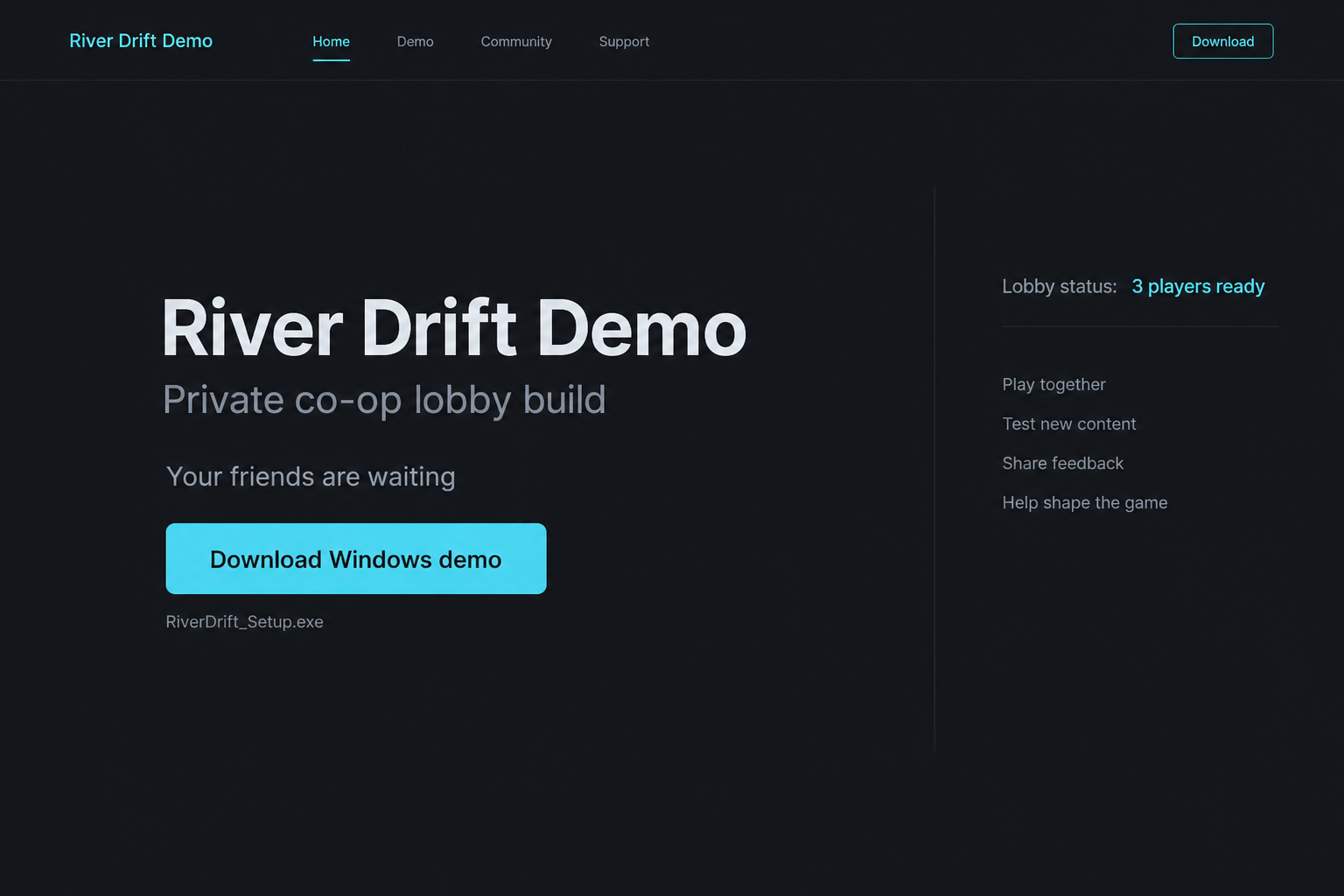
The page only needs enough familiar detail to support the invitation: the game’s title, a Windows button, a demo description and perhaps a lobby explanation.
It can imitate a small developer’s website without looking unusually polished. Many genuine independent games have simple pages, so simplicity does not settle authenticity.
The crucial gap remains authorization. Does the developer actually direct players here, or did you arrive solely because a chat account told you to?
The images in this article are fictional, nonfunctional reconstructions. They illustrate the invitation and download stages, rather than documenting the exact reported interface or executable.
Step 4: The downloaded file receives a chance to run
The scam’s practical risk increases when the file is launched. You are allowing software from an unverified source to act on a device containing accounts and data.
A file name ending in Setup or Demo is not evidence of its contents. Neither is an icon, a compressed archive or a claim that other friends installed it.
If a security warning appears, stop. Do not disable protection because the sender says antivirus tools mistake all new games for malware.
Some games require installation, but that ordinary fact does not validate this installer. The developer’s explicit fake-site warning is the relevant evidence.
Step 5: Account changes reveal that the session was never ordinary
In the recent report, the player describes losing Discord access during an ongoing call. They also describe trouble with the linked email account.
Those are reasons to investigate both the device and the accounts. They do not identify which credentials, sessions or permissions the download actually affected.
Two-factor authentication remains useful. A report of compromise with it enabled does not establish that all two-factor protection is broken or that this file bypasses every method.
Recovery should follow the exposure you can establish. Running the program, typing a password and approving an account prompt are different events worth recording separately.
Step 6: The stolen account becomes another trusted messenger
An account with familiar contacts is valuable to the operator. New invitations can be sent to people who recognize its name and expect normal gaming messages.
The player report says their friends received the same scam afterward. Warn contacts through another channel if your account started distributing unexpected downloads.
Tell them what to avoid, without reposting the executable or making the malicious destination clickable. A concise warning is more useful than a dramatic accusation.
If you manage a server, alert its moderators too. They can remove the messages and warn members while you work through the account recovery process.
Verify the Game Without Testing the Suspicious Download
Open Steam yourself and search for River Drift. Check the developer name and the demo relationship inside the platform rather than following the supplied chat link.
The official River Drift listing identifies Unreal Habitat. Its demo has a separate Steam page connected to the game.
You can read the warning and store information without installing anything. That is enough to establish the safe distribution route for this investigation.
If the sender says their build is different, ask where the developer announced it. A private explanation from the same account is not independent verification.
Do not accept a screenshot of a scan as proof. It may refer to another file, another date or a result selected to conceal the relevant warning.
Similarly, a reassuring comment from another unfamiliar account in the chat does not establish safety. The accounts could be collaborating or repeating a mistaken assumption.
Contact the friend through a number or channel you already know. Ask whether they actually sent the invitation before discussing any installation instructions.
If you cannot reach them, skip the session. No gaming favor requires you to risk the email account that supports the rest of your online life.
What to Do if You Have Fallen Victim to This Scam
-
Stop using the suspicious program. If you launched it, disconnect that device from the network and avoid signing into email, banking or other sensitive accounts there.
Record the file name, download time and source message. Keep evidence without running the file again or forwarding it to friends.
-
Use a separate trusted device for account recovery. Start with the mailbox attached to Discord, especially if recovery notices or security settings changed.
Check its recovery contacts and recent activity. A secure mailbox gives you a more dependable route for restoring the other affected services.
-
Follow Discord’s compromised-account guidance. Review the genuine email-change notice and use official support if you cannot regain access.
Review authorized applications and replace exposed or reused passwords. Do not give a recovery agent your codes or pay someone claiming to be Discord staff.
-
Have the affected device inspected before returning it to normal use. Malwarebytes can help check suspicious software; a clean result alone does not restore stolen accounts.
AdGuard can reduce exposure to known malicious sites and redirects. It cannot make an unfamiliar installer trustworthy or undo permissions already granted.
-
If you choose to reinstall the operating system, get help with evidence and backups first. Restore personal documents carefully and obtain programs from their genuine sources.
A backup containing the same installer should not send you back through the incident. Keep the suspect download out of any restored setup.
-
Warn friends and server moderators using a separate account or communication channel. Explain that messages from your profile may have been sent without your permission.
Ask anyone who ran the file to begin their own checks. Someone who only received the invitation has a different exposure.
-
Review payments and accounts that were accessible from the device. Report unauthorized transactions promptly to the relevant provider and card issuer.
Provide dates and transaction details. Account recovery, device cleanup and financial disputes are separate tasks that may need separate support teams.
-
Keep a simple incident log. Note when access was lost, which settings changed, what support confirmed and which recovery actions you completed.
Ignore guaranteed recovery offers in messages. The urgency after account loss is exactly what a second scammer can exploit.
If the File Was Downloaded but Never Opened
A saved file and a launched program are not the same exposure. Do not assume every account was stolen simply because the download completed.
Leave the file unopened and remove it through your normal file-management process after retaining the relevant name and source details for reporting.
If an archive was extracted, note that too. Extracting files does not by itself establish that an executable ran, but you should identify what happened next.
Check whether anything else was approved: a browser notification, an extension, an account authorization or a request to enter a password.
Someone who typed credentials on the page needs account protection even if no installer ran. Someone who ran the file needs device assessment as well.
Ask a trusted technician if you are unsure what was launched. You do not need to reproduce the download to help them understand the sequence.
Frequently Asked Questions
Is the real River Drift game a scam?
No. The developer has warned about an unauthorized website. The accusation here concerns that fake download and the impersonating invitation.
Does a message from my actual friend prove the file is safe?
No. Their account may be compromised, or they may have accepted a bad link themselves. Verify both the sender and the official distribution route.
Do I need four players to use the genuine game?
The store describes different player arrangements. A request for a fourth person was the reported lure, not proof of a mandatory download requirement.
Does two-factor authentication make a suspicious installer safe?
No. It protects account sign-ins, not every action software can take on a device. Keep it enabled while also checking download sources.
Should I reopen the file to see whether it really is malware?
No. Preserve the source information and seek trusted help. Repeating execution can increase exposure without giving you a reliable answer.
Can a scan recover my deleted Discord servers?
No. Scanning assesses the device. Restoring account access or platform content requires Discord’s own recovery process, and restoration is not guaranteed.
The Bottom Line
The River Drift download scam uses a familiar invitation to place an unauthorized file between you and a real game. The developer has explicitly warned about it.
Use the verified Steam route. If the outside program ran, protect the device and linked accounts before accepting another invitation.








