

The extra charge is easy to miss. Your mobile bill is a little higher, and an unfamiliar service name sits among the ordinary monthly items.
A premium SMS subscription scam can start long before that bill arrives. The useful question is not just what charged you, but how permission was obtained.
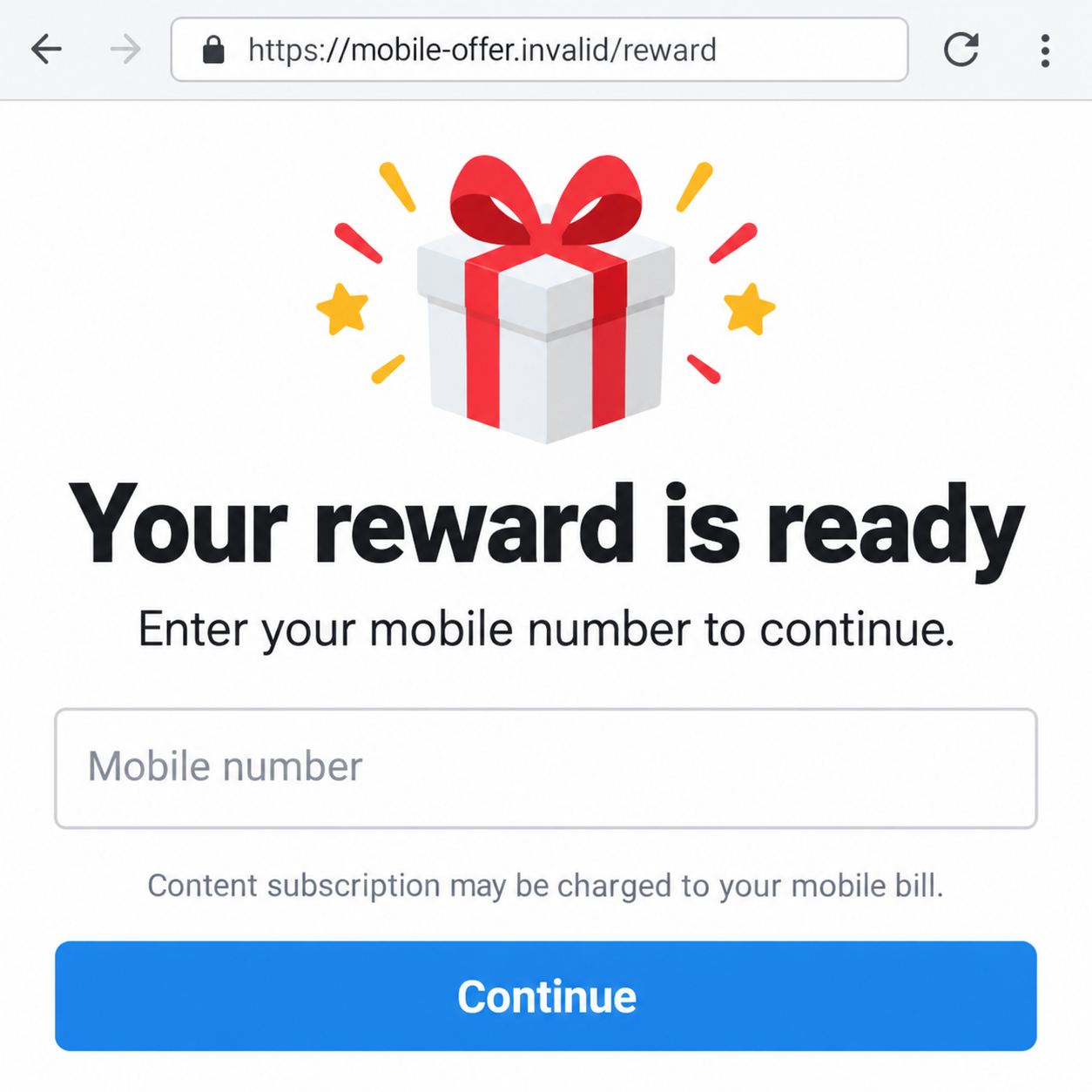
Overview
The phone bill can become the payment method
Deceptive mobile subscriptions can put charges on a carrier account instead of asking for a card at checkout. The promised reward or feature hides that change.
Unauthorized third-party charges are often called mobile cramming. A recurring content service, rather than your normal mobile plan, may be behind an unfamiliar bill item.
The FTC’s mobile-cramming enforcement documents unauthorized subscriptions added to consumers’ phone bills. That history confirms the mechanism, not the identity of today’s unknown merchant.
Legitimate chargeable services also exist. The scam finding concerns deceptive or unauthorized billing, not every premium message, subscription, or purchase made through a carrier.
Premium SMS and other carrier billing are not identical
Premium SMS fraud involves chargeable messages sent without meaningful consent or activity concealed from the user. Other schemes use a mobile website or carrier-billing flow.
Google’s billing-fraud definitions separate SMS fraud from toll fraud. Its toll-fraud category includes direct carrier and WAP billing, but excludes premium SMS and premium calls.
A phone number alone does not always authorize a charge. The network, merchant, account settings, confirmation process, and any malicious software all affect what can happen.
That distinction helps recovery. Your carrier needs the actual service and billing method, not an assumption that every unexpected fee came from the same Android malware.
Read the item, the consent record, and the cancellation status
- Find the unfamiliar charge in the carrier’s genuine account or statement.
- Ask which merchant, service, and billing period it represents.
- Check whether the service is recurring and still active.
- Request a review of the authorization and disputed charges.
- Ask which chargeable-content blocks your plan actually supports.
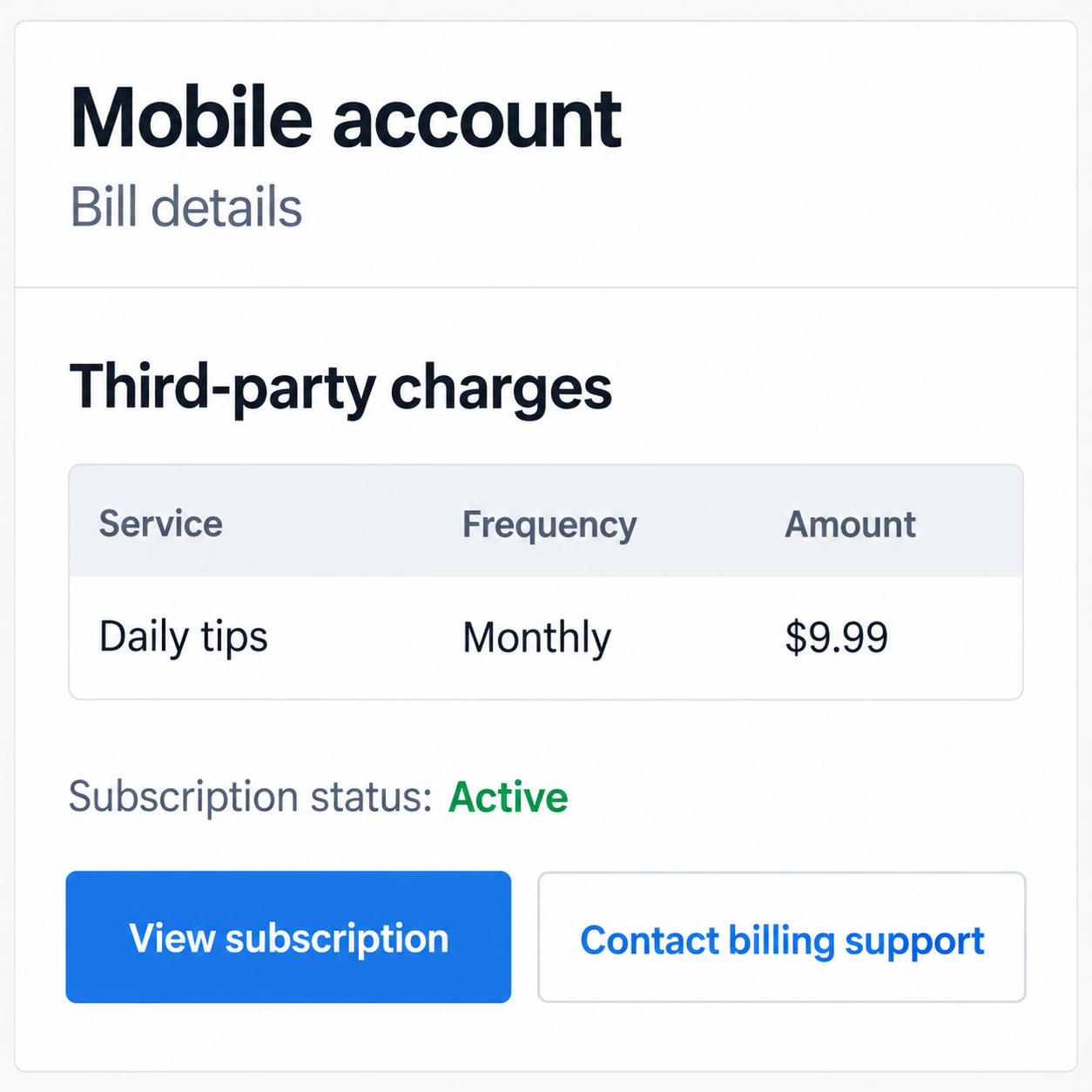
Our images are fictional examples. The sample $9.99 bill item is invented, not a standard price, a documented victim’s loss, or a charge on your account.
Why a Reward Page Can Become a Billing Problem
The first screen feels unrelated to a purchase
A coupon, short survey, or utility feature can seem harmless. The person expects to receive something, not to establish a separate paid relationship.
Entering a mobile number may be presented as delivery verification or access to a result. The purpose matters more than the familiar-looking field.
Read the area around the button for a service name, recurrence, billing method, and total price. A reward heading does not explain those conditions for you.
If the page makes them unclear, leave it. You do not need to submit the form to discover whether a promised benefit is worth an unknown commitment.
Small recurring fees are easier to overlook than a big checkout
A mobile bill already contains several categories. An abbreviated service label can blend into taxes, roaming, account features, and ordinary plan adjustments.
That does not make every ambiguous label fraudulent. It makes an itemized explanation important, particularly when nobody on the account recognizes the purchase.
Automatic bill payment can reduce the chance of noticing the new line. Review changes even when the overall account balance appears close to its usual amount.
On a family account, ask authorized users about recent purchases without blaming anyone. An honest answer about an offer page or installed app can guide the investigation.
How the Premium SMS Subscription Scam Works
Step 1: An offer or application supplies a reason to continue
The entry point can be a reward advertisement, content page, or application claiming a useful feature. Some schemes use social messages that point to the offer.
The problem is not the category of app alone. A QR scanner or another utility is not automatically malware because fraudulent versions have borrowed similar descriptions.
Check the publisher, installation source, and stated purpose. A copied icon or positive review does not explain why a tool needs access unrelated to its function.
A web-only offer can be risky without installing anything. Keep the two paths separate: a misleading subscription flow and software that acts without your informed approval.
Step 2: The flow obtains a number or a billing confirmation
A page may request a mobile number and then a code. Another process may use the carrier connection as part of determining the account to charge.
Do not treat every received code as harmless verification. Read the service name and action described in the message before using it anywhere.
A code for a paid subscription is not the same as a code to receive a free reward. The page’s promise cannot override the actual confirmation text.
Some deceptive flows bury important conditions or make them difficult to notice. Meaningful purchase information should be clear before the person takes the authorizing action.
If no code arrived, that alone does not settle whether billing occurred. Check the account and ask the provider which authorization process applied.
Step 3: Software may interfere with what the person sees
Malicious Android applications can create a different route. In studied cases, software manipulated a subscription process or hid the notifications that would alert the user.
Microsoft’s 2022 toll-fraud research explains how some samples operate in carrier-billing flows. We have not tested an application or identified a new malware family here.
Do not infer that behavior from one unexplained bill line. A legitimate purchase, billing error, web subscription, or malicious app needs a different investigation.
Record recent installations and permissions if software exposure is possible. A carrier can investigate the charge while a trusted security check examines the device.
Keep security warnings enabled. An offer telling you to bypass protections to claim a benefit is asking for trust it has not earned.
Step 4: The charge appears under a service or third-party category
The carrier statement may show a merchant description rather than the reward page’s name. That mismatch can make the origin harder to recognize.
Ask for the billing date, service identifier, frequency, and authorization record. Compare them with your recollection of offers, confirmations, and application installations.
A recurring subscription can continue after you stop visiting the page. Closing a browser or deleting a message is not a cancellation request to the billing service.
The next fictional account image demonstrates where such an item might appear. Its labels, active status, and amount are examples, not an actual carrier’s interface.
Step 5: Confusion lets another billing period arrive
A person may remove an app and assume everything is resolved. That can address software without cancelling a subscription already established outside the device.
Similarly, blocking an advertising sender may stop messages while leaving the billing relationship active. Ask explicitly whether future charges have been stopped.
Disputing earlier charges is another separate task. A cancellation confirmation does not necessarily explain whether the provider will refund previous billing periods.
Get written confirmation where available and check the next statement. The aim is an understood account outcome, not simply a quieter notification screen.
Three Checks Before You Assume Malware
Was the service purchased by an authorized account user?
Review purchase history with the person responsible for the line. Check whether the service was knowingly ordered and whether the charge matches its disclosed terms.
A forgotten genuine purchase is not identical to a deceptive subscription. You can still ask about cancellation without describing an authorized transaction as account theft.
If nobody recognizes it, tell the carrier that clearly. Do not invent an installation or code-sharing incident merely because that explanation sounds more dramatic.
Which company can stop the billing?
The merchant, carrier, and application marketplace may have different roles. Ask who holds the subscription record and which route handles its cancellation and dispute.
Use contact details in the genuine account or official support page. A stranger offering to remove charges after another payment should not become your billing adviser.
Keep cancellation dates and reference numbers. They let you point to a concrete request if the next bill still includes the service.
Did a questionable app actually run on the device?
A remembered installation, unexpected permission, or security alert is useful evidence. An unexplained fee alone does not identify a particular package as malware.
Look through the installed-app list rather than only the home screen. A suspicious program may not have an obvious shortcut that matches the original offer.
Use Android’s verified guidance if removal is difficult. Avoid a “cleanup” application promoted by the same advertisement or untrusted support contact.
What Billing Blocks Can and Cannot Do
Ask for the chargeable-content control, not just spam filtering
A setting that rejects unwanted calls is not necessarily a setting that prevents third-party purchases. Have the provider explain the relevant account control.
For example, T-Mobile’s Content Blocking guidance describes blocking chargeable content, including some premium subscriptions. It also notes limits, including international roaming.
The available option depends on the carrier and plan. Do not assume a screenshot from another provider gives the correct setting for your account.
A block can affect purchases you intended to make
Chargeable-content restrictions can include wanted purchases or donations. Ask what will change before enabling a broad control, especially on a shared account.
Blocking future purchases also does not automatically resolve existing charges. Confirm cancellation and dispute outcomes separately instead of treating one switch as the complete recovery.
What to Do if You Have Fallen Victim to This Scam
-
Open the genuine itemized mobile bill. Record the disputed service, dates, amounts, and affected line without following an unfamiliar billing link.
Keep previous statements if the charge repeats. You need the actual pattern, not an estimated loss copied from a warning about someone else’s account.
-
Contact the carrier about unauthorized third-party billing. Ask for the merchant identity, subscription status, billing method, and available evidence of authorization.
Explain what you recognize and what you do not. Ask which team handles disputed content purchases and obtain a case reference for follow-up.
-
Request cancellation and review of past charges. These are separate requests, so make both explicit if the service was not knowingly authorized.
Ask when cancellation takes effect and whether a further charge is pending. Refund decisions depend on the facts, provider process, and applicable rights.
Do not stop paying your entire mobile bill without discussing the dispute. That could create an avoidable service or account problem while the questionable item remains unresolved.
-
Ask about suitable purchase blocks. Confirm whether premium messaging, carrier-billed content, or another control applies to the specific charge.
Check its limitations and effect on other users. Keep a record of when the provider applied it, rather than assuming a call-spam setting does the same job.
-
Review Android if installation or hidden activity is possible. Remove an untrusted app and use Google’s Android security guidance to check protections and updates.
Malwarebytes can provide an additional check for questionable software. Seek trusted assistance if the app resists removal or symptoms persist.
AdGuard can help reduce malicious advertising and known risky destinations. It does not cancel a carrier subscription or authenticate the program you installed.
-
Handle credentials according to the actual exposure. If you disclosed a password or account-recovery code, secure that service from a trustworthy device.
A mobile-bill charge does not automatically require replacing every bank card. Tell the financial provider if separate card information or a payment was also involved.
-
Follow the verified service’s cancellation route. A genuine billing confirmation may include legitimate instructions, but do not send replies to random promotional texts to investigate.
Ask the carrier to verify the merchant and short code first. Never approve another code because an unknown contact says it is needed to refund the subscription.
-
Check the outcome and report deceptive billing. Review the next statement and keep written cancellation, dispute, and block confirmations together.
If you are in the United States, use ReportFraud.ftc.gov for a fraud report. Use the appropriate consumer or telecom route elsewhere.
Decline unsolicited paid recovery offers. A quieter device and a resolved billing record are different results; confirm both when both were affected.
Frequently Asked Questions
Can entering my number always create a premium charge?
No. Billing depends on the service, carrier, authorization flow, and account controls. Treat a suspicious request cautiously, but check the actual bill before assuming a charge occurred.
Does an unfamiliar fee prove my Android device has malware?
No. Unauthorized subscriptions, a billing error, or another account user’s purchase can have different causes. Investigate software when the evidence includes an installation or related activity.
Is carrier billing the same as premium SMS?
Not always. Premium messages are one billing route; other flows use direct carrier or WAP billing. Ask the provider which method produced the disputed item.
Will removing the app cancel the subscription?
Not necessarily. Removal addresses the software. Obtain separate confirmation that the merchant or carrier has stopped the active subscription and reviewed earlier charges.
Should I reply STOP to every unknown message?
No. First verify the service and instructions through your carrier or genuine account. A random promotional sender is not a reliable source of billing-support directions.
Can I guarantee a refund by installing a security app?
No. Security checks can help with unsafe software, while the billing provider handles charges and cancellation. No scanner determines the outcome of a payment dispute.
The Bottom Line
The premium SMS subscription scam exploits a gap between the feature or reward you expected and the service your mobile account is charged for.
Get the itemized facts from your carrier, cancel unauthorized billing, and review software when warranted. Confirm the account outcome instead of relying on a deleted app.








