


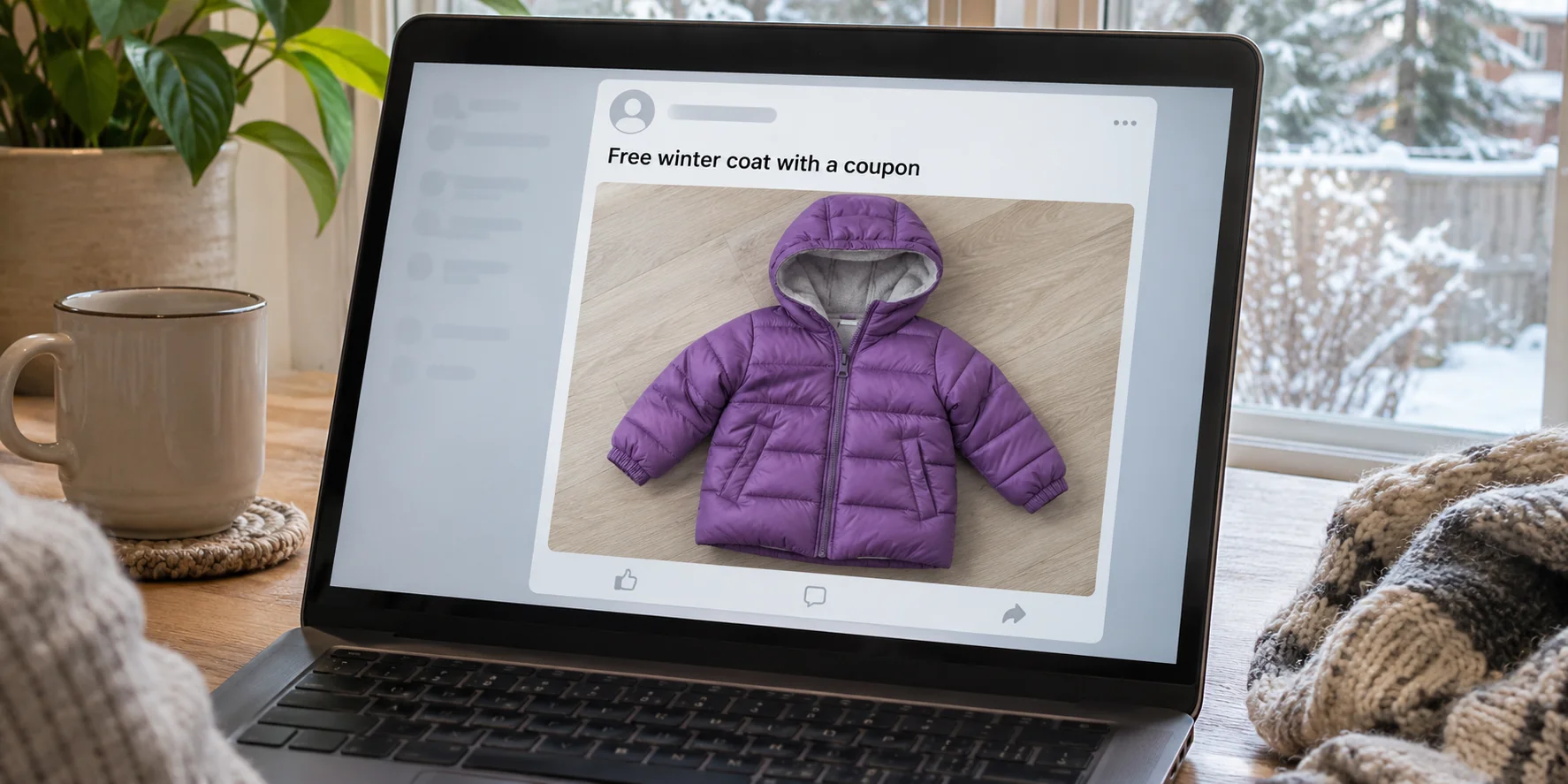
A Facebook post offers a free winter coat for a child. The photos look like a familiar Amazon listing, and the poster says a coupon covers everything.
You don’t have to buy a coat to find out whether it’s free. A few details in the actual checkout are worth more than the screenshots.
Overview
The free coat promise circulated outside Amazon
A documented example of the Amazon free coat scam dates to November 2021. A Facebook post promised two children’s winter coats at no cost, with shipping included.
The material shown alongside that example included a LINKIOM children’s jacket listing. That detail identifies the historical pitch, not who wrote it or whether a seller is still involved.
The post encouraged people to share it and suggested donating the coats. A helpful sounding explanation made it easier to share before checking the price.
A real product page can carry an unverified claim
The screenshot of an order confirmation is evidence of what the post showed, not what another shopper was charged. It doesn’t establish an offer for your account.
Someone can link a real marketplace listing while making a false claim about the price. The discount has to appear on the order you’re about to authorize.
A coupon, a future rebate and a gift ask for different commitments
A working coupon changes the charge before you order. A promise to send cash back afterward leaves you with a paid order and a separate promise.
- With a real coupon, identify the qualifying item and inspect the final total before authorization.
- With a pay-now, refund-later promise, you are responsible for the charge unless the refund actually happens.
- With an off-site claim page, don’t enter Amazon credentials or a card to prove you’re eligible.
What the Historical Post Showed About the Free Coat
The 2021 post described a company selling through Amazon, included a coupon code and offered two winter coats. It wasn’t an offer sent by Amazon to a customer’s account.
One image showed checkout and another showed an order confirmation. Those screenshots did not establish that the code would work for anyone else following the post.
The jacket shown in coverage of that campaign was a padded children’s coat with a fur-trimmed hood. Clothing photos can survive long after a price or listing changes.
Shoppers reported that the code did not work. The practical risk was that an order could still go through at a price the shopper had not meant to pay.
That history does not show that every Facebook share was written by the seller, every coat was bad, or an Amazon account was accessed without permission.
Treat a newly shared version as a separate offer. Don’t use the historic brand or a picture of the jacket as proof of a current seller’s responsibility.
The same pitch might appear with a different photo or story. Compare the advertiser’s claim with the actual transaction it asks you to make.
How the Amazon Free Coat Scam Works
Step 1: A useful item makes the post worth sharing
A winter coat is an ordinary need, not a luxury prize. A post about helping children gives people a reason to pass it on quickly.
The sender doesn’t have to be somebody you know. By the time you see it, a friend or local group may have shared it in good faith.
Step 2: The link and order picture supply borrowed credibility
Seeing familiar shopping controls can make you comfortable with the website. It doesn’t answer whether the coupon came from the seller, or whether it applies to your cart.
An Amazon listing also distinguishes who sells an item from who ships it. Both details are worth checking, particularly if another seller wins the default buying option.
That is why you should find the listing through the marketplace itself. Compare the item, seller, size, color, quantity and shipping terms with what supposedly qualifies.
Step 3: The order can survive the failed discount
A promo code can be refused while the item remains in your cart. The marketplace doesn’t cancel a paid order just because someone else said the coat would be free.
If someone tells you to place the order before the discount appears, you are no longer testing a coupon. You’re authorizing a purchase at the total on screen.
A further promise that support will refund you later doesn’t change that total. Don’t let a stranger turn the price check into a purchase experiment.
How to Check the Deal Before You Place an Order
Find the item independently if you want to verify the claim. Promotions can be limited to a particular regional store, seller or group of eligible accounts.
Read the promotion terms if available. A sale can apply to one color or size and skip another, or to one item rather than the two pictured.
Keep unrelated products out of that check. If a cart includes other orders, a combined total can hide which line received a discount and which did not.
Look for the adjustment in the order summary and the actual amount to be charged, including shipping and taxes, before tapping the final purchase button.
A $0 card charge isn’t decisive if a saved gift card balance covered a paid item. Check whether the price fell or you simply used money already in your account.
Free shipping also doesn’t make the coat free. The shipping line, product subtotal, promotion and final charged amount have separate meanings, even when they’re shown together.
When a coupon doesn’t match, stop there. There is no requirement to try another card, confirm the purchase, or give the person in the post your order details.
If the final amount is acceptable and you would buy the coat anyway, assess it as an ordinary purchase. Don’t call it free because a coupon was advertised.
Work Through the Price Line by Line
Imagine you have two coats in the cart and only one qualifies. A single visible reduction can make the listing look like the offer worked, without covering both coats.
Check whether the promotion was applied to a particular item or across the order. Remove the extra item if the total for two makes the offer unsuitable for you.
A valid discount for one account might not show for another. A screenshot is a snapshot of somebody else’s session, even when the screenshot hasn’t been edited.
If the coupon shows as invalid, a genuine checkout won’t force you to proceed at the original price. Close the order page while you still have a choice.
Compare the advertised delivery date with the one in the order summary. Even a genuine deal might not help if the coat arrives too late.
The post may show more than one color and name only one qualifying size. Check the variation you actually selected rather than assuming the price follows the picture.
If the deal depends on a later reimbursement, check who’s promising it and where the promise appears. A reply in the comments isn’t a checkout term.
You can preserve a cropped image of the advertised offer for your records. Keep any personal information or saved payment details out of screenshots you share publicly.
Keep the Facebook Poster, Marketplace and Seller Separate
The marketplace may process a purchase without sponsoring the post that brought you there. The shop that sells the coat can be different from the party that ships it.
Use the actual listing or order to identify the merchant. You don’t need to accuse a particular seller just because somebody displayed the seller’s product in a social feed.
Check where the post redirects before entering payment information. The real checkout runs through the marketplace you reached yourself, not through a survey or account verification page.
If someone says your coupon requires paying separately through a message, walk away. Amazon’s third-party ordering guidance says not to send funds directly when a seller asks for that.
When the promise uses the language of a donation, seek a published program or contact the named charity through its own channel. A sentiment in a post isn’t an endorsement.
A legitimate coat drive doesn’t depend on you placing an unwanted marketplace order. If you want to donate, choose the recipient and purchase the coat on terms you can verify.
What If the Post Changes Into a Refund for a Review?
Some online offers replace an instant discount with a promise to reimburse you after you submit a review. Don’t confuse that with the historical coupon evidence.
Amazon’s community rules prohibit giving or changing a review in exchange for compensation, including a discount or refund. A promised rebate isn’t a platform refund.
Keep order conversations inside the marketplace. Someone offering a private refund doesn’t need access to your Amazon account or a photo of your card.
A coat you actually ordered is a price dispute, not automatically an unsolicited parcel. The brushing guide covers shipments with no known order or gift.
What to Do If You Already Ordered the Coat
- Open Your Orders in the correct account. Verify the exact item, seller, order number, total and shipment status rather than trusting the social post.
- Try to cancel quickly if you didn’t want it. Amazon says many third-party orders can usually be canceled within 30 minutes. Later, the seller may need to act.
- Use the official return route if it shipped. Check your order’s eligibility and ask through Amazon’s third-party return process, not through an address from the post.
- Describe the discrepancy accurately. Save the offer and receipt, then explain the claimed discount, what applied, and what you agreed to pay.
- Secure credentials or card details you gave elsewhere. If an unrelated site requested them, contact the issuer or recover your Amazon account through its genuine service.
Amazon explains the payment and cancellation differences in its third-party order guide. Check the specific order before assuming either cancellation or reimbursement is guaranteed.
An order you placed for more than expected isn’t automatically an unauthorized bank transaction. If you don’t recognize the order or a separate charge shows up, report that difference.
If the post is still available, report the misleading claim to the platform that showed it. A redacted screenshot and the order details can help establish what happened.
If cancellation is requested but not confirmed, don’t assume it succeeded. Watch for the official update and save any shipping notice so you know whether to start a return.
A seller who fulfills their own orders may handle the return directly. Start in Your Orders so the instructions match the order rather than a random address in a comment.
Keep the tags and packaging if an eligible return is pending. Save the drop-off or shipping record until the refund arrives and you can match it to the order.
If the seller doesn’t handle an eligible dispute, check the A-to-z Guarantee for your purchase. A missing coupon doesn’t by itself establish that a guarantee claim will succeed.
If the item was not as described, document that separately from the coupon. The photos, labeled size or order details can support a specific complaint instead of a general accusation.
Don’t throw away a package that belongs to a paid order just because the original advertisement was misleading. Keep it available while you check whether the return requires it.
For a checkout on an entirely different site, start with the payment record. Amazon can’t verify or cancel a transaction that doesn’t exist in its marketplace orders.
In that situation, note which site actually billed you and whether you authorized it. Bring the receipt or transaction information to the payment provider rather than contacting the social poster.
Frequently Asked Questions
Was Amazon giving away two free coats on Facebook?
The documented 2021 post made that promise, but it wasn’t evidence of a general Amazon giveaway. Verify any new offer separately in your own checkout.
Does a real Amazon product link prove the coupon works?
No, a link can identify a real product while the price claim is false, expired or inapplicable. Check your order summary without submitting the order.
Does an order confirmation screenshot show what people paid?
It may show that an order was placed, but it doesn’t prove your eligibility or capture every adjustment. Your own checkout and receipt answer those questions.
Should I order first and ask for the discount afterward?
Don’t order because a stranger says the price will be corrected later. If the visible total isn’t the price you accept, leave the item unpurchased.
Do I need a replacement card for a purchase I made on Amazon?
Not simply because an Amazon coupon failed. Talk to your issuer if you submitted card details on an unrelated site or find activity you didn’t authorize.
What if the offer asks for a five-star review?
Don’t trade a review for reimbursement or a free product. Keep the request and report it through Amazon’s community rules and customer support channels.
The Bottom Line
Don’t buy a coat on the strength of a free-coat post. If the discount isn’t present in the checkout you opened yourself, leave without placing the order.
If you ordered at a price you didn’t expect, check Your Orders now for cancellation or return options. Save the offer and keep any refund request inside the legitimate marketplace.

Join the discussion
0 commentsShare your experience or ask a question about this article.
Community experiences
Did this happen to you?
Your experience could help someone recognize the same scam. Submit a private report for our team to review.
I experienced this tooReports are reviewed before publication. Sharing publicly is always your choice.
Discussion
Start the conversation
Have a question or something useful to share? Add the first comment.