


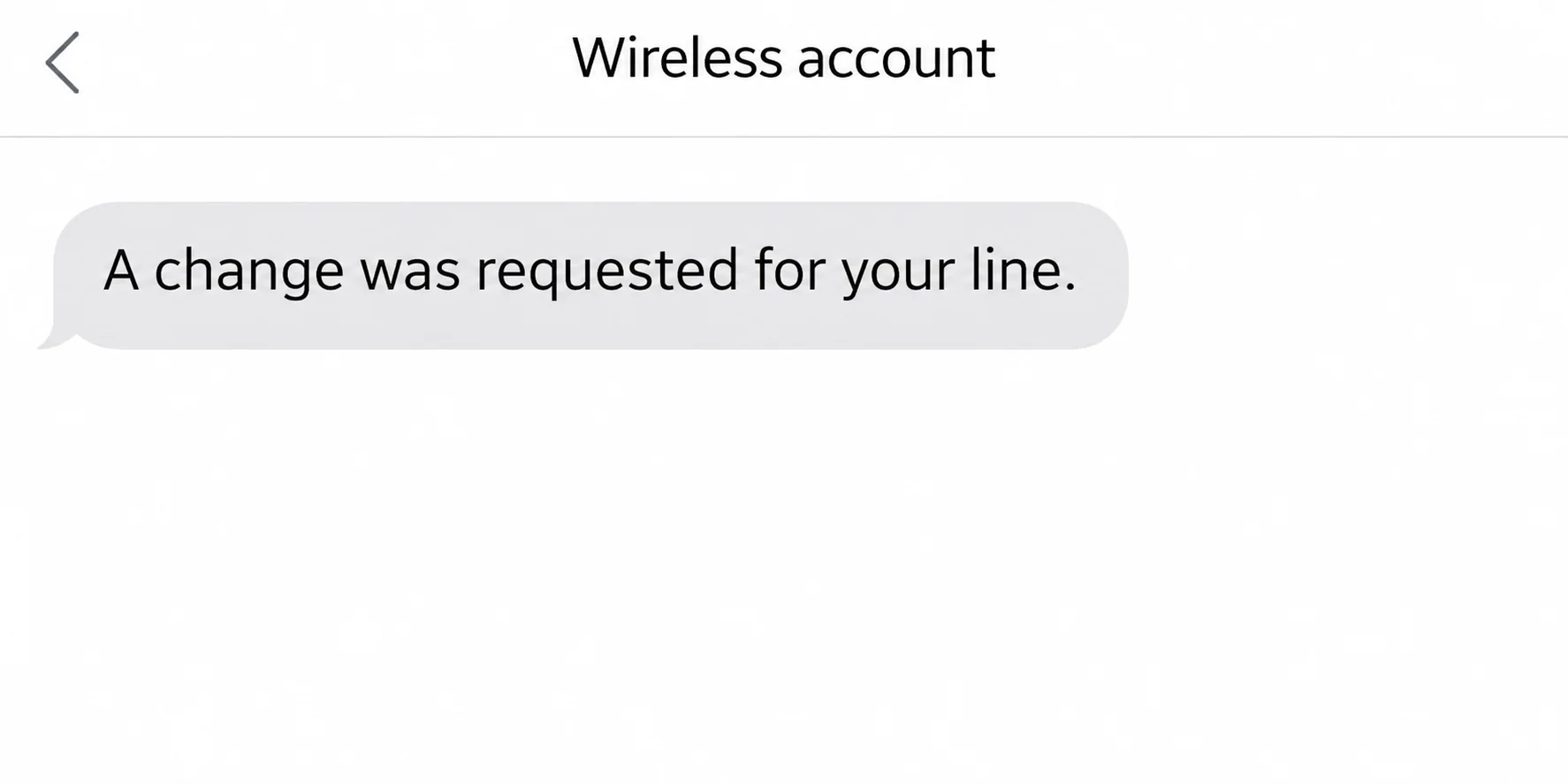
A text says somebody requested a change to your AT&T line. A caller offers to stop it, but only if you approve something on your phone.
Before you respond, check which line and which change are actually involved. The person contacting you may not be the person who can stop it.
Overview
A real alert can appear during a fake support conversation
A message about your phone number can be fabricated. It can also be a genuine warning that someone tried to change your SIM, device, or carrier without permission.
In either case, the caller doesn’t become AT&T just because a notice arrives while you’re talking. Verify the event through a channel you open yourself.
AT&T’s fraud guidance distinguishes one-time PIN requests, SIM changes, and attempts to take over an account. The right response depends on which one occurred.
A SIM change and a number transfer are not the same event
A SIM or eSIM change can move an existing line to a different device while the carrier stays the same. A number transfer can move it to another provider.
Either event can leave your usual phone without calls and texts. A network outage can also interrupt service, so the carrier’s account record matters more than the signal bars.
Wireless Account Lock helps before a change goes through
On eligible consumer wireless accounts, the lock can prevent specific account changes. It is a safeguard, not a way to reverse a transfer that already happened.
- If only a message arrived, leave it untouched and inspect the account through myAT&T or contact AT&T directly.
- If an unknown line change appears, ask AT&T to stop or investigate that specific change.
- If you lost service after a notice, use another phone or a trusted online channel to reach the carrier promptly.
Which Code Is the Caller Asking You to Share?
An online sign-in code is temporary permission for a specific action. It isn’t a general proof of identity that you should read to an unexpected caller.
An account passcode is a separate security credential. You may use it when you contact the carrier directly, but an unsolicited caller doesn’t get it by claiming to work there.
AT&T’s Number Transfer PIN guidance covers moves to another carrier. That PIN concerns a move you authorize, not a discount or a surprise fraud call.
Read the message that came with the code. If it mentions transferring a number or changing a line, don’t reinterpret it based on what the caller says.
There is no need to copy a fresh code into a chat or screen share to help a caller find your account. Ask the carrier to identify the event independently.
If the message tells you not to share a code, don’t let somebody talk you out of the instruction. They can claim it’s a special exception without having one.
How the Fake AT&T Line Change Conversation Works
Step 1: The warning makes you think your number is about to move
A notice about a new device or line change gets attention because your phone is tied to bank alerts, work logins and family calls.
Similar impersonations use a fake credit or discount instead. The AT&T discount call case shows how a benefit can be used to ask for an account PIN.
In a line-change warning, the claimed problem is urgent, but it doesn’t require you to keep the original caller on the line. Stop and reach AT&T separately.
Step 2: An approval is described as a cancellation
A caller may say they sent a code to prevent the change. The text itself can describe a different action, such as granting account access or moving a number.
AT&T says it won’t call or text to ask you to turn off Wireless Account Lock. An incoming request to disable it is reason to end the interaction.
The same goes for a prompt to approve a SIM change you didn’t start. Repeating the word cancel doesn’t change what the button or code authorizes.
Step 3: A real change can cut off the phone you rely on
If an unauthorized SIM or number transfer completes, text messages and calls may no longer reach the old device. A password reset relying on that phone number can be exposed.
Your phone can still browse over Wi-Fi even though the cellular line isn’t working. That doesn’t establish whether calls or SMS are reaching your device.
If a financial account alerts you about an unfamiliar change around the same time, contact that institution separately. Restoring the phone number doesn’t undo changes elsewhere.
What Wireless Account Lock Can and Cannot Do
Wireless Account Lock can block SIM and eSIM changes and transfers, along with certain device, line and account changes. Check the current feature description for your plan and account.
AT&T describes the setting in myAT&T for eligible consumer postpaid accounts. Account owners and authorized co-managers can manage it; ordinary line access may not be enough.
On a family plan, ask the account owner about any legitimate upgrade before treating a notice as fraud. Make that call to a number you already know.
If you actually intend to make a change that the lock blocks, follow the carrier’s current process yourself. Re-enable the safeguard once the authorized work is complete.
Wireless Account Lock is not the same as the phone’s screen lock or the SIM PIN on a device. They protect different things and aren’t substitutes.
A lock also can’t restore service after a completed takeover. Before changing settings, ask the carrier whether the line moved, a change is pending, or nothing account-related happened.
If you are on a business, prepaid or differently managed plan, ask what controls are available. Don’t assume a consumer app instruction applies to every AT&T line.
If the Alert Mentions a Transfer Instead of a SIM Change
Check whether you or an authorized user actually started a move to another carrier. A transfer you expected has a known destination and an order you can identify independently.
If there is an unfamiliar request, ask AT&T whether a transfer is pending and whether it can be stopped. Don’t start a new transfer to try to cancel it.
A transfer PIN request and the completed move are separate stages. AT&T describes how to cancel the PIN request, but revoking a PIN won’t restore a number already moved.
Ask the carrier which account changes happened and when. An unauthorized transfer may require a different recovery process than a SIM change within the account you still control.
Don’t rely on the number shown on an incoming call, even if it resembles an AT&T number. Use the contact details from the carrier’s own app or support page.
With several lines, provide the affected one rather than assuming the whole account was transferred. A different family member may still be able to reach support.
Save any original confirmation without sharing its PIN or account information publicly. Support needs the sequence of events, not a publicly accessible screenshot of a credential.
Ask whether the old carrier or the receiving carrier is handling the request. Get that information through verified support before responding to anything that claims to come from either company.
If the number is associated with a work account, notify your employer’s support team about the service loss. They can help protect apps that use the line for verification.
How to Tell a Service Problem From Possible Account Fraud
One phone losing signal in a familiar place has several explanations. If other phones on the same network are affected, check whether an outage is reported.
When you see an unfamiliar SIM alert or transfer notice close to the service loss, don’t spend hours troubleshooting first. Contact the carrier from a different device.
Ask whether the records show a SIM or eSIM change, a pending number transfer, a completed port, a new device order or a change to account access.
Knowing which line changed matters when several people share the same account. Tell support the affected number through its verified channel and ask for a case reference.
If you didn’t approve anything and the carrier finds no change, the immediate task may be reporting a phishing message rather than repairing a line.
Check whether service returns on calls and SMS as well as data. A messaging app working over Wi-Fi can hide the fact that ordinary text delivery is still unavailable.
When the carrier says the line is restored, confirm with a familiar contact. Don’t use the suspicious caller to test whether your number works again.
A speaker, tablet or watch can still receive app notifications using its own connection. If it receives a security alert, read which phone or account the alert actually names.
For a planned new phone setup, compare the notice with the device you are activating and the transaction you began. An unexpected instruction sent during setup still deserves independent verification.
If the carrier sees a device order you didn’t make, ask about that order as well as the phone number. Restoring the line doesn’t cancel a separate shipment.
What to Do If You Shared a Code or Lost Service
- End the original conversation. Save the alert and time of the event, but don’t read out another code or disable a safeguard for the caller.
- Contact the carrier from an independent route. Use the AT&T fraud contact guidance or another device if your line is not working.
- Describe which action you authorized or saw. Distinguish an account passcode, a temporary sign-in code, an eSIM approval and a Number Transfer PIN.
- Recover the number and check related accounts. Review authorized users and account changes with AT&T, then check email, bank and other services relying on the number.
- Report the suspicious contact separately. AT&T’s spam reporting page explains forwarding suspicious texts to 7726. That doesn’t replace an urgent fraud call.
If you can reach your bank independently, notify it promptly about any concerning activity. Don’t try to resolve a suspicious debit through someone who just called about your phone.
The FTC’s SIM swap guidance recommends authentication methods that don’t depend on SMS where available. Set those up through the service itself after you restore trusted access.
Prioritize the email account that receives password resets and any financial service that showed unfamiliar activity. Keep recovery codes somewhere separate from the device you could lose access to.
Make a short timeline beginning with the first alert. Note when service changed, which prompts you approved, when you called the carrier, and what the carrier confirmed.
If someone placed device orders, added authorized users, or edited your recovery contacts, record each item separately. Ask which are reversed and which require a follow-up case.
The carrier may need to verify your identity before changing the line again. Use the process it provides when you initiate contact, not an uploaded document requested by the caller.
When you can access the account, review the passcode, sign-in methods and the status of Wireless Account Lock. Coordinate with other account managers before assuming a setting changed by itself.
If your number has been restored but another service still rejects your sign-in, work through that service’s recovery route. The carrier cannot remove an unauthorized session in a bank app.
If you only forwarded the message to the carrier, nothing about that report confirms your line status. Ask support directly when you need a decision about a change.
Frequently Asked Questions
Does an AT&T SIM change text mean the transfer already happened?
No, a notice could be fake or concern a request rather than a completed action. Ask AT&T what its records show for your specific line.
Can AT&T ask me to unlock my account over a surprise call?
AT&T says it doesn’t call or text to request that you turn off Wireless Account Lock. Make changes only through the official route when you initiate them.
Does Wireless Account Lock block every kind of fraud?
It blocks specified account changes on eligible accounts. It doesn’t authenticate an incoming message or stop a scammer from targeting a completely different service.
Can Wi-Fi work even if my phone number was taken?
Yes, Wi-Fi doesn’t depend on calls and texts reaching your cellular line. Use a separate route to reach the carrier and ask what happened.
Is a number transfer PIN the same as my wireless account passcode?
No, AT&T documents a separate Number Transfer PIN for an authorized move to another provider. Neither should be given to an unsolicited caller.
Is forwarding the text to 7726 enough?
Forwarding helps AT&T investigate spam. If you shared a code, see an unknown account change, or lost service, directly contact the carrier about the line.
The Bottom Line
Don’t approve a line change or turn off Wireless Account Lock because an unexpected caller tells you to. Ask AT&T to verify the event from its side.
If you’ve lost service or gave someone a code, contact the carrier from an independent route promptly. Once the line is secure, check the accounts that depended on it.

Join the discussion
0 commentsShare your experience or ask a question about this article.
Community experiences
Did this happen to you?
Your experience could help someone recognize the same scam. Submit a private report for our team to review.
I experienced this tooReports are reviewed before publication. Sharing publicly is always your choice.
Discussion
Start the conversation
Have a question or something useful to share? Add the first comment.