

If you’ve received a suspicious message claiming to be from Amazon about a refund or product recall, you’re not alone. A growing number of people are being targeted by a sophisticated scam disguised as a legitimate Amazon communication. These fake refund notifications are more than just annoying spam—they’re dangerous phishing attacks designed to steal your personal and financial information. Here’s everything you need to know to protect yourself.
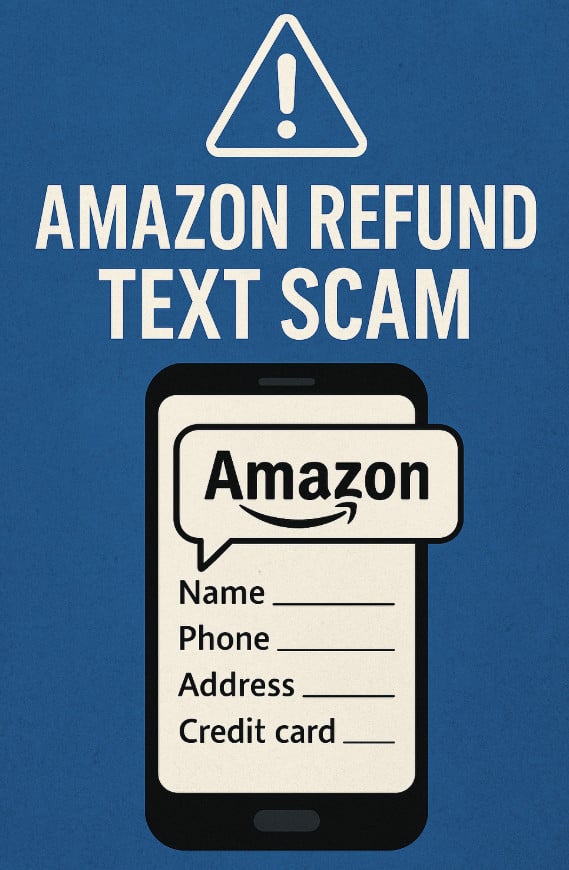
Scam Overview: Understanding the Amazon Refund Text Scam
The Amazon refund text scam is a phishing scheme in which scammers impersonate Amazon to trick recipients into clicking on malicious links. These messages often mention product recalls, policy violations by third-party sellers, or unprocessed refunds. The messages appear urgent and official, designed to provoke an immediate response.
At first glance, these texts may look legitimate. They reference real-sounding order numbers, use Amazon branding, and link to websites that closely mimic the real Amazon platform. However, the intent is always malicious: to harvest sensitive data from unsuspecting victims.
Types of Messages
- Product Recall Notices:
These messages claim that a product you purchased has been recalled due to “quality concerns.” They typically list a fake order number and urge you to click a link to process your refund or view safety instructions. - Refund Eligibility Alerts:
Another common variant tells you that you’re entitled to a refund because a seller “violated Amazon’s policies.” The scam message insists that you act fast to claim the refund and includes a shortened URL. - Unusual Account Activity:
Some texts report suspicious activity or failed login attempts on your Amazon account, prompting you to verify your identity via a fake link.
Why It Works
These scams are effective because they exploit trust. Amazon is one of the world’s most recognized brands, and people regularly interact with it. When users see a message about their Amazon account, they’re likely to take it seriously.
Scammers also use urgency and fear to manipulate emotions. Phrases like “act now,” “refund pending,” or “safety hazard” are specifically chosen to prompt quick action without critical thinking.
The Impact
Once a victim clicks the malicious link, they’re taken to a fake Amazon login page or refund portal. These pages are designed to look authentic. They ask for personal details such as:
- Full name
- Address
- Phone number
- Amazon login credentials
- Credit card information
This data is then harvested and used for identity theft, unauthorized transactions, and even further phishing attempts.
Realistic Design Elements
- Spoofed URLs: Scammers use URL shorteners to mask the real destination.
- Professional Layout: Fake pages use Amazon logos, fonts, and layout designs to appear genuine.
- SSL Certificates: Some fake sites even use HTTPS to trick users into thinking the site is secure.
Increasing Frequency
These scams have become more frequent in recent years, particularly during shopping seasons like Black Friday, Cyber Monday, and Christmas when consumers are more likely to believe they made a recent purchase.
Difficult to Trace
Because the links often use short URL services and temporary hosting platforms, tracking the source becomes challenging. Scammers also frequently change their messages and URLs to avoid detection.
How the Scam Works: A Step-by-Step Breakdown
Understanding how the scam operates can help you identify and avoid falling into the trap. Here’s a detailed, step-by-step breakdown:
Step 1: Initial Contact
The scam usually begins with a text message or email claiming to be from Amazon. It may state that a refund is pending, a product is being recalled, or your account requires urgent attention. The message includes an order number (usually fake) and a shortened link for further action.
Step 2: Emotional Trigger
The message is crafted to create urgency or fear. Common triggers include:
- “This item has been recalled due to safety issues.”
- “You must act immediately to receive your refund.”
- “A third-party seller violated Amazon policies.”
These statements are designed to bypass logical reasoning and prompt immediate action.
Step 3: The Click
Once the recipient clicks on the provided link, they are redirected to a fake website designed to look like Amazon’s official platform. This website may ask the user to “log in” or enter personal details to proceed.
Step 4: Data Collection
Victims are asked to fill in forms with sensitive data, such as:
- Name
- Email address
- Phone number
- Home address
- Amazon account credentials
- Payment information (credit/debit card)
Some sites may even simulate a refund process by showing fake progress bars or confirmation pages.
Step 5: Exploitation
The scammers now possess a wealth of personal information. They may:
- Use your credentials to access your real Amazon account
- Make unauthorized purchases
- Sell your information on the dark web
- Attempt to commit further fraud with your identity
Step 6: Continued Targeting
Once a victim is identified, scammers may target them again with more tailored messages. Since they already have some of your data, future scams may appear even more convincing.
What to Do if You Have Fallen Victim to This Scam
If you suspect you have engaged with one of these fake messages, take immediate action to protect yourself:
1. Change Your Amazon Password
Log into your Amazon account directly from the official website (not the link from the message) and change your password immediately.
2. Enable Two-Factor Authentication (2FA)
Turn on 2FA in your Amazon security settings to add an extra layer of protection to your account.
3. Contact Your Bank or Credit Card Provider
If you submitted payment information, notify your bank or credit card provider right away. Ask them to monitor for fraudulent activity, freeze your account, or issue a new card if necessary.
4. Report the Scam to Amazon
Forward the suspicious message to Amazon at stop-spoofing@amazon.com. They use this information to track and shut down fraudulent sites.
5. Monitor Your Credit Reports
Consider placing a fraud alert or credit freeze on your accounts. Regularly check your credit reports for unauthorized activity.
6. Run a Security Scan on Your Device
If you clicked on a suspicious link, run a complete virus and malware scan on your device. Some links install spyware or keyloggers without your knowledge.
7. Report the Scam to Authorities
In the U.S., report phishing scams to the Federal Trade Commission (FTC) via reportfraud.ftc.gov. In the UK, contact Action Fraud.
8. Educate Others
Warn friends and family about the scam so they can be cautious and avoid falling for it themselves.
Frequently Asked Questions (FAQ) About the Amazon Refund Text Scam
1. What is the Amazon Refund Text Scam?
The Amazon Refund Text Scam is a phishing scheme where scammers send fake messages, often via SMS or email, claiming there’s an issue with your recent Amazon order. These messages usually contain alarming language about refunds, product recalls, or account suspensions, prompting you to click a link. The link directs you to a counterfeit Amazon page that asks for sensitive information such as your name, phone number, home address, and credit card details.
2. How can I tell if a message claiming to be from Amazon is fake?
Look out for these red flags:
- Poor grammar, unusual punctuation, or awkward phrasing
- Shortened or suspicious links (e.g., bit.ly, shorturl.at)
- A sense of urgency, such as “Click now or lose your refund”
- Requests for personal or financial information
- Unfamiliar order numbers or vague product descriptions
Amazon will never ask you to enter sensitive personal details via SMS or through unsecured websites.
3. What happens if I click the scam link?
Clicking the link typically takes you to a fake Amazon login or refund page. This page will appear convincing but is designed to capture your sensitive data. Once entered, your personal and financial information can be used for:
- Identity theft
- Unauthorized credit card charges
- Opening fraudulent accounts in your name
4. I clicked the link but didn’t enter any information. Am I safe?
Generally, yes. Simply clicking the link without inputting any data is unlikely to result in direct harm. However, it’s best to:
- Clear your browser history and cookies
- Run a security scan using trusted antivirus software
- Stay alert for any unusual activity on your accounts
5. I gave my personal details. What should I do immediately?
Take these urgent steps:
- Contact your bank or credit card company – Report the fraud and cancel your card if necessary.
- Monitor your accounts – Watch for unauthorized transactions.
- Report the scam – Use Amazon’s official reporting channel (stop-spoofing@amazon.com) and report to the FTC.
- Change your passwords – Especially if you used the same credentials elsewhere.
- Enable two-factor authentication (2FA) – This adds a layer of security to your online accounts.
6. Can Amazon trace or stop these scams?
Amazon takes phishing seriously but cannot control scammers acting outside its ecosystem. They do, however, investigate and work with authorities to shut down fake domains and fraudulent actors. It’s crucial that users report suspicious messages to help combat the spread.
7. What should a legitimate Amazon refund or recall message look like?
Legitimate messages from Amazon will:
- Come from an official Amazon domain (like @amazon.com)
- Include accurate order details you can verify in your Amazon account
- Direct you to log in to your Amazon account to view more information, not click a suspicious external link
- Never ask for credit card details through unsecured links or forms
8. Where can I report this scam?
You can report Amazon-related phishing attempts to:
- Amazon: Forward the suspicious email or text to stop-spoofing@amazon.com
- FTC (U.S.): https://reportfraud.ftc.gov
- Your bank or credit card provider
- Your local consumer protection agency
9. How can I protect myself from future scams?
- Be cautious of unsolicited texts or emails.
- Never share personal details through links from unverified sources.
- Use official apps and websites to manage your Amazon orders.
- Enable security alerts on your financial accounts.
- Regularly update your passwords and use a password manager.
10. Why are these scams increasing?
Scammers target Amazon because of its massive global user base. With the rise in online shopping, especially during busy seasons like holidays or Prime Day, people are more likely to believe messages about deliveries, refunds, or recalls. This increases the chance of falling for a scam.
The Bottom Line
The Amazon refund text scam is a deceptive and rapidly evolving phishing attack that preys on consumer trust. These scams use convincing messages and fake websites to steal personal and financial information. By understanding how these scams operate and knowing what steps to take if you’re targeted, you can protect yourself and others.
Stay vigilant, always double-check suspicious messages, and never click on unfamiliar links. When in doubt, contact Amazon support directly through their official website.
Protecting your information starts with awareness. Don’t let scammers cash in on your trust.

Join the discussion
0 commentsShare your experience or ask a question about this article.
Discussion
Start the conversation
Have a question or something useful to share? Add the first comment.