


A restaurant rewards account feels fairly ordinary. You might remember signing up for an offer without remembering how many personal details you shared along the way.
That’s why the Applebee’s data exposure matters to customers, even after the technical problem has been fixed. The useful response starts with understanding what was involved.
Overview
The issue was a database credential inside the Android app
A security researcher found a database password embedded in Applebee’s Android app. That credential allowed access to customer information in an internal database.
The problem concerned how the service protected its customer records. It doesn’t mean the genuine Applebee’s app was a fake application or that every user’s phone was infected.
Applebee’s said the issue had been addressed. Reporting on the incident was published after the fix was confirmed, rather than while the disclosed access remained open.
The reported fields were personal details, not a published list of stolen cards
The described records included names, contact details, birth dates, ZIP codes, veteran status, and account activity. Recent login IP addresses were also among the fields.
Payment-card numbers and customer account passwords weren’t among the database fields described in the reporting. That is different from claiming nothing sensitive was exposed.
The number of affected customer records remains unclear. A rewards program’s total membership or an app’s download count cannot establish the size of this exposure.
The Android app was the discovery route. That doesn’t establish that only Android owners had information in the database, or identify which individual customers’ records were present.
The practical concern is believable follow-up contact
Personal details can make a dishonest message sound familiar. They don’t prove that anyone actually used this database to contact customers.
The company’s reported position was that it hadn’t found evidence of unauthorized access, with its investigation continuing. An exposure and confirmed criminal exploitation are different findings.
- Check an unexpected account notice through the genuine service, not the message’s link.
- Don’t treat knowledge of your name or birthday as proof a caller is authorized.
- Keep your restaurant account password separate from email and financial accounts.
- Respond to the information actually disclosed or an action you took, rather than assuming every kind of compromise occurred.
What a Hardcoded Password Means Without the Technical Jargon
An app needs ways to communicate with the service behind it. The problem arises when a powerful internal credential is distributed inside software customers can download.
Think of an app as something people receive, not a locked filing cabinet that nobody can inspect. Its contents shouldn’t carry a master key to customer records.
That is different from a person choosing a weak restaurant-account password. You could use a strong, unique password and still have details held in an exposed database.
It also explains why changing your password doesn’t undo the past exposure of your name or birth date. Each action solves a different problem.
A responsible fix must address the access problem at the service. A customer can’t remove a shared backend credential from everyone else’s installed app.
Your role is narrower and more manageable: keep using legitimate routes, protect your own accounts, and scrutinize unexpected requests that borrow the incident’s name.
How the Applebee’s Data Exposure Happened
Step 1: An internal credential was distributed with the application
The credential was found in the Android application’s code. The researcher used analysis tools, with AI assistance, to identify the problem.
AI’s involvement doesn’t mean an AI chatbot leaked your restaurant account. It helped the researcher examine software that already contained the sensitive credential.
Customers shouldn’t try to reproduce the access or search for the password. Accessing somebody else’s records isn’t necessary to establish whether you need sensible precautions.
Likewise, avoid sites offering an “exposed database checker” that requires your restaurant password. An incident can attract opportunists who have no connection to the original discovery.
Step 2: The credential made customer records accessible
The reporting describes access to an internal customer database, not merely an isolated screenshot or a public directory of restaurant locations.
The fields matter because they describe real people and their accounts. A phone number creates a contact route; a birth date adds information that may feel personal.
A recent login IP address may indicate an approximate area. It should not be described as a precise home address or continuous tracking of a customer’s movements.
The reported discovery doesn’t settle whether anyone else previously obtained the credential. There is no confirmed criminal download of every record established here.
Step 3: The company addressed the access problem
The issue was brought to the company through the reporting process. Applebee’s confirmed a fix before the public account of the incident appeared.
That is useful news, but a fix and a complete historical investigation answer different questions. Closing access doesn’t tell you everything that happened before it closed.
Nor does an ongoing investigation mean that every worst-case assumption should be treated as true. Follow confirmed updates rather than speculative lists of stolen information.
For a customer, the sensible position is to take proportionate account precautions without treating the genuine restaurant, app, or every subsequent email as fraudulent.
Why a Message Can Feel Authentic Without Being Authorized
Imagine receiving a message addressed to you, mentioning your rewards account and the restaurant brand. Familiar details can lower your guard before the request even appears.
A dishonest sender might then ask you to verify a payment, claim compensation, or protect your account. These are possible follow-up hooks, not messages confirmed in this incident.
The useful question is what the sender wants you to do. A correct name doesn’t justify entering a card number into an unfamiliar form.
A genuine order detail wouldn’t make a request for an email login code safe either. The requested action still needs its own explanation.
Take the message’s urgency out of the decision. You can leave it unopened and check your account through the route you normally use.
If the alert is genuine, independently reaching the service gives you a chance to verify it without relying on the sender’s chosen destination.
The Real Applebee’s Service Versus a Follow-Up Impersonator
Use contact information you obtain yourself
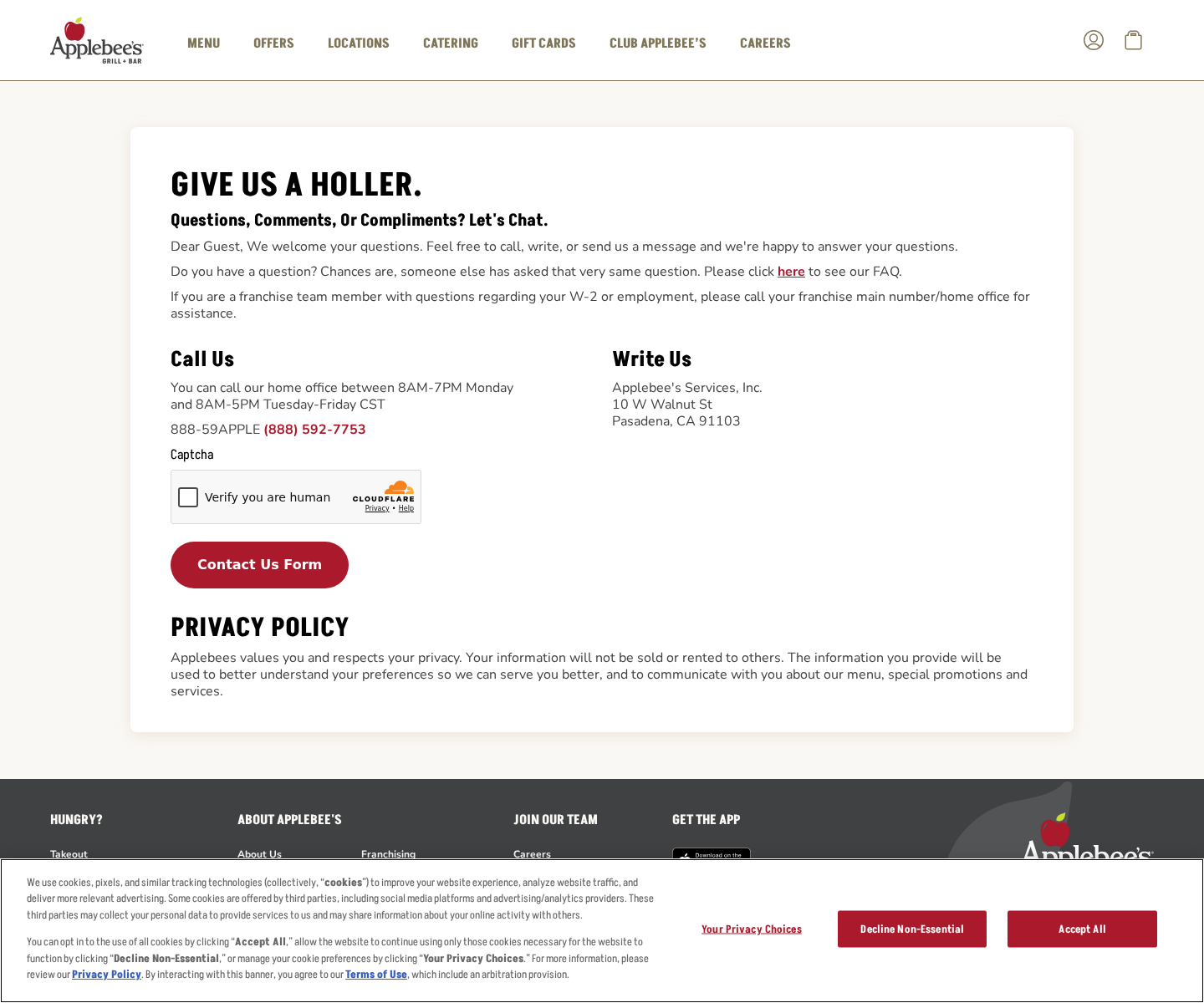
The screenshot shows the genuine customer-contact page, not a breach notification or a fraudulent message. It illustrates the independent route available for checking a concern.
Open the official app directly or navigate to Applebee’s customer contact page yourself. Don’t use a telephone number pasted into an unexpected warning.
If you’re asking about security, state the question clearly. A restaurant location may handle an order problem without being the right place to answer a corporate data inquiry.
A real security update doesn’t require a release payment
Be skeptical of anyone claiming a refund or compensation balance exists but needs an activation payment. The public incident reporting doesn’t establish such a payment program.
Don’t convert money to cryptocurrency or buy gift cards because a caller invokes the exposure. Those instructions aren’t made trustworthy by a familiar brand name.
Record an unusual request before ending contact. You can ask the genuine service about it without completing the requested transaction first.
Your email account deserves particular attention
A restaurant-account problem can become more serious if the same password also opens your email. Reuse gives one account’s compromise a path toward others.
That is a general account-security risk, not a finding that customer passwords were exposed here. Change reused credentials because they are reused, not because a headline proves their theft.
Protect email with a unique password and available multifactor authentication. It often receives the reset messages needed to regain access to your other services.
Which Precautions Fit the Data Actually Reported?
A phone number or email address can attract unwanted contact. Blocking and reporting an unsolicited sender is more useful than arguing with it about where it found you.
A birth date can’t simply be changed like a password. Avoid supplying additional identity details to someone who already knows it and asks you to confirm the rest.
Veteran status can make a message about military benefits feel relevant. Verify any such offer with the responsible organization rather than assuming the sender knows you personally.
Account-creation and login information may support a convincing account story. None of those details gives a caller authority to reset credentials on your behalf.
ZIP codes and IP information concern location at different levels of precision. Don’t turn them into a claim that a malicious sender can watch your phone.
And don’t cancel a payment card solely because an unrelated message says this incident exposed it. Ask your issuer about a genuine suspicious charge or card disclosure.
What to Do If You Have an Applebee’s Account
-
Check through the legitimate service. Open the app you already use or reach the company’s website independently. Look for relevant account messages and contact options.
Don’t install a replacement app from a text or advertisement. A claim that your current app is unsafe doesn’t authenticate a stranger’s download.
-
Replace a reused password. If the restaurant-account password also opens email, shopping, banking, or another important account, give each service its own strong credential.
Use the real service’s reset process. This is sound prevention, not a claim that this incident exposed your personal password.
-
Secure the email receiving your account messages. Review available security settings, enable multifactor authentication where supported, and check unfamiliar sessions if you suspect someone signed in.
If a reset message arrives that you didn’t request, don’t share its code. Confirm the account’s status through the provider, outside the unexpected conversation.
-
Keep a suspicious message as evidence before reporting it. Save its sender, date, link, claimed reason for contact, and requested action.
Redact personal details before sharing it publicly. Send a concise account to the impersonated company or the messaging platform’s reporting function.
-
Match your response to anything you disclosed. If you entered a password into an unfamiliar page, change it through the genuine service and address any reuse.
If you gave card details or approved a payment, contact the issuer promptly. That response concerns your interaction, not an assumption about the original exposed database.
-
Look at actual financial activity. Review unfamiliar charges and payment notifications through your banking app or statements, not a link that claims to identify fraudulent transactions.
Report a genuine discrepancy with its date and amount. Don’t let a fake support agent persuade you to move funds into a supposedly protected account.
-
Use identity-theft help when there is evidence of misuse. An exposed detail isn’t automatically identity theft. Unexpected accounts or unauthorized transactions deserve a more focused response.
The FTC’s IdentityTheft.gov provides US recovery guidance. Use an equivalent official service in your country if actual misuse affects you.
-
Ignore paid promises to erase the exposure. A stranger cannot prove that every copy of personal information has been removed simply by charging a recovery fee.
Don’t provide identification, banking codes, or remote access in return for that promise. Keep any further contact separate from legitimate company updates.
If You Only Read the Headline or Opened a Notice
Reading about the incident doesn’t expose a device to the database flaw. You don’t need to wipe your phone because you saw the news.
Opening a message is also different from entering a password, approving a charge, or installing software. Start by identifying which action actually happened.
If you downloaded a suspicious file but didn’t run it, don’t open it to investigate. If you installed something, use appropriate trusted technical help for that separate exposure.
A security scan cannot change a birth date already disclosed in a server-side incident. Keep device cleanup separate from account protection and any financial recovery.
The same distinction helps avoid overspending. You shouldn’t have to buy several security services simply to answer a basic question about a restaurant account.
Frequently Asked Questions
Was the genuine Applebee’s app a scam?
No. This concerns a security flaw involving an internal database credential in the real Android app, not a finding that the legitimate restaurant service was fraudulent.
Were customer passwords and cards confirmed exposed?
They weren’t among the fields described in the incident reporting. Don’t expand the reported personal-data exposure into a confirmed theft of payment details.
How many people were affected?
The affected-record count hasn’t been established. Total rewards membership and app downloads aren’t reliable substitutes for the number of records involved.
Does the fix prove nobody accessed the database earlier?
No. Closing a flaw and establishing its historical use are separate tasks. The company reported no evidence of unauthorized access while its investigation continued.
Should I trust a caller who knows my birth date?
No. Familiar personal information doesn’t establish authority. End the conversation and independently contact the organization supposedly requesting action.
Should I stop using Applebee’s because of this incident?
The available facts don’t justify calling the service a scam. Use legitimate account routes, address password reuse, and verify unexpected requests before responding.
The Bottom Line
Check your Applebee’s account through the genuine service and replace any reused password. Don’t provide payment details or codes to an unexpected caller invoking this exposure.
If you already responded to a suspicious message, act on what you actually shared. Contact the real provider or card issuer, preserve the message, and refuse paid recovery guarantees.

Join the discussion
0 commentsShare your experience or ask a question about this article.
Discussion
Start the conversation
Have a question or something useful to share? Add the first comment.