

ASUS Video Magic is a software suite developed by ASUS that aims to enhance the video playback experience on ASUS devices. It includes various features such as video enhancement, noise reduction, color optimization, and video editing capabilities. While it may seem like a useful tool, many users wonder if they should remove it from their devices. In this article, we will explore what ASUS Video Magic is, its benefits, potential drawbacks, and whether or not you should consider removing it.
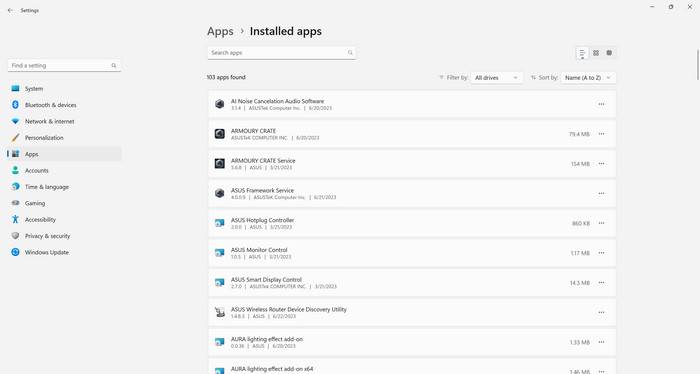
What is ASUS Video Magic?
ASUS Video Magic is a software suite that comes pre-installed on many ASUS devices, including laptops, desktops, and tablets. It is designed to enhance the video playback experience by providing various features and tools to improve video quality and performance.
The suite includes several components:
- Video Enhancement: ASUS Video Magic offers advanced video enhancement algorithms that aim to improve the clarity, sharpness, and overall quality of videos. It can enhance both local video files and online streaming content.
- Noise Reduction: This feature helps reduce unwanted noise and artifacts in videos, resulting in a cleaner and more enjoyable viewing experience.
- Color Optimization: ASUS Video Magic includes color optimization tools that allow users to adjust the color balance, saturation, and contrast of videos to achieve the desired visual effect.
- Video Editing: The software suite also provides basic video editing capabilities, allowing users to trim, merge, and add effects to their videos without the need for additional software.
Benefits of ASUS Video Magic
ASUS Video Magic offers several benefits that can enhance the video playback experience on ASUS devices:
- Improved Video Quality: The video enhancement and noise reduction features can significantly improve the visual quality of videos, making them appear sharper, clearer, and more vibrant.
- Customizable Video Settings: The color optimization tools allow users to adjust the video settings according to their preferences, enabling them to achieve the desired visual effect.
- Convenient Video Editing: The built-in video editing capabilities eliminate the need for additional software, making it easier for users to perform basic video editing tasks.
- Compatibility: ASUS Video Magic is specifically designed for ASUS devices, ensuring optimal performance and compatibility.
Drawbacks of ASUS Video Magic
While ASUS Video Magic offers several benefits, there are also potential drawbacks to consider:
- Resource Consumption: ASUS Video Magic is a resource-intensive software suite that may consume significant system resources, potentially affecting the overall performance of the device.
- Compatibility Issues: Although ASUS Video Magic is designed for ASUS devices, there may be compatibility issues with certain video formats or third-party software.
- Unwanted Modifications: Some users have reported that ASUS Video Magic modifies system settings without their consent, which can be frustrating for those who prefer to have full control over their device.
Should You Remove ASUS Video Magic?
Whether or not you should remove ASUS Video Magic depends on your personal preferences and requirements. Here are a few factors to consider:
- Performance: If you notice a significant decrease in system performance or experience lag while using ASUS Video Magic, it may be worth considering its removal.
- Alternative Software: If you already have alternative video enhancement or editing software that you prefer, you may not need ASUS Video Magic.
- Control Over System Settings: If you prefer to have full control over your device’s settings and do not want any software making modifications without your consent, removing ASUS Video Magic might be the right choice.
If you decide to remove ASUS Video Magic from your device, it is recommended to use a reliable uninstallation tool to ensure a clean removal. One such tool is Revo Uninstaller Free, which can thoroughly uninstall ASUS Video Magic and remove any leftover files or registry entries.
Conclusion
ASUS Video Magic is a software suite developed by ASUS to enhance the video playback experience on their devices. It offers various features such as video enhancement, noise reduction, color optimization, and video editing capabilities. While it provides benefits such as improved video quality and customizable settings, there are potential drawbacks, including resource consumption and unwanted modifications.
Whether or not you should remove ASUS Video Magic depends on your personal preferences and requirements. If you experience performance issues, already have alternative software, or prefer full control over system settings, removing it might be the right choice. If you decide to uninstall ASUS Video Magic, using a reliable uninstallation tool like Revo Uninstaller Free can ensure a clean removal.
Ultimately, the decision to keep or remove ASUS Video Magic should be based on your individual needs and preferences. Consider the benefits and drawbacks outlined in this article to make an informed decision that best suits your video playback requirements.

Join the discussion
0 commentsShare your experience or ask a question about this article.
Discussion
Start the conversation
Have a question or something useful to share? Add the first comment.