

Recently, a phishing scam masquerading as Capital One has been targeting unsuspecting consumers through email. The fraudulent email states that the recipient’s Capital One card has been temporarily locked due to unusual activity on the account. While it may appear legitimate at first glance, this is a scam designed to steal personal information.
In this article, we will provide an in-depth overview of how this scam works, how to identify it, and most importantly, what you should do to protect yourself.
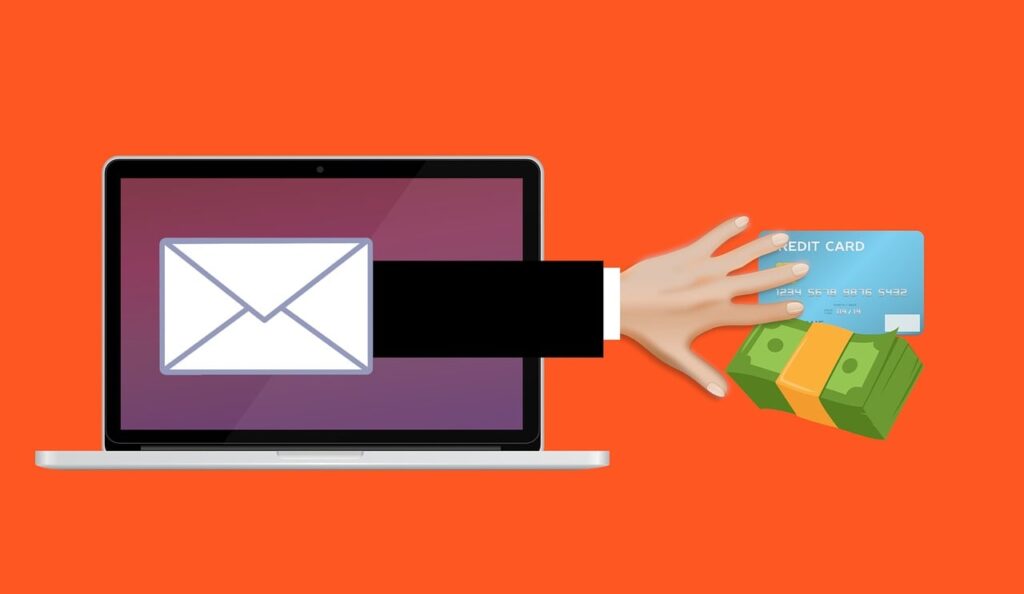
Overview of the Scam
The Capital One “Card Purchase is Under Review” phishing scam aims to trick recipients into providing sensitive information like login credentials, credit card numbers, social security numbers, and more. By communicating an urgent need to unlock a supposedly frozen account, scammers prey on fear and urgency to coerce victims into acting rashly.
The scam email is carefully crafted to appear as if it is from Capital One. It contains Capital One branding and messaging about unusual activity triggering a temporary lock. The email urges recipients to review their account activity and complete an identity verification process in order to regain access.
If recipients click the “Review Your Card Activity” button, they are led to a fake Capital One login page designed to steal entered credentials. Any information submitted is sent directly to scammers, granting them access to accounts and the ability to commit identity theft.
How the Scammers Send the Emails
The scammers obtain victim email addresses through prior data breaches, buying lists on the dark web, harvesting publicly available information online, and other deceptive tactics. Email addresses may be targeted randomly or specifically if the scammer knows the recipient is likely a Capital One customer.
The scam emails are sent en masse in an attempt to lure in as many victims as possible. By making the pool of recipients so large, scammers increase their chances of success as more people are likely to fall for the scam.
Even just a fractions of a percent response rate to a mass scam email can result in thousands of victims. This makes the scam highly effective for criminals even with low overall response rates.
Here is how the scam email might look:
Subject: Capital One Card Temporarily Locked
Capital One [logo]
Your Capital One Card Purchase is Under Review.Dear,
Our Fraud Department has temporarily locked your Capital One card due to unusual activity detected on your account. Specifically, we have noticed an excessive number of purchases recently, which has triggered our security protocols.
Review Your Card Activity
Complete all verification process
Once you’ve done this your account will be removed from the restricted accounts automatically
Thanks for choosing Capital One.
Red Flags That Indicate the Email is a Scam
While the email appears convincing on the surface, a closer look reveals red flags that indicate it’s fraudulent:
- Generic greeting – Real Capital One emails address the recipient personally by name. The scam uses a generic greeting like “Dear cardmember” instead.
- Spoofed sender address – The sender email address is designed to look official but is not an actual Capital One domain.
- Urgent call to action – Creating urgency and pressure to act is a common scam tactic. Real companies generally don’t demand immediate account reviews.
- Spelling/grammatical errors – The content may contain writing errors no official communication would have.
- Requests sensitive information – Capital One would never ask for personal info like account numbers or SSNs via unsolicited email.
- Link outright asks for login – Real login portals access accounts more discreetly once logged in rather than asking for credentials outright.
Who is Behind the Scam
The individuals responsible are cybercriminals aiming to steal personal data and account access for financial gain through identity theft and fraud. They hide behind the anonymity of the internet, using spoofed email addresses and fraudulent websites to avoid detection.
It’s unlikely the perpetrators will ever be caught. These scams tend to originate overseas, making criminal prosecution unlikely. The scammers are banking on the fact that most victims will be too embarrassed to report falling for the scam, allowing them to retain access to accounts and continue their theft operations.
Scale and Scope of the Scam
The Capital One scam first started circulating widely in 2022 but variations on the phishing tactic have existed for years. The scam is part of a rising trend of fake notification emails aimed at banks and financial institutions.
Thousands of victims are estimated to fall for the Capital One scam each month it remains active. Criminals are notorious for scaling successful phishing scams rapidly once proven effective.
The geographic reach is global. Scammers target Capital One customers everywhere the company operates. Any Capital One account holder in the U.S., Canada, or the UK can expect to receive the fraudulent emails.
The damage stretches far beyond the direct financial losses to victims. The scam damages trust in email communication and results in customers second guessing legitimate messages from Capital One. It also overwhelms Capital One’s customer service department with contacts about the scam.
How the Scam Works
Understanding each step of the scam process can help recognize the tactics used to deceive and exploit victims:
1. Victim Receives the Fraudulent Email
The scam begins with victims receiving an unsolicited email with no context. The sender address is spoofed to appear as Capital One notifications and the subject line indicates the recipient’s card is frozen.
The content identifies the recipient by name and claims unusual activity has triggered a temporary account lock per Capital One’s security protocols. It states that reviewing recent purchases and completing identity verification is necessary to remove the lock.
A “Review Your Card Activity” button is prominently placed to encourage clicking through to the phishing site.
2. Victim Clicks Link to Phishing Site
Once recipients click the button, they are taken to an official looking Capital One account login page. However, the URL reveals it is not a real Capital One domain.
The site has a similar visual design to the real Capital One login portal to appear legitimate. Unless scrutinized carefully, victims may not realize they have been led to a fake phishing site.
3. Victim Enters Login Credentials
Seeing what looks like Capital One’s real login page, victims typically enter their username and password without hesitation. Some phishing sites even prompt for additional info like social security number, account numbers, or online banking passwords.
Victims are conditioned to believe they must provide personal information to verify themselves and regain access to their frozen account. In reality, they are handing over the keys to the scammers.
4. Scammers Steal and Use the Victim’s Personal Information
Once submitted, the login credentials and other personal info is captured by the scammers. They now possess enough information to access the victim’s online account or open fraudulent accounts.
The criminals may drain the victim’s bank account, make unauthorized transactions, or steal the identity to open fake accounts in order to commit wider fraud and theft.
5. Victim Realizes They Have Been Scammed
Many victims only realize weeks or months later that they have been scammed when fraudulent activity is detected on their accounts. Others may receive notifications about unrecognized logins or password changes they didn’t make.
At this point, financial and identity theft damage has often already occurred. The victim must undertake a lengthy process to dispute fraudulent charges, reset compromised accounts, and reverse stolen identity transactions.
What to Do If You Are a Victim of the Scam
If you suspect you have fallen prey to the Capital One “Card Purchase is Under Review” scam, remain calm but act quickly to contain the damage:
Step 1: Contact Capital One Immediately
Call Capital One’s 24/7 customer support hotline as soon as possible. Alert them that you received a phishing email and may have entered info on a fake website. This will allow them to take action and monitor for fraudulent account activity.
Step 2: Reset Your Capital One Account Password and Security Questions
Assuming you have not lost all access to your account, log in to the real Capital One website and immediately change your password and any security questions/answers. This prevents criminals from accessing your account with the compromised credentials.
Step 3: Review Recent Transactions for Fraud
Carefully review all recent transactions and activity on your Capital One account. Identify any purchases, withdrawals, or changes you don’t recognize. Dispute these fraudulent activities with Capital One to reverse the charges.
Step 4: Place Fraud Alert on Your Credit Reports
Notify all three major credit bureaus (Equifax, Experian, TransUnion) to place an initial 90 day fraud alert on your credit file. This makes it harder for criminals to open new accounts in your name.
Step 5: Monitor Your Accounts and Credit Reports Closely
Carefully monitor all your financial accounts and credit reports for signs of misuse of your personal information over the next 12-24 months. Scammers often wait before using stolen data for identity theft. Promptly dispute any fraudulent activity found.
Frequently Asked Questions on the Capital One “Card Purchase is Under Review” Scam
1. What is the Capital One “Card Purchase is Under Review” scam?
The “Card Purchase is Under Review” scam is a phishing attack targeting Capital One customers. Victims receive a fraudulent email claiming unusual activity has triggered a temporary lock on their Capital One credit or debit card. The email prompts urgent account review and identity verification to unlock the card. However, it is a scam aiming to steal login and personal information.
2. How does the Capital One card scam work?
The scam starts with an email informing Capital One customers their card is frozen. It requests reviewing recent purchases and completing identity verification to remove the temporary lock. A button leads to a fake Capital One login page to steal entered info. Victims realize weeks or months later when fraudulent charges appear or accounts are compromised.
3. What does the phishing email for this scam look like?
The scam email is made to look like official Capital One communication. It has Capital One branding and mentions unusual activity triggering a security lock. A “Review Your Card Activity” button aims to drive traffic to the phishing site to steal credentials.
4. What are some red flags that indicate the email is a scam?
Red flags include a generic greeting, spoofed sender address, urgent call to action, spelling/grammar errors, request for sensitive information, and the link asking outright for login credentials rather than accessing the account itself.
5. Who is behind the Capital One phishing scam?
The scammers are cybercriminals aiming to steal personal data and account access for financial gain through identity theft and fraud. They remain anonymous hiding behind spoofed emails/websites and cash in on the embarrassment deterring victims from reporting the scam.
6. What should I do if I entered information on the phishing site?
Immediately contact Capital One to report falling for the scam and monitor your account for fraud. Also change your Capital One password, review recent transactions, place a fraud alert on your credit, and closely watch your accounts and credit reports for misuse of your information.
7. How can I identify and avoid Capital One phishing scams?
Carefully inspect unsolicited emails before clicking links or submitting data. Look for red flags exposing the message as a scam. Instead of using email links, manually navigate to official websites. When in doubt, contact institutions directly through known numbers and web addresses.
8. How widespread is the Capital One “Card Purchase is Under Review” scam?
The Capital One scam first appeared in 2022 but similar phishing tactics have existed for years. It’s estimated thousands of victims fall for this scam each month. The scam has global reach, targeting Capital One customers in any country they operate.
9. How can I keep my Capital One account secure?
Enable two-factor authentication on your Capital One account for enhanced login security. Also use unique complex passwords, keep software updated, don’t use public WiFi for banking, monitor your statements and credit regularly, and educate yourself on the latest financial fraud threats.
10. What should I do if I need help dealing with identity theft?
Contact the IRS Identity Protection Specialized Unit at 800-908-4490 for help with tax fraud. Report identity theft to the FTC at IdentityTheft.gov. Get help disputing fraudulent accounts and repairing credit from IdentityTheft.gov or by contacting credit bureaus directly.
The Bottom Line
The Capital One “Card Purchase is Under Review” phishing scam is a serious threat all consumers should be aware of in the modern age of rampant cybercrime. While the scam email may look convincing, scrutiny reveals multiple red flags that expose it as illegitimate.
Always exercise caution before clicking links or submitting sensitive information via unsolicited emails. If in doubt, contact the institution directly through their official website or app – not via an email link. Taking preventive action is key, but even diligent consumers can fall victim sometimes. Anyone impacted should act quickly to contact Capital One, reset account access, and monitor for fraudulent misuse in order to minimize financial and identity theft damage.

Join the discussion
0 commentsShare your experience or ask a question about this article.
Discussion
Start the conversation
Have a question or something useful to share? Add the first comment.