

A few tiny charges appear under a familiar social-media name. None is large enough to cause immediate panic, and there is no active Facebook account to inspect.
The Cash App Facebook Charges story matters because small card payments can be the beginning of a larger theft, not harmless billing noise.
Overview
Several small Facebook charges appeared on an unused connection
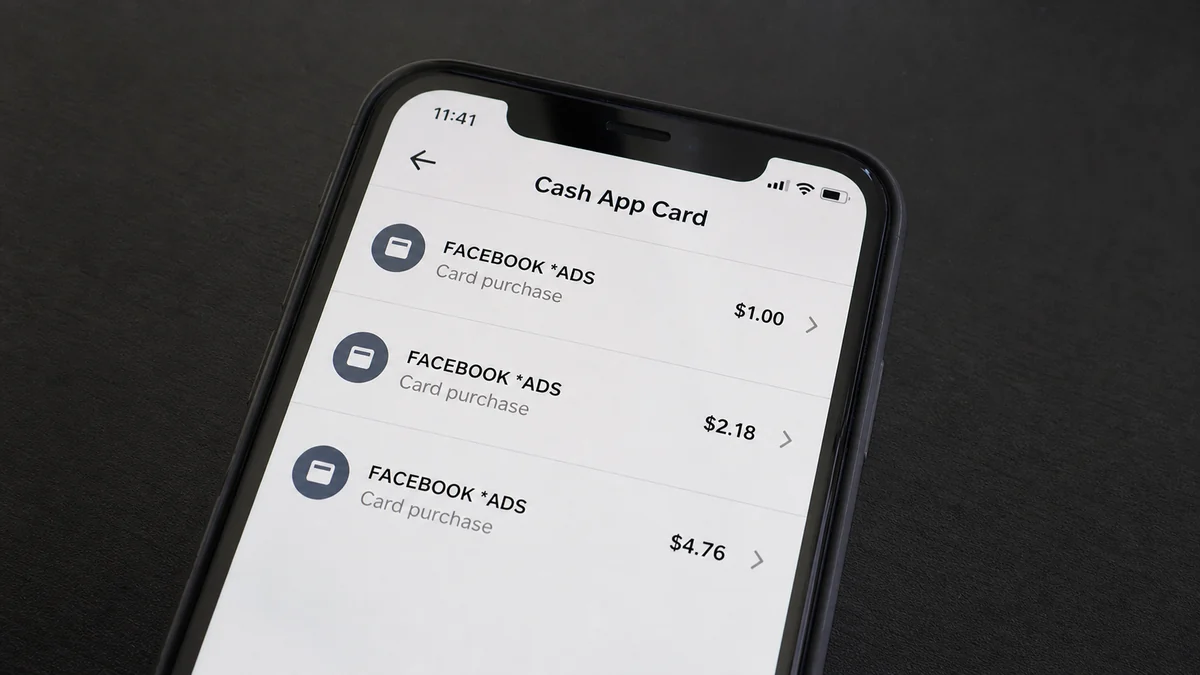
A recent consumer report describes multiple small charges on a Cash App Card, all attributed to Facebook. The cardholder said they had no active Facebook account and had never knowingly given Meta the card number.
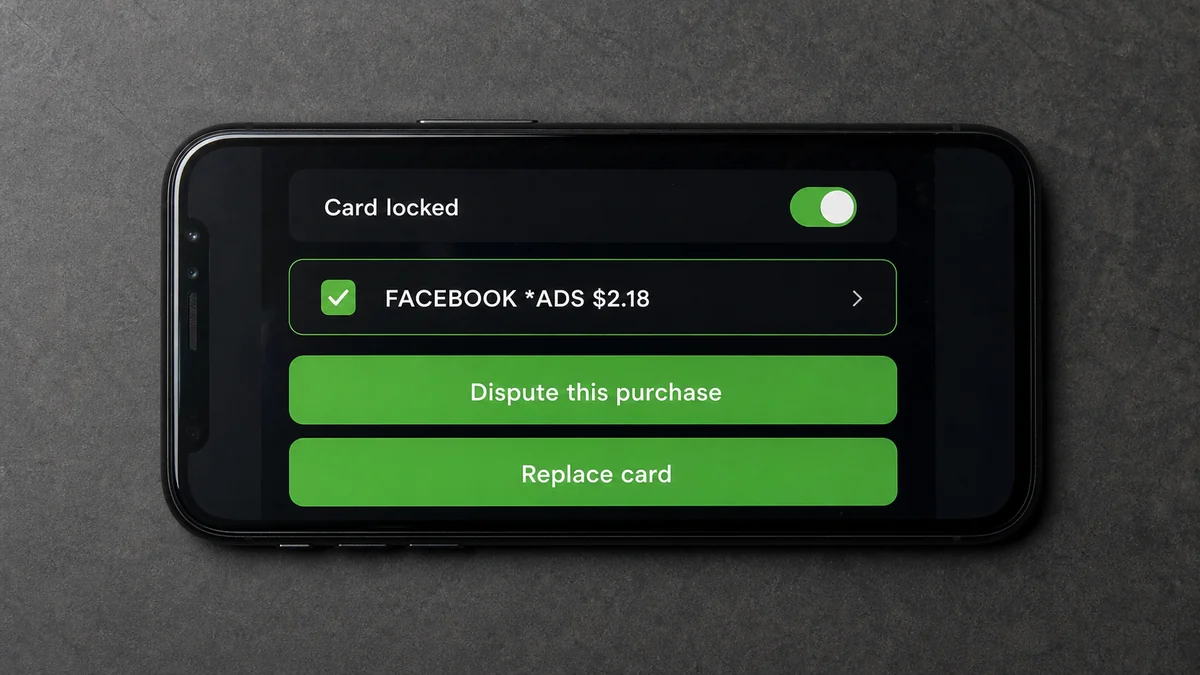
The person locked the card, blocked the merchants, and reported the activity to Cash App. They did not know where the card details had been exposed.
That uncertainty is normal in card fraud. A statement descriptor can identify the merchant account that submitted a payment, but it does not reveal where the card number was stolen.
Tiny transactions may test whether a stolen card still works
Criminals and abusive advertisers sometimes begin with low-value authorizations or purchases. A successful small charge confirms that the number, expiration date, security code, billing details, and available balance are usable.
The card can then be used for larger advertising spend, resold to another criminal, or tested at other merchants. Low amounts also have a better chance of being overlooked among daily notifications.
Not every small Facebook descriptor is fraud. It could be a legitimate ad threshold, subscription, donation, game purchase, temporary authorization, or transaction made by someone who had permission. The account history and cardholder’s facts decide the issue.
Locking the card is the first step, not the entire response
Cash App says its Card Lock can decline future card transactions while enabled. Its security page tells customers to report suspicious activity promptly and describes protection for eligible unauthorized Cash App Card charges.
Meta Pay also lets users inspect payment activity and seek help for an unrecognized transaction. But when the victim has no Meta account containing the charge, the card provider remains the primary route.
Check the incident systematically:
- Are the charges pending, completed, reversed, or declined?
- What is the exact merchant descriptor?
- Do the amounts repeat at regular intervals?
- Does any household member use the card for Meta services?
- Is the card stored in a browser or mobile wallet?
- Was it used recently at a fuel pump or unattended terminal?
- Did an online merchant suffer a breach?
- Are there unfamiliar Cash App logins or profile changes?
- Did a fake support message request a login code?
- Are other cards or accounts showing test payments?
The exact compromise route may never be proven. You do not need that answer before stopping the card and filing a dispute.
What a Facebook Descriptor Actually Proves
A bank statement descriptor is a label supplied through the payment network. It helps identify a merchant, but it is not a forensic report.
A legitimate Meta charge can cover advertising, Meta Pay, an app purchase, a donation, a creator subscription, or another service. An ad account may also use a card without the cardholder owning a personal Facebook profile.
A criminal with stolen card details can add the card to an advertising account they control. The statement then names Facebook or Meta even though the cardholder never had contact with that account.
The descriptor therefore does not show that Meta stole the number. It shows that a payment request associated with Meta reached the Cash App Card.
Card information can be exposed through a breached merchant, skimmer, phishing page, malware, compromised checkout, unsafe browser extension, or person with physical access.
Sometimes the first visible charge is not the point of compromise. Criminals may wait weeks before testing a card, making recent purchases a poor guide.
Look closely for spelling and punctuation. Similar descriptors may belong to different merchant accounts, and a misspelled label can be used to imitate a recognized brand.
Cash App support and the card network can see authorization details unavailable in the consumer-facing list. Ask whether the transactions were card-not-present, recurring, tokenized, or tied to a digital wallet.
If the card was tokenized into a wallet, replacing only the physical card may not remove every active token. Ask support whether tokens and recurring credentials will be invalidated.
Do not contact phone numbers found in search advertisements. Cash App states that 1-800-969-1940 is its support number and that representatives will not request a password, PIN, Social Security number, or full debit-card number.
How the Cash App Facebook Charges Scam Works
Step 1: Card details are captured somewhere else
The Cash App Card number may be stolen at a different merchant or device. The victim’s lack of a Facebook account does not protect a card number from being used on Meta services.
The attacker needs payment credentials, not the cardholder’s social-media profile.
Step 2: A low-value charge tests authorization
The first attempt may be €1, $1, or another small amount. It can look like a verification hold, an app purchase, or a billing threshold.
A successful result tells the attacker the card is active and not immediately blocked by fraud controls.
Step 3: Several merchant accounts create noise
The report described what appeared to be multiple accounts using the same name. Spreading activity can make each charge look isolated and may complicate merchant-side searches.
Repetition across slightly different descriptors is a stronger warning than one unexplained pending authorization.
Step 4: The victim waits because the amounts are small
People often postpone a dispute over a tiny charge, expecting it to reverse. That delay gives the criminal time to increase spending or use the card elsewhere.
Card-testing economics depend on many victims ignoring small losses.
Step 5: Larger advertising or purchases follow
Once the card works, it can fund higher ad budgets, purchases, or recurring billing. An advertising account can spend continuously until a threshold is reached.
The visible total may grow quickly even when each original test looked trivial.
Step 6: A fake support contact seeks account access
After a public complaint, recovery scammers may claim to work for Cash App or Meta. They request a login code, remote-control access, a card number, or a fee.
Use only support reached through the app or a verified company page. Cash App login codes must never be shared.
Step 7: The same card data is reused
Blocking one merchant does not change the stolen card number. The attacker can submit it to another platform or sell it.
A replacement card with new credentials is often necessary after confirmed unauthorized card use.
Card Testing, Ad Accounts, and Recurring Tokens
Card testing is designed to answer a simple question cheaply: will this payment credential be accepted? A valid result has resale value even if the tester never makes the large purchase.
Advertising platforms are attractive because spending can scale, campaigns can be created remotely, and billing may occur at thresholds rather than for every individual ad impression.
A small charge could be an authorization rather than a settled purchase. Record it anyway. The transaction can disappear while the stolen credentials remain valid.
Recurring-payment credentials introduce another complication. Some merchants receive updated card details automatically through network services after a replacement.
That feature helps legitimate subscriptions continue, but victims should ask whether the disputed merchant token will be blocked from following the new card.
Digital wallets can use device-specific tokens rather than the printed card number. Review wallet devices and remove anything unfamiliar.
The Cash App account itself may be secure while the card number is compromised. Conversely, an account takeover may expose the virtual card and controls. Inspect both possibilities.
If Cash App shows no unfamiliar logins or profile changes, that supports a card-credential theory but does not prove it. Support authorization data is still needed.
If the email or phone attached to Cash App changed, treat it as broader account takeover. Secure the email and mobile-carrier account immediately.
Never unlock a card because a supposed merchant says it needs to process a refund. A legitimate refund can generally be handled through the established transaction and support process.
How to Investigate Without Blaming the Wrong Company
Start with the transaction record, not assumptions. Write down the descriptor exactly, including punctuation, reference fragments, and location text.
Check Meta Pay or Ads billing only through a Meta account you already control. Meta Pay says transaction history and customer support are available in Accounts Center.
If there is no matching Meta activity, report the charge as an unrecognized card transaction through Cash App. Do not create a new Facebook account just to chase the merchant.
Ask Cash App whether the charge used the card number, a wallet token, or the Cash App account. Those are different compromise paths.
Review receipts, app-store subscriptions, business ad accounts, family accounts, and employee access. A forgotten legitimate charge should be ruled out before alleging theft.
Search email for the exact amount and date. A receipt may identify the product or account, but be wary of phishing messages that arrive after the charge.
Inspect the card’s recent use. Focus on terminals, unfamiliar checkout pages, stored-card merchants, and new browser extensions, but remember the theft may be older.
Check whether other customers report the same descriptor. Similar complaints can reveal a pattern, though they do not prove every transaction shares one source.
Preserve screenshots before locking, replacing, or disputing. Record pending and posted states because the reference may change when settlement completes.
Keep the investigation factual: the card was charged, the activity is unrecognized, and the merchant descriptor names Facebook. Do not claim Meta caused the original compromise without evidence.
How to Protect Other Cards and Accounts
A stolen card number can be one piece of a larger data package. Review other cards used at the same merchant, browser, device, or physical terminal even if they show no fraud yet.
Turn on instant transaction alerts for every financial account. A push alert for a small test can stop the card before a larger purchase settles.
Remove saved payment methods from accounts you no longer use. Old shopping, gaming, delivery, and advertising profiles increase the number of places where credentials can be exposed.
Review mobile wallets for unfamiliar devices and tokens. If support confirms tokenized use, ask which device created the token and whether replacement removed it.
Change the password for the email account linked to Cash App and Meta. A criminal with email access can intercept recovery messages and hide transaction alerts.
Use unique passwords for Meta, shopping sites, and financial services. A password manager can generate and store them without reuse.
Check browser extensions. Remove anything unnecessary or unfamiliar, especially extensions with permission to read and change data on every website.
Update the operating system, browser, and mobile apps. Security fixes cannot reverse a stolen card number, but they reduce repeat compromise through known flaws.
Review recent statements beyond the Facebook descriptor. Testers may try several merchants, currencies, and amounts before choosing one that succeeds.
Look for failed and declined attempts as well as completed charges. Declines reveal where the credentials were tried and whether activity continued after the lock.
Ask whether the replacement card will receive a new virtual number immediately. Do not expose it on the same device until the device and browser have been checked.
If a card was physically skimmed, consider where it left your sight or entered an unattended terminal. Report suspicious equipment to the merchant or property owner without touching it.
If an online checkout is suspected, notify the merchant and ask whether it has announced a breach. Do not accuse a business based only on timing.
Separate account security from card security. A Cash App account can have strong login controls while the card number circulates elsewhere.
Continue monitoring after reimbursement. Criminals may wait for a new billing cycle, use a different descriptor, or target identity information collected with the card.
Keep the old card only as evidence until support confirms replacement. Do not cut through the printed number before recording the last four digits and dispute reference.
When the new card arrives, add it back only to services you still use. Rebuilding saved payments deliberately reduces exposure and may reveal which forgotten account generated a legitimate charge.
Review credit reports if the incident expands beyond card transactions. A tested card alone does not prove identity theft, but new accounts or address changes require a broader response.
Company, Address, and Fulfillment Checks
Confirm the Cash App support route
Use in-app support, cash.app, or the telephone number published in Cash App’s terms. Ignore search ads and incoming calls claiming to be fraud agents.
Save the dispute confirmation and expected review date.
Check the exact merchant descriptor
Compare the label with Meta payment and advertising history where available. Note small spelling changes that could point to a different merchant account.
A familiar name alone does not authenticate the charge.
Identify the payment credential used
Ask whether the transaction used the physical card number, virtual card, contactless token, recurring credential, or Cash App account login.
The answer determines what must be replaced or revoked.
Verify what was delivered
For an ad charge, the service may have been delivered to an account controlled by the thief. The cardholder’s lack of benefit remains central to the dispute.
Do not ask the merchant to disclose another user’s private account details.
What to Do if You Have Fallen Victim to This Scam
- Lock the Cash App Card. Use the control inside the official app to stop future card transactions while you investigate.
- Capture the details. Save each amount, date, status, descriptor, reference, and notification before anything changes.
- Dispute the purchases. Cash App’s card agreement describes an in-app route under Support, Cash Card, and Dispute a Purchase.
- Request a replacement. Confirm that the old number, digital-wallet tokens, and disputed recurring credentials will be invalidated.
- Review account security. Check email, phone, profile details, linked accounts, login alerts, and unfamiliar devices.
- Enable Security Lock. Require a face, fingerprint, or PIN for account activity and keep transaction alerts enabled.
- Check Meta activity carefully. Review existing Meta Pay, subscription, and Ads billing histories without following links from unknown messages.
- Contact other card issuers. If the same checkout or device stored several cards, monitor and protect them too.
- Run Malwarebytes. Scan devices and remove suspicious browser extensions if card data may have been stolen online.
- Use AdGuard as a supporting layer. It can block many malicious ads and trackers, but it cannot invalidate stolen card details.
- Report identity theft when needed. Use IdentityTheft.gov if personal information beyond the card appears compromised.
- Reject recovery scammers. Never provide a login code, PIN, full card number, or advance fee to someone contacting you privately.
Frequently Asked Questions
Why would thieves make such small Facebook charges?
Small charges can test whether stolen credentials work and may avoid immediate attention. Larger spending or resale of the card data can follow.
Does a Facebook descriptor mean Meta stole my card?
No. It indicates where a payment request was processed. The card may have been compromised through a different merchant, device, person, or phishing page.
Should I wait for a pending charge to disappear?
Do not delay locking the card and reporting unrecognized activity. A pending authorization may reverse, but the exposed card credentials can still be reused.
Is blocking the merchant enough?
No. Blocking one merchant does not replace a stolen card number. Ask Cash App about a new card and invalidating associated tokens.
Can I get reimbursed?
Cash App says eligible unauthorized Cash App Card charges may be protected when promptly reported. Outcome depends on the investigation and applicable terms.
Do I need a Facebook account to dispute the charge?
No. Start with Cash App because it issued the card. If you already have Meta payment history, review it, but do not create an account or contact unofficial support.
The Bottom Line
Cash App Facebook Charges can be small enough to ignore and still important enough to act on immediately. The merchant label shows where the card was used, not where it was stolen.
Lock the card, preserve every transaction, dispute through Cash App, and request replacement credentials after confirmed unauthorized use. Then secure email, devices, wallets, and any other stored cards. A one-unit test payment is often cheap reconnaissance for a much more expensive second attempt.








