


A shipment notice says paperwork has been assigned to your email. It sounds like a routine handoff if someone at work handles deliveries or imports.
The message uses real shipping terms. The part that deserves a closer look is how it expects you to get to those documents.
Overview
The notice names documents a shipping team might expect
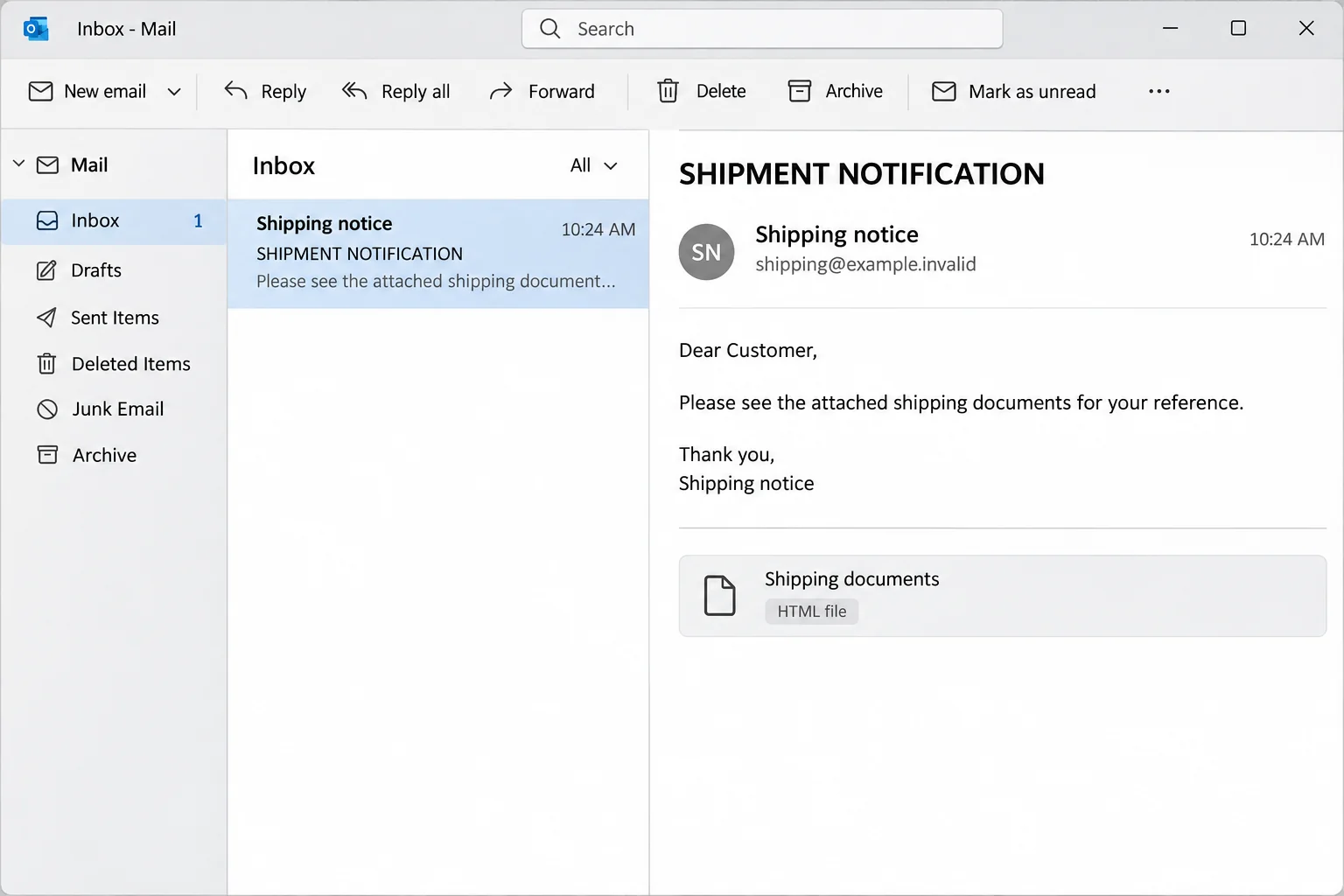
The DHL Express Shipment Assigned email says a package was assigned to the recipient’s address. It asks the reader to review a pro forma invoice and bill of lading.
Those are real kinds of shipping or trade documents. The names alone don’t prove that the cargo, document sender, or access request is real.
The reported subject was “SHIPMENT NOTIFICATION.” The wording suggested the papers couldn’t be sent in the usual way and had to be accessed through the enclosed material.
DHL is a legitimate carrier. Its name is being borrowed here. The fake message isn’t evidence that DHL’s tracking service or email systems were breached.
An HTML attachment can show a webpage, not a shipping record
One documented version came with an HTML file. When displayed in a browser, it showed a counterfeit DHL-branded page instead of the promised shipping paperwork.
The graphic here depicts how the attachment type can appear in an email client. It doesn’t show the actual attachment or provide a copy to open.
An HTML document can contain a webpage and can interact with external services. Treat an unsolicited one as an untrusted page, even if it appears to be a local file.
Other reported versions use a link rather than an attachment. In either case, don’t treat the displayed shipment logo as proof that the sign-in belongs to DHL.
The password it wants belongs to email
The reported attachment displayed a re-authentication prompt and requested the recipient’s email password. That’s a private credential, not a tracking number or an invoice reference.
The evidence describes a credential request. It doesn’t establish that opening the file, by itself, installed a particular malware family on anyone’s device.
Before opening any unexpected shipping paperwork, check what you can verify:
- The carrier and tracking number from a seller, shipper, or internal shipping record.
- The expected goods, destination, and dates from your purchase or dispatch records.
- The identity of the employee or partner responsible for the shipment.
- The delivery status in a carrier account you accessed independently of the message.
If the documents are real, the right contact can help you get them without surrendering your mailbox credentials to a page delivered in an email.
How the DHL Express Shipment Assigned Scam Works
Step 1: The shipment claim sets up a plausible business task
A busy importer, buyer, or receptionist may not recognize every reference for an incoming shipment. The email counts on the recipient assuming a coworker knows the background.
Mentioning a pro forma invoice makes the task sound real. The note leaves out who ordered the goods and invites you to look in the file to find out.
This is a good point to involve your own receiving or purchasing team. They can check the shipment from records that don’t depend on the sender.
Step 2: The attachment changes the context without looking like it did
Opening the reported HTML file took the recipient into a browser view. The browser can make a well-designed file look like a hosted portal.
The location where the file opens doesn’t authenticate its contents. Whether it appears as a local item or a remote site, the attachment came from the unverified email.
If you notice the message is asking you to open a web document instead of providing the expected records, stop and verify the route with the shipper.
Step 3: The fake page calls the password request a security check
The attachment claimed re-authentication was needed. It borrowed the language of storing confidential documents so the login request could feel like a precaution.
Check which credentials it’s asking for. Even if a genuine freight portal has its own account, that doesn’t authorize a third party to request the password for your employer’s mail.
If you use an approved identity service at work, start it from your company portal. Don’t copy a known password into a new form to see whether a shipment appears.
Step 4: The risk follows the mailbox, not just the parcel
If the password was submitted, a third party may try using it to enter the mailbox. Whether that succeeds depends on settings, verification methods, and how quickly you respond.
The inbox may hold purchase approvals, supplier correspondence, or documents that reveal current shipments. That’s a separate problem from whether this particular shipment ever existed.
Any new payment instructions arriving from an exposed account deserve independent verification. The email here was a login lure, not evidence that a particular invoice payment was changed.
Check Shipping Paperwork Without Opening the Attachment
Match the sender to an existing shipment
Ask the shipper or merchant for the shipment number and document names using a contact from a previous order or established supplier record.
Use DHL’s official tracking page if DHL Express is the confirmed carrier. You don’t need a copy of the suspicious file to check a genuine shipment number.
Tracking information can take time to appear and may be listed under a different DHL service. Ask the verified sender to clarify instead of guessing where to log in.
Know what a legitimate document is for
A pro forma invoice usually describes expected goods or transaction details before a final invoice. A bill of lading concerns the carriage of goods.
Those terms can help you ask good questions about a real shipment. A payment demand, a request to approve access, and a tracking update are not interchangeable.
Give your shipping contact the order information that you’re authorized to share. Keep customer addresses, invoices, and any identity documents out of an unverified message thread.
Report the message without testing it
DHL’s fraud awareness page explains how it collects suspicious messages. If it’s work email, follow your employer’s reporting process and its rules about sharing attachments externally.
Keep the original message available for your security team. Their reporting tools can preserve the headers and file without requiring you to open or forward the HTML to coworkers.
If there really is a time-sensitive shipment, tell your purchasing or receiving contact you haven’t acted on the email. Let them get the paperwork through the legitimate channel.
What to Do if You Have Fallen Victim to This Scam
-
If you didn’t open the attachment, report the message intact. Use your approved email reporting route or DHL’s instructions, rather than opening the file to confirm what it is.
Record the time it arrived if you need to speak with a workplace administrator. Let them decide whether others received the same lure.
-
If the page opened, exit it and note what happened. Tell IT whether a form appeared, whether anything downloaded, and what account the page asked you to use.
Opening an HTML file isn’t the same as submitting the password. If you ran a separate download, report that as a possible device incident.
-
If you entered your mailbox password, replace it through the real provider. For a work inbox, contact your help desk from a separate device or approved internal route.
Tell the team about any additional prompts you approved. Ask them to review existing sessions, sign-in activity, and unexpected mail routing changes.
-
Alert whoever manages shipments and supplier payments. If the inbox contained active orders, have that team verify recent instructions against known records and contacts.
If someone already sent funds using changed payment instructions, contact the financial institution promptly. Use confirmed contact details, not a number supplied by the new sender.
-
Keep the device question separate. If you only saw the counterfeit screen, tell IT that. If you installed or ran unfamiliar software, stop sensitive work and seek trusted support.
An endpoint scan doesn’t prove whether a password was captured. Don’t delay restoring control of the actual email account while someone checks the computer.
What to Verify in a Shared Shipping Inbox
Find out which users saw the request
Several people may use the same receiving address, but their personal sign-ins can differ. Record the mailbox that received the email and the account the employee may have entered.
Ask your administrator whether the mailbox uses delegated permissions. Removing access to one user session isn’t necessarily the same as reviewing who can open or send from the shared inbox.
Don’t tell staff to open the original attachment to compare screens. Use the sender, subject, and time as the basis of the report instead.
Watch for real shipment information in a later fake request
A follow-up that mentions genuine goods or an existing order may be more convincing after mailbox access. Find out whether any external messages were sent from the affected account.
If there are changes to a delivery address, ask the original shipping contact to confirm them. If the change involves a charge, bring finance into the conversation early.
One trustworthy contact method can resolve both questions. An account that is already under review shouldn’t be the only channel you use to verify its own outgoing instructions.
Give people a clean way to handle the next shipment
Agree on where staff should look up carrier references and who approves new document portals. A written handoff helps when the regular shipping contact is out.
If an outside partner routinely sends protected documents, have your teams confirm the expected method in advance. People can recognize a departure from it without having to memorize every scam.
Tell the Difference Between a Document Request and a Shipping Event
Verify the record your team actually needs
An invoice for a purchase, a carrier’s shipment status, and an instruction to release freight each belong in different records. Ask the person responsible which item is missing.
If the alleged document is for an order you don’t know, ask purchasing whether a purchase order exists. Don’t treat a carrier name as proof the company placed it.
If you’re the person receiving deliveries, check your list of expected consignments. A genuine tracking number can be compared with that record without opening a file from an unknown sender.
A verified shipment may still need paperwork. Request it from the known partner using the account that normally exchanges those documents, rather than moving company records to a new site.
Keep your report useful for the security team
Note the visible file type, subject, and time. If the email was filtered or its attachment was blocked, say which warning you saw and whether you dismissed it.
Don’t copy the attachment into a cloud folder to circulate it. Use the safe reporting process your workplace already has for preserving the original message and its headers.
If work mail isn’t available, write down the time and contact IT through its established alternative. Include which device or browser displayed the page without describing anything you didn’t see.
Check which vendor changes need a separate call
If an email says the shipment address, expected recipient, or payment instructions changed, don’t accept the change inside the thread. Confirm with a previously known counterparty.
Use a different communication route when the mailbox is being investigated. An attacker with mailbox access may be able to answer the verification email you send there.
Once the real partner confirms the details, resume the legitimate shipment process. Keep the suspect notice separate so it doesn’t become part of a shared shipping record.
If a colleague already saved the file to a shared folder, tell IT where it is. Don’t open it and don’t ask others to delete the only evidence independently.
Frequently Asked Questions
Did DHL send the Shipment Assigned email described here?
The documented version impersonates DHL and uses a counterfeit password prompt. Verify any genuine shipment through your shipper or the carrier’s officially opened tracking page.
Is an HTML attachment the same as a PDF invoice?
No. An HTML file can display a webpage in your browser. Its appearance doesn’t prove it contains a trusted invoice or comes from the sender named in the email.
Why would shipping paperwork ask for my email password?
In this case the request is a lure. A carrier doesn’t need to collect the password that controls your separate workplace or personal mailbox to confirm its shipment.
What if the email had a link instead of a file?
Reported variants use either. Don’t follow it to sign in. Confirm the shipment independently and report the message through a trusted route.
Does opening the page mean a computer was definitely infected?
No. The reported page was a credential lure. If you downloaded or ran something else, tell your security team which file and action were involved.
Should someone in finance know if I entered a work password?
Yes, if the inbox handles purchases or payment instructions. They can verify pending changes and watch for requests that may have been sent from the exposed account.
The Bottom Line
Don’t open the supposed DHL shipping paperwork through the unsolicited message. Get the documents or tracking number from your real shipper, merchant, or carrier account.
If you entered your mailbox password, contact your provider or IT now. Have them review existing access. Warn the shipping or finance team if active orders are involved.

Join the discussion
0 commentsShare your experience or ask a question about this article.
Discussion
Start the conversation
Have a question or something useful to share? Add the first comment.