


There is nothing unusual about a buyer asking for a signed agreement. But a purchase number can make an email feel familiar before you recognize the actual deal.
This notice is worth reading carefully before you open the paperwork.
Overview
Purchase 429124 looks like a job already in progress
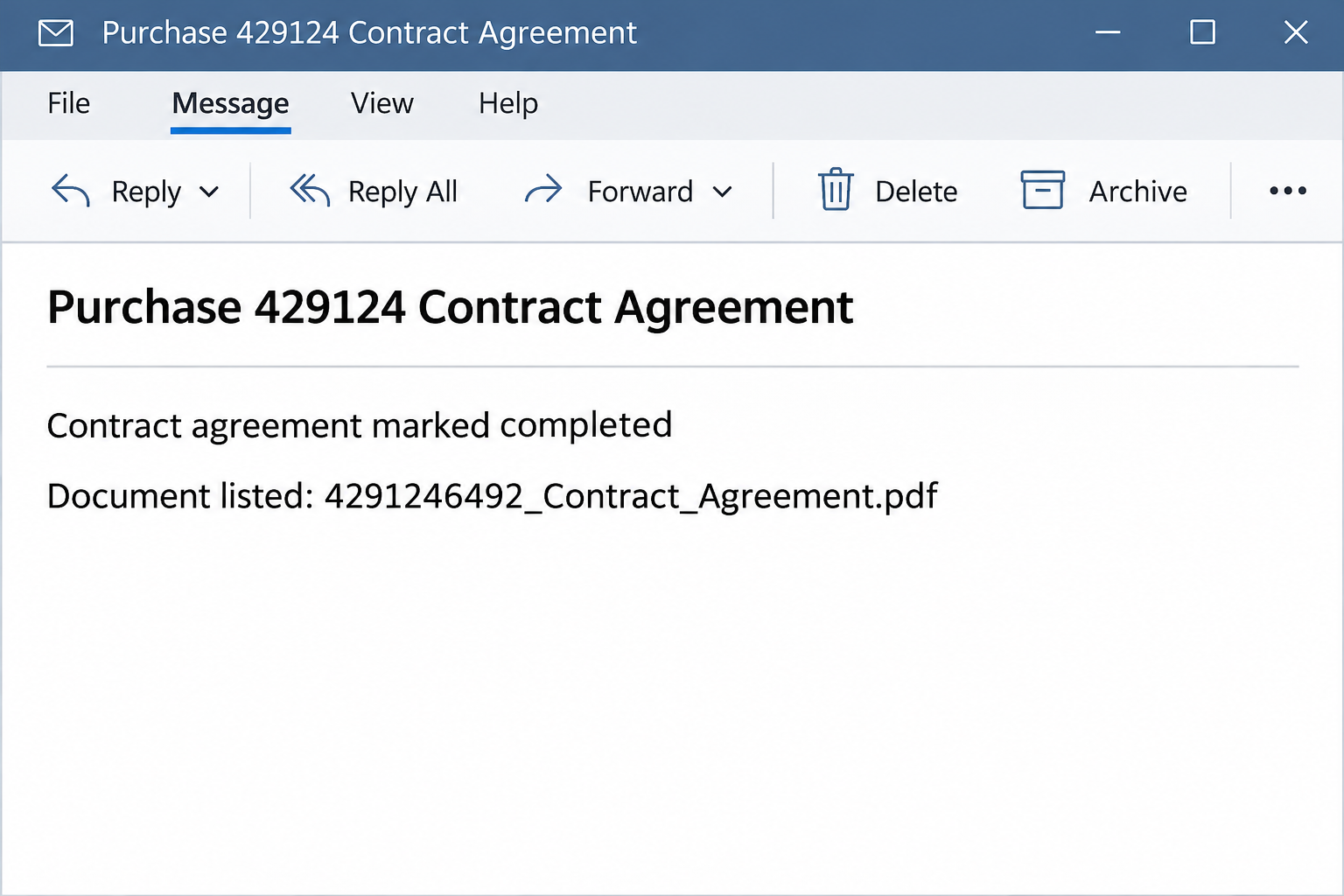
The Docusign contract agreement review email scam says a purchase contract is complete. Its subject includes the reference 429124 and the body names a PDF associated with that number.
The message asks you to download, review, sign and return the paperwork. It reads like an unfinished task even though the notice calls the contract complete.
A reference can be useful when it matches a purchase you know. Here, the number appears in the email itself, not in an independently verified purchase or signing record.
The image recreates the opening email and its document label without an actual attachment. It does not represent a contract that Docusign or a buyer sent.
The supposed contract turns into a mailbox sign-in
The PDF in the text is a filename, not proof that the button opens a document. In the reported case, the button went to a site outside Docusign.
Visitors saw an authentication prompt that could look like their email provider. A Gmail-style screen was documented; that does not mean Google operated it.
The shift in task is the warning. You came to inspect terms, yet the page asks for the secret that controls a mailbox.
No actual purchase or signed agreement is established by the message. No download or installation is documented for this variant, either; the observed destination sought credentials.
What a real signing request gives you to verify
Find the purchase through the buyer, supplier or colleague who set it up. An established contact can tell you what agreement is expected without using this link.
Docusign’s safety alerts explain how to verify certain genuine notifications by going to Docusign directly and using a document security code when one is present.
If your company uses a different signing portal, start with that established process. A real customer can clarify which service they used and why before you enter any credentials.
- The purchase number should correspond to a known order or conversation.
- The address receiving the email should be the one expected to take action.
- The sender should be verifiable through your records, not just through a signature in the message.
- The destination should fit the work you need to do, rather than asking for a password first.
That process can feel slower than clicking once. It is also faster than trying to explain a compromised procurement inbox or unwinding altered payment instructions later.
How the Docusign Contract Agreement Review Scam Works
Step 1: A purchase number makes the email look like somebody else’s handoff
A numbered agreement can pass through several teams before it reaches the person expected to sign. Not recognizing the number right away may feel entirely normal.
A recipient may assume a colleague took the order or that this is a document sent on behalf of a known vendor. The email depends on that assumption feeling reasonable.
Before routing it internally, compare the number with your own purchase records. If nothing matches, ask the colleague managing that purchase rather than replying to the sender.
For a small business without a dedicated system, the original quotation or prior conversation can provide the same independent anchor. The subject line alone is not that record.
Step 2: Completion and urgency pull in opposite directions
The email says the contract is complete and then asks you to review, sign and return it. Readers can interpret that as a draft being ready for their signature.
A genuine signing workflow may send different notices at different stages. What matters here is how quickly the message moves from an assertion about status to a request for action.
Ask which version is expected and who still needs to approve it. The real requester should be able to explain the status independently of a sign-in page.
If a coworker forwarded this to you, their name does not authenticate the original instruction. Check whether they confirmed the vendor or were simply passing along the apparent task.
Step 3: The PDF label changes expectations about the button
A filename ending in PDF sets up a reasonable expectation: you will read a document or download it through a known system. The label itself cannot enforce that behavior.
In this sample, the email offered access from a link. The reported destination was an outside website showing a sign-in prompt, not the agreement named in the body.
If a suspected document request opens an unfamiliar login, close it rather than trying a different password to see what happens. A copied page can behave however its operator chooses.
Your organization might use a secure sharing service that genuinely requires authentication. Start from the independently verified service, not from a contract notice that arrived without a known order.
Step 4: The website borrows a second brand to ask for a different secret
The email uses Docusign language to establish context. The observed website changed the visual story, showing a Gmail-style authentication prompt where a contract should have appeared.
That change can go unnoticed because people are used to signing in before opening shared work. A recognizable logo may make the difference feel like normal administration.
It matters which party is asking. A supposed signing page cannot establish control over your email account merely by showing the same branding as your provider.
A password manager not offering to fill the form is useful friction, not an inconvenience to work around. Return to your known route or ask the provider for help.
Step 5: The immediate concern is the mailbox, not the unsigned file
Once a current password is submitted, it can be used in an attempt to access the real mail service. Additional protections may affect whether that attempt succeeds.
An affected purchase inbox can contain approved payment details and ongoing commercial discussions. Those records can make a later impersonation sound like it belongs in a real transaction.
If someone sends amended bank details from a genuine compromised address, it can be harder for the recipient to recognize the change. Payment verification needs an independent channel.
A missed signing task and a submitted password need different responses. Do not tell colleagues a contract was executed just because the original note said it was complete.
What to Do if You Have Fallen Victim to This Scam
-
Check the purchase before touching the message again.
Look up the number through an order record or a contact you already trust. If nothing connects it to your work, put the email aside.
Tell the procurement lead if the name or reference resembles a real open purchase. Ask for the legitimate document through your normal signing process.
Do not reply asking for a PDF as an alternative. That keeps you dealing with the same unverified source and can introduce a different exposure.
-
Describe the screen you reached without opening it again.
Record whether you merely read, visited the page, entered a password or approved anything. Include roughly when you did it and which address the screen concerned.
If you saw no actual document, say that when you report the message. A filename printed in an email is different from a file saved on your device.
If a file did appear or run, keep that detail separate for your security team. Do not reopen it in an attempt to confirm what happened.
-
Secure the real mail account if you supplied a password.
Change the exposed password through the verified provider or ask your administrator to help. If you reused it on another service, replace it there independently.
Ask whether ending sessions or removing unknown app access is also appropriate. Tell support if you entered a code or approved a sign-in as well.
For a work address, avoid giving an account recovery code to a person merely because they mention the purchase. Contact your help desk through established channels.
-
Check what the mailbox could change beyond the contract.
Review recent outgoing messages and ask your administrator about forwarding, delegates or recovery changes. A normal inbox view does not show every way mail can be accessed.
Identify real vendors with pending payments or agreements. If somebody received a suspicious instruction in your name, verify the intended action by calling a known contact.
If a payment may have moved to the wrong recipient, tell the bank and your finance team promptly. Preserve both the payment record and the relevant correspondence.
-
Report the attempt to the right people.
Use the workplace reporting feature or follow the real signing service’s current advice. Preserve the subject and reference number without sending your password or approval code.
Do not forward the link to a colleague and ask them to try it. Give them the harmless subject or file label instead.
If the sender tries again from another address, do not reopen the conversation to compare versions. Share the additional message with the person handling the incident.
-
Give new buyers a clear route for legitimate documents.
A shared sales address should have a known place to verify quotes, buyers and contracts. Staff should not have to infer the right route from a branded email.
Agree who can confirm a new relationship before a contract is signed. Give that team an independent way to validate payment details if an invoice arrives later.
If a genuine deal was delayed during these checks, restart it through your ordinary signing process. Nobody needs to reuse the suspicious message to get work back on track.
If the Purchase Number Belongs to a Real Deal
A matching number makes the email worth investigating, but it does not authenticate the action. Contact the purchasing lead and confirm which party began the signing request.
Check the expected document type and revision. For an existing supplier, use a phone number or address already in your records, not one introduced in the suspect thread.
If your team uses multiple signing providers, find the invitation inside the service that actually holds the contract. Report any unexpected login instead of carrying the old email forward.
A real vendor can resend through a method you both recognize. There is no reason to lose a legitimate deal just because you abandon a questionable route to it.
If the named file looks familiar
A contract name can match a company’s usual naming pattern without proving the file came from that company. Ask for the copy in the records you already manage.
If you normally sign only after an internal review, do not use this email to skip that review. A document marked complete is not necessarily approved for your business.
A buyer may be able to confirm the reference but not the sender. In that case, ask the buyer’s known contact to start a new, authorized signing request.
Once the right agreement appears, make sure the right person receives it. That keeps a false notification from changing who gets approval authority or handles the next payment.
Frequently Asked Questions
Is the Purchase 429124 Contract Agreement email real?
The version described here is a phishing email using Docusign branding. Its reported link led to a copied mail sign-in rather than the purchase agreement it advertised.
If the number resembles an active deal, check with the person managing that deal. Leave the email’s link out of the verification process.
Is the named PDF actually attached to the email?
The sample references a PDF by name and offers a download action. The documented route did not deliver that document.
A filename in message text does not show that anything reached your downloads. If your encounter was different and a file arrived, tell your security team what you actually received.
Why did Gmail appear when I expected Docusign?
The reported site displayed a Gmail-style sign-in screen. Seeing that look does not prove the page came from Google or that Docusign requested your password.
Raise the concern through the genuine signing service or work provider. Do not type your mailbox password to see which service responds.
Can clicking the link count as signing the contract?
Following the link does not establish that you signed an agreement. The observed page did not provide the advertised contract to sign.
If you believe something genuinely submitted a signature, ask the actual service for its record. Do not rely on the original email’s wording about completion.
Does a normal inbox mean my password stayed private?
A functioning mailbox does not tell you who else may have tried to log in. Treat a password entered on the copied page as exposed.
Replace it and ask about recent activity and sessions. Report any unexpected approval or code as a separate part of what happened.
What if a colleague also opened the purchase notice?
Have them say exactly what they did and which account was involved. Different people may have seen the same email but taken different actions.
Ask your team to coordinate the response so that order processing and account recovery are not confused. A staff warning does not need to contain the live link.
The Bottom Line
Do not open or sign Purchase 429124 through this notice. The reported action led to a copied mail login, not to the agreement the email told you to review.
Confirm any real purchase through the buyer or signing service you already know. If you entered credentials, secure the inbox before returning to the business transaction.

Join the discussion
0 commentsShare your experience or ask a question about this article.
Community experiences
Did this happen to you?
Your experience could help someone recognize the same scam. Submit a private report for our team to review.
I experienced this tooReports are reviewed before publication. Sharing publicly is always your choice.
Discussion
Start the conversation
Have a question or something useful to share? Add the first comment.