

Stops malware processes
Download Rkill
Rkill stops known malware processes so that your security software can run and clean your computer.
- Terminates known malware processes
- Fixes policies that block security tools
- Shows a log of what it stopped
Get started
Rkill in 3 easy steps
- 1

Download the Rkill setup file.
- 2
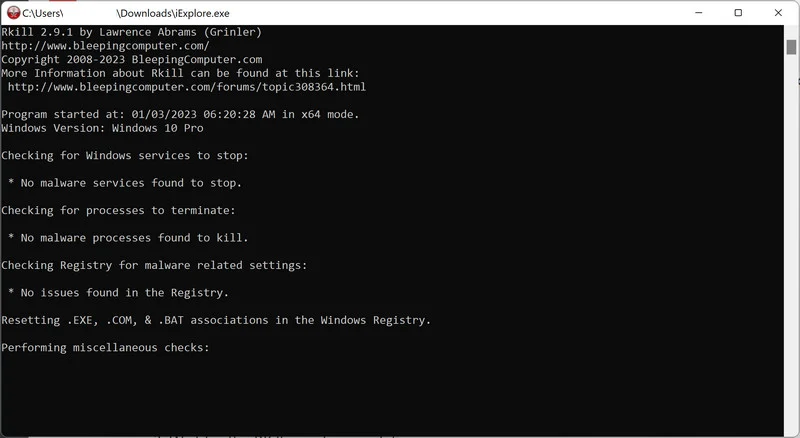
Double-click iExplorer.exe to run Rkill.
- 3
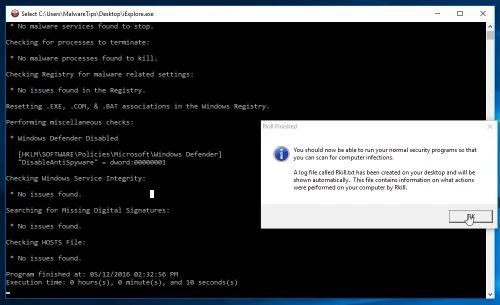
Wait for Rkill to kill malicious processes.
About
About Rkill
Rkill is a program that was developed at BleepingComputer.com that attempts to terminate known malware processes so that your normal security software can then run and clean your computer of infections. When RKill runs it will kill malware processes and then removes incorrect executable associations and fixes policies that stop us from using certain tools. When finished it will display a log file that shows the processes that were terminated while the program was running.

Ready to stop malware processes?
Download Rkill and follow the steps above.
More free tools
Other tools our community recommends
 Malwarebytes for WindowsFree malware scanner · WindowsMalwarebytes for MacFree malware scanner · macOSMalwarebytes for AndroidFree malware scanner · Android
 AdwCleanerFree adware remover · Windows
 HitmanProSecond-opinion malware scanner · Windows
 Emsisoft Emergency KitFree portable malware scanner · Windows
 ESET Online ScannerFree virus scanner · Windows
 Zemana AntiMalwareCloud-based malware scanner · Windows
 Revo UninstallerUninstaller for stubborn programs · Windows
 EaseUS Todo BackupFree backup software · Windows
 EaseUS Data Recovery WizardFree data recovery · Windows
 RecuvaFree file recovery · Windows
 AdGuardAd blocker and privacy protection · Windows