


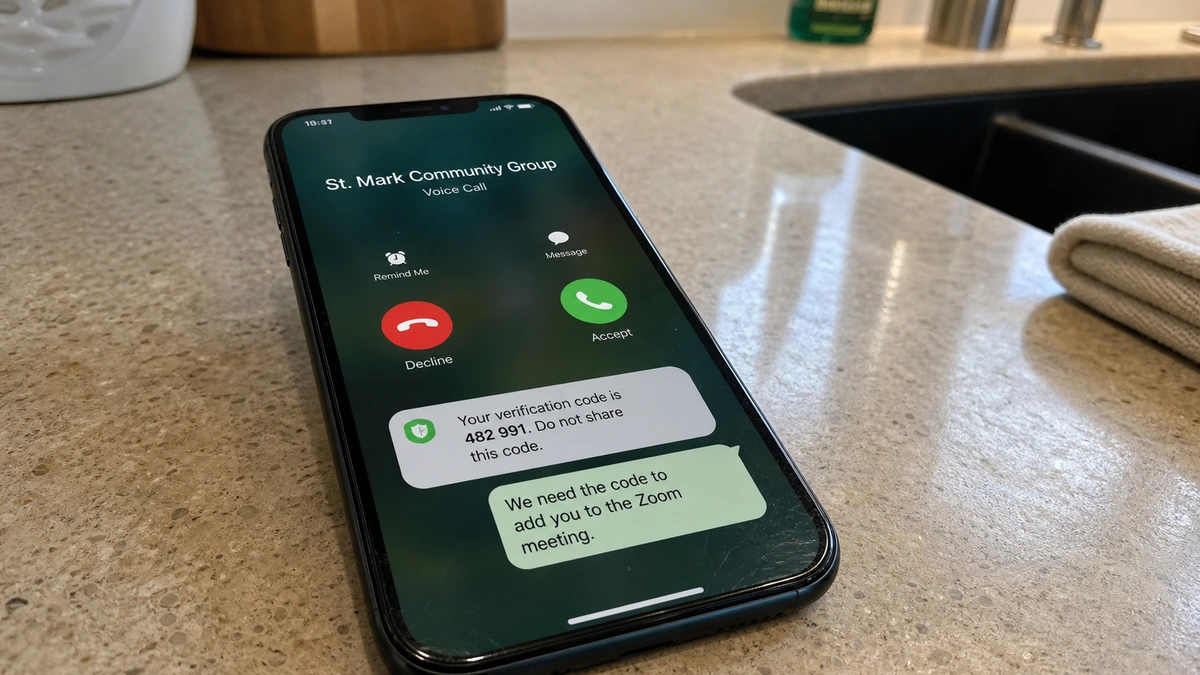
The caller knows the name of your church group and mentions an upcoming Zoom meeting. Nothing about that sounds unusual because the group has met online before.
Then a six-digit number arrives on your phone. The caller calls it a meeting code, but the small warning underneath tells a very different story.
Overview
A real community name creates instant trust
The case examined here began with a WhatsApp call from someone claiming to belong to a church group the recipient actually used. The caller named the group correctly.
The church had several locations, so an unfamiliar voice did not feel impossible. Online meetings were also normal, making the Zoom invitation fit an existing routine.
The caller asked whether the recipient would attend. Even after hearing that the answer was probably no, he insisted on sending the meeting information.
The “Zoom code” actually belongs to WhatsApp
A six-digit code arrived, and the recipient was asked to read it aloud so the meeting could supposedly be confirmed.
While reading, the recipient noticed a warning not to share the digits. The message came from WhatsApp because someone was registering that telephone number on another device.
The caller did not need a Zoom code at all. Renaming a WhatsApp security secret was the entire trick.
Fast recovery cuts the takeover short
After disclosing the digits, the recipient was briefly logged out. They ended the call, registered the number again, and warned the church group.
Other members reported receiving similar calls. That suggests the operator was working through a real community, using one trusted detail to approach several people.
Warning signs include:
- An unexpected WhatsApp call from an unknown number.
- A caller who knows a group name but cannot identify themselves.
- A routine Zoom story used to explain an SMS code.
- A request to read security digits aloud.
- A notification that explicitly says not to share the code.
- Pressure even after the recipient declines the meeting.
- An immediate WhatsApp logout after the code is shared.
- Several members of the same group receiving the call.
How the Fake Church Zoom Call Scam Works
Step 1: The operator finds a genuine community
The target may be a church, school class, workplace, sports club, volunteer group, neighborhood chat, or extended family.
Group names provide context a random caller should not appear to know. One compromised member, screenshot, directory, or public invitation can expose several communities.
Step 2: A familiar event becomes the cover story
The caller chooses something ordinary: a Zoom meeting, prayer session, schedule change, emergency update, or attendance check.
The best pretext mirrors what the group already does. The recipient thinks about whether to attend instead of asking who controls the number.
Step 3: A new WhatsApp registration is started
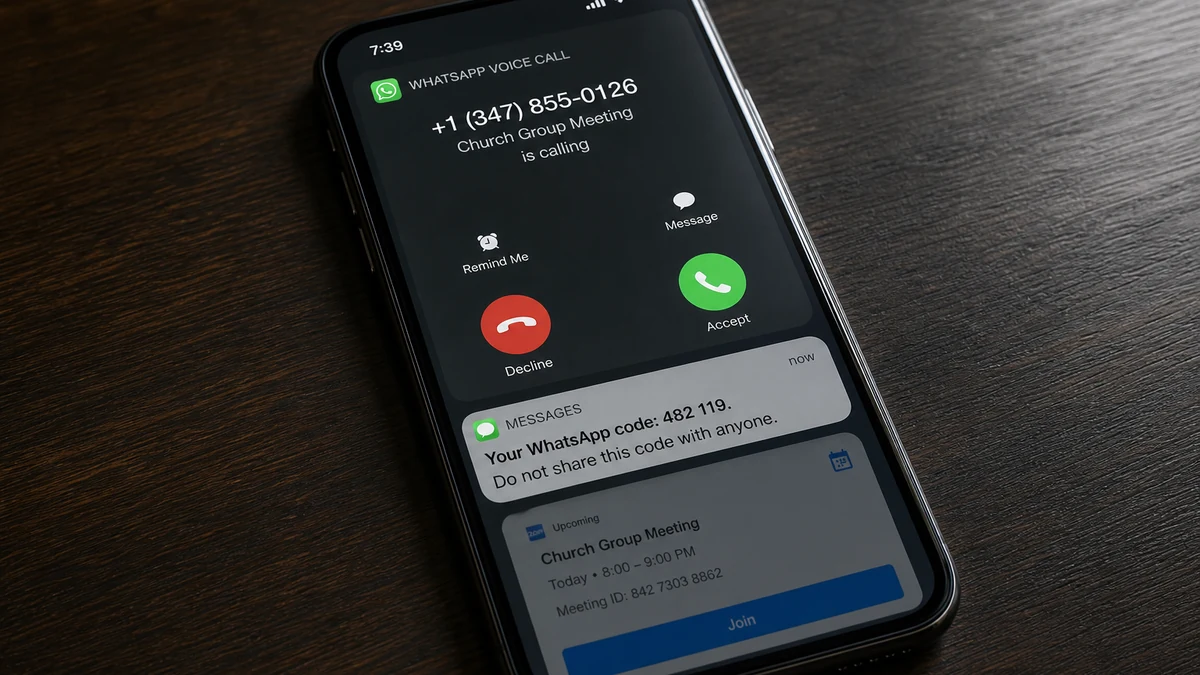
During the call, the operator enters the victim’s phone number into WhatsApp on another device. WhatsApp sends a registration code to the real number.
The attacker cannot finish without those digits. Social engineering transfers the secret that the phone itself was meant to protect.
Step 4: The security code receives a harmless name
The caller describes it as a Zoom code, meeting number, attendance token, or invitation confirmation. The new label competes with the warning in the notification.
A legitimate organizer can send a meeting link or ID. They do not need a private code generated by another service’s account-registration process.
Step 5: Live conversation creates pressure
The caller waits while the message arrives and asks for the number immediately. The victim sees the large digits and may miss the smaller caution beneath them.
Driving, family activity, work, noise, and politeness can remove the few quiet seconds needed to question the request. Technical experience does not eliminate that pressure.
Step 6: The victim is logged out
Once WhatsApp accepts the code, the attacker’s device becomes the newly registered phone. The legitimate user may see a logout or registration notice.
Without two-step verification, the operator may have enough time to contact groups, copy names, and attempt additional account changes.
Step 7: Stolen trust spreads through the group
The compromised account can message relatives and group members as someone they know. Emergency money, another code, gift cards, cryptocurrency, or fake investments now arrive under a familiar profile.
Each newly stolen account reveals more contacts and groups. The scheme grows by reusing the victim’s social position.
Why Knowing the Church Group Feels So Convincing
People treat specific knowledge as proof of identity. A private group name, pastor, recent event, or meeting routine makes the call feel targeted rather than random.
Context is not authority. A stolen account, forwarded screenshot, public link, shared directory, or careless post can expose the same details.
Large communities are particularly useful because members may not know every voice or telephone number. Multiple locations can make unfamiliar accents or regions seem ordinary.
The recipient often completes the story internally. The caller says “church Zoom,” and the listener connects that phrase to genuine past meetings.
Verify through a known route. Call the published church office, message a saved administrator in an existing thread, or check the group’s previous announcements.
Do not use a phone number, link, or contact card supplied during the unexpected call. That leaves the verification inside the operator’s path.
What the Six-Digit Code Really Controls
A WhatsApp registration code is not a meeting invitation or attendance number. It appears when someone tries to register your phone number with WhatsApp.
The code goes to the real phone because possession of that phone is supposed to prove ownership. Reading it aloud transfers that proof to the caller.
If the message says not to share the code, no story can override that instruction. Treat the number as a temporary password.
Normal WhatsApp registration is tied to the phone number and the current code. The attacker may not need a conventional password.
Two-step verification adds a separate PIN. It can stop a stolen registration code from being enough, provided the attacker does not also obtain the PIN.
The caller is usually racing the code’s expiration. Urgency is not proof of a meeting deadline; it is proof that an account-registration attempt is already active.
What an Attacker Can Do During the Takeover
A re-registered account can message contacts and groups under the victim’s name and photo. People may respond before hearing that the account was taken.
The attacker may not automatically receive every old message stored on the original device. That does not make the incident harmless. New messages, group names, and incoming replies remain valuable.
They can ask contacts for emergency loans, investment payments, or more registration codes. A familiar identity makes each request easier to believe.
Group descriptions, invite links, member names, and administrator roles can be copied even during a short window. That information supports later calls from different numbers.
Administrators should check whether the compromised account added members, promoted another administrator, changed a description, or posted links.
If anyone clicked a link or shared a separate code, treat that as another incident. Recovering WhatsApp does not automatically secure email, carrier, or banking accounts.
How to Recover WhatsApp Quickly
Open WhatsApp on the legitimate phone and register the number again. Enter the fresh SMS code sent to you. Successful registration should log the other phone out.
If a two-step verification PIN appears and you did not create it, follow WhatsApp’s official recovery flow. Do not pay anyone who claims they can bypass the wait.
Review linked devices and remove every browser or computer you do not recognize. Do not assume primary registration closes all sessions.
Enable two-step verification with a unique PIN. Add a protected recovery email if offered, and secure that email with its own multi-factor authentication.
WhatsApp’s account-recovery guidance explains that registering the number again with the six-digit code logs out the unauthorized user.
Warn contacts through another trusted channel. Be specific that money, code, investment, and new-number requests sent during the incident may be fake.
If cellular service suddenly fails or SMS codes stop arriving, call the mobile carrier through an official number and ask about unauthorized SIM changes.
Simple Rules for Community Administrators
Publish one clear rule: no leader will ever ask a member to read a WhatsApp, Google, Apple, bank, or carrier security code.
Post meeting links in the established group through a known administrator. A private last-minute call should not replace the normal announcement process.
Pin recovery instructions and a trusted office number. Members then have somewhere safe to check an unusual request under pressure.
Require administrators to enable two-step verification and review linked devices regularly. Accounts with broad group access deserve stronger protection.
If one member reports a takeover attempt, warn everyone promptly. Operators often work through the contact list in a short burst.
Temporarily remove a visibly compromised account, preserve the evidence, and help the owner recover it. Public blame discourages people from reporting quickly.
What to Tell Contacts After Recovery
Do not send only “I was hacked.” Explain the exact window when the account was out of your control and the kinds of messages the attacker may have sent.
Ask recipients to preserve suspicious requests before deleting them. A payment destination, new number, link, or second verification code can help connect the wider campaign.
Tell anyone who paid to contact the bank or payment provider immediately. Waiting for the church or WhatsApp to investigate can reduce the chance of stopping a transfer.
Remind the group that a recovered profile can still be imitated from another number. Members should verify unusual requests through the known group channel.
Check whether the attacker contacted people outside the church group. Family, customers, coworkers, and old chats may have received different emergency stories.
Keep the warning factual and calm. Shame helps the operator because embarrassed victims delay reporting, giving the account more time to reach others.
Company, Address, and Fulfillment Checks
No organizer was independently verified
The caller supplied no legal company, church-office identity, or verifiable role. Knowing the group name was the only credential.
A genuine organizer should be confirmable through the church directory or a known administrator.
No trustworthy address supported the contact
No official website, office address, or meeting page controlled by the caller was established. A telephone number alone proves no affiliation.
Even a genuine church address copied into a message would not authenticate the caller.
The contact route failed an independent check
The unexpected number was not saved as a known leader. Other group members then reported similar calls.
Verification should use an old number or existing group thread, never the caller’s new contact.
No legitimate meeting service was fulfilled
A Zoom organizer needs only a link, meeting ID, passcode, or schedule. They do not need a WhatsApp registration code.
The requested action served an account takeover, not meeting attendance.
What to Do if You Have Fallen Victim to This Scam
- End the call. Do not share another digit, PIN, password, or recovery link.
- Register WhatsApp again. Use the fresh six-digit code sent to your phone.
- Review linked devices. Log out every browser or desktop session you do not recognize.
- Enable two-step verification. Choose a unique PIN and add a protected recovery email.
- Warn affected groups. Explain that registration codes are being disguised as Zoom information.
- Contact close friends separately. Tell them to ignore money, code, or investment requests sent during the takeover.
- Protect the mobile account. Ask the carrier about unauthorized SIM changes if service behaves strangely.
- Save evidence. Keep logs, numbers, screenshots, timestamps, and WhatsApp security notices.
- Report the number. Use WhatsApp’s in-app controls and appropriate fraud-reporting channels.
- Contact payment providers if anyone paid. Ask whether the transaction can be stopped or recalled.
- Run a full Malwarebytes scan. Do this if a link, attachment, or app was opened.
- Use AdGuard after cleanup. It can block many malicious links but cannot protect a code read aloud.
- Ignore recovery scammers. Nobody needs cryptocurrency or gift cards to restore WhatsApp.
Frequently Asked Questions
Can someone steal WhatsApp with the six-digit code?
The code can authorize another device for your phone number. Two-step verification adds protection, but the code must never be shared.
Was the code connected to Zoom?
No. WhatsApp generated the registration notification. A Zoom organizer does not need it to invite you.
How did the caller know the church group?
The source is unknown. A compromised member, screenshot, directory, invite link, or public mention could expose the name.
Can the attacker read all my old messages?
Access depends on device, backup, and linked-session settings. Recover the account quickly and review every connected device.
Should I leave every WhatsApp group?
No. Secure the account and warn administrators. The essential rule is not sharing registration codes.
Will WhatsApp support call and ask for my code?
No legitimate support agent, organizer, or community leader needs you to read a private registration code over the phone.
The Bottom Line
This scam works because the opening belongs in the victim’s real life. A genuine church-group name and ordinary Zoom meeting make the security request feel administrative.
A code belongs only in the app or site that generated it. If a caller asks to hear it, hang up, recover WhatsApp immediately, and warn the community before the stolen trust spreads.

Join the discussion
0 commentsShare your experience or ask a question about this article.
Discussion
Start the conversation
Have a question or something useful to share? Add the first comment.