


A game rewards page says your tokens qualify for a prize pool. Familiar artwork makes the invitation worth a look.
If you follow Kintara, it might resemble another community update. Look beyond the scenery before deciding the reward belongs to you.
Overview
Kintaras.app borrows a real game’s identity
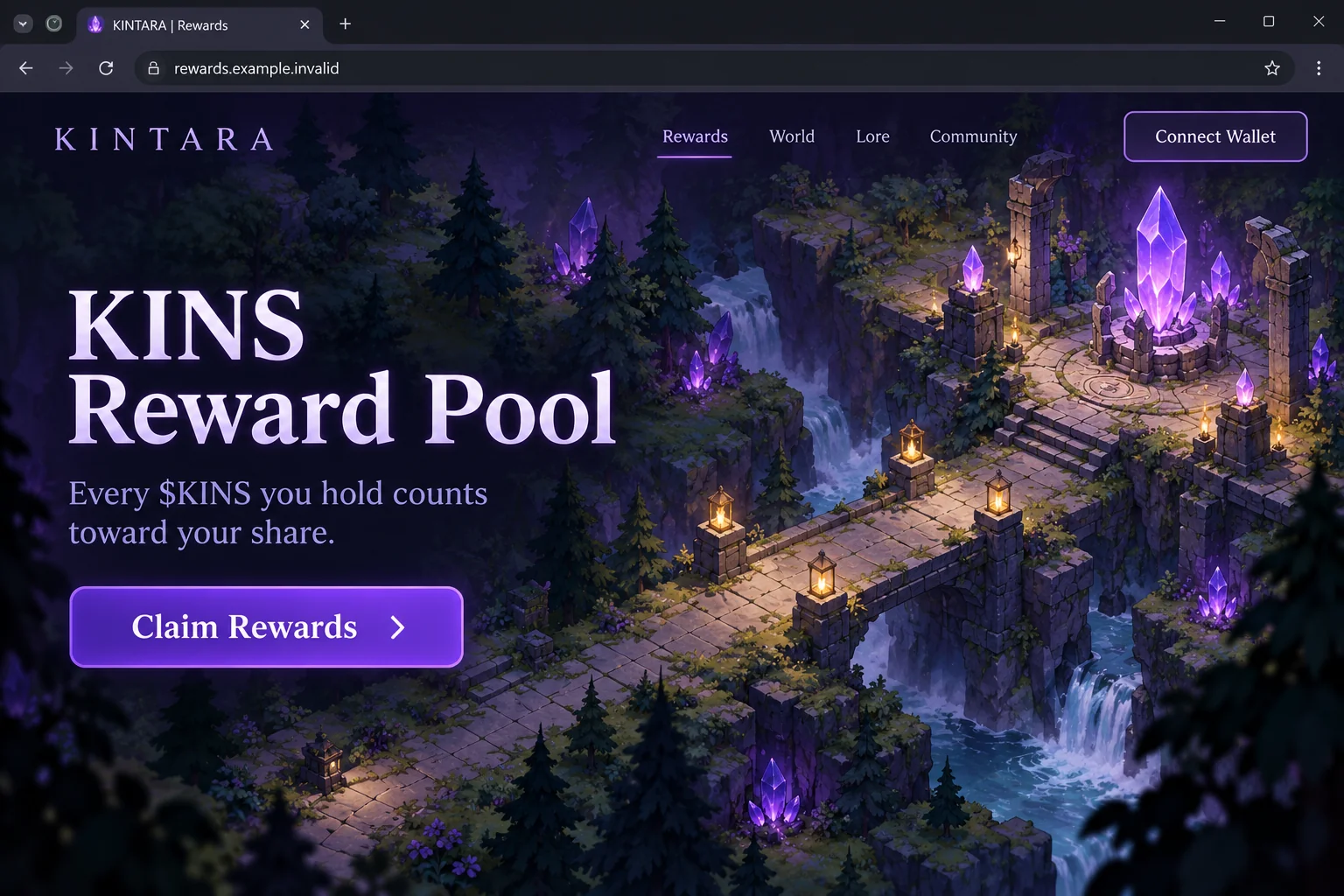
The fake Kintara rewards scam uses kintaras[.]app to imitate the Kintara gaming project. Its central pitch is a reward pool associated with the $KINS name.
The reported page invites visitors to claim rewards and presents wallet-connection options. The copied identity supplies the familiarity that the offer itself has not earned.
Do not use that rewards route. This warning concerns the impostor page, not a finding that the genuine game’s operators created it.
The illustration is original fantasy-game interface artwork with a fictional address. It explains the lure without reproducing official game art or pretending to be an authentic screenshot.
The official address has a different path
The genuine kintara.gg address currently redirects to kintara.com, which presents the Kintara game. Neither establishes that kintaras[.]app administers an official reward distribution.
That extra letter matters when comparing these addresses, but spelling alone is not a universal authenticity test. Verify an unfamiliar destination through the project’s established channels.
A game can have legitimate community announcements while an unrelated site copies its presentation. Keep the real project and the page requesting wallet access separate.
The wallet action is the point of risk
The reported site is a wallet-theft lure. However, simply displaying a connection window is not the same as completing a transfer or granting spending authority.
- A connection normally identifies a public wallet address.
- A signed request can have consequences beyond identifying that address.
- A transaction or token allowance can affect assets, depending on the network and request.
- A disclosed recovery phrase can compromise the wallet independently of the website connection.
The response therefore starts with what you actually did, not with assuming that everyone who visited the page lost everything.
How the Fake Kintara Rewards Scam Works
Step 1: A game setting makes the reward feel like part of play
In an online game, quests, points, items, and community events are normal concepts. A reward announcement can fit that setting without immediately seeming like a financial request.
The impostor uses that familiarity. The visitor sees a game identity before confronting the more consequential question of what the website wants from a wallet.
Someone who already follows the project may assume they missed an announcement. A newcomer may believe the page is the easiest place to learn how rewards work.
Both should establish the page’s authority first. Artwork and navigation menus can be copied without permission from the project they resemble.
A social post can spread the imitation quickly, particularly when it appears among genuine discussions. Sharing a community’s vocabulary does not make the account a community administrator.
Check an established official channel before treating the new page as part of the game. Do not let an attractive interface substitute for that connection.
Step 2: A token pool turns existing holdings into a promised entitlement
The reported offer says holdings count toward a share of a $KINS rewards pool. It makes ownership sound like a qualification that only needs confirmation.
But naming a token does not establish that a distribution exists. The visitor still needs a genuine announcement explaining eligibility, timing, and the authorized claim process.
A displayed reward estimate is not a payment. A website can show a number before any asset has been issued or made available for withdrawal.
Likewise, a site that reads public holdings has not demonstrated special access to the game’s records. Public blockchain information can be displayed by an unrelated operator.
The claim should not require you to discover its terms by granting unexplained permissions. Verification belongs before authorization, not after it.
Do not buy additional tokens merely because an unverified page suggests a larger share. This warning does not recommend the token, game economy, or any investment.
Step 3: Claiming opens a wallet selector with recognizable names
The reported interface offers multiple familiar wallets through a standard connection toolkit. A long compatibility list can make the page feel well integrated.
Those brands are not certifying the reward program. A connection interface can appear on a page that its wallet developers have never endorsed.
Also, listing a wallet does not prove every network or asset it supports is relevant. Read the particular network and account requested in your own application.
A legitimate wallet can faithfully display an unsafe request from another party. Trust in the application should not be transferred automatically to the requesting website.
You can refuse the request even after clicking the claim button. Starting a process does not oblige you to finish it or explain your decision to the website.
If the page claims refusal will permanently forfeit your assets, stop. An unsupported warning is not a reason to authorize an action you do not understand.
Step 4: A reward check can become authority over real assets
The important details are inside the actual signing or transaction request. Does it send value, authorize a spender, or make another account change?
A malicious page may describe such a request as verification or activation. That description cannot change the effect of what the wallet authorizes.
For supported token systems, an allowance can let a contract spend assets later. A transfer can move them immediately once accepted and confirmed.
Other networks use different account and authorization models. Do not assume that an Ethereum permission-revocation guide applies to every wallet shown on the selector.
No recovered transaction payload is available here to establish one exact attack sequence for every visitor. Automatic draining from a public-address connection alone should not be asserted.
The practical rule is stronger than a vague warning about connection: reject any request from this impostor flow and protect any secret you already disclosed.
Step 5: Missing rewards can lead to another risky instruction
After a claim fails, the temptation is to troubleshoot. A supposed support account may explain that the wallet needs synchronization, activation, or an additional verification.
That creates an opportunity for further demands. A recovery phrase, remote-access session, or payment would expose something new without validating the original offer.
These are possible follow-up tactics, not a claim that every person encountering kintaras[.]app received the same conversation. Do not continue simply because you already began.
If someone supplies a different claim URL, verify it from outside the discussion. A replacement link from the same untrusted source is not a second opinion.
Do not pay to recover a reward that the page never demonstrated existed. A receipt for a fee does not turn the promised allocation into a genuine asset.
Save the account history and original address instead. Clear evidence helps a real provider understand the incident without asking you to repeat the process.
A Real Game, a Fake Claim Page, and a Wallet Provider Are Different Parties
The game supplies the identity being copied. The impostor page supplies the reward story. The wallet application displays the request to your account.
Confusing these roles can lead to the wrong conclusion. A good wallet does not make the page trustworthy, and a bad page does not establish wrongdoing by the game.
A screenshot of familiar game artwork is also weak verification. It proves only that the page can display an image associated with that identity.
Look for a direct, consistent announcement path from the genuine project to the exact claim process. Do not rely on a support chat embedded in the disputed page.
The current genuine-domain redirect is useful context, not a permanent rule that websites can never change. Recheck unfamiliar offers through established channels when they arise.
Original capture attempts for the impostor page returned no usable image. That limits current visual inspection; an unavailable page is not itself evidence of who operated it.
Why Closing the Tab May Not Be the Whole Fix
Closing a page ends that immediate interaction. It does not undo a confirmed transfer, erase a disclosed secret, or necessarily revoke an on-chain token allowance.
This is why “disconnect and forget it” can be incomplete advice. It is adequate only for the part of the exposure that disconnection actually changes.
At the other extreme, a visitor who signed nothing should not be told that every wallet needs replacement. Establish the action before making disruptive changes.
Check your history through the genuine wallet or an independently reached explorer. A balance displayed on the reward page is not a trusted account record.
If a permission is difficult to interpret, use the provider’s established support resources. Do not authorize a new transaction just to let a stranger diagnose the previous one.
On compatible EVM networks, MetaMask explains token allowance revocation. Match any guidance to your actual account and chain.
What to Do If You Tried to Claim Kintara Rewards
Stop the claim process and decline outstanding requests. Keep the URL and any message promoting it. Do not reconnect for another attempt at the reward.
If you only visited, note that limited exposure. Do not assume that seeing a wallet button means a transaction occurred.
Review the wallet’s recent actions independently. Record any transfer, approval, or signing request you accepted and the network on which it happened.
Keep transaction identifiers where available. Separate a rejected prompt from an approved action so the response targets the actual risk.
Review suspicious account permissions through your wallet’s official guidance. Disconnecting the site and revoking an asset-spending allowance may be separate tasks on supported networks.
Do not use a random “wallet repair” link offered in a direct message. Use trusted tools appropriate to the account you own.
If recovery information was entered, treat the affected wallet as compromised. Plan protection of remaining assets from a trusted environment using legitimate provider instructions.
Never accept a recovery phrase or destination supplied by the supposed helper. Control of a new wallet must not belong to the person claiming to rescue it.
If a game patch, claim extension, or verification application was installed, investigate that device exposure. Malwarebytes can help check for unwanted software.
AdGuard can filter some harmful web advertising and destinations, but neither tool cancels wallet approvals or guarantees return of cryptocurrency.
Tell the genuine project about the impersonation through its established channel. Report suspected theft to relevant authorities and contact any involved exchange’s real support promptly.
Provide factual evidence, not wallet secrets. A report can support investigation without guaranteeing a reversal or refund.
Reject unsolicited recovery offers and demands for further fees. A stranger promising guaranteed restoration may be exploiting the same loss a second time.
Discuss confusing requests with someone you trust before acting. You do not need to solve everything while the impersonator is waiting for a reply.
Is Your Device Infected? Run a Free Malware Scan
Slow performance, constant pop-ups, or strange behavior? These are classic signs of a malware infection. A quick way to check is to scan your device with Malwarebytes Free, one of the most trusted malware removal tools available. If you only visited a scam page and didn’t download or install anything, this scan is optional.
The free version detects and removes the most common threats, including:
- Adware — the cause of those annoying pop-ups
- Browser hijackers — unwanted redirects and changed homepages
- Trojans and spyware — hidden programs stealing your data
- Potentially unwanted programs (PUPs) — software you never asked for
👉 Select your device below — Windows, Mac, or Android — then follow the simple steps to download Malwarebytes, scan your system, and remove any threats it finds. The scan usually takes 5 to 20 minutes.
Run a Malware Scan with Malwarebytes for Windows
Malwarebytes is one of the most popular and trusted anti-malware tools for Windows — and it’s completely free for removing infections. It catches threats that many antivirus programs miss, including adware, browser hijackers, and trojans. Follow the steps below to scan your PC and remove what Malwarebytes finds.
Download Malwarebytes
Click the button below to download the latest version of Malwarebytes for Windows from the official source. The free version is all you need — it will scan your computer and remove adware, browser hijackers, and other malicious software at no cost.
Download MalwarebytesOfficial installer for Windows 11 and 10. Your download starts right away.Want real-time protection? See Malwarebytes Premium Malwarebytes Free for WindowsScans and removes malware at no cost
-
Install Malwarebytes
When the download finishes, open your Downloads folder and double-click the MBSetup file. If Windows shows a User Account Control pop-up, click “Yes” to allow the installation.

Follow the On-Screen Prompts to Install Malwarebytes
The setup wizard will walk you through a few quick screens:
-
Choose where you’re installing the program — “Personal Computer” or “Work Computer” — then click Next.

-
Malwarebytes will now install on your device. This usually takes under a minute.

-
When installation is complete, the “Welcome to Malwarebytes” screen will open automatically.

-
On the final screen, click Open Malwarebytes to launch the program.

-
Optional: Check for rootkits with a Custom Scan
You don’t need to change any settings for a normal scan. The standard Threat Scan in the next step is enough for most problems, so you can go straight to it.
If you also want to check for rootkits, use a Custom Scan. In current versions of Malwarebytes, rootkit scanning is only available there:
- On the Scanner tile, click the three-dot menu and select Advanced Scan.
- Choose Custom Scan. In its options, check Scan for rootkits.
- Select your system drive (usually C:\) as the location to scan, then start the scan. It takes longer than a Threat Scan.
- When it finishes, review and quarantine the results as described in the steps below.
Rootkit scanning isn’t available on Windows devices with ARM processors.
Start the Scan
Click the blue Scan button. Malwarebytes will automatically update its virus database and start checking your computer for malware.

-
Wait for the Scan to Finish
The scan checks your entire system for browser hijackers and other malicious programs, so it can take 5 to 20 minutes depending on your computer. Feel free to do something else — just check back occasionally to see the progress.

-
Quarantine the Detected Threats
When the scan is done, you’ll see a list of everything Malwarebytes found — malware, adware, and potentially unwanted programs. Click the “Quarantine” button to remove all of them at once.

Malwarebytes will now remove the malicious files and registry entries and move them safely into quarantine.

-
Restart Your Computer
Some threats can only be fully removed after a reboot. If Malwarebytes asks you to restart, click Yes. Once you’re logged back in, Malwarebytes has finished removing the threats it found.

When the scan is done, check whether the problems you noticed have stopped. If they continue, see the options below.
If you are still having problems with your computer after completing these instructions, then please follow one of the steps:
- Run a computer scan with ESET Online Scanner
- Ask for help in our Windows Malware Removal Help & Support forum.
Run a Malware Scan with Malwarebytes for Mac
Malwarebytes for Mac is a free on-demand scanner that removes the malware other security software tends to miss — adware, browser hijackers, and unwanted programs included. Cleaning an infected Mac with Malwarebytes has always been completely free, and it’s our go-to recommendation. Follow the steps below to scan your Mac and remove what Malwarebytes finds.
-
Download Malwarebytes for Mac
Click the button below to download the latest version of Malwarebytes for Mac.
Download MalwarebytesOfficial installer for macOS. Your download starts right away.Want real-time protection? See Malwarebytes PremiumMalwarebytes Free for MacScans and removes malware at no cost -
Open the Malwarebytes setup file
When the download finishes, open your Downloads folder and double-click the setup file to begin the installation.

-
Follow the On-Screen Prompts to Install Malwarebytes
The Malwarebytes for Mac Installer will guide you through a few quick screens. Click “Continue” and keep following the prompts until the installation completes.



When the installation is complete, Malwarebytes opens to the Welcome to Malwarebytes screen. Click “Get started“.
Malwarebytes needs Full Disk Access to check your whole Mac. When it asks, open System Settings > Privacy & Security > Full Disk Access, turn on Malwarebytes (it may be listed as Malwarebytes Protection), and confirm with your password or Touch ID. Then return to Malwarebytes. On macOS Monterey and earlier, this setting is in System Preferences > Security & Privacy > Privacy.
-
Select “Personal Computer” or “Work Computer”
Malwarebytes will ask what type of computer you’re installing it on. Click either Personal Computer or Work Computer, whichever applies.

-
Start the Scan
Click the “Scan” button. Malwarebytes will automatically update its detection database and begin checking your Mac for malware.

-
Wait for the Scan to Finish
Malwarebytes will scan your Mac for adware, browser hijackers, and other malicious programs. This can take a few minutes, so feel free to do something else — just check back occasionally to see the progress.

-
Quarantine the Detected Threats
When the scan is done, you’ll see a list of everything Malwarebytes found. Click the “Quarantine” button to remove all the threats at once.

-
Restart Your Mac
Malwarebytes will now remove all the malicious files it found. Some threats can only be fully removed after a reboot — if Malwarebytes asks you to restart, allow it. Once you’re logged back in, check whether the problems you noticed have stopped. If they come back, save the scan report and ask for help in our forum.

If the problems you noticed continue after the scan, see the options below.
If you are still experiencing problems while trying to remove a malicious program from your computer, please ask for help in our Mac Malware Removal Help & Support forum.
Run a Malware Scan with Malwarebytes for Android
Malwarebytes for Android scans your phone or tablet for malware, adware, and potentially unwanted apps. The free version scans only when you start a scan. Real-time protection, which checks apps automatically, is part of the paid Premium version.
-
Download Malwarebytes for Android.
You can download Malwarebytes for Android by clicking the link below.
Get Malwarebytes for AndroidOpens Google Play in a new tab.Want real-time protection? See Malwarebytes Premium for AndroidMalwarebytes for AndroidScans your phone and removes malware at no cost -
Install Malwarebytes for Android on your phone.
In the Google Play Store, tap “Install” to install Malwarebytes for Android on your device.

When the installation process has finished, tap “Open” to begin using Malwarebytes for Android. You can also open Malwarebytes by tapping on its icon in your phone menu or home screen.

-
Follow the on-screen prompts to complete the setup process
When Malwarebytes opens, it walks you through a short setup. Tap Get started and follow the prompts. If you see an offer for a trial or a paid plan, read it before you accept. You can skip it and keep using the free scanner.
Malwarebytes will ask for permission to access the files on your phone so it can scan them. Tap Allow, or turn on the permission in the Android screen that opens, then return to Malwarebytes.
-
Run a scan with Malwarebytes for Android
On the main screen, tap Scan now. In some versions, you open the menu, tap Scanner, and then tap Run a scan.
-
Wait for the Malwarebytes scan to complete.
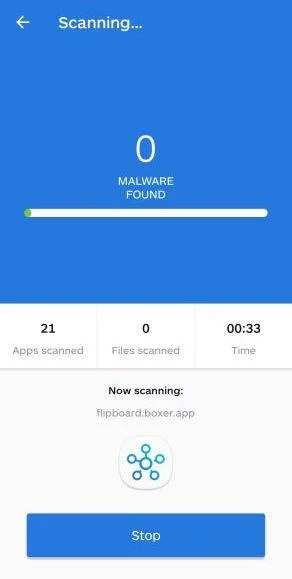
Malwarebytes will now start scanning your phone for adware and other malicious apps. This process can take a few minutes, so we suggest you do something else and periodically check on the status of the scan to see when it is finished.
-
Remove the detected apps.
When the scan has been completed, you will see a list of the threats that Malwarebytes for Android has detected. Next to each detected item, tap the menu icon (three dots), then choose to uninstall the app or delete the file. Android then asks you to confirm. Tap OK or Uninstall to remove the app.
-
Restart your phone.
When the detected apps are removed, restart your phone if Malwarebytes asks you to. Then check whether the problems you noticed have stopped.
If the problems you noticed continue after the scan, see the options below.
If you are still having problems with your phone after completing these instructions, then please follow one of the steps:
- Ask for help in our Mobile Malware Removal Help & Support forum.
- Only as a last resort, reset your phone to factory settings. Read the warning below first.
- Back up your photos, videos, files, and messages, for example to your Google account or a computer.
- Make sure you know your Google account email and password. The phone asks for them after the reset. If you changed the password recently, Google recommends waiting 24 hours before you reset.
- On a Samsung phone, also make sure you know your Samsung account password.
- If you use an authenticator app for two-step verification, move your accounts to another device or save your backup codes first.
Stay Protected: Block Ads and Malicious Sites
No scan can prove a device is completely clean, so it helps to block threats before they reach you. Most infections start with a malicious ad or a fake download button — so blocking them at the source is your best defense.
We recommend AdGuard, which blocks malicious ads, phishing pages, and dangerous redirects before they can reach you.
👉 Download AdGuard and browse safely
Make Reward Checks Part of Your Gaming Routine
Keep the genuine game’s announcement channel or homepage bookmarked. A saved route makes it easier to compare an unexpected offer without using the offer’s own links.
Read the announcement’s requirements before opening a wallet. The promised task and the requested authorization should make sense together.
If someone claims a private reward applies only to you, ask how that entitlement can be verified independently. Personal attention is not a substitute for a documented program.
Do not turn off browser or wallet protections to make a claim work. An eligibility check is not a good reason to ignore a security warning.
The Coinbase wallet-safety guidance discusses fake websites and reward lures. Its general principles apply without establishing anything about this game’s legitimate investment value.
Frequently Asked Questions
Is Kintara itself a scam?
This warning concerns a counterfeit rewards page impersonating the game. It does not establish that the genuine project operates the fraud.
It also does not recommend the game or its associated assets as an investment.
Why is kintaras.app suspicious if the artwork looks right?
Familiar art can be copied. The reported page uses that identity to promote a fake rewards route, without authorization established through the real project.
Verify the claim through genuine channels, not the appearance of the page.
Does the official Kintara website still use .gg?
At the time of checking, kintara.gg redirected to kintara.com. Verify current announcements through that established route rather than assuming a similar-looking address is official.
A domain change does not validate an unrelated claim page.
Did connecting alone give the site all my cryptocurrency?
Not necessarily. Sharing a public address is different from approving spending, signing a harmful request, transferring funds, or revealing a recovery secret.
Inspect your actual actions and account history before choosing the remedy.
Does a familiar wallet name certify the reward?
No. A connection toolkit can list well-known applications without their developers endorsing the website or its promotion.
Review the requesting domain and actual authorization separately from your trust in the wallet software.
Can I recover a transfer by paying an activation fee?
Do not send another payment to unlock the supposed reward or reverse a loss. That request can be another stage of fraud.
Keep evidence and use genuine support and reporting channels instead.
The Bottom Line
Do not claim rewards through kintaras[.]app or approve its wallet requests. A copied game’s identity does not establish a real allocation.
If you already interacted, check the exact account actions and protect any exposed permissions or secrets. Do not continue paying or installing software to make the reward appear.

Reviews & discussion
0 commentsShare a firsthand experience, or ask a question.
Community reviews
kintaras.app
Moderated reader experiences, not an editorial verdict.
Start the conversation
Have a question or something useful to share? Add the first comment.