

A troubling new scam has emerged in which victims receive alarming emails claiming their device is hacked. The email states hackers covertly installed software to control the recipient’s computer and steal private data. Threats are made to leak intimate materials unless ransom demands are paid.
This article delves into how the cunning “I’ve Integrated A Software Within Your System” email scam operates, arming readers with awareness to avoid falling victim. We’ll outline effective responses if you receive this scam, including critical next steps like refraining from payment, reporting to authorities, and seeking professional assistance. Read on to learn how to spot this scam and protect yourself from its devious psychological tactics.
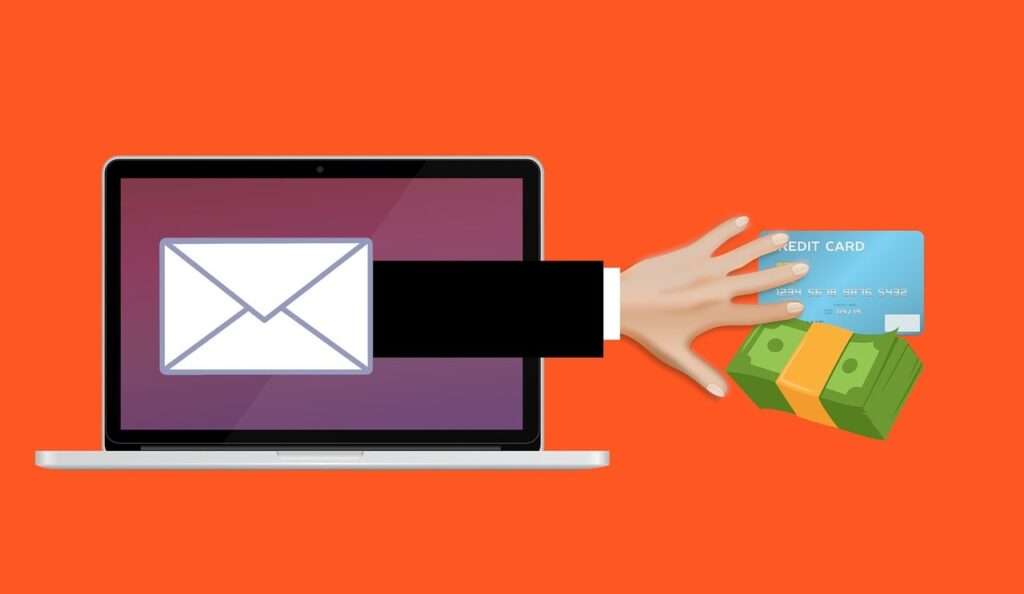
Overview of the “I’ve Integrated A Software Within Your System” Email Extortion Scam
This scam starts with an email asserting hackers covertly installed software on your device, enabling access to personal files, photos, videos, browsing history, and account credentials.
The email threatens to use stolen intimate data to create an embarrassing video mashing up your private life with internet activity. It claims this video will get sent to all your contacts unless you pay a ransom in bitcoin within 48 hours.
Utilizing fictitious hacking claims and threats of exposure, this scam email tries tricking frightened recipients into paying up. But it’s all an elaborate ruse playing on fear to extort money.
Common Traits of This Scam Email
- Opens stating crucial info being shared for your awareness
- Claims hackers installed software granting device control
- Says hackers accessed private data and surveilled you
- Threatens to create and share an embarrassing video
- Demands quick payment in bitcoin to avert video release
- Discourages reporting this to law enforcement
- Urges compliance framed as friendly advice
- Provides no evidence validating hacking claims
Here is how this scam email usually looks:
Hello!
The information below is crucial and is being shared for your awareness. The date 6/6/2023 11:14:23 PM marks when I successfully hacked into your device’s operating system and secured full control over your account “ops name “. My surveillance of you has been ongoing for a considerable period.
I’ve integrated a software within your system, giving me the ability to control all your devices. The malware I’ve positioned gives me complete command over your device’s essential tools your microphone, video
camera, keyboard, and display.Your data, photos, and browsing history now reside on my servers, along with access to all your communication platforms
messengers, social networks, emails, synced data, chat histories, and contact lists. I learned a lot about you!I pondered on the possibilities that this data presented… Recently, I’ve conceptualized an intriguing idea: using Al to develop a split-screen video. One side displays you involved in masturbate, while the other casts your internet navigations. Videos like this are currently trending! Well, I was really taken aback by what came up.
With a single click, I can distribute this video to all your contacts through email, social networks, and instant messengers. Furthermore, I could expose access to all the emails and messaging apps you use. Additionally, I found a plethora of intriguing materials that I could disseminate online and share with friends. If you’d rather I didn’t carry this out, send 1200 (US dollar) in my bitcoin wallet.
BTC wallet address:
12CL5Z4BDbNhwiedc8sTtvvWZtUcpSJ74GIf you’re unfamiliar with how to fund a Bitcoin wallet, you can always use Google for help. It’s quite
straightforward. Once the funds have been received, I will immediately remove all unwanted material. Afterward, we can part ways. I assure you that I am committed to deactivating and removing all malware from your devices. You can trust me; I always honor my commitments.This is a fair deal, especially considering the time and effort I’ve invested in tracking your profile and traffic. I give exactly two days (48 hours) from the moment of opening this letter for payment.
After this period, if I don’t receive the specified amount from you, I’ll distribute access to your accounts, visited sites, personal data, and edited videos to everyone, without any warning.You see, I don’t mess up. It’s not a good idea to try and pull pranks on me because I have plenty of tricks up my sleeve. There’s no use reporting me because they won’t be able to locate me. Formatting the drive or destroying your device won’t help because I already possess your data.
It makes no sense to write back to me – I do not write from personal mail and do not look at the answers.
Wishing you luck, and don’t let this raise your hackles! We all have our roles, and it seems you drew the short straw today. P.S. In the future, I recommend that you follow the safety rules on the Internet and do not visit dubious sites.
Identificator your device:
XXXXXXX
Seeing through the psychological tricks builds awareness to recognize and resist this scam.
How the “I’ve Integrated A Software Within Your System” Email Scam Works
The criminals behind this scam carefully construct the email content to manipulate emotions and deceive recipients. Reviewing the common structure and messaging used exposes the social engineering strategies being leveraged.
1. The Opening
The email opens stating crucial information is being shared for your awareness. This sparks attention, expecting something important. But what follows are fabricated claims and demands designed to frighten and control.
2. Claims of Hacking
The email asserts hackers successfully infected your device with malware allowing complete access and control. But no evidence of actual hacking is provided because none occurred. These claims aim to cause distress.
3. Surveillance and Data Collection
Expanding the deception, the email says the supposed hackers have been continually monitoring you through your webcam, microphone, and accessing private data. This aims to heighten violation fears, priming you for the threats that follow. But no real surveillance happened.
4. Creation of Embarrassing Video
The email explains the hackers will mash up your internet history with intimate photos and footage to create a video exposing your private life. The threatened humiliation and consequences pressure recipients to pay the ransom to avoid their nightmare scenario. But without any data, no such video can be created.
5. Threats of Exposure
The email threatens to leak the video to all your contacts unless the ransom is paid. Further violating trust, it claims the hackers can provide access to your online accounts. But these threats are completely empty, only intended to scare victims into complying.
6. Demand for Bitcoin Payment
Payment of $1200 or so is demanded in anonymous bitcoin within 48 hours to prevent releasing the imaginary video. Short turnarounds build urgency to pay quickly, without questioning the validity of claims.
7. Discouraging Reporting
The email discourages reporting this to law enforcement, claiming the hackers are untraceable. This scare tactic prevents recipients from seeking help to escape the trap. Real notifications encourage contacting authorities.
8. Urging Compliance
The conclusion urges compliance by framing payment as the only option. This manipulative advice pushes victims to appease demands, insisting the criminals can’t be stopped any other way.
These calculated threats, falsehoods, and coercive techniques amount to targeted psychological pressure to extort money by hacking the human mind through deception. But seeing through the manipulation disempowers this scam.
What to Do If You Get This Scam Email
If you receive this deceptive extortion email, take the following recommended steps to avoid harm and prevent continued victimization.
Do Not Reply to the Email
Replying will confirm your email account is active, likely triggering more threatening messages. Avoid any engagement – block the sender and filter future emails to your spam folder. Do not communicate further.
Do Not Pay the Ransom
Paying any amount signals your vulnerability, prompting repeated extortion attempts. Criminals rarely honor promises after getting paid. Expect an escalation of demands for more money.
Run Security Scans
Confirm your device’s security by running antivirus scans and installing software updates. Reset passwords and enable two-factor authentication where possible. This ensures no real compromise occurred.
Gather Evidence
Retain the scam email as evidence. Document the sender’s address and bitcoin wallet ID they wanted funds sent to. Screenshot all details. This will aid investigations.
Report the Scam
Contact agencies like the FBI, FTC, and local police to report this scam email. Multiple reports identifying the same bitcoin wallets and perpetrators helps law enforcement shut down these schemes and protect potential victims.
Seek Emotional Support
Being targeted by cyber extortionists can be stressful. Reach out to trusted friends, family or professionals to process feelings of violation and regain peace of mind. You are not alone.
Spread Awareness
Help protect others by educating contacts about recognizing this scam email. Share your experience to increase public understanding of these psychological manipulation tactics.
Taking quick action after receipt of the scam email can prevent harm and help you regain security. Do not let criminal extortionists intimidate or isolate you.
Protecting Yourself from Cyber Extortion Scams
While no one deserves to be targeted by cyber extortionists, some best practices can enhance online safety and reduce risks of being victimized.
Keep Software Updated
Maintain devices by regularly installing the latest security patches, browser updates, and app upgrades. Outdated software is more prone to real hacking risks. Staying updated better secures you.
Use Strong Passwords
Create long, complex passwords for each account using combinations of random words, letters, numbers and symbols. Avoid password reuse. Use a password manager for stronger security.
Beware of Email Links and Attachments
Only click links and downloads from known, trusted sources. Check for spoofed URLs before clicking. Avoid opening attachments from unknown senders as they may contain malware.
Backup Your Data
Regularly backing up critical files and data provides peace of mind. Should any malware breach ever occur, backups allow restoring data. Store backups externally so they remain accessible.
Use Security Software
Protect devices with comprehensive security suites combining antivirus, firewalls, anti-malware and browsing protection. This software detects viruses, blocks suspicious connections and prevents unauthorized access.
Avoid Public Wi-Fi
Only access accounts and share information over secured networks, avoiding unencrypted public Wi-Fi. Use VPNs when on shared networks. Public Wi-Fi makes it easier for criminals to intercept data.
Remaining vigilant in your cyber security practices reduces risks of being targeted by extortion scams. But victims bear no responsibility. These scams reflect unscrupulous criminals seeking profits through exploiting vulnerabilities. Seeking help and avoiding reactionary decisions disempowers these schemes.
Frequently Asked Questions About the “Integrated Software” Email Scam
What is the “Integrated Software” email scam?
This is an extortion scam where recipients get emails claiming hackers covertly installed software on their device enabling access to personal data. The email threatens to expose intimate materials unless ransom demands are paid in bitcoin. The claims are false, intending to trick victims through fear.
What are typical characteristics of this scam email?
These emails open stating crucial info is being shared, claim hackers installed software for device access, say private data like photos were stolen, threaten creating embarrassing videos, demand quick bitcoin payment, discourage reporting, and urge compliance.
What proof do the scammers provide about hacking devices?
The scammers provide no concrete evidence of any actual hacking because none existed. They make broad claims about accessing devices and spying through webcams but give no specifics. This lack of proof indicates empty threats.
How do the criminals threaten victims?
The email threatens to create a video mixing together private photos, videos, and browsing history and then send this video to all the victim’s contacts. This threat preys on fear of being embarrassed and exposed.
Should I pay if I already received one of these scam emails?
No, you should never pay the ransom. Paying encourages repeat extortion attempts and the criminals rarely honor promises to delete data. Avoid engagement altogether and firmly reject their threats and demands.
What should I do if I already paid them?
Contact law enforcement immediately if you fell victim already. Be prepared for further demands of increasing amounts. Avoid additional engagement, run security checks on devices, and continue reporting. Seek emotional support and cybersecurity assistance.
Who can I report these scams to?
Save the email and contact agencies like the FBI, FTC, and local police to file reports. Provide any details like sender addresses and bitcoin wallet IDs used. Multiple reports can help authorities track down scammers.
How can I avoid falling for this scam?
Analyze any demands for money carefully. Look for patterns of deception, coercion, and vagueness. Keep devices updated, use strong passwords, and be cautious online. Seek help if targeted rather than reacting from fear. Greater awareness stops these schemes.
Am I to blame if targeted by this scam?
No, victims bear no responsibility when criminally targeted through deception. The scammers aim to make recipients feel ashamed and isolated. But the blame lies fully with the unethical fraudsters, not those manipulated.
The Bottom Line
This disturbing email scam sends fictitious claims of hacking and threats of embarrassment in a manipulative bid to extort bitcoin payments. But a closer analysis reveals fabricated narratives, empty threats, and psychological tricks aimed at preying on human fear.
No real malware infection or data breach has occurred. The criminals have no capability to follow through on threats of exposure. While the email can seem credibly intimidating, it is just an underhanded intimidation tactic and bluff.
Carefully scrutinize any surprising emails about compromising materials, looking for patterns of deception. Avoid reactionary panic playing into extortionists’ hands. Seek immediate assistance if targeted, and report these scammers to authorities to protect others from their predatory schemes.
United and vigilant, we can render these scams powerless. Stay secure in your online practices while refusing to be rattled by baseless threats and demands. Our greatest defense is awareness, preparation, and resolve.

Join the discussion
0 commentsShare your experience or ask a question about this article.
Discussion
Start the conversation
Have a question or something useful to share? Add the first comment.