


An email says your Matsui Securities passkey needs checking before system maintenance. The date makes it sound like something the broker has already put on the calendar.
If you were planning to check your investments anyway, there’s a better place to start than the message in your inbox.
Overview
The email borrows a real change to account security
The Matsui Securities passkey scam uses the name of a Japanese brokerage and a real security feature. The email makes passkey setup sound like unfinished business.
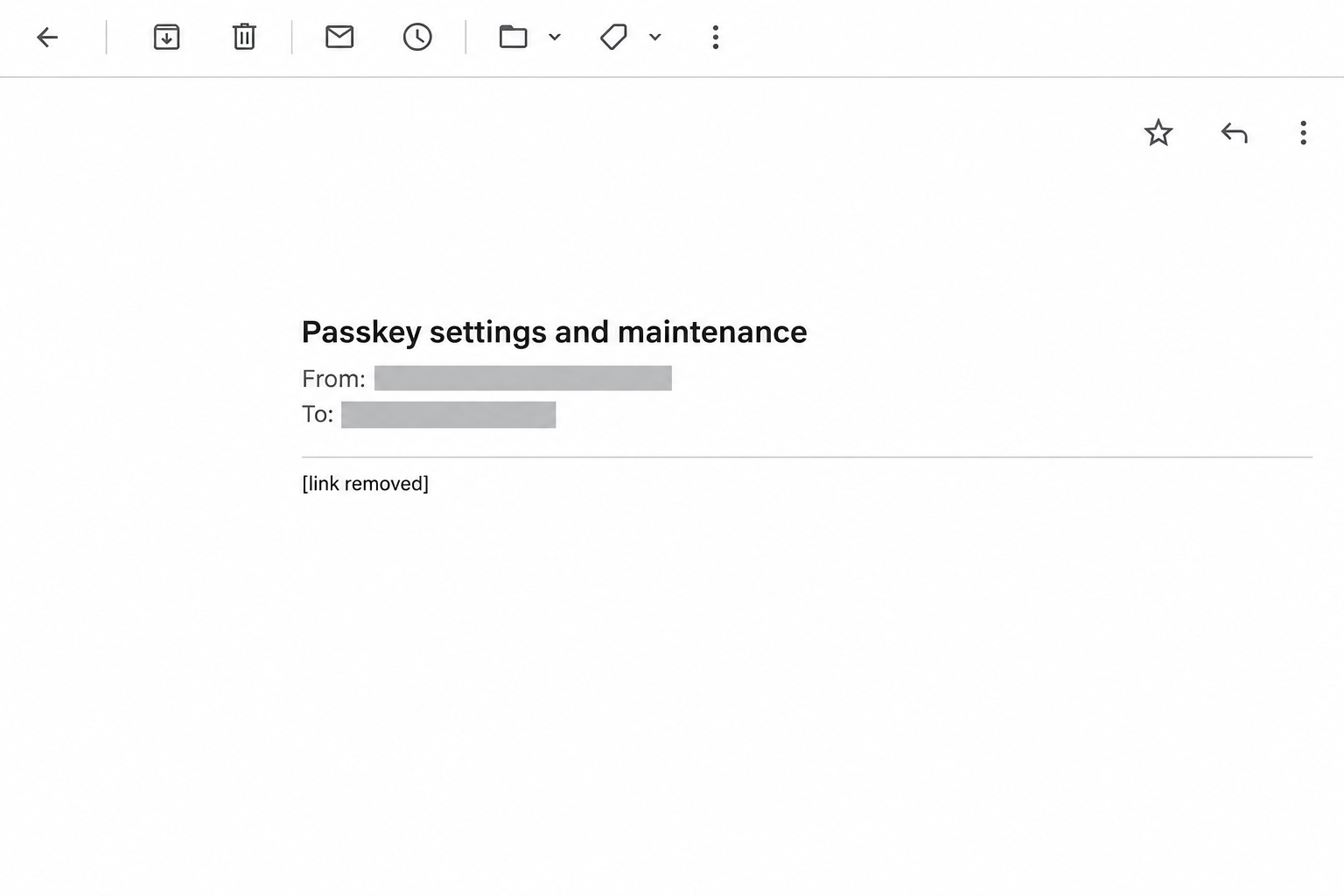
Matsui’s November 13 warning lists an example that paired a passkey check with a November 14 maintenance notice. Another example called for a switch to passkey authentication.
The image above is an inert reconstruction of that subject, not an original email. The maintenance date was part of a reported lure, not a deadline readers should follow.
The danger is what the email asks you to do next
Matsui warns that fake messages can lead to lookalike sign-in pages on unrelated sites. Its advisory shows how closely a fake page can resemble the customer login.
A passkey is not a password you can type into a website. The scam uses the idea of upgrading security to put the victim in front of an untrusted prompt.
Matsui has reported unauthorized logins and trades linked broadly to credential theft. The advisory does not assign a particular trade, loss, or victim to the maintenance email.
The brokerage offers passkeys, but not through an inbox shortcut
Matsui’s actual security advice is to use its official app or a previously verified bookmark. It says it does not send customers to an email link to sign in.
The firm also offers a passkey-only sign-in option. That is a choice to review in the account you opened yourself, not an instruction to accept from a stranger.
Look for the combination of details, rather than any one word:
- An unexpected message says your passkey settings need checking.
- Maintenance or continued service is used as the reason to act.
- The message makes its own link the route to sign in.
- A destination seems to match the broker but requests sensitive account information.
- The action can’t be confirmed through your usual account or the firm’s published support.
How the Matsui Securities Passkey Scam Works
Step 1: A familiar security change becomes the reason to open the email
Matsui introduced passkey authentication for sign-ins across its trading channels in March 2026. Customers who have heard about it may remember that they meant to review their settings.
The fake message doesn’t have to invent a feature. It takes a real rollout and adds a claim about what the recipient personally needs to do.
The named maintenance date makes the request feel like an administrative detail. It can be persuasive even to someone who knows that unsolicited investment offers are risky.
A real security upgrade does not make a shortcut legitimate. The place to review it is the account settings you reached independently.
Step 2: The email makes a new path look like the old one
The sender can use a recognizable display name. Matsui also documents fake messages in which a familiar name or domain appears in the displayed sender information.
That means one correctly spelled label isn’t enough. A message can show the genuine web address as text while its actual button points somewhere else.
The important distinction is where the sign-in takes place. If you open the app you already use, the email does not get to choose the destination.
Don’t forward the appeal or verification button to a relative as a test. Tell them what the subject said and ask them to check their own account separately.
Step 3: A substitute prompt asks for the wrong kind of information
The page may present a familiar login, or suggest that a password is needed before the passkey can be configured. Lookalike pages are documented in the firm’s wider warning.
The browser or device normally handles a passkey for the service it belongs to. A fake website cannot use an authentic Matsui passkey just because it copies the brokerage’s branding.
The concern is a different request: a password, trading PIN, or code that the recipient may share when the advertised security process doesn’t behave as expected.
If the page says the passkey isn’t working and offers a workaround, close it. Return to the one route you already know, and check whether the workaround is actually required.
Step 4: Account access and trading authority become separate risks
A brokerage login can expose details about the account. A trading PIN may give the holder a different kind of access, so it needs a distinct response if disclosed.
If a message leads to a prompt from the actual brokerage that you didn’t initiate, don’t approve it. An unexpected approval request is a reason to call the firm.
Matsui also reports that some fake pages push downloads. A downloaded or opened file is an additional exposure, not something that happened to everyone who read the passkey email.
Tell support exactly what happened, even if the page displayed an error. Include what you typed and what you approved, without sending the actual credentials in your report.
Step 5: A quiet account can leave the wrong impression
After closing the page, you might open the real account and see the balance you expected. That’s useful, but a balance isn’t the complete activity record.
Look for orders waiting to execute as well as trades that already went through. If you find something unexpected, ask the brokerage which orders can still be stopped.
An order waiting to execute is different from a withdrawal already in progress. Tell Matsui which area looks wrong rather than describing everything as an unexplained change in value.
Security settings deserve their own look, even with no visible trade. An unfamiliar passkey or changed contact address calls for the brokerage to review account access and recent changes.
What Matsui Customers Can Check Without the Email
Start with the official security notice
Open your existing Matsui app or verified bookmark. If you need context, read the firm’s phishing advisory separately from the notice that reached you.
Look for a matching account message or published notice. If a maintenance period is real, there may still be nothing for you to confirm through your inbox.
If you can’t find any matching request, contact the brokerage’s support for account holders. Give the subject and date, but don’t read a password or trading PIN over a callback.
If you can’t sign in during an actual maintenance window, wait for the broker’s published instructions or call support. A temporary interruption doesn’t make a second login page trustworthy.
Understand the passkey-only option before changing anything
The firm published a separate announcement about passkey-only sign-in. Use that to understand the difference between adding a passkey and limiting how the brokerage permits sign-ins.
Before you remove a backup sign-in route, confirm your passkey works in the official account and that you understand how the broker verifies you after a lost device.
If you see a registered device or passkey you don’t recognize, changing your password may not address it. Ask Matsui how to review and remove unfamiliar access.
Before trying to fix a missing passkey, check whether you’re using your usual browser or device. Switching devices can explain a different prompt without making an email link the answer.
Don’t confuse a copied notice with a proven breach of your account
A familiar subject alone doesn’t tell you whether the sender knows your holdings. It also doesn’t establish that anyone has traded, transferred funds, or registered another sign-in method.
The useful records are the ones the broker maintains: recent activity, pending orders, executions, and notices of contact or withdrawal changes that you can verify independently.
If your broker offers security alerts, review which channels receive them. A new message going to an unfamiliar email address can matter even when your current balance looks unchanged.
What to Do if You Have Fallen Victim to This Scam
What you shared matters more than how convincing the page looked. If you submitted something or approved a request, tell support what it was and when it happened.
-
Stop using the email and close its destination. Keep the subject, time, and sender details if safe. Don’t open the page again just to collect another screenshot.
-
Contact Matsui Securities through its official support route. If you cannot reach your usual login, ask how to restrict access while the firm checks what happened.
-
Change the exposed sign-in password and trading PIN from a trusted device. If you reused the password elsewhere, replace it there as well, starting with the associated email account.
-
Ask the brokerage to review active access and any recently registered passkeys or devices. Explain whether you typed a code, approved a prompt, or noticed changed recovery information.
-
Compare open orders, recent executions, withdrawals, and linked bank details with what you recognize. Report unfamiliar activity rather than assuming a password change will automatically undo it.
-
If you opened an unexpected download, stop using that device for trading. Ask your IT team or a trusted device support provider to check it before you sign in again.
Give the broker a time window to check
Start with when you first used the link and when you last saw normal account activity. Add the times of any alerts, sign-ins, or orders that you don’t recognize.
Keep confirmation numbers or written replies from the broker. If it asks for more information, use the official reporting route you started rather than replying to the original message.
If you only visited the page and didn’t submit information, review the account without panicking. A visit, an approval, and an executed file are distinct events.
If you recognize the trade but not the login
An order you placed can still appear around the time of an unfamiliar alert. Compare the order details with your own records, and report the sign-in separately.
If you didn’t place an order, write down the security name, time, and any reference number already available. Those details are more useful than guessing what the person wanted.
If you can no longer sign in, don’t let that delay the first call. Tell support what you can see in your existing alerts and ask it to check directly.
Report any withdrawal to an unfamiliar account when you call Matsui. Don’t move money just because an unsolicited caller claims to have found a safer account.
Check the device when a download was involved
Don’t run a downloaded file to find out what it does. If you already opened it on a personal device, a trusted scanner such as Malwarebytes can help check it.
AdGuard may help block some known suspicious pages as a precaution. No blocker can authenticate the brokerage’s notice, secure a stolen trading PIN, or substitute for a callback.
On a work device, tell your IT team first and follow its reporting process. Use a separate trusted device or phone for anything involving important accounts.
Review email security if the same password was used
Open your email account from a trusted device, change the reused password, and check for unfamiliar recovery details or sign-ins. A brokerage may rely on that mailbox for important notices.
Look for forwarding rules you didn’t set up or notices arriving somewhere else. Ask your email provider for help if you can’t confirm who controls the recovery options.
That work is separate from reviewing trades with Matsui. A clean inbox doesn’t cancel an order, and a changed trading PIN doesn’t repair your email account.
Frequently Asked Questions
Did Matsui Securities send the passkey maintenance email?
Matsui lists a passkey check tied to November 14 maintenance as a fake subject. Check genuine maintenance or security notices through the firm itself.
Does receiving the message mean someone traded in my account?
The message does not establish that any order exists. Use genuine activity records, and call the broker if you see executions, withdrawals, or changes that you don’t recognize.
Can a lookalike page use my genuine passkey?
The passkey is bound to its real service, not the page’s looks. A fake page can still ask you to hand over a password, PIN, or code instead.
Can I ignore genuine security changes because of this scam?
Keep using the broker’s actual security controls. The unsafe part is following a message to configure them, not enabling a verified passkey inside your account.
What if I entered my password but not my trading PIN?
Report the password exposure even if the PIN stayed private. Check for unfamiliar access and follow the broker’s instructions. Tell support which details you did and didn’t share.
What if a file downloaded when I opened the page?
If you didn’t open it, leave it unopened and remove it safely. If you ran it, consult device support and handle financial account recovery from another device.
The Bottom Line
Don’t use an emailed link to check a Matsui Securities passkey. The security feature is real, but the genuine brokerage can explain any change through channels outside the message.
If you already entered a password, PIN, or code, contact Matsui directly. Secure your sign-in and have the firm check account access, orders, and transfers promptly.

Join the discussion
0 commentsShare your experience or ask a question about this article.
Community experiences
Did this happen to you?
Your experience could help someone recognize the same scam. Submit a private report for our team to review.
I experienced this tooReports are reviewed before publication. Sharing publicly is always your choice.
Discussion
Start the conversation
Have a question or something useful to share? Add the first comment.