


You’re about to pay online when an email says your AEON Card won’t work. The timing feels personal, even though the message doesn’t name the purchase.
Before you do anything with the email, there’s a better place to check what happened. That distinction matters just as much if you’ve already responded to the notice.
Overview
What the fake security notice says
The AEON Card Security Check scam is a phishing email that claims someone made unusual payment attempts. It says some online payments have been restricted while the issuer investigates.
In the Japanese-language example, the message asks the recipient to check their usage and update their details. It also raises the possibility of a temporary suspension if they don’t respond.
The wording is effective because it doesn’t claim every transaction will fail. If your card still works at a store or you haven’t used it lately, the story sounds plausible.
What AEON confirmed about the email
AEON lists the message in its November 17 phishing advisory. The issuer identifies it as an example of a fraudulent email, not a real security check on your account.
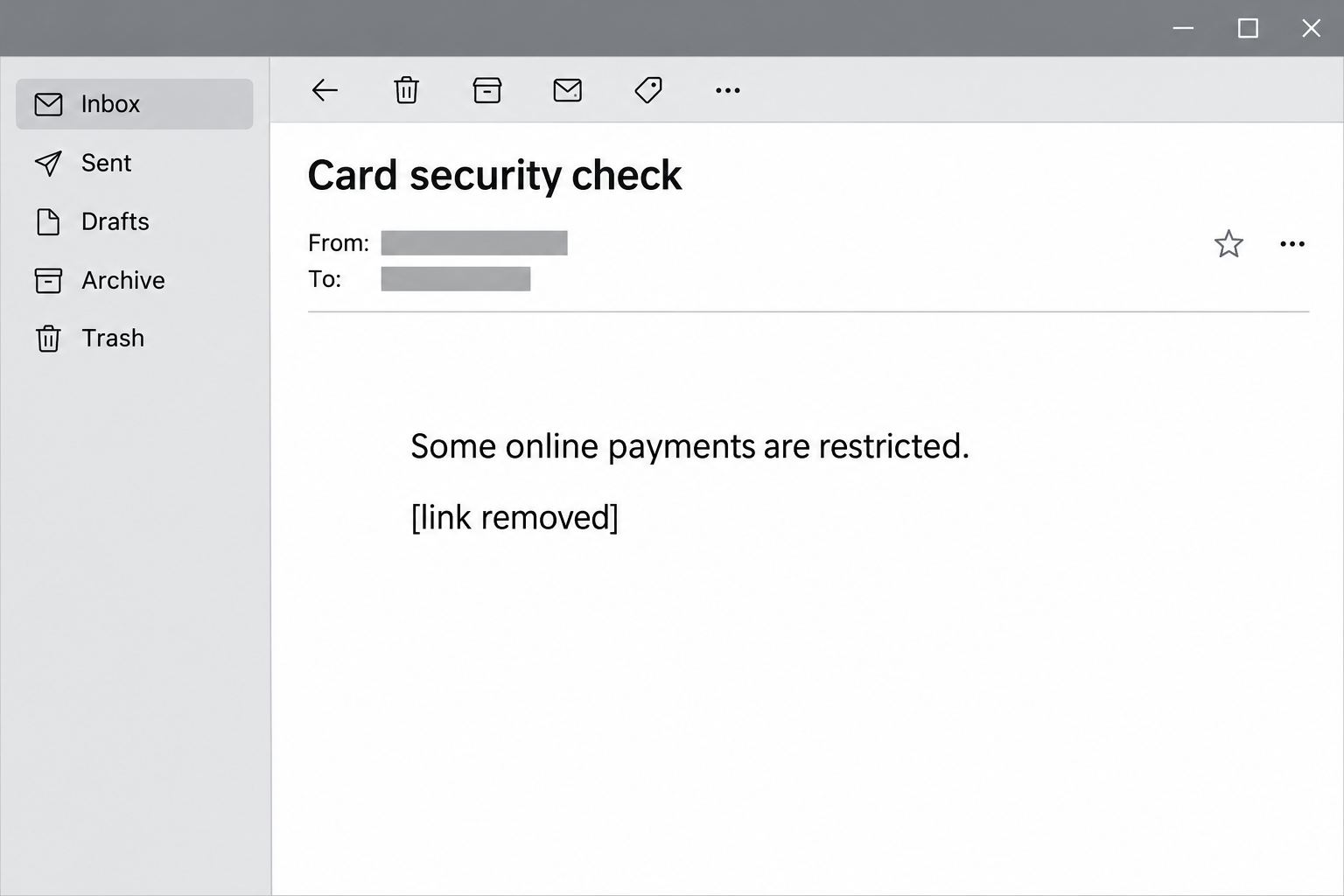
The image above is an illustrated English paraphrase of the warning, not an original screenshot. It leaves out addresses, links, and any details that could identify a recipient.
The same advisory shows separate emails claiming the card’s spending limit will be lowered. Those are different from the notice about restricted online payments.
Where to verify a real restriction
AEON does review card activity, so you shouldn’t assume every alert is false. How you reach the issuer matters more than the logo or the timing.
AEON says its specific card-usage verification alert is delivered through the AEON Pay app, formerly AEON Wallet. That particular alert isn’t sent by email or text message.
- Open the AEON Pay app you already use, without going through the email.
- Use the issuer’s website from a trusted bookmark if you prefer a browser.
- Call the number on your physical card if you can’t find a matching notice or aren’t sure what happened.
How the AEON Card Security Check Scam Works
Step 1: The email borrows a real security concern
Card issuers sometimes block suspicious payments or ask cardholders to review a transaction. If that’s happened to you before, a security review might not look out of place.
This email says the review began after unusual or repeated payment attempts. It explains the supposed restriction as a precaution, as if the sender is already looking after your account.
A real payment failure can make the story feel like confirmation. But getting an email after a decline doesn’t mean its sender knows about your purchase.
You might see the same message without owning an AEON Card. That makes the claim easier to spot without proving someone opened an account in your name.
Step 2: A partial block gives you a reason to act
The reported message doesn’t say the account is closed. It claims some online transactions are restricted and suggests the situation could get worse if you ignore the request.
That can be convincing if your card worked in person earlier that day. A partial block gives the email a ready explanation for why you haven’t seen a problem yet.
The threat of suspension changes the question. Instead of asking whether the notice is genuine, you might focus on paying a bill before the card stops working.
Don’t try a small purchase merely to settle that doubt. A successful purchase wouldn’t verify the email, and a declined one still wouldn’t tell you who sent it.
Step 3: The email tries to control how you verify it
The message presents its link as the place to resolve the restriction. That’s what matters, even when the surrounding wording sounds routine.
AEON’s example includes advice about using the number printed on the card. That’s sensible advice if you use the card itself, but it doesn’t make the link safe.
You don’t need to determine who wrote the message or who added the footer. Close it and start with the app or the physical card.
Ask the issuer for help if you’re unsure what a notice says. Don’t send a stranger a picture of your card or account page for translation.
Step 4: The request moves from a warning to your information
The email asks for a review and an update to your information. AEON classifies it as phishing, but the published notice doesn’t establish which fields appeared behind that specific link.
If you entered an AEON Pay password after following the email, tell the issuer your account may be exposed.
If you gave out card details instead, say which card you used. The issuer needs that information to decide which parts of your account to protect.
A one-time code or payment approval deserves immediate attention if you shared or approved it. Tell the issuer what the prompt asked you to authorize, if you remember it.
Contact details alone are a different situation. They can make later messages sound more personal, but giving out your email address isn’t the same as approving a transaction.
Step 5: A message can end before the risk does
You might close the page without seeing any charge, which is understandably reassuring. It doesn’t tell you whether any information you typed reached the other side.
Treat sensitive details as exposed even if you got an error or never saw a confirmation. If you’re unsure which fields you finished, explain that when you call AEON.
Watch for follow-up messages that claim to reverse a charge or finish a security check. Use the same independent contact route even if a caller already knows something about you.
AEON identifies the message as phishing without reporting a victim count. An email asking you for information is not proof that your card was charged.
What to Do if You’ve Fallen Victim to This Scam
The next step depends on what you shared, not just whether you clicked. If you gave out card details or approved a payment, call AEON before investigating the email.
- Leave the email and use your own route.
Close the page before opening AEON Pay or visiting the issuer’s website yourself. To speak with someone, call the customer service number on your card.
If you only opened the email or clicked without entering anything, installing anything, or approving a request, say exactly that. You don’t need to claim a payment occurred.
- Contact AEON if the card details were exposed.
Use the issuer’s card exposure and replacement instructions. Report which card was involved and what you entered. Ask whether you should stop the card and have it reissued.
If you carry a family card or there are additional cards tied to the account, tell AEON which one you used. Ask how any replacement affects the other cards.
- Protect your account if you entered a password.
Use AEON’s account help to reach its password process without reopening the email. If you’re locked out or see a changed account detail, contact the issuer rather than guessing.
Change that password on any other accounts where you reused it. Prioritize your email account if it shares the password, since it may receive reset messages for your other accounts.
- Tell the issuer about any code or approval.
Report what the prompt said, when it came in, and whether you entered a code or pressed approve. If it named a merchant or displayed an amount, pass that along.
Have the issuer check for pending transactions and account changes. Don’t read a code back to someone who contacts you claiming they need it to cancel a charge.
- Review your recent and pending card activity.
Look through your account from a trusted device. Separate the charges you recognize from the ones you didn’t make. Ask the issuer about anything in between.
AEON has a separate unrecognized transaction guide. Some merchant names differ from their storefront names, but don’t use that possibility as a reason to delay reporting suspected fraud.
- Save evidence before deleting the message.
Keep the sender information, subject, date, and a copy of the notice. Save records of charges or approvals separately, along with any reference number the issuer gives you.
You don’t need to visit the link again to preserve evidence. Share material through the issuer’s preferred channel and cover account or card numbers before sending screenshots anywhere public.
- Sort out legitimate payments after a replacement.
If AEON replaces the card, check subscriptions and bills that used the old one. Go straight to each service you recognize when you need to update a payment method.
Watch the next statement as well. Keep the issuer’s instructions handy in case an unfamiliar charge appears or an earlier payment shows up under a different name.
If nothing has posted to your statement yet
You can report that you shared a card number without claiming you’ve found a fraudulent charge. Give AEON the time of the exposure and ask whether it recommends a replacement.
If you get a legitimate transaction notice while waiting for help, note its amount and time. Keep it separate from the fake email so the two don’t get mixed up.
How to Check an AEON Alert Without Using the Email
Start with the purchase you already know
If a purchase just failed, open your order history from the merchant’s site or app, not from any message that arrived afterward. Then check card activity on AEON’s side separately.
Those records can show whether the purchase went through or is still pending. You don’t need to use the email’s link to check either one.
If a relative used a family card, ask them about the purchase directly. Describe the message without forwarding it, since they might open the link.
If a merchant offers to retry a failed payment, first check whether the original order already exists. You don’t need to place a duplicate order to test an email.
If AEON asks which charge concerns you, use the amount and date in your actual records. The suspicious email might not contain any purchase details you can compare at all.
Read the notice inside the account
If you see a genuine usage review in AEON Pay, start there. If you see nothing but still have questions, use the number on your card.
Some readers will remember the old AEON Wallet name. AEON Pay is the current name used for the app in the official guidance; neither name proves an email is genuine.
If you’ve changed phones and can’t get into the app, don’t use the unexpected email to get back in. Use the issuer’s help pages or call from a trusted number.
When an alert mentions a specific transaction, read the details before confirming anything. If you don’t recognize the purchase, don’t mark it as yours just to make the alert disappear.
Don’t judge the message by its most reassuring line
The sample tells recipients they can use the number on the card. If you recognize that as good advice, take it literally and turn the card over rather than clicking.
You can set that rule for your household, too. When a message or caller says the card is at risk, use the number printed on the physical card.
That habit still works when a new variant changes the subject line or borrows a different promotion. There’s no need to remember every fake notice AEON has ever published.
If someone else in your household gets the email, agree who will call AEON. That reduces the chance you’ll respond through different channels.
Frequently Asked Questions
Is an AEON Card Security Check email always fake?
AEON confirmed the example described here is fraudulent. If your notice looks different, verify the account directly anyway. A genuine-looking display name doesn’t answer whether a restriction is real.
Will AEON text or email me about fraud?
AEON says the specific usage-review alert it describes is an app push, not an email or text. That doesn’t mean the issuer never sends any kind of message by email.
Can the message freeze my real card?
The email itself can’t establish whether AEON has restricted your card. If you actually have trouble paying, check the app or speak with AEON rather than testing the link.
What if the email has my name?
A name makes an email look personal without proving who sent it. Check directly with the issuer and don’t send more information to the sender to see what they know.
Should I replace the card after opening the email?
Opening the message alone isn’t the same as giving away the number. If you typed card details, approved a payment, or see an unexplained charge, contact AEON promptly for guidance.
Is a credit limit reduction email the same scam?
AEON lists fake limit reduction notices separately in its advisory. The claim differs, but the safe response doesn’t: check your actual limit independently and leave the email’s link alone.
The Bottom Line
If an AEON Card email claims a payment restriction, open your real account before doing anything else. The documented fake uses that claim to get you to follow its link.
If you entered details or approved a request, tell AEON exactly what happened. That helps the issuer decide whether to protect the account, replace the card, or review a charge.

Join the discussion
0 commentsShare your experience or ask a question about this article.
Community experiences
Did this happen to you?
Your experience could help someone recognize the same scam. Submit a private report for our team to review.
I experienced this tooReports are reviewed before publication. Sharing publicly is always your choice.
Discussion
Start the conversation
Have a question or something useful to share? Add the first comment.