


A game you wanted turns up in your Steam notifications. The surprise would be nicer if you recognized the name beside it.
Before you answer, take a moment to check what Steam actually shows. The difference between a game in your client and a promise in your inbox matters.
Overview
This is about games sent as gifts, not Steam Wallet codes
Steam’s gifting feature is real. A friend can use it to buy you a game. The arrival of a gift is not evidence that anyone broke into your account.
The problem is an offer from somebody you can’t identify. A genuine game gift can still be tied to a disputed purchase or followed by a demand for payment.
Valve’s account restriction guidance specifically warns against accepting gifts from unknown users. It lists redeeming fraudulent gifts as conduct that can lead to an account restriction.
That’s a narrower warning than it might sound. It doesn’t say that receiving an offer gets you banned. And it doesn’t make every unexpected present from a friend suspicious.
If the sender is unfamiliar, you don’t need to determine which explanation is most likely.
Decline the gift through Steam if it actually appears there, and don’t take the conversation further.
A real notification and a trustworthy sender aren’t the same thing
Open the Steam client yourself and look for the notification there. Don’t use the sender’s link as your starting point, even if they insist it opens the same place.
If the client shows a gift, that tells you the offer appeared inside Steam.
It doesn’t tell you where the money came from or whether the person controls the account legitimately.
Someone you know might have bought a game as a surprise.
They might also have lost control of their account, which explains why a familiar username isn’t enough when something feels off.
Call or message that friend somewhere you already use to talk. Ask about the game by name so you’re checking the purchase, not just whether the account belongs to them.
Three questions that help you decide
- Do I know the person outside this exchange? Someone you played with once or accepted as a friend yesterday still counts as a stranger for this purpose.
-
Did this person confirm the gift separately?
If a friend is genuinely sending you a game, a quick check won’t spoil much. It might spare you both a much bigger problem.
- Are they asking for anything back? A demand for skins, gift cards, or a payment isn’t something you owe merely because a game appeared in Steam.
You can know the game, recognize the publisher, and see a genuine Steam notification without being sure about the transaction.
The decision comes down to who sent it and what happens next.
When a Steam Gift Becomes a Problem
A game appears, then the sender asks for a trade
Imagine a copy of a game you’ve had on your wishlist for months.
You didn’t ask for it. A few minutes later, the sender asks about an item in your inventory.
The game makes the request feel personal. Instead of judging an unfamiliar trade on its own, you may feel as if you need to give something back.
Bitdefender’s account of unsolicited Steam gifts describes versions in which a gift is connected to a compromised payment card, or a small gift precedes pressure to hand over items.
From your side, there may be nothing visible in the notification to tell you whether the cardholder authorized the purchase. Being able to play the game doesn’t settle that question.
The person may describe the exchange as fair because your item and the game sell for similar prices.
That comparison doesn’t tell you whether either side can reverse what it gave up.
A game that gets removed from your library and an item you’ve transferred are two separate problems. Don’t assume that settling one with the sender will fix the other.
Someone says the gift went to the wrong person
People do make mistakes. What’s suspicious isn’t the possibility of a wrong recipient. It’s the insistence that the recipient must refund the buyer themselves, especially outside the purchase system.
Suppose the sender wants you to buy a Wallet code so they can recover what they spent.
That code would be a new payment from you, not a refund of their order.
The same distinction holds if they request cash or a trade. Giving someone a valuable item doesn’t send money back to the original payment card or change Steam’s transaction records.
Tell a genuine acquaintance who sent a gift accidentally to take it up through Steam’s purchase support. Don’t try to figure out a substitute arrangement with an unfamiliar account.
If the person starts threatening to report you, don’t pay to keep them quiet. A stranger doesn’t get to decide what Steam will do with an account report.
Save the conversation if it turns threatening. You can block the sender after capturing the useful details rather than keeping the chat open to prove you’re acting in good faith.
A second account says it can clear your name
A demand can sound more convincing if someone else arrives claiming to be a moderator.
A profile badge in an image, a copied logo, or a convincing handle doesn’t establish their identity.
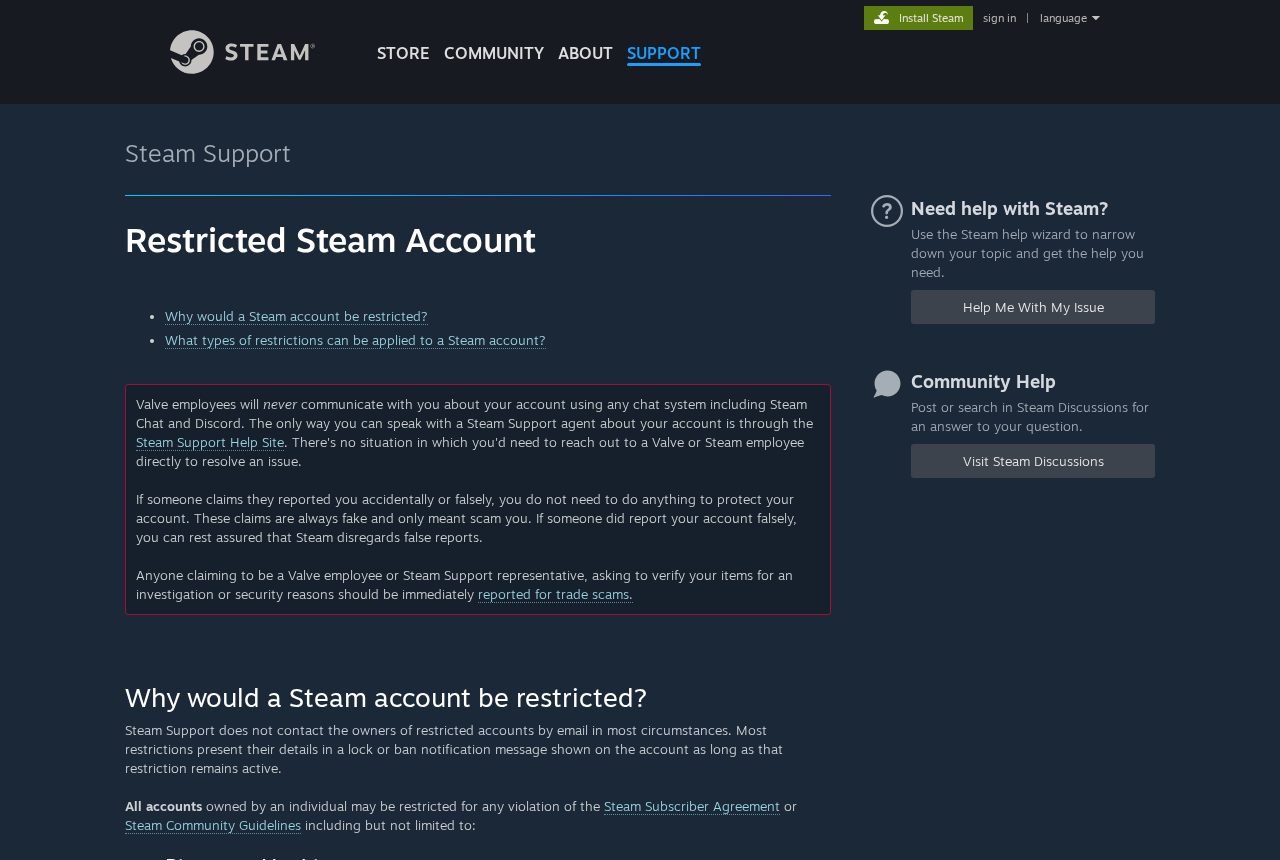
Valve says that its staff do not contact users about their accounts through Steam Chat or Discord. The company directs account questions to its support site.
That leaves you with a quick check when someone threatens a ban.
Stop replying and open official Steam Support independently. An actual account restriction is something to check there, not a negotiation.
Don’t send an item for someone to inspect. Don’t share a sign-in code.
If you’re told not to contact Steam through its regular site, that’s more reason to end the conversation.
Sometimes there’s no game to begin with
A message can say a game is waiting when what you actually received is a link. You don’t need to visit it to see whether the claim is true.
For this version, the important event isn’t accepting a game. It’s typing a password, providing a Steam Guard code, or approving a sign-in you didn’t initiate.
If you’ve already had to check a game in Steam, the distinction is familiar.
A chat notification isn’t your inventory, and a login screen sent by another player isn’t your client.
MalwareTips has a separate guide to fake Steam gift card messages. This case is different: even a real gifted game can be a bad offer from an unfamiliar account.
What to Do If an Unfamiliar Account Sends You a Steam Gift
-
Check from inside Steam, not from the message. Open Steam yourself and see whether there’s a gift you can actually review. Don’t sign in from a link to find it.
If you don’t recognize the sender, decline the gift where Steam offers that choice. If there isn’t a gift in Steam, don’t ask the sender for a different link.
A notification alone doesn’t mean you need to reset everything.
Choose your next action based on whether you gave away access, accepted a gift, sent an item, or did none of those.
-
Stop responding to repayment demands. Don’t send skins, cash, Wallet codes, or another game. A bank transfer to an unfamiliar person isn’t a way to reverse a Steam gift.
If you paid already, note the amount, recipient and time. Contact the service you used about recovery or a dispute. An instruction to buy a second code won’t help.
-
Ask Steam about an accepted gift if you suspect a problem. Go to Steam Support yourself and explain what you accepted and why the sender’s behavior concerned you.
Include the game title, approximate time and any relevant account notices.
Distinguish the offer you received from purchases or transfers you made afterward. Support needs to know which action you’re asking about.
Don’t sell or transfer anything related to the incident while you’re trying to sort it out. Don’t use a support contact supplied by the person who sent the gift.
-
Deal with sign-in exposure immediately. If you entered your password into a page from the sender or approved an unexpected sign-in, take the account recovery route through Steam Support.
If you still have access, use a device you trust to secure the email attached to your account, change any exposed or reused passwords, and review security and sign-in settings.
Steam Guard can help protect future sign-ins. It doesn’t undo an approval you already gave or replace a check of recent account activity.
Tell support what happened, including any codes you shared.
-
Check your inventory and payment activity. Review recent trades, market activity, and purchase history from the account itself. Note unfamiliar changes before messages or listings disappear.
If a charge reached your own card, notify the card issuer through a trusted channel.
Don’t dispute a transaction on another person’s behalf merely because they told you their card was used.
-
Preserve a small, private record and report the account. Save the profile address, conversation, and relevant transaction details. Then use the platform’s report options for the suspicious account or trade.
Don’t publish Steam Guard codes, receipts with full payment details, or other private data.
If you know the sender personally, warn them separately that their account may have sent messages they didn’t write.
What to Check Before Accepting a Gift From a Friend
Start with the person, not the offer. A birthday gift confirmed by someone you talk to regularly is different from a gift offered in return for an item.
A confirmation needs to come from a channel you already associate with that person. One suspicious Steam account recommending a new Discord account doesn’t give you independent verification.
Sometimes a friend says they’ve sent a game but nothing appears in Steam.
Wait or ask them to check the purchase from their side. There is no reason to send login details.
If the person says the game came from somebody else and they can’t explain how they got it, it’s reasonable to decline.
A free game isn’t worth sorting out an unfamiliar purchase.
Parents can make this rule easier to follow by separating ordinary gifts from deals. Accept a present from someone you know. Don’t exchange inventory or money to claim one.
That conversation matters because the pressure often sounds social, not technical. A child may be more worried about appearing ungrateful than about losing access to their account.
Tell them they can leave the request unanswered.
If there’s a purchased game to recover, the person who bought it can start with Steam Support rather than asking the recipient to pay.
What to do when an accepted game disappears
Don’t guess why the game is missing. First check that you’re signed in to the same Steam account where you saw it and look for an account notice.
Write down the name of the game and when you received it. If there’s a notice about a revoked gift, save the wording so you can describe it accurately.
A game that disappears isn’t, by itself, proof that your account was stolen. Unfamiliar trades, password changes, or sign-ins are separate clues that you need to take seriously.
If you spent money on add-ons after receiving the gift, keep those receipts too.
Ask Steam which purchase or license it can address rather than assuming the transactions will be handled together.
You don’t have to contact the original sender to start this check. If they now offer to replace the game through another account, decline that offer as well.
Frequently Asked Questions
Is it safe to accept a Steam gift from someone I don’t know?
No. Decline it, even if it appears in the real Steam client. Valve’s warning applies to unknown senders, not just links that look fake.
Can my Steam account be banned just for receiving a gift offer?
An incoming offer isn’t the same as redeeming a fraudulent gift. Valve says the latter can result in restrictions. Check account notices directly if somebody claims you’re already in trouble.
Can a real Steam gift turn out to have been bought with someone else’s card?
Yes, that is one risk Valve’s warning addresses. You normally can’t tell from the gift notice alone. Don’t accept it in order to find out whether it’s reversible.
Do I have to pay someone who says they gifted a game by mistake?
Don’t send money, an item, or a code. An actual buyer can ask Steam about the original order.
A private payment would be a separate transaction and may be difficult to recover.
What if my friend swears they didn’t send a Steam gift?
Don’t redeem it. Tell your friend where it appeared and suggest they review their account with Steam Support. Verify any subsequent messages through a separate channel.
Should I contact a Steam moderator who reached out on Discord?
No. Valve says it doesn’t handle account matters over Discord or Steam Chat. Leave the conversation and open official Steam Support yourself if you have an account question.
The Bottom Line
Decline Steam gifts from strangers. A game can appear in the genuine client without telling you whether the payment behind it was legitimate.
If you already accepted a suspicious gift, contact Steam Support. If someone wants you to refund it with cash, skins, or a code, don’t send them anything.

Join the discussion
0 commentsShare your experience or ask a question about this article.
Community experiences
Did this happen to you?
Your experience could help someone recognize the same scam. Submit a private report for our team to review.
I experienced this tooReports are reviewed before publication. Sharing publicly is always your choice.
Discussion
Start the conversation
Have a question or something useful to share? Add the first comment.