


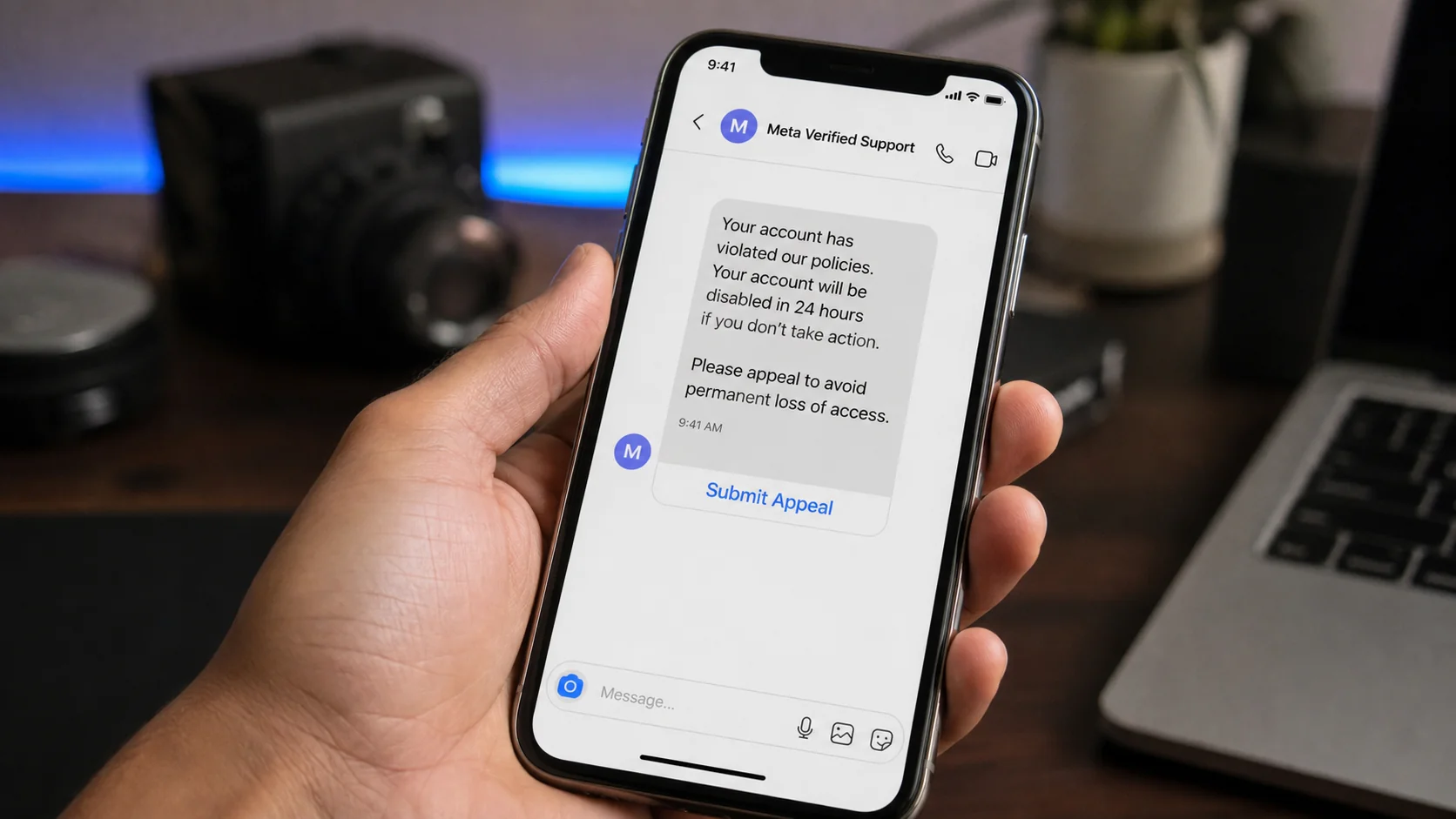
A message appears in Facebook Messenger or an Instagram inbox from a profile named “Meta Verified Support.” It says your account violated a policy and will disappear within 24 hours unless you submit an appeal.
For a creator, business owner, or anyone with years of photos and contacts, that warning can feel impossible to ignore. The appeal button is designed to catch you before you slow down.
Overview
The message creates fear of losing an account
The Meta Verified message scam is a phishing campaign sent through Messenger, Instagram direct messages, comments, emails, or tagged posts. The sender claims to represent Meta, Facebook, Instagram, or a copyright enforcement team.
The warning may accuse the recipient of impersonation, trademark misuse, copyright violations, suspicious activity, or advertising-policy breaches. It usually offers one final appeal before permanent deletion.
The claimed deadline is often 12, 24, or 48 hours. That artificial countdown encourages a page owner to click immediately instead of reviewing the official Support Inbox or account-status tools.
The appeal page is a credential-stealing form
The link does not lead to a normal Facebook or Instagram workflow. It opens a lookalike page that requests a username, password, business email, page name, telephone number, and sometimes billing details.
Some versions imitate a Meta Business Help Center form. Others use a shared document, shortened URL, attachment, or link-in-bio page before redirecting to the final phishing site.
Typical warning signs include:
- An enforcement notice delivered through an ordinary chat
- A profile using “Meta,” “Verified,” “Support,” or “Appeal” in its name
- A threat of permanent deletion within a few hours
- A link hosted outside the expected Meta-owned services
- A request for a password or two-factor code inside an appeal form
- Instructions to keep replying to the sender after submitting the form
A stolen account becomes the next delivery system
If the victim submits credentials, the attacker can try to sign in immediately. A one-time code request may follow, framed as the final step needed to confirm the appeal.
After taking control, the criminal may change recovery details, add an administrator, remove the owner, access linked advertising accounts, or use saved payment methods. Business pages are valuable because they already have audiences and advertising history.
The compromised profile can then send the same warning to customers, friends, page administrators, and other businesses. A message arriving from a familiar account may therefore be part of the same chain.
Why Page Owners Are Especially Vulnerable
A personal account is important, but a business page can also hold customer conversations, advertising access, product catalogs, leads, and years of brand history. Losing it may interrupt sales and expose other administrators.
Scammers understand that page owners regularly receive policy notices, copyright claims, and advertising reviews. They copy that language and send warnings during evenings or weekends, when official help may feel harder to reach.
A blue check in a profile picture is not a verified badge. The words “Meta Support” are not an employee credential. Profile names, images, biographies, and message templates can all be copied.
Meta’s own security guidance says Facebook will not ask for your password in a message or email. Genuine account actions should be checked from the account’s own settings, notifications, Account Status, or Support Inbox.
How the Meta Verified Message Scam Works
Step 1: A fake support profile contacts the target
The criminal creates a profile or page with a name such as Meta Verified Support, Business Help Center, Community Standards Team, or Page Appeals. The profile picture may contain a copied checkmark or corporate-style graphic.
Messages are sent broadly or targeted at public page administrators. Contact details displayed on business pages make creators, shops, and local organizations easy to reach.
Step 2: The message names a frightening violation
The warning claims that automated systems detected copyrighted content, impersonation, misleading advertising, prohibited products, or suspicious login activity. It may include a fake case number to make the accusation feel specific.
The alleged violation is often vague enough to fit almost any account. A recipient who recently posted an ad or reused a song may assume the message relates to that activity.
Step 3: A short appeal deadline creates panic
The recipient is told that no response will be accepted after 24 hours. Words such as “final warning,” “immediate action,” and “permanent deletion” turn a routine-looking message into an emergency.
This pressure discourages discussion with another administrator or independent verification. The scam works best when one frightened person acts alone.
Step 4: The appeal link leaves Meta’s protected flow
The button may pass through a link shortener, free site builder, compromised website, or cloud-hosted form. Several redirects can make the final address difficult to remember or report.
The landing page copies familiar navigation, colors, legal text, and support terminology. A lock icon can be present because phishing sites can use HTTPS too.
Step 5: The fake form collects credentials
The page requests the Facebook or Instagram login and may ask the victim to re-enter a password after an invented error. It can also collect page URLs, business email addresses, telephone numbers, and advertising-account details.
Some forms request a photo ID under the pretense of proving ownership. That adds identity-theft risk without making the appeal any more legitimate.
Step 6: A real two-factor code completes the takeover
The attacker attempts to sign in with the captured password, triggering a genuine security code. The phishing page or scammer then asks the victim to enter that code to “submit” the appeal.
The code is actually approving the attacker’s login. Once accepted, the criminal may add a new email, phone number, passkey, or administrator before the owner notices.
Step 7: The account is monetized and reused
Attackers can run fraudulent ads, change a page’s identity, message followers, request payments, or sell access to other criminals. Linked cards and advertising credit can produce direct financial losses.
The stolen account also gives the next scam a layer of trust. Friends and customers are more likely to open a message sent by a profile they already recognize.
How to Check Whether Meta Really Contacted You
Do not use the link in the warning. Open Facebook or Instagram from the normal app icon, then review notifications, account status, security alerts, and the Support Inbox through settings.
For Facebook, the Support Inbox records relevant reports and platform decisions. For a hacked account, type facebook.com/hacked directly into a browser on a device previously used for the account.
Check the sender profile carefully. A new page, tiny follower count, unrelated username, recently changed name, or ordinary message account is not an official enforcement channel.
Hover over links on a computer without clicking them. On a phone, avoid long-pressing if that could open the destination. The safest choice is to ignore the supplied route and navigate independently.
Company, Address, and Fulfillment Checks
The profile name is not an employee identity
Anyone can place support-related words in a display name or profile image. A real platform action should be visible in official account tools, not proven by the sender’s chosen name.
The appeal domain reveals who controls the form
Read the actual domain from right to left and identify the registered site name. Words such as meta, facebook, security, or appeal placed elsewhere in the address can be decorative bait.
Real support does not need your password in chat
An agent should not ask you to send a password, one-time code, backup code, or full card number through Messenger, Instagram DM, WhatsApp, Telegram, or an improvised form.
A genuine enforcement action leaves an account record
Real restrictions, removed content, advertising decisions, and submitted reports normally appear in the appropriate account-status or support area. A chat threat with no corresponding record is a major warning sign.
Warning Signs Hidden in the Sender’s Profile
Open the profile only if doing so does not require following an external link. Check its creation history, username, page transparency information, posts, engagement, and whether the account suddenly changed names.
Fraudulent support pages often follow thousands of users, publish generic security warnings, disable comments, or tag many unrelated businesses. Their posts may direct everyone to the same appeal link.
A compromised legitimate profile can look older and more convincing. That is why profile age alone is not enough. The requested action and independent account record remain the stronger tests.
What Attackers Do With a Stolen Business Account
Account takeover is not always visible immediately. An intruder may keep the owner logged in while quietly adding another administrator, business partner, application, or payment method. That hidden foothold can survive a simple password change.
The attacker may review previous advertisements to learn which audience responds to the page. A new campaign can then imitate the brand’s tone while sending customers to counterfeit shops, investment scams, or additional phishing pages.
Common post-takeover activity includes:
- Adding unknown users to Business Manager or a page role
- Creating ads with unfamiliar destinations and high daily budgets
- Changing the page name, profile image, biography, or contact details
- Messaging customers with fake refunds, prizes, investments, or support offers
- Removing trusted administrators or reducing their permissions
- Connecting an unfamiliar Instagram account, app, catalog, or data source
- Charging an existing card or adding a stolen payment method
Reviewing only the personal profile can miss this activity. Page roles, business portfolios, ad accounts, billing, linked assets, applications, and integration permissions should all be checked separately.
If an unknown campaign is active, take screenshots before pausing it. Record campaign IDs, destinations, spending, added users, and timestamps. Those details can help platform support and the card issuer understand what happened.
Customers may have trusted messages sent during the compromise. Publish a brief warning after control is restored, explain which period was affected, and tell followers not to use links or payment instructions received from the page during that time.
Do Not Pay Anyone to “Fast-Track” the Appeal
After a page is locked, public complaints can attract fake recovery agents. They claim to know Meta employees, possess an internal form, or guarantee restoration if paid in advance.
These strangers may request login details, backup codes, identity documents, cryptocurrency, or remote access. Their knowledge of the original incident may come from public posts or information shared by the first scammer.
Use only recovery routes reached through the official app or domains you typed yourself. No outside agent can guarantee a platform decision, and a second payment usually creates another loss instead of restoring the account.
What to Do if You Have Fallen Victim to This Scam
- Stop contact and close the phishing page. Do not send more codes, documents, or explanations. Save the profile URL and message before blocking the sender.
- Change the password immediately. Use the official app or a manually typed address. Choose a unique password and change it anywhere else it was reused.
- Secure the connected email account. Change its password, review forwarding rules, remove unknown recovery methods, and sign out unfamiliar sessions. Email control can defeat social-account recovery.
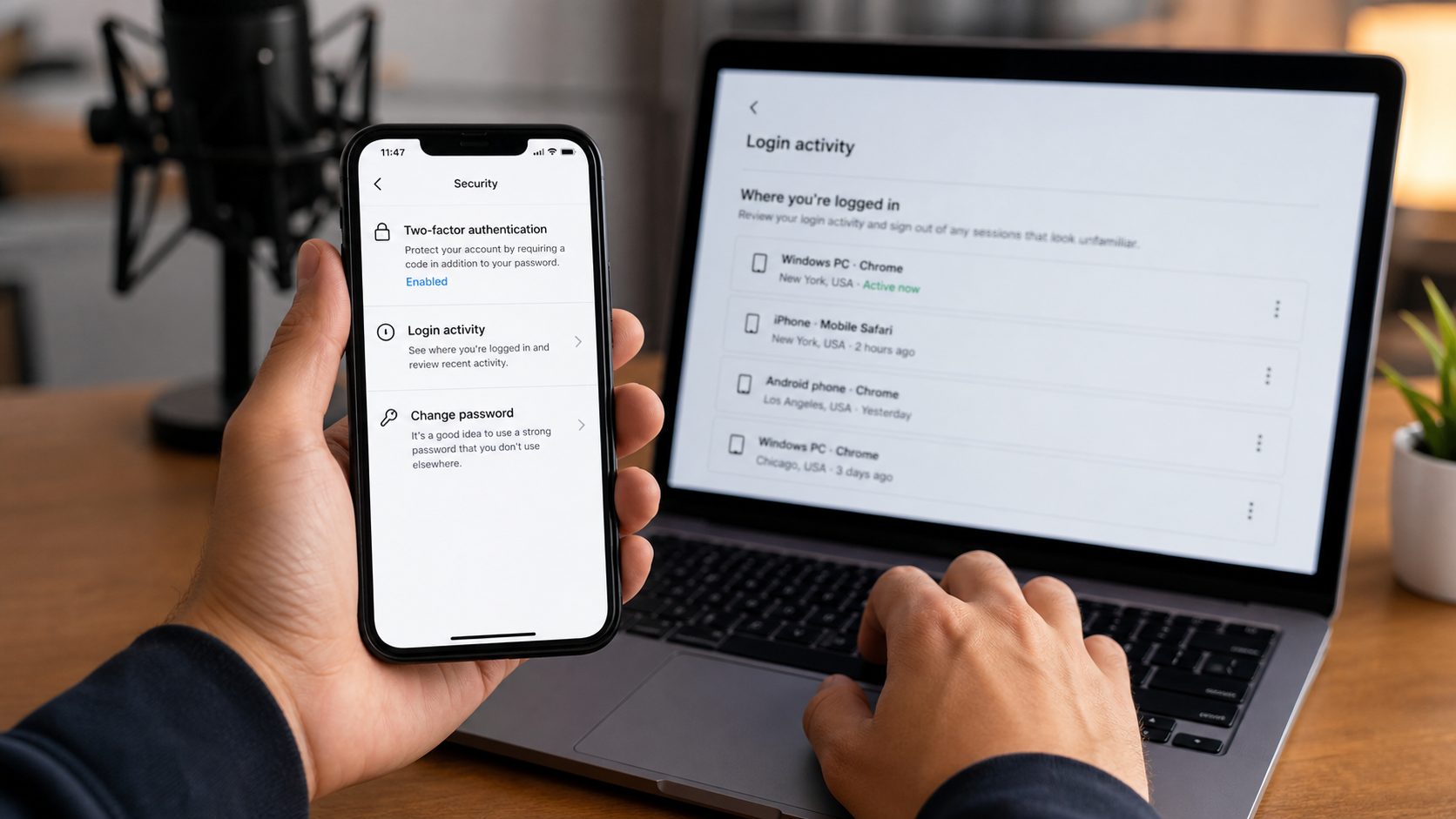
- Review login activity and administrators. Remove unknown devices, emails, phone numbers, passkeys, apps, page roles, Business Manager users, and advertising partners.
- Enable stronger two-factor authentication. Prefer an authenticator app or security key when available. Generate new backup codes if old ones may have been exposed.
- Check advertising and payment activity. Pause unknown campaigns, remove unauthorized payment methods, save receipts, and alert the card issuer if unrecognized charges appeared.
- Scan devices used on the fake page. Run Malwarebytes if you downloaded an attachment, installed an extension, or opened an executable. A credential stealer can undermine password changes.
- Block repeat phishing attempts. AdGuard can help filter known malicious domains, deceptive ads, and redirects. Continue verifying every platform notice inside the official account.
- Use official recovery. Visit facebook.com/hacked or the relevant Instagram recovery flow from a familiar device. Follow platform instructions and keep case records.
- Warn contacts and report the profile. Tell followers or co-administrators if messages were sent from the account. Report the impersonating profile and preserve evidence for financial or police reports.
Frequently Asked Questions
Does Meta send account-deletion warnings through Messenger?
An ordinary message from a support-named profile should not be trusted. Check Account Status, notifications, and the official Support Inbox independently.
Is the blue check beside the sender’s picture proof?
No. A checkmark can be placed inside a copied profile image. Even a compromised verified account can send malicious links, so verify the action inside your own account.
What if the message names my real page?
Page names and administrator details can be public. Personalization shows that the sender gathered information, not that the sender works for Meta.
Can I lose my account by clicking without entering a password?
A click can expose device and network data or lead to malicious downloads. Account takeover usually requires additional information, but close the page and review security activity.
What if I submitted only the two-factor code?
Act immediately. The attacker may already know the password and may use the code to complete login. Change credentials, remove sessions, and review recovery settings.
Is Meta Verified support a real service?
Meta Verified is real, but scammers borrow its name. Eligible subscribers reach support through documented options inside the mobile apps, not through an unsolicited stranger’s appeal link.
The Bottom Line
The Meta Verified message scam turns fear of account deletion into a credential-stealing appeal. The profile name, copied checkmark, and 24-hour deadline are props designed to keep you inside the scammer’s path.
Do not submit the appeal. Open your account independently, check official status tools, and secure login, recovery, administrator, advertising, and payment settings if any information was shared.

Join the discussion
0 commentsShare your experience or ask a question about this article.
Discussion
Start the conversation
Have a question or something useful to share? Add the first comment.