


You have finally found the upgrade you wanted, without spending another weekend grinding. The listing looks polished, and other players seem happy with their purchases.
Before handing over money or access to your game account, there is one question worth slowing down for. What, exactly, does the seller promise to protect?
Overview
MitchCactus sells shortcuts inside games
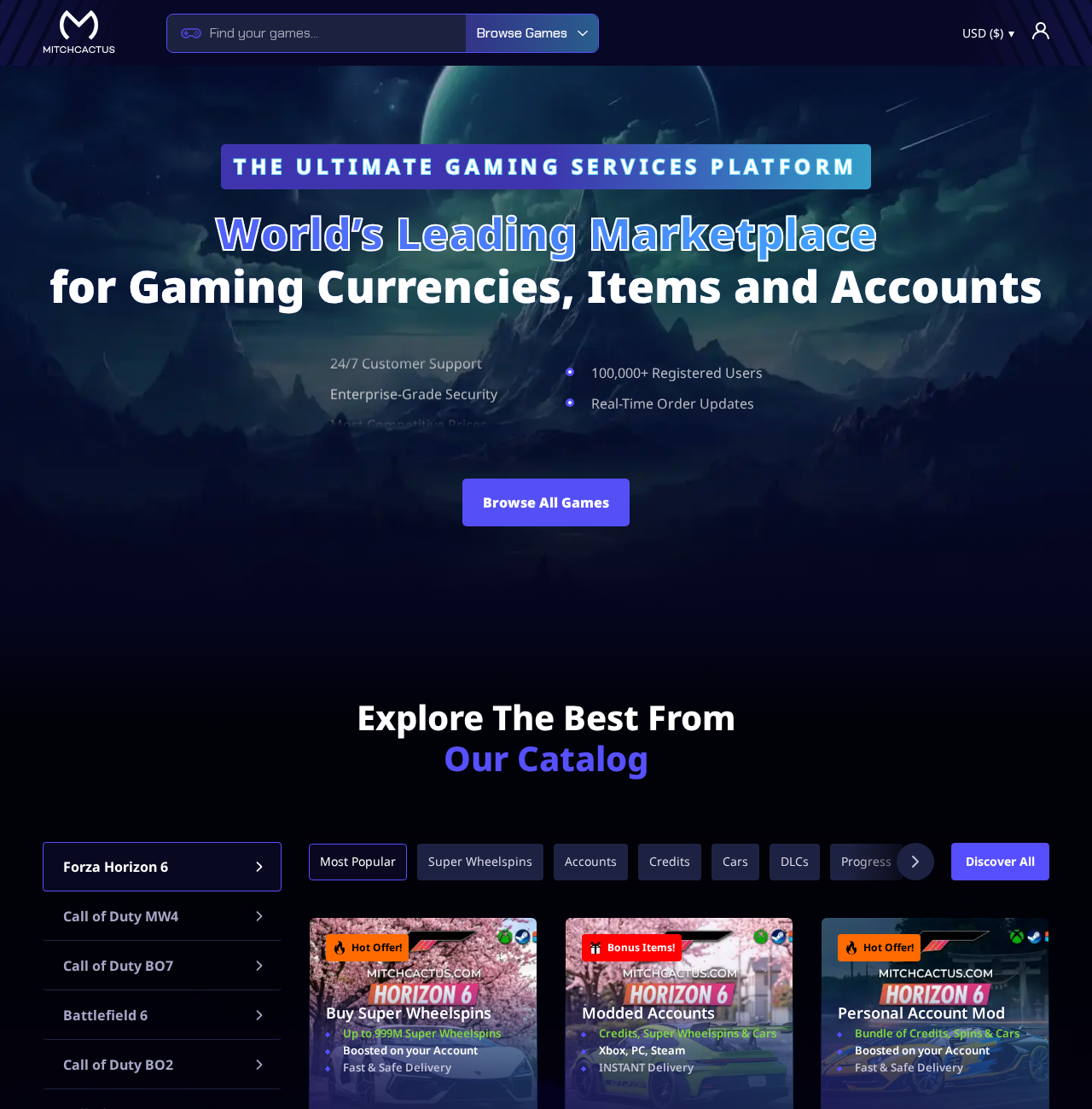
MitchCactus operates a gaming marketplace offering accounts, in-game currency, items, and boosting services. Its catalog includes products involving games such as Forza and Call of Duty.
These purchases differ from buying a game through its official store. You are paying an outside business or marketplace seller for something connected to another company’s platform.
A successful delivery can therefore answer only part of the safety question. The game’s operator still controls account access, permitted transactions, and enforcement.
The important warning comes from the seller itself
The MitchCactus notice describes its products as unofficial and unauthorized, and says the business is not endorsed by the relevant publishers.
It also warns that violating game rules can lead to account suspension, temporary or permanent bans, and removal of in-game content.
That warning matters more than the reassuring language surrounding a product. A marketplace cannot guarantee that a separate publisher will accept what you bought.
The verdict is an account-risk warning, not a non-delivery allegation
There is a concrete reason to be cautious here. Buying an unauthorized service may put an account, existing purchases, and progress at risk.
The evidence does not establish that every MitchCactus order is fraudulent or that all customers receive nothing. Delivery and permission are different issues.
- Check whether the exact item or service is permitted by the game’s publisher.
- Find out whether fulfillment requires access to your personal account.
- Read the ban disclaimer before relying on a money-back promise.
- Identify the marketplace seller responsible for the specific order.
- Do not assume positive reviews protect you against later enforcement.
How the Purchase and Account Risks Develop
Step 1: An attractive shortcut makes the purchase feel simple
The catalog presents familiar gaming rewards in a normal shopping format. Account packages, credits, and boosts appear alongside prices, product images, and delivery claims.
It is easy to focus on what you will gain. Perhaps you want a rare car, more currency, or progress that would otherwise take considerable time.
The missing comparison is what you could lose. Your current account may contain years of progress and purchases worth much more than this single transaction.
A cheap shortcut is not cheap if it jeopardizes that account. Treat account exposure as part of the price, even when the checkout does not mention it.
Step 2: You choose a product with its own delivery requirements
Buying a transferable code, buying an existing account, and commissioning a boost are different transactions. Their risks should not be flattened into one generic safety score.
A product requiring account access creates a different problem from one requiring only a permitted redemption code. Read the individual listing rather than relying on homepage reassurance.
Before paying, establish what will be delivered and how. Ask whether anyone needs your password, recovery information, or an active session to complete the order.
Never supply a recovery code or email password merely because a person calls themselves support. Those credentials can provide control beyond the particular game.
Step 3: The marketplace and the fulfilling seller may have separate roles
The platform terms describe a marketplace involving independent sellers. They identify MitchCactus as a trading name of Cactus Holdings Pty Ltd.
That structure makes the order record important. You need to know who accepted the work, what they promised, and which dispute process applies.
A conversation in a separate chat does not replace those details. Keep the listing and written agreement with the marketplace order, not just a seller’s disappearing messages.
If someone redirects payment outside the marketplace, stop. The protections advertised by the site may not cover a separate arrangement with a person claiming to represent it.
Step 4: Delivery does not settle the game’s permission question
Suppose the ordered currency appears or a purchased account becomes accessible. That confirms a delivery event. It does not establish that the publisher permits the transaction.
The seller’s own notice acknowledges this distinction. It assigns responsibility for following game rules to users and warns about possible account and content consequences.
The relevant rule depends on the game and service. Read the publisher’s actual policy on account transfers, outside currency purchases, unauthorized modifications, and boosting.
Do not accept a seller’s claim that a method is undetectable as permission. Detection and authorization are different questions, and enforcement can occur after a transaction.
Step 5: An account problem can become a dispute between several parties
If a publisher later restricts your account, the marketplace may regard the purchased service as delivered. The publisher may regard the activity as prohibited.
You can then have two separate issues: whether the merchant fulfilled its sales promise and whether the account violated the game’s rules.
A refund from a seller would not automatically restore an account. A publisher appeal would not automatically reimburse a marketplace purchase either.
This is why resolving the permission question before paying is so much safer than trying to unwind a completed service afterward.
Why Safe Delivery and Account Safety Are Not the Same
A security claim has a limited meaning
A site can encrypt its checkout, process payments correctly, and deliver orders while still selling services that expose users to publisher enforcement.
Technical website security concerns the connection and handling of information. It does not certify the legality, authorization, or future availability of a gaming product.
Ask what a safety promise actually covers. Does it mean your payment is processed securely, the order arrives, or your game account will remain usable?
Those are separate promises with different responsible parties. A broad badge should not persuade you to treat them as interchangeable.
Reviews often describe the first few hours
A satisfied customer may accurately report quick delivery and helpful support. That experience says little about what happens after a later update or enforcement review.
Look for reviews addressing the exact service you want, not simply the marketplace name. A code purchase cannot demonstrate that a modded account is safe.
Also distinguish a complaint about delayed delivery from one about account restrictions. Combining them into a single rating hides the decision you actually need to make.
There is no basis here to declare all reviews invented. The practical limitation is that even genuine praise cannot grant permission from the game developer.
A money-back guarantee cannot replace lost progress
Read the refund policy alongside the important notice. The notice specifically disclaims responsibility for consequences arising from violations of the game’s terms.
If a refund covers an undelivered purchase, that does not necessarily cover an account ban after delivery. Get a written answer about the exact circumstance.
Consider a hypothetical $40 service connected to an account containing $300 of legitimate purchases. Returning $40 would still leave the larger account problem unresolved.
That example illustrates the exposure, not a reported MitchCactus loss. Your own account value and publisher rules should guide the decision.
MitchCactus Operator, Sellers, and Account Accountability
The terms identify an Australian company
The legal page names Cactus Holdings Pty Ltd, incorporated in Australia, behind the MitchCactus trading name. That is the operator identified by the platform.
A named business is more useful than an anonymous logo, but registration does not authorize every service offered on a marketplace.
For an actual purchase, retain the invoice identifying the contractual parties. Compare it with the seller name and the business shown in the order confirmation.
An independent seller can matter to your complaint
The marketplace terms describe transactions involving buyers and sellers. Determine whether your complaint concerns the platform, a particular seller, or both.
Ask the platform to identify the seller responsible for a disputed order. Avoid vague conversations where every participant sends you to someone else.
State the precise missing or misrepresented deliverable. A clear order-specific complaint is easier to investigate than an argument about whether the entire website is legitimate.
Support channels should leave an order-linked record
The refund page directs customers to the site’s help process or a Discord ticket. Use channels reached from the real website.
People impersonating support can approach customers in unrelated chats. Do not trust someone simply because their username or avatar copies the brand.
Keep the ticket number and your request in a form you can retain. Do not send full card details or account recovery secrets to obtain assistance.
A marketplace address is not a publisher relationship
This is a digital-services investigation. A warehouse or shipping-origin inquiry would not answer the main risk, because the purchased value exists inside a game.
The relationship that matters is publisher authorization. The notice explicitly says there is no affiliation or endorsement from the developers and publishers concerned.
A seller’s office, company registration, or functioning support team cannot override the publisher’s control over accounts and in-game entitlements.
What to Do if You Ordered or Shared Account Access
- Pause fulfillment if the service has not started.
Ask the seller and platform to stop the order while you check the game’s rules. State that you do not authorize further account activity.
Record whether work has begun. Cancellation may be more difficult once a digital service is completed, so do not leave an unresolved request sitting in chat.
- Secure any account whose credentials you supplied.
Change the game account password through the publisher’s official website. If that password was reused, replace it on the other affected accounts too.
Review active sessions, linked accounts, recovery details, and two-factor authentication. End access you no longer recognize or require, following the publisher’s account-security instructions.
Do not delete relevant messages or purchase records while securing the account. They may explain what access was granted and what activity occurred.
- Compare the listing with the actual result.
Save the product description, delivery promise, payment receipt, and seller conversation. Write a short timeline distinguishing payment, access, delivery, and any later restriction.
If the order was not delivered, say so explicitly. If it was delivered but caused another problem, explain that accurately rather than reporting an unauthorized payment automatically.
- Request the relevant remedy through the platform.
Specify whether you want an unstarted order canceled, an undelivered order refunded, or a misrepresentation complaint reviewed. Include the order number and supporting evidence.
The refund page describes up to 96 business hours after processing. That is not the same as a guaranteed response within 96 hours of your initial request.
Ask when the request was approved and processed. Do not assume an acknowledgment means money has already been returned to the original payment method.
- Deal with publisher enforcement through the publisher.
If an account is restricted, use the official appeal route. Explain the circumstances honestly and supply relevant records where requested.
Do not pay another stranger to remove a ban or conceal prohibited activity. An outside seller cannot guarantee a publisher will reverse its decision.
For an unresolved payment dispute, ask your payment provider about available options and deadlines. Describe the facts truthfully, including anything that was actually delivered.
Frequently Asked Questions
Is MitchCactus a confirmed scam?
This investigation establishes a significant account-risk issue, not blanket non-delivery fraud. The platform’s own notice warns that unofficial purchases can conflict with game rules.
Even a successfully delivered order can leave you exposed to enforcement. For account-sensitive services, that is enough reason to avoid proceeding without publisher permission.
Does a safe-delivery promise mean I cannot be banned?
No. Completing an order and preserving your account are different outcomes. Only the relevant publisher can determine what activity is permitted on its platform.
MitchCactus explicitly warns about possible bans, suspension, and content removal when a purchase breaches the game’s terms.
Are all items on the marketplace equally risky?
No. A permitted redemption code, an account transfer, and a service involving account modification require different checks. Examine the exact product and the publisher’s applicable rules.
Do not use a favorable review of one category as proof that another category is authorized.
Should I give a boosting seller my account password?
Providing credentials gives another party access to your account and can create additional security exposure. Do not supply recovery codes or your email password.
If you already shared access, review the account’s security settings and active sessions through the official publisher or platform.
Will a refund restore my banned account?
A merchant refund does not reverse a publisher’s enforcement decision. Account restoration, when possible, must be handled through the publisher’s official process.
This distinction is particularly important when an account contains purchases and progress worth more than the disputed marketplace order.
What is the safest decision before buying?
Check the publisher’s rules first. If the service requires prohibited account activity or the seller cannot explain its permission, do not buy it.
Use official purchasing and progression routes instead of relying on claims about avoiding detection.
The Bottom Line
MitchCactus offers gaming shortcuts, but its own notice leaves the account consequences with the user. A delivered order is not proof that the publisher approves.
Do not put a valued account at risk for a cheaper upgrade. Establish permission before paying, and secure any access you have already shared.

Join the discussion
0 commentsShare your experience or ask a question about this article.
Discussion
Start the conversation
Have a question or something useful to share? Add the first comment.