


A video in your feed seems to show Princess Leonor offering money to people who need it. The account replies when you ask about the offer.
Soon the conversation turns to one small thing you supposedly have to do first. That request tells you more than the video does.
Overview
The princess isn’t offering money through these profiles
Fake profiles have used videos made to look like Spain’s Princess Leonor to promise financial assistance. The person behind the account asks for money before releasing the supposed aid.
The Princess of Asturias Foundation’s warning is unusually direct. The foundation doesn’t run personal financial aid, project grant, or prize programs of the kind suggested by these messages.
It also says the princess doesn’t offer financial assistance through the foundation. You don’t need to find the original clip or prove how a particular video was made.
The money goes in the opposite direction
The Guardian documented the TikTok impersonation, including videos presented as the princess and a demand for an upfront fee against a much larger promised payment.
When people pay, the demands can continue. A convincing explanation for a second fee still doesn’t establish that the promised transfer ever existed.
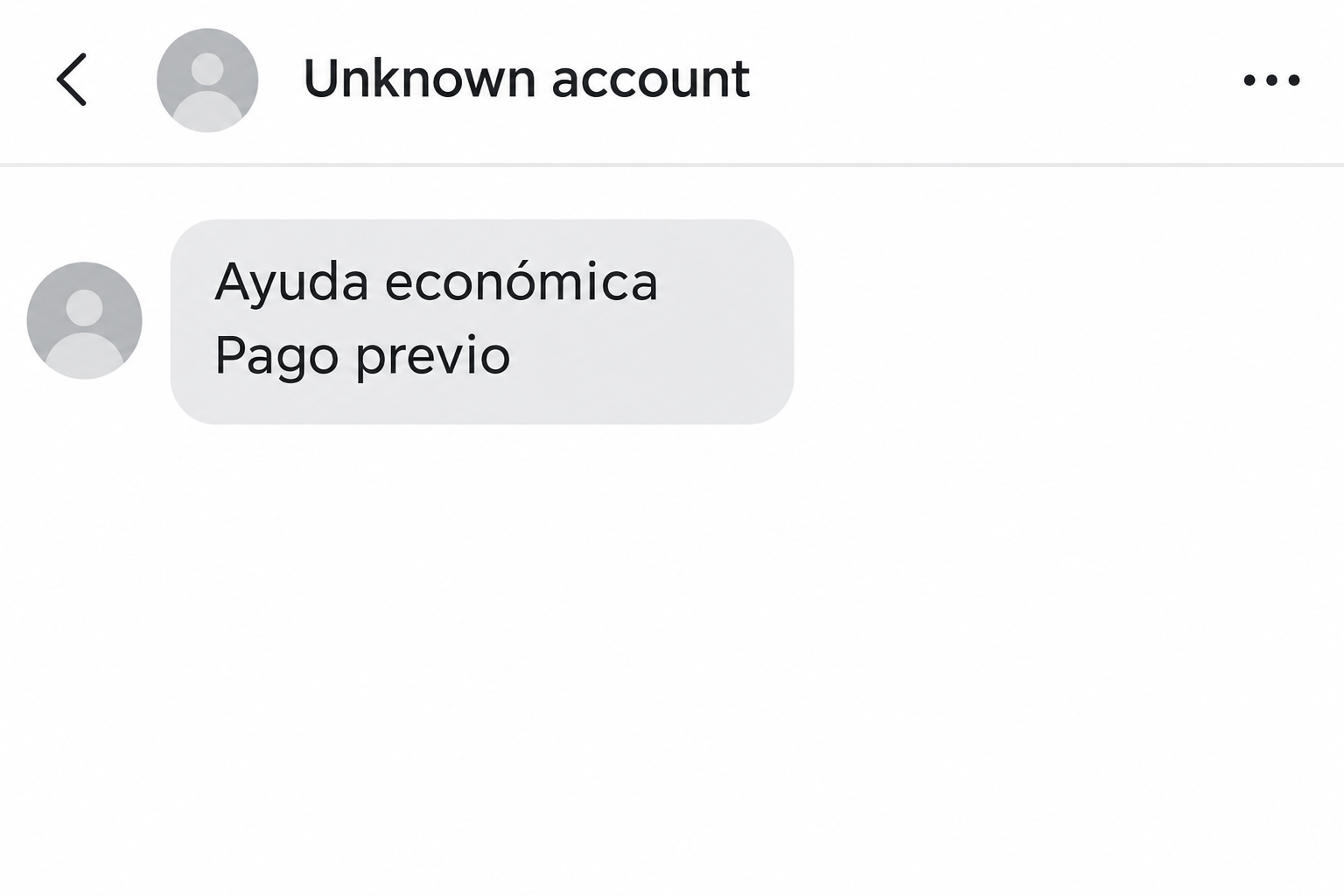
The image above illustrates what the offer and fee can look like in a message. It isn’t a screenshot of an actual account or a quote from the princess.
What a reply from the profile cannot prove
- A recognizable face doesn’t establish who controls the account or whether the offer exists.
- A message using your name doesn’t prove you’ve been selected for any legitimate program.
- A payment receipt proves what you sent, not that the foundation owes you money.
These are different questions, and the official warning answers the one that matters. The foundation says it is not offering the private payout the profile describes.
How the Princess Leonor Grant Scam Works
Step 1: A video creates the impression of a personal offer
The first thing you encounter may be a short clip rather than a request for money. The person’s face appears familiar, and the account presents help as available now.
Recognizing someone is a normal way to make sense of a clip. It doesn’t tell you who made that clip, who posted it, or whether they were authorized.
A video can use generated material, an altered clip, or images taken out of context. The reporting identified AI-made videos in this campaign, not every copy on every feed.
Step 2: The account makes the offer feel like it was meant for you
You might ask whether the assistance is available in your country or whether the offer is still open. A reply can make an anonymous post feel personal.
The account may refer to the amount shown in the video or address you by name. Both details could come from the public post or your own message.
It’s worth separating attention from eligibility. Getting an answer is not the same as applying to an existing program with published rules.
Step 3: A fee appears just before the promised transfer
The payment request is the point where the direction of the money changes. Instead of receiving help, you’re asked to send something to someone you can’t verify.
A small fee may seem affordable next to the promised sum. That comparison is misleading because the larger amount hasn’t been verified or set aside for you.
Whether the account calls the fee administrative or asks you to confirm a payment another way, the foundation’s statement still applies. The organization isn’t running the program described.
Step 4: Another payment can follow the first one
Giving up after paying can feel like giving up on the aid as well. A new charge plays on the hope that the first payment will still count.
You don’t owe another payment to look after the money you already sent. Your bank or payment provider is where a real recovery inquiry belongs.
A scammer can keep writing after you’ve asked for a refund. That is not evidence of a working payout or an official dispute process.
What to Check Instead of Inspecting Every Video Frame
Verify the program rather than the face
Look for published program rules on the organization’s own site. Those rules need to identify who is eligible, how to apply, and who issues payment.
For this particular case, you don’t need to check whether the clip has a visual glitch. The foundation’s warning directly contradicts the offer.
Don’t ask the account to send a new video to prove itself. Even a fresh-looking reply would not create an aid program the organization says it doesn’t run.
Treat language and location as separate clues
A Spanish-language clip can reach people well outside Spain. The language of the caption doesn’t tell you where the sender is or whether anyone there oversees the payment.
Likewise, a country code or local-looking payment method is not a reliable identity check. It only tells you something about the contact or payment route you were given.
If someone uses a translated name for the foundation, search for the official organization independently. Do not follow a link to a supposed regional office from the profile.
Find actual assistance through your own route
If you need financial help, start with the public agency or recognized community organization responsible for your area. Check their current eligibility and application instructions.
Do that in a separate browser tab or by calling a known number. You don’t have to share why you need help with anyone in the suspicious chat.
If you’re helping someone else apply, let them choose which private documents are shared and with whom. A genuine application shouldn’t begin with a stranger setting a payment deadline.
Three Details That Can Make the Offer Look More Convincing
A public title sounds like a private endorsement
The title Princess of Asturias is real, and so is the foundation. Neither fact tells you that a profile can distribute money on the princess’s behalf.
A public award or charitable event isn’t evidence of a grant for individual viewers. Check what an organization actually describes, not what an account claims it means.
When a friend’s repost points to the same profile, treat it as a repost. Your friend may have shared it because it sounded helpful, not because they verified anything.
A screenshot of a payout may be unrelated
An account could show a transfer image or a comment from someone who says they received money. You don’t know whose transaction it represents or whether it is genuine.
Even proof that the account paid somebody else wouldn’t establish that the foundation is involved. A screenshot doesn’t override a statement from the organization itself.
Look for independent information about the program, not another image supplied by the same contact. The same rule applies when a second account appears to confirm the story.
A request can change after you respond
The first conversation can stay on a social platform, while a later payment request might arrive in a different messaging app. Moving the conversation doesn’t add authority.
If you already shared a way to contact you, an unexpected follow-up could refer to the previous exchange.
That shows familiarity with the conversation, not that someone reviewed a real claim.
Keep the account name and message history before you block it. Don’t keep an open conversation simply because you want a better explanation for what happened.
How to Help Someone Who Still Thinks the Grant Is Real
Start with what they were told they would get, what they were asked to give, and whether anything already went through.
Let them tell the story in their own words.
Open the foundation’s warning together and go to the part about private financial assistance. That statement is more useful than pointing out a strange blink in the video.
If the account has sent instructions in a language they don’t read confidently, help them translate the request without replying.
Focus on whether it asks for a transfer or documents.
Keep loose screenshots separate from payment records. One shows what the account said; the other lets the bank see which transfer needs attention.
If someone is waiting for the money to pay a real bill, separate that problem from the fraud report. The provider they actually owe may offer different options.
Making that call separately gives them something useful to do without negotiating with the fake account. Avoid promising that a report will immediately recover the money.
When the First Payment Crosses a Border
If you used a transfer company rather than your bank, use its verified support channel first. Keep the transaction receipt and the destination country shown on it.
Tell the provider if the payment is still pending. Ask what it can do now and what it needs from you, rather than waiting for the contact to answer.
If the receipt lists one recipient and the profile presents a different identity, report both as separate facts. Don’t assume either name identifies everyone involved.
Keep amounts in the currencies you actually used. The promised grant and the money you sent may be quoted in different currencies, and that can confuse a report.
Even if you never lost money, a clear account of the attempt can help the platform understand why it’s impersonation. Include the fee request rather than only the username.
Someone who has already shared documents should not send them again to a stranger claiming to be processing the complaint. Ask the real provider where evidence should go.
If you approached an official agency for assistance separately, tell it about any risk involving documents from that application. Don’t assume the scammer has access to the genuine case.
A message impersonating an application service may be a separate issue. Keep any valid application number private and use only the agency’s published contact route.
What to Do if You Have Fallen Victim to This Scam
-
End the conversation and keep what you already have.
Save the profile name, the date, the post if still visible, and the messages showing the assistance claim and any fee. Don’t click a new link to collect evidence.
If a family member is involved, offer to sit with them while they save the record. Embarrassment can make someone delete the most useful payment details.
-
Contact the company that actually handled your payment.
Use your bank or provider’s own app or saved contact details. Give them the amount, date, payment reference and recipient, and describe the impersonation.
Ask whether the payment can be stopped, recalled, or disputed. A reimbursement isn’t guaranteed, and the right process depends on how and where you paid.
-
Tell the provider whether you also shared a code.
There is a difference between transferring money yourself and giving someone access to your account. If you shared a banking password or approval code, say so straightaway.
Check recent account activity from a trusted device. Follow the provider’s advice about resetting access or replacing a card rather than using instructions from the message.
-
Limit the damage if you sent identity documents.
Write down which files and details the person received. If you sent ID, contact the issuing authority or your local fraud service for case-specific advice.
If you reused a password on any site the sender suggested, change it on the genuine service. Start with accounts that control password resets for other services.
-
Report the profile and the payment separately.
Use the platform’s reporting controls for the account and post. If the conversation moved elsewhere, preserve that account name and message history too.
Report the suspected fraud through the appropriate service for your location. A platform report can help address the account, but it doesn’t start a bank dispute.
-
Don’t pay a second stranger to recover the first fee.
A new account may say it works for the foundation, the payment company, or an investigator. Start with the channel you already opened with your real provider.
Give accurate details privately if investigators ask for them. Avoid posting your ID, card number, or complete transaction record in a public warning.
Frequently Asked Questions
Does Princess Leonor send personal grants on TikTok?
The foundation says it offers no such financial assistance to individuals, and that claims of help through it on the princess’s behalf are false.
Does a clear video prove the account is official?
A clear video can still contain generated or edited material. More importantly, it doesn’t prove the program exists or that the sender can approve a payment.
What if the account calls the fee refundable?
A promise to return the fee is still a promise from the same unverified account. Don’t send a payment to test whether that promise is real.
Can the fee come out of the grant instead?
There is no verified grant to deduct it from. Negotiating the fee keeps you in the sender’s story without giving you any independent evidence.
Is watching a video enough to give them my bank details?
Watching doesn’t hand over your payment information. Focus on whether you opened another site, entered information, approved a payment, or sent documents in the conversation.
What if someone I know reposted the video?
Let them know the foundation has warned about these claims. Send them the official statement, not another copy of the fraudulent video or its payment instructions.
The Bottom Line
Don’t send a fee for the supposed Princess Leonor grant. The foundation says it doesn’t offer the personal payments these accounts promise.
If you already paid or shared banking information, contact the real provider now and preserve the conversation. Look for legitimate assistance separately, through an organization you can verify.

Join the discussion
0 commentsShare your experience or ask a question about this article.
Community experiences
Did this happen to you?
Your experience could help someone recognize the same scam. Submit a private report for our team to review.
I experienced this tooReports are reviewed before publication. Sharing publicly is always your choice.
Discussion
Start the conversation
Have a question or something useful to share? Add the first comment.