


You are trying to finish something ordinary: check a parcel, pay for parking, or read a document. A square code appears to offer the quickest way forward.
QR code scams take advantage of that small convenience. Before continuing, it helps to understand what the code actually does and what it cannot tell you.
Overview
The code is a shortcut, not a certificate of trust
A QR code can carry an address or other information in a form your device reads. Its neat black-and-white appearance does not identify the person who created it.
When a scammer puts an unsafe destination behind that shortcut, the code can take you toward a counterfeit login, misleading payment request, or unwanted download.
The FTC’s QR scam warning describes codes used in unexpected messages and replacement stickers placed over legitimate parking codes.
The trick is not that every square contains malware. It is that the square can hide the destination until a busy reader is already preparing to continue.
A normal location can make an abnormal request feel routine
You may expect a code on a notice, restaurant menu, or delivery message. That expectation can carry over to a request you would otherwise question.
A parcel update might suddenly want a card. A document might ask for your mailbox password. The familiar starting point does not explain those changes.
Look at what happens after the shortcut, especially when it asks you to:
- Sign in to an account to read an unexpected message.
- Pay a charge you cannot verify through the actual organization.
- Confirm a payment recipient that does not match the intended business.
- Install an unfamiliar application to complete a simple task.
- Give permission for access unrelated to the promised service.
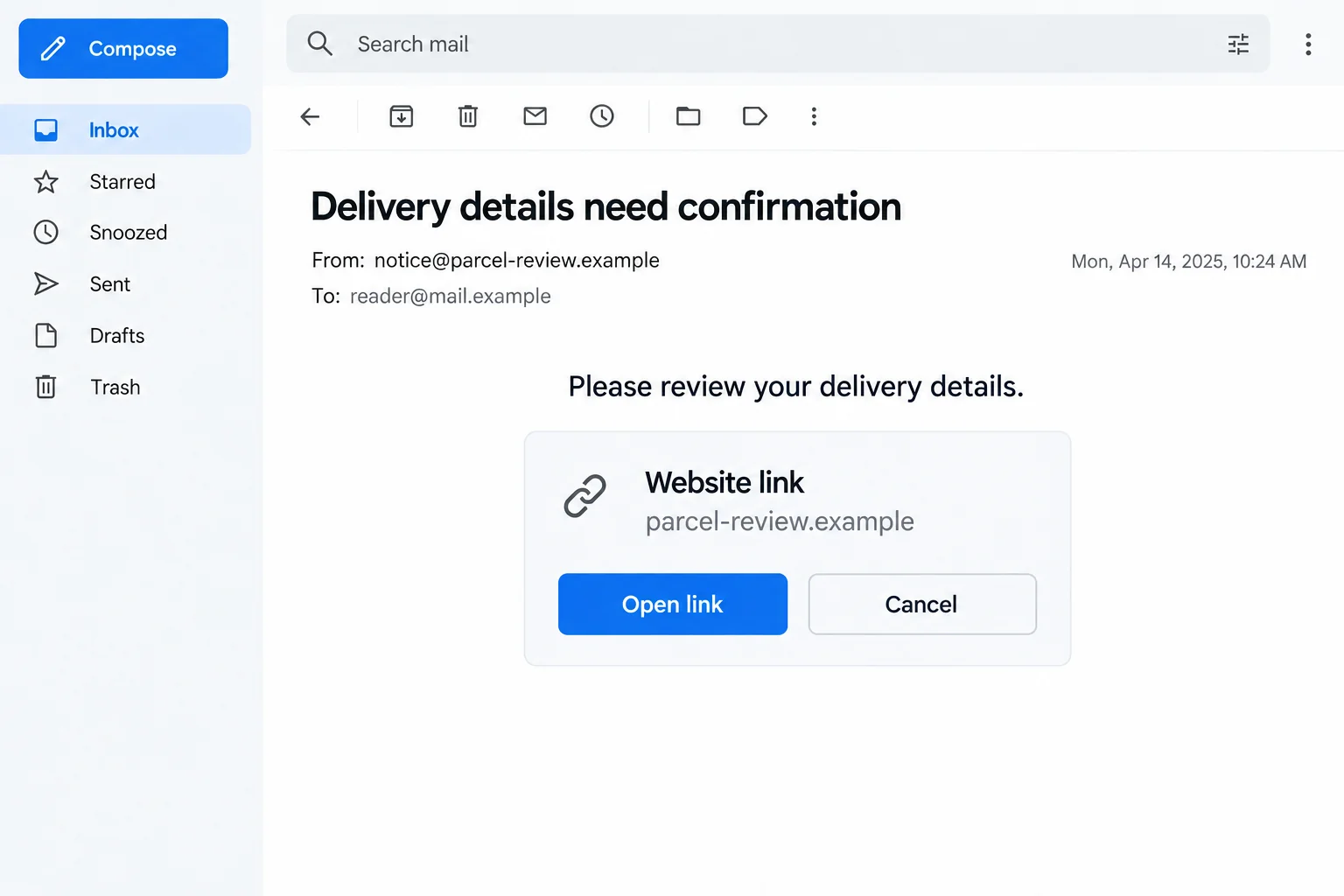
The illustration shows an invented email and address preview, not a working code or captured attack. Its fictional details do not identify a real courier.
Your next action determines the useful response
You may have done nothing more than preview an address. Or you may have entered a password, paid, or installed something. Start with that distinction.
If your camera only displayed an address, you may still be outside the destination. Dismiss it rather than continuing just to find out whether it looks suspicious.
If you already entered information, respond to that exposure. A frightening description of QR scams is less useful than knowing which account or payment needs attention.
Where the Shortcut Stops Being Helpful
The move from one screen to another can hide the change
An email on a computer may ask you to scan its code with another device. That can feel practical, particularly when a document seems easier to open that way.
On the new screen, the sender’s address may be out of sight. Before signing in, ask whether the original task really required a second device.
Keep the original task in mind. Reading a delivery update should not require you to approve a completely unrelated account action.
When the instructions get more complicated, stop following them. You can open the relevant service independently rather than completing a chain the message designed for you.
A real business can have a replaced code
The existence of a genuine car park or restaurant does not authenticate every sticker nearby. A replacement can borrow the trust created by its surroundings.
If a label covers another label, looks out of place, or leads to an unfamiliar recipient, ask the operator before paying. Do not peel anything off yourself.
You can also use a payment method confirmed through the operator’s own service. An address printed beside a suspicious sticker deserves the same independent check.
A successful payment to the wrong recipient may leave the intended bill unpaid. Check who receives the money, not only whether a receipt appears afterward.
Unexpected packages can introduce another reason to scan
A note may promise to identify a gift’s sender or explain a return. Curiosity supplies the reason to open a destination you did not choose.
The FTC has separately warned about QR codes in unexpected packages. Its warning concerns the information request behind the code, not proof that every unexplained parcel is dangerous.
Ask someone you know might have sent the item through your normal conversation. A stranger’s note should not become permission to share your card or account password.
How QR Code Scams Work
Step 1: A familiar task creates a reason to use the code
The approach begins with something the reader wants to finish. It might be a supposed delivery problem, an account warning, a payment, or access to a file.
The sender does not need a complicated story if the task already feels plausible. A short instruction can be enough when you are expecting several deliveries.
Check whether the task itself exists. Find the actual order, account notice, or service before accepting the code as its required next step.
Step 2: The square delays scrutiny of the destination
A written address gives you text to inspect immediately. A code asks you to decode it first, which can shift attention from identity to convenience.
Your device may preview an address or offer another action. Treat that preview as information to evaluate, not a recommendation from the camera.
Look beyond a recognizable word. In an address such as account-review.example, the reassuring label says nothing about a real company’s ownership.
If you cannot read the complete destination comfortably, do not open it. Use the organization’s established app, bookmark, or published website instead.
Step 3: The destination makes the original story look official
A website can repeat the same logo and wording as the message. Two matching surfaces are not independent evidence when the same person could have created both.
Some versions may present a sign-in page, while others request a payment or personal details. Their appearance does not establish a connection to your actual account.
HTTPS protects a connection to a site. It does not promise that the operator is the organization named in the heading.
Do not submit fake details as a test. That can prolong the interaction without answering the question you need settled: who is entitled to receive your information?
Step 4: The requested action moves the risk beyond the scan
Typing a password can expose that password to a counterfeit form. Sending a payment can move money to a recipient you did not intend to pay.
A download or permission request creates a different concern. Read the request itself rather than accepting the page’s claim that it is necessary to view a document.
If a real banking or account notification appears, check what it says you are approving. A code-led page may describe the action very differently.
You can refuse at any stage. Having scanned a code does not oblige you to finish the next form or approve the next notification.
Step 5: A reassuring ending can obscure unfinished exposure
The page may show a receipt, an error, or a return to a familiar website. None of those endings explains what happened to information entered earlier.
Check the intended account or payment independently. A genuine service should be able to clarify its own records without sending you back through the unfamiliar code.
For recovery, describe the actions in order. That is more useful to your bank or account provider than simply saying that you scanned something dangerous.
Check the Request Without Returning to the Code
Find the task inside the service you already use
For a parcel, open the courier or retailer account directly. For a financial account, use the app you normally use rather than a shortcut supplied in the message.
Compare the actual issue, not just the brand. A real pending delivery does not confirm that a separate request for an extra fee belongs to it.
If the code relates to a place you are visiting, ask staff about the correct process. Do not give your card to a website simply because the sign looks familiar.
Inspect the recipient and the reason for payment
Before authorizing money, check the amount, recipient, and underlying bill. A code that opens a working payment service can still point to the wrong account.
When details disagree, pause and ask the intended business through a different channel. Do not let the suspicious page’s chat agent explain away every discrepancy.
If you already paid, retain both the payment record and the original request. The payment provider may need to distinguish the actual recipient from the organization being impersonated.
Do not add another unfamiliar tool just to inspect the first link
A stranger may recommend a special scanner, viewer, or security app. Installing it can create another decision requiring trust, without authenticating the original message.
Use the tools already available on your device when appropriate, or simply choose independent navigation. You do not need to visit every suspicious address to reject its request.
Keep devices and browsers updated. Security protections matter, but no scanner result can replace checking whether the transaction or account action makes sense.
What to Do if You Have Fallen Victim to This Scam
-
Stop at the stage you have reached. Dismiss the preview or close the destination. Do not complete another step to see whether the process eventually becomes genuine.
Record whether you opened a page, typed information, approved a notification, downloaded a file, or paid. Include the service the page claimed to represent.
A camera preview alone does not establish a stolen account. Avoid turning uncertainty into unnecessary resets or purchases of supposed emergency protection.
-
Protect any account credentials you entered. Reach the real account through an independently opened route and replace the exposed password with a unique one.
Review recent access, recovery details, and available sign-in protection. Tell the provider if you also approved a prompt or shared a one-time code.
Check other accounts using the same password. Give particular attention to the mailbox receiving password resets, while keeping actual passwords out of your incident notes.
-
Contact the financial provider about money or card exposure. Explain whether you entered card details, made a transfer, or approved a payment you now question.
Ask about card protection, unfamiliar transactions, and any available attempt to stop or recover the payment. Keep its reference and follow-up instructions.
The FTC outlines recovery routes by payment method. Speed can matter, but no article or report guarantees a reversal.
-
Deal with downloads or granted access separately. Do not open an unexpected file or keep using an application supplied by the suspicious page.
If software was installed or access was allowed, obtain help from a trusted provider. Use a different trusted device for sensitive recovery if the affected device may be unsafe.
Malwarebytes can assist with finding malicious software. AdGuard can reduce unwanted advertising and some harmful destinations; neither can recover money or validate a payment recipient.
-
Notify the real organization whose task was impersonated. A retailer, parking operator, workplace IT team, or account provider can check its own records and reporting process.
If a public code appears altered, tell the operator where you found it. Keep a photo only if safe, and avoid publishing a usable suspicious destination.
At work, report the original message through the established security channel. Do not send a credential-bearing screenshot to a mailing list while trying to warn colleagues.
-
Seek identity guidance when the information warrants it. A supplied identity document or Social Security number needs a more specific response than an ordinary delivery email address.
IdentityTheft.gov can help you work through the relevant protective steps. Describe actual information shared and any account misuse discovered.
Monitor the accounts connected to the request. An unrelated marketing message afterward is not, by itself, proof of identity theft or proof of who created the code.
-
Keep the report and the real bill separate. Report attempted fraud through ReportFraud.ftc.gov where applicable, and retain your provider conversations.
If you meant to pay a legitimate operator, ask whether its bill remains outstanding. Paying an impostor may not have satisfied the original charge.
Reject anyone offering guaranteed recovery for another fee. Continue with verified contacts rather than a new code, caller, or private message promising to undo the first incident.
Frequently Asked Questions
Can I identify a scam from the QR pattern itself?
Not reliably. The pattern does not certify its creator. Check the destination, the reason for the request, and the intended recipient before continuing.
Does scanning a QR code automatically empty my bank account?
No. Distinguish a preview from opening a destination, disclosing information, installing software, or approving money. Your response should address the actions that actually occurred.
Is a code on a genuine business sign always safe?
No. A code can be replaced or misused. Ask the operator when the label, destination, or payment recipient does not fit.
Can HTTPS prove the code opened the official website?
It cannot. Encryption does not establish brand ownership. Open the relevant organization’s service independently to verify the issue.
Should I scan an unexpected code to learn who sent a gift?
Do not rely on that shortcut. Ask a likely sender through your existing contact and avoid providing account or payment details to identify an unfamiliar package.
What if I paid and received a receipt?
Check who received the payment and whether the intended business recognizes it. Keep the receipt and contact your provider about any suspected misdirection.
The Bottom Line
Do not let QR code scams turn a convenient shortcut into permission to sign in, pay, or install something. Verify the destination and task independently.
If you already continued, work from what you shared or approved. Protect the affected account, contact the payment provider when needed, and report the imitation through genuine channels.

Join the discussion
0 commentsShare your experience or ask a question about this article.
Discussion
Start the conversation
Have a question or something useful to share? Add the first comment.