


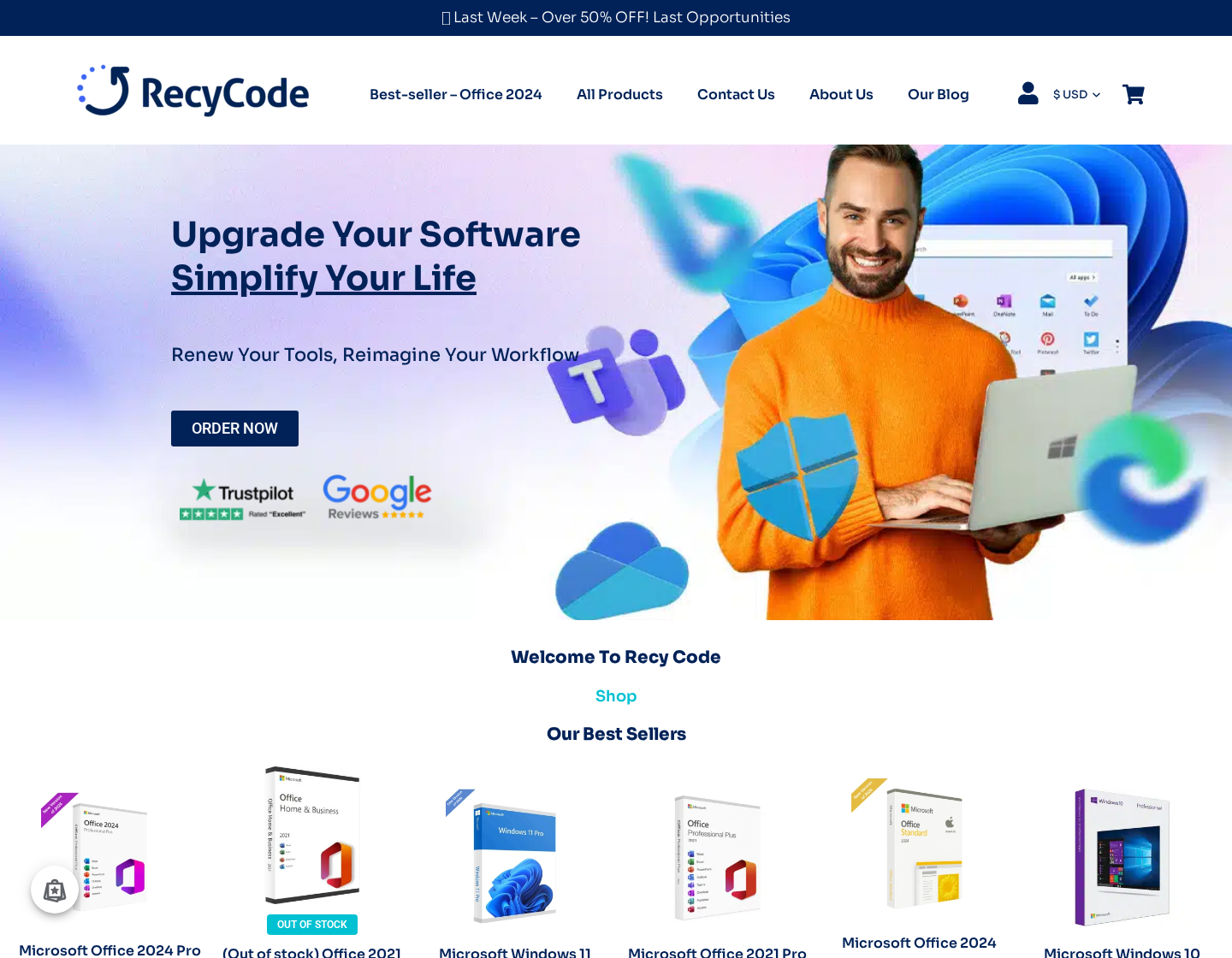
RecyCode advertises Microsoft Office 2024 Professional Plus as a lifetime license for one Windows PC. Its product page showed US$14.99 when we captured the offer.
Before paying, find out where that license comes from and how you would prove your entitlement if the emailed key fails or the seller refuses a refund.
Overview
The download and the license are different things
The listing offers a key by email and a link to download Office. Receiving a download link does not tell you where the license originated or who can use it.
Microsoft puts Office LTSC Professional Plus 2024 in its commercial licensing guidance. The important question is how this specific sale gives you the right to use the edition advertised.
Check the price, device limit and refund terms together
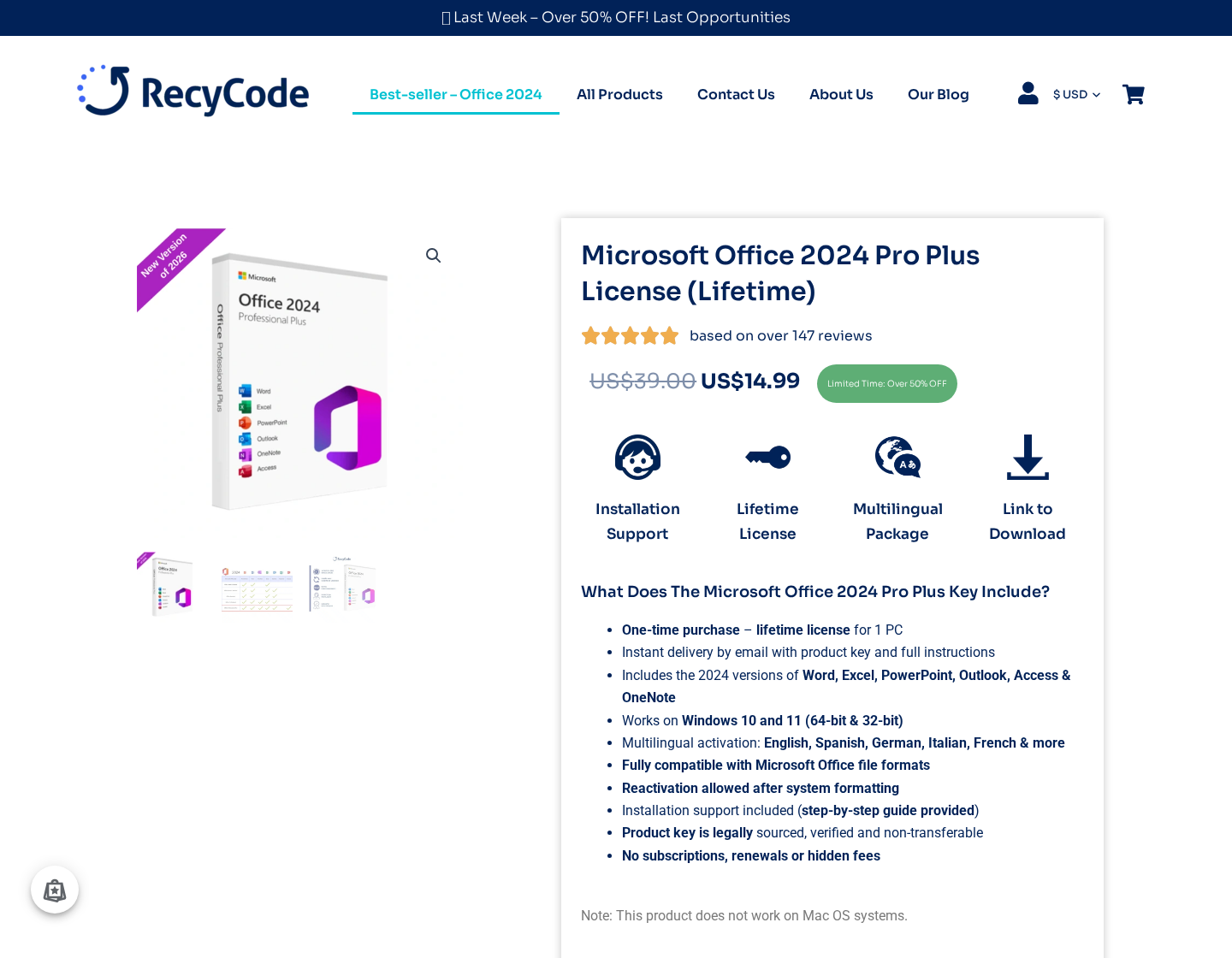
RecyCode presented the product as a one-time purchase, not a subscription. It described the key as non-transferable while also advertising reactivation after formatting the same machine.
- The screenshot shows US$14.99 against a crossed-out US$39.00 and a limited-time promotion. Use the amount on your own order when discussing a refund.
- The listing says one Windows PC and explicitly excludes macOS. Someone shopping for a Mac should not expect the Windows key to cover a Mac edition.
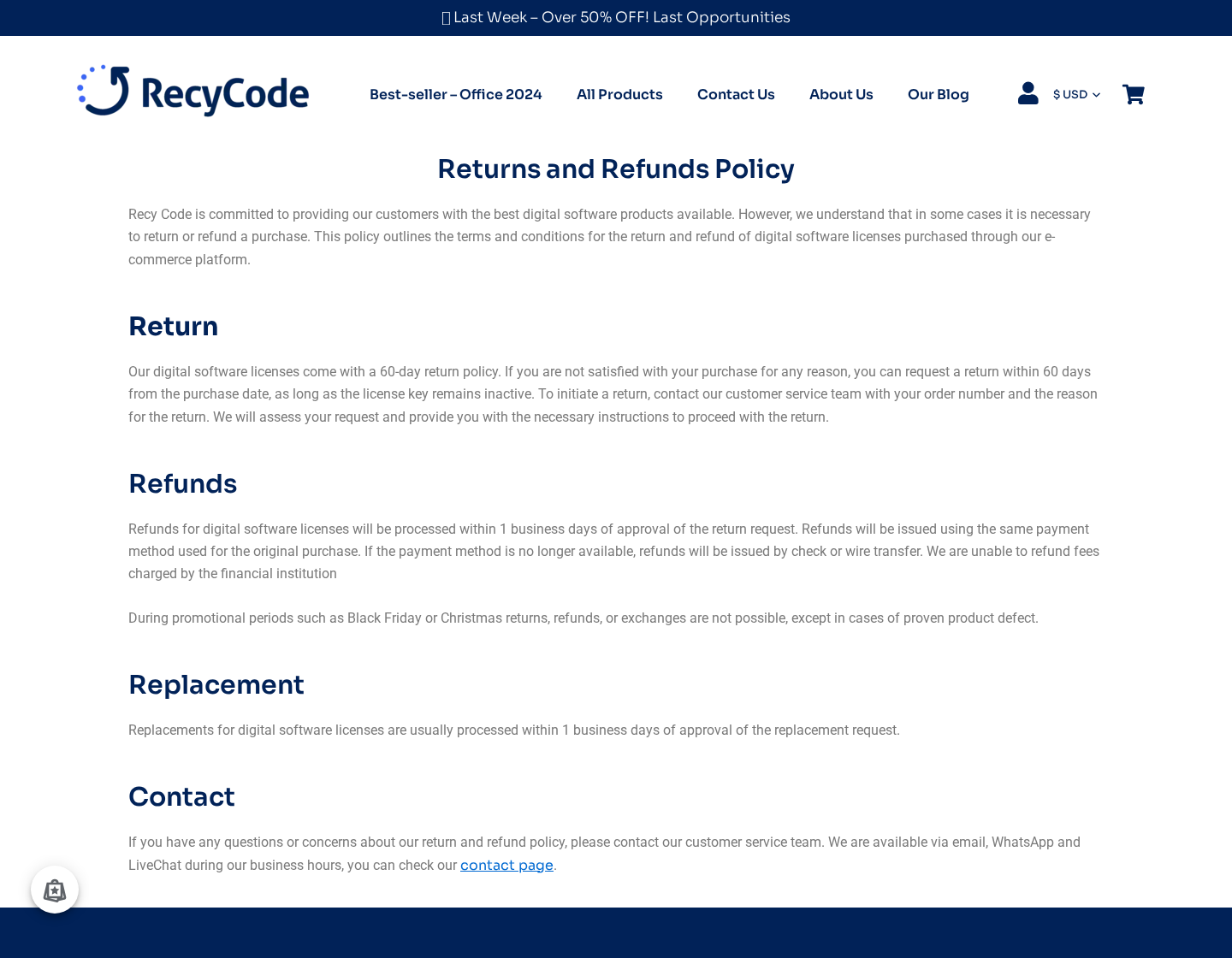
- The returns page advertises 60 days for inactive keys, but restricts returns, refunds and exchanges during promotions unless a product defect is proven.
Lifetime does not mean software support for life
A perpetual license is different from a commitment to keep patching a release. Microsoft lists October 9, 2029 as the retirement date for Office LTSC 2024.
We did not order or activate a key. The listing leaves enough uncertainty about license entitlement and refunds that we would not recommend buying it without written answers.
How the RecyCode Office Offer Works
Step 1: Check the exact edition instead of the Office logo
The product is labeled Microsoft Office 2024 Pro Plus, rather than Office Home 2024 or Office Home and Business 2024. Those names are not interchangeable at activation.
Consult Microsoft’s Office LTSC licensing guidance to see where Professional Plus belongs. Its commercial licensing terms identify editions and the relationship between a license and the device using it.
If you need Office for a household, compare editions in Microsoft’s Office 2024 FAQ. Look at the applications you actually use instead of matching the seller’s product name.
For example, check whether you really need Access or Outlook before paying for an edition advertised with both. You may need fewer applications than the software box graphic suggests.
Step 2: Ask what documentation comes with the key
The words legally sourced appear in RecyCode’s product description. The visible offer does not show an original license record tying the advertised right of use to a particular buyer.
Ask the seller to identify the license channel and what documents come with the invoice. A screenshot showing that a different customer activated Office will not answer either question.
Also ask whether the key is intended for ordinary account redemption or a commercial deployment. If the seller cannot explain which it is, do not try both by guessing.
When software is for a business, your organization may need proof of entitlement beyond an email containing a code. Ask the person responsible for software purchases what records they require.
Step 3: Read the refund exception before trying the key
RecyCode says customers can request a return within 60 days from purchase while the key remains inactive. It asks for the order number and reason for the request.
The policy separately excludes returns, refunds and exchanges during promotional periods unless a product defect is proven. It uses Black Friday and Christmas as examples, not necessarily an exhaustive list.
That is worth resolving before buying from a listing displaying a limited-time discount. Asking what applies to this order is more useful than asking whether the store generally accepts returns.
Ask whether an already-redeemed, blocked or mismatched key counts as a defect and what evidence support accepts. Save the reply alongside the purchase terms before the page changes.
Who Is Selling the License and Who Handles Activation?
RecyCode makes the offer, while Microsoft documents the product
The storefront names RecyCode as the seller and offers installation support. Microsoft is the software developer, and its name on the product illustration does not identify the merchant.
Save the seller name on the invoice and the payment descriptor. You need to know who received your payment before deciding where to send a billing complaint.
Microsoft support can help identify a product or diagnose an activation error. That does not make Microsoft responsible for the reseller’s refund promise or capable of canceling its transaction.
The stated device limit matters after a hardware change
RecyCode says the license is for one PC and that reactivation is allowed after formatting. The same product page describes the key as non-transferable.
Formatting the same computer is not the same as replacing it. Ask whether a motherboard replacement or migration to another Windows PC would affect the advertised entitlement and support.
If you replace computers frequently, price the offer accordingly. A cheaper license that cannot follow your next machine may not be the cheapest option over the time you use Office.
A successful activation is not a complete license audit
Activation tells you about the status of the particular installation. It does not by itself identify the sales channel or establish that the supplier could transfer the license.
Microsoft’s genuine software shopping guidance explains why product keys and proof of a legitimate purchase should not be treated as synonymous. Keep the invoice and any accompanying entitlement records.
That does not establish that this seller’s keys are stolen or counterfeit. It does identify a gap between what the listing advertises and what an outside buyer can verify.
Refund processing is measured after approval
The policy says refunds are processed within one business day of approval and typically go back to the original payment method. That language gives no approval time.
It describes a similar processing estimate for approved replacements. If the first key fails, ask whether a replacement changes any deadline and whether the original request remains open.
Do not mistake an offer to issue another key for a refund. If you are asking for your money back, use those words and ask for a written decision.
Make Sense of an Office Activation Error
Write down the whole error message and the exact product named on the receipt. An invalid key, a previously redeemed key and the wrong installed edition require different follow-up.
Open an installed Office application and look under File and Account for its product information. Save the edition name without showing your account address or private organization information.
Compare the installed edition with the invoice. Someone who opens the Microsoft 365 trial already on a new PC may not be testing the Office edition they just bought.
Check Microsoft’s guide to Office product keys for the redemption method that applies to your product. A consumer redemption page is not a universal activation test for commercial editions.
If the code is rejected, use Microsoft’s invalid-key guidance to check the typed characters and product mismatch. Get the support case number if you ask Microsoft to review it.
Before installing anything, check that it comes from Microsoft or your authorized organization. A link described in a sales email as official is not proof of its destination.
Do not run an unofficial activator, disable security software or hand over remote access to make a key work. A discount code does not justify giving anyone control of Windows.
For an office laptop, go to your authorized administrator before changing installed software or account details. Your organization may already supply an edition with its own activation process.
If the seller says to keep retrying, ask what it expects to change. Capture the result of any authorized troubleshooting so the request is not stuck in a loop.
Compare What You Actually Need From Office
Start with the files you use rather than the number of apps pictured. Someone who only needs basic editing and sharing might be comfortable using the browser versions.
Someone who relies on Access databases, macros or particular Outlook features should check the relevant edition before switching. A free alternative will not match every desktop feature or file workflow.
If you want an outright purchase, compare Microsoft’s current consumer editions with the seller’s advertised product. Check the device limit, included applications and whether your use is personal or commercial.
If you need security updates for several years, bookmark Microsoft’s Office LTSC 2024 lifecycle page. A program remaining installed after retirement does not mean it continues receiving Microsoft support.
Check whether your employer or school already provides Office and what happens after you leave. An account benefit can be useful without being equivalent to a license you own.
For a low-price offer, compare the cheapest acceptable alternative with the cost of resolving one failed activation. That includes time spent before work, school or an urgent document deadline.
If the seller offers several versions, keep the supported operating system and edition beside the purchase price. Low prices are irrelevant when the downloaded software cannot run on your device.
Work backward from your next computer upgrade. If the current PC is near replacement, a license tied to that machine may only solve a short-term problem.
For shared family computers, check the license before assuming a single key covers several devices. One account across two computers does not make them one device.
For a used computer advertised with Office already installed, check what proof transfers at sale. Opening Word successfully on the seller’s desktop is not the same as receiving that proof.
If you need Office for a particular project, test your files with the edition you plan to use. Confirm printing, macros and document layout before relying on it for submission.
Keep any license records separate from the computer itself. If Windows has to be reinstalled, the order email and entitlement document can help you retrace the legitimate setup process.
What to Do If the RecyCode Key Does Not Work
- Keep the invoice, delivery email and listing you used. Do not post the full key, account information or complete payment details in a review.
- Record your installed edition and Microsoft’s exact error. Keep a private screenshot that does not reveal the complete key or the email address you use to sign in.
- Notify RecyCode promptly in writing and ask it to identify the license type. State whether you are requesting a valid replacement or a refund.
- If the merchant invokes its promotion exclusion, ask what evidence it needs to evaluate a product defect. Provide the error and order number through the seller’s verified support route.
- Ask your payment provider how it classifies the dispute and what deadlines apply. Explain whether the key was not delivered or arrived but was rejected.
- Keep a timeline of replies so you can show when you reported the problem. Do not assume an unanswered support request pauses the card provider’s deadline.
If a refund is approved, review the account you paid from and compare the posted amount with the receipt. The merchant’s processing timeline and the bank’s posting timeline can differ.
If an unsolicited caller offers to fix Office, end the call and contact support independently. Nobody needs your card security code to investigate an activation error.
If you already gave someone remote access or ran an unidentified download, describe that separately to your IT support. The device exposure is not resolved by replacing an Office key.
Frequently Asked Questions
Is RecyCode verified as an authorized Microsoft seller?
We did not verify that status. The storefront calls its keys legally sourced, but that assertion is not independent documentation that a particular buyer is licensed.
Does the Office 2024 Pro Plus listing require monthly payments?
RecyCode advertises one payment for one PC, without renewals. Check the final total and invoice rather than assuming the same terms apply to another product.
Can I use this particular offer on my Mac?
No, the listing explicitly excludes macOS. Look for an edition that supports Mac rather than trying to make a Windows key work with a different application.
What does lifetime mean if Microsoft support ends in 2029?
The word describes the advertised license duration, not how long Microsoft will support the software. It also does not promise that the seller supplies future major Office releases.
Can RecyCode refuse a refund on a promotional purchase?
Its written policy says promotional periods restrict refunds except for a proven product defect. Ask how the store applies that clause and check the protections available through your payment provider.
Should I buy another key when the first one is rejected?
Diagnose the edition mismatch or activation message first. Paying again could leave you with the same problem and make it harder to document which order failed.
The Bottom Line
We would skip this RecyCode offer unless the seller can explain the license channel, document what you receive and say how it handles failed activation in a promotion.
If you already paid, preserve the evidence and raise the activation problem promptly. Do not try an unofficial download or remote helper just to get an inexpensive key working.

Join the discussion
0 commentsShare your experience or ask a question about this article.
Community experiences
Did this happen to you?
Your experience could help someone recognize the same scam. Submit a private report for our team to review.
I experienced this tooReports are reviewed before publication. Sharing publicly is always your choice.
Discussion
Start the conversation
Have a question or something useful to share? Add the first comment.