


Two refurbished tablets sit side by side in your search results. One costs a little more, but the cheaper one looks just as clean in the photograph.
Which would you buy for someone who needs it on Monday? The most useful difference might be sitting several lines below the photograph, in the description of the box.
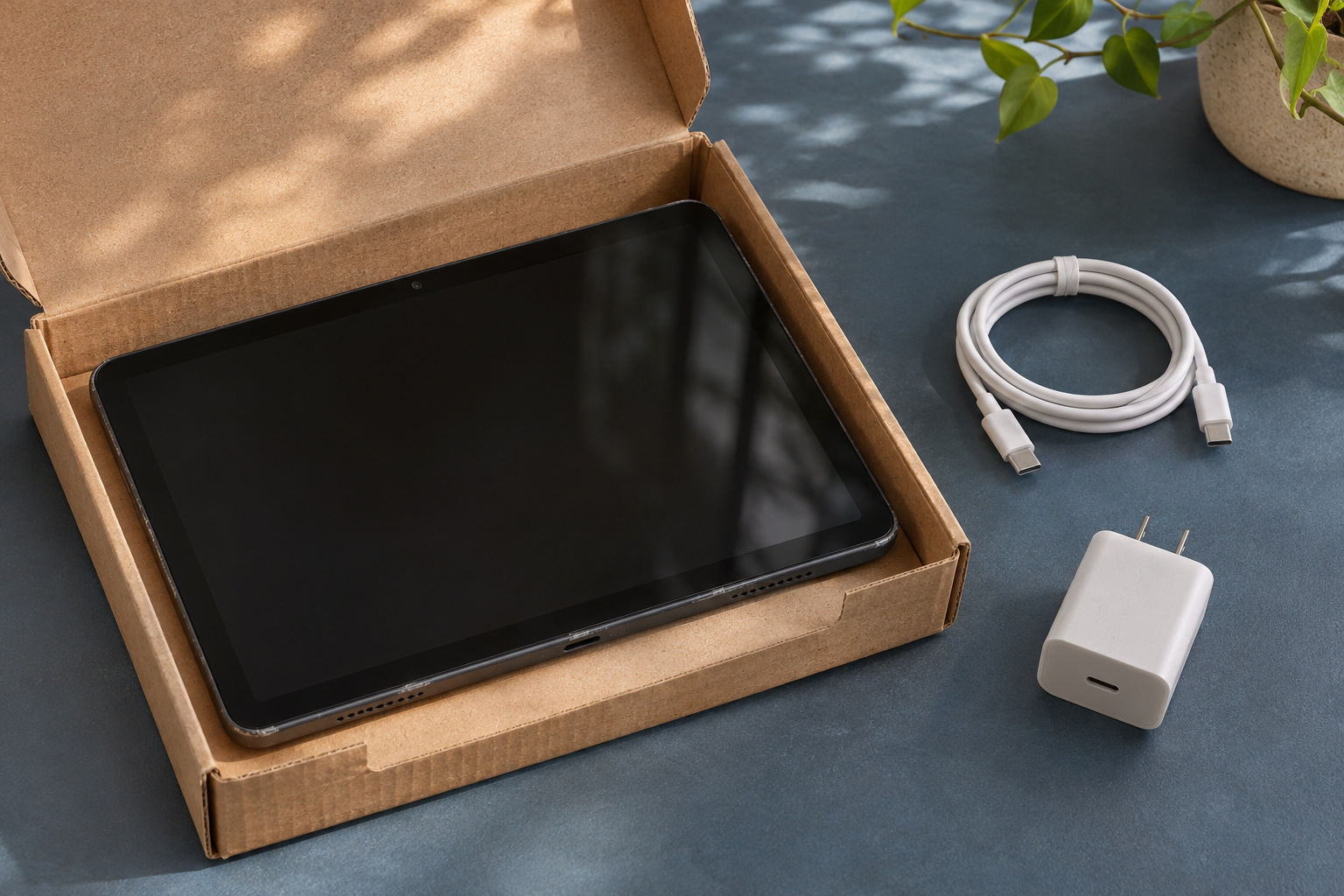
Overview
Who put their name behind this device?
Who certified the device, under which program, and for which item? The name printed on the case doesn’t answer those questions.
You might be buying directly from its maker, choosing a graded item in a marketplace program, or buying from a shop that did its own work.
Picture a neighborhood shop replacing a cracked screen and listing the repair in detail. That information can be useful even if the shop promises nothing on the manufacturer’s behalf.
Read a condition grade beside the description
A buyer choosing a tablet for drawing might care about a mark across the screen and hardly notice a scuff underneath the case. Both marks might be advertised as scratches.
Read for location as well as severity. A description that says the back has light scratches gives you more to work with than a polished picture of the front.
- Look for the name of the person or business making the particular promise you want.
- Identify the condition selected for purchase, especially when one page offers several versions.
- Separate the items listed in the box from the accessories shown beside the device.
Leave a space for what nobody has promised
Suppose a listing describes the screen, storage and cable but never mentions a pen. Write “not specified” beside the pen instead of assuming it’s included or definitely missing.
A teacher who already owns the right pen might order anyway. A student counting on the pictured pen for tomorrow’s class has a reason to ask before paying.
Use the worked box comparison if the equipment you still need would change which offer you choose.
What Apple and eBay Actually Mean by Refurbished
Apple describes its own US offering in its Apple Certified Refurbished program overview. It tests functionality and uses genuine Apple replacement parts where needed.
Its new battery and outer shell promise specifically covers refurbished iOS devices. Don’t read it as a new battery for every Mac or new parts throughout.
Apple includes its one-year limited warranty. If a fresh battery would change your laptop choice, look for that commitment on the laptop you’re considering.
In its shopping help for refurbished products, Apple identifies itself as the sole provider of this program. Selling used Apple hardware alone doesn’t establish that connection.
An owner might show you an original Apple order. It documents an earlier purchase, not what happened afterward or what coverage you would receive today.
The US eBay Refurbished program makes a different distinction. Its Certified grade comes from the brand or an authorized seller and includes a two-year warranty serviced by Allstate.
Excellent, Very Good and Good items come from sellers vetted by eBay, with one year of Allstate-serviced coverage. Those grades allow no visible wear, minimal wear and moderate wear, respectively.
On eBay, Seller Refurbished is an individual seller’s condition outside that program. Use the applicable US listing and its terms rather than transferring a different tier’s benefits to your purchase.
This distinction can change your shortlist without telling you which shop did better work. A seller might promise a feature that matters more to you than a cleaner finish.
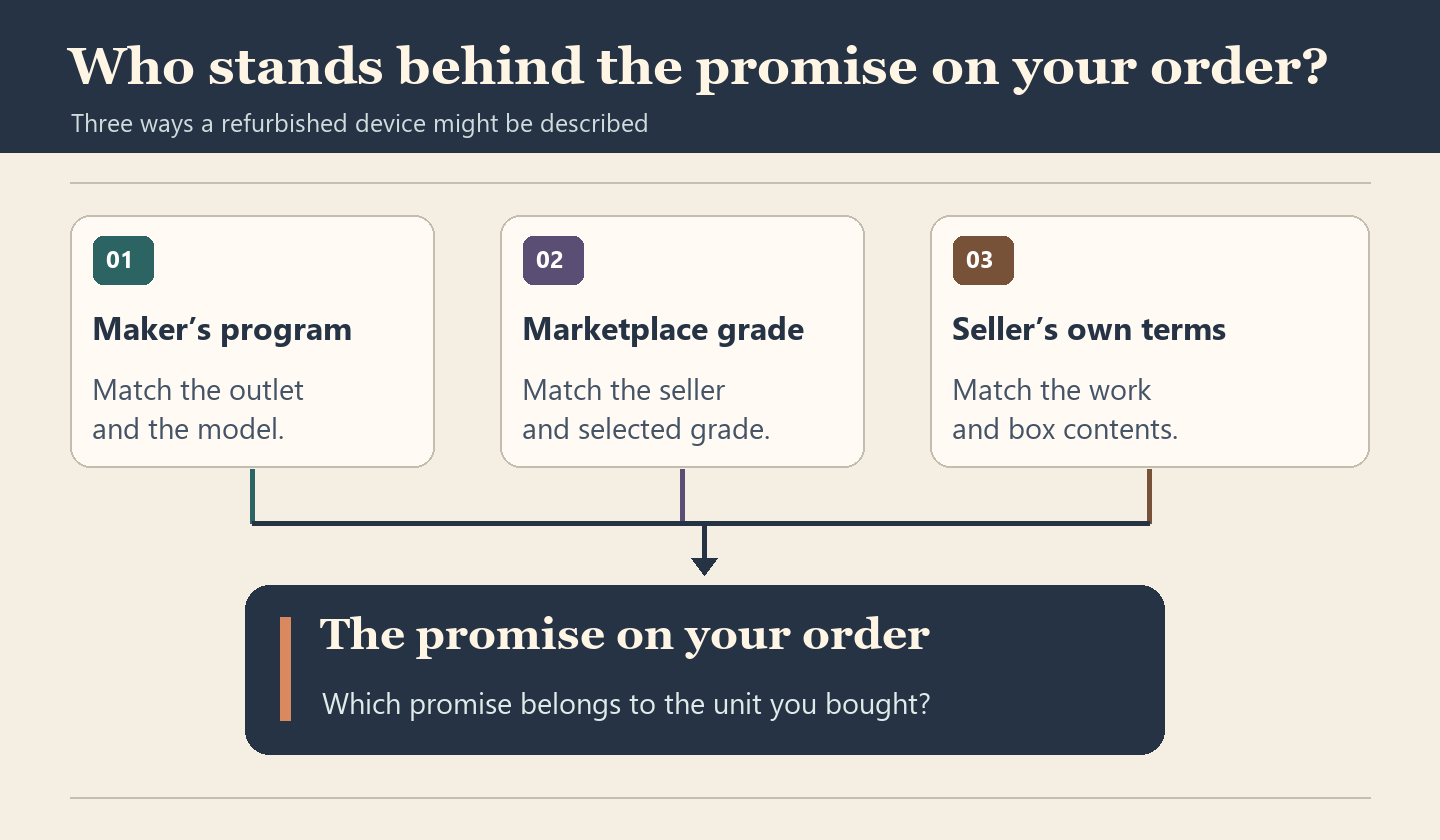
Three Offers That Sound Similar Until You Read the Order
Consider three imaginary offers for the same tablet model and storage size. None represents an actual listing, and the promises in these examples belong only to the offer described.
The maker’s outlet has an order for this particular configuration
The first offer comes from a manufacturer’s own outlet. Its item description names the program and the exact tablet, and the order includes the same storage size and configuration.
Here you can connect a general program promise to the offer. You still need the contents list to decide whether the tablet comes with the keyboard you want.
Change one fact: a private seller sends a picture of that outlet order. It connects the model to a past purchase, not necessarily to the tablet for sale.
If the seller has two identical tablets, ask how they know which was originally supplied. An honest mix-up between siblings’ devices could matter just as much as a mistaken listing.
The marketplace offers several conditions under one product heading
The second offer uses one page for several conditions. The search result showed the most expensive version, while the order summary shows a cheaper option with marks on the back.
Nothing has to be wrong with either version for that difference to matter. Keep the selected condition and seller together when you compare the cheaper price with the search result.
Imagine the order summary instead says only “tablet,” without the selection. Save the item description showing your choice and ask the seller to identify the grade that will ship.
If the answer says stock is allocated at random between two grades, price the less attractive possibility. Someone buying a gift may prefer a listing that commits to one condition.
The repair shop describes its work but names no outside program
The third offer names a replaced charging port, says the screen has a small corner mark and lists the shop as the contact for problems with its repair.
That’s a more specific proposition than simply promising a refreshed device. The buyer can decide whether those terms are enough without paying for an outside certification nobody has offered.
Suppose the shop also says the battery was checked. Ask what outcome it promises at delivery if battery performance matters to you. A check and a replacement are different claims.
A charging port repair doesn’t answer whether the pen works across that corner of the screen. Describe the use that matters instead of asking whether everything is fine.
Price the Box You Need, Not the Display Photo
These imaginary offers contain matching tablets in equally acceptable condition. You need the tablet, a compatible charging cable and a wall adapter before you can use either purchase.
Assume all prices below are US prices you can actually pay, with no extra tax or delivery difference. The accessory amounts are invented for the arithmetic, not typical retail prices.
| Offer | Contents promised | Cost to finish the kit |
|---|---|---|
| Workshop box at $218 | The box includes the tablet and a compatible cable. | Buying an $18 adapter brings the total to $236. |
| Desk kit at $232 | The tablet comes with the cable and adapter you need. | You can use the complete kit for its $232 price. |
The workshop box looks $14 cheaper before you open it. For the buyer starting with an empty drawer, the desk kit actually costs $4 less.
Now suppose your drawer already holds a compatible adapter that you don’t need elsewhere. The workshop box costs you $218 again; the included adapter buys you nothing you need.
That reverses the decision without changing either seller’s price. If the adapter belongs in a shared kitchen, moving it upstairs nightly may not be the free solution it first appeared.
What if the $218 offer says “charging accessories may vary”? Don’t quietly treat that as a promise of the cable. If a compatible cable costs $9, there are two totals.
Starting with neither accessory, you’d spend $236 with the cable included or $245 without it. If your spending limit is $240, only one version fits.
Ask whether the seller will include that cable in your order. A photo showing one possible bundle doesn’t resolve the $9 question when the item description allows either.
Apply the same reasoning to a stand or keyboard only if you need it. Counting an accessory at full retail value can make a crowded box look like a bargain.
Read the Photos Without Guessing What Happened Inside
A seller has six tablets of the same color and shows the best one under bright lights. That picture can illustrate the model without identifying the screen you’ll receive.
For a mark that might interfere with drawing, ask whether the picture shows your unit. A photograph with the display off may reveal a scratch hidden by a colorful wallpaper.
Picture a tiny mark beside a switch you use once a week. Now move it directly across the line you draw every day.
Separate a cosmetic observation from a functional symptom. You can describe a diagonal mark on the glass from a photograph; the photograph won’t tell you whether a stroke breaks there.
The same caution works in reverse. A device could look spotless while a connector fails to hold a cable. A polished frame isn’t a service record for the port.
Consider what the seller is actually willing to promise if your concern proves justified. A written description of an acceptable mark can settle a question that another distant photograph cannot.
If you receive one with an unexpected scratch, describe where it is and how it differs from the order. A mark alone doesn’t establish the device is counterfeit.
Match the Promise to the Device That Turned Up
Start with a mundane mistake: someone in your home orders two tablets, one for work and one for music. They look alike when both are lying face down.
The music tablet cost less because it has less storage. The work tablet was supposed to include a keyboard. The delivery labels peel away when the boxes are opened.
Before treating the missing keyboard as a shortage, pair each box with its order reference and contents list. You may be looking at the smaller tablet’s package.
Where your own paperwork identifies the unit by serial number, compare that identifier privately. A matching model name alone won’t distinguish two copies of the same device in your house.
An identifier that disagrees deserves a question, not a diagnosis. A service exchange could explain a different number; look for a document connecting the original unit with its replacement.
For example, keep a replacement slip that names both devices with the original receipt. Without that link, the original receipt can look convincing while pointing to the unit you returned.
Record the distinction even if the seller supplied a better model. An extra storage upgrade doesn’t explain who agreed to cover the replacement or where your future request belongs.
Which difference should you describe first?
- For a different configuration, put your selected storage capacity beside the capacity identified for the delivered device.
- For missing equipment, name the absent piece and the exact line that included it in the box.
- For an appearance dispute, compare the location and severity of the mark with the condition actually ordered.
- For an operating problem, describe when it happens and whether it happens without the optional accessory.
What to Do If the Refurbished Order Doesn’t Match
-
Keep the description tied to the transaction. Save the selected version, seller, condition, price, contents and any written answer that persuaded you to buy that unit.
If a product page now defaults to another seller, label the new page with that distinction. It may help explain the mix-up without documenting yesterday’s offer.
-
Check what you received against the specific promise. Take clear pictures of an obvious discrepancy with the packing materials nearby, keeping private identifiers out of anything you share publicly.
A keyboard that wasn’t in the box calls for an inventory question. A keyboard that arrived but doesn’t connect calls for a description of what happens when you use it.
-
Decide what outcome you want before opening a request. Would receiving the missing cable solve your problem, or does the wrong storage size make the whole purchase unsuitable?
If you need the complete kit by Monday, say so. A promised accessory arriving next month may settle the inventory count without solving the reason you bought the device.
-
Use the order’s stated route for a description or contents discrepancy. For a fault under a named program, consult the terms that came with this purchase.
Note the applicable deadline and the date of your request. An answer asking for another photograph isn’t necessarily an agreement to send the missing part.
-
Keep the seller’s proposed solution in writing, including which pieces you would send back. If a whole kit is requested, account for accessories already supplied separately.
Ask which unit a replacement confirmation refers to if several devices share the order. A promised replacement for the music tablet won’t close the work tablet’s case.
Frequently Asked Questions
Does “original box” mean I get all the original accessories?
The phrase describes the packaging, not everything inside it. If you need an adapter, look for the adapter on the contents list or get a written answer.
What if a seller calls the item open box and refurbished?
Ask what was done to this unit and why both descriptions appear. An opened package says nothing by itself about a repair, a replaced component or the appearance promised.
Can a working substitute cable count as the wrong item?
Compare the promise with the cable supplied. A listing that specifically included the maker’s cable offers something narrower than a listing that promised only a compatible cable.
Should I choose the cleanest grade for a child?
Decide which marks would actually affect the child’s use. An unmarked back might have little value under a case, while an unobstructed drawing surface could be worth paying for.
What if the accessory photo shows a different connector?
Ask for the connector type included with your selected model. If the written answer still doesn’t fit your equipment, leave the accessory out of your calculation.
What happens if the seller offers a partial refund?
Compare the amount with the cost of solving the actual mismatch. A credit might buy a missing adapter but won’t add the storage you ordered to the wrong tablet.
The Bottom Line
Pay extra for certification only when you can connect the named program to your chosen device and identify a benefit you want. Price the missing pieces before choosing.
If the order has arrived, match the item to the receipt and report the exact difference through the applicable seller or program route. Ask for the outcome that fixes it.

Join the discussion
0 commentsShare your experience or ask a question about this article.
Community experiences
Did this happen to you?
Your experience could help someone recognize the same scam. Submit a private report for our team to review.
I experienced this tooReports are reviewed before publication. Sharing publicly is always your choice.
Discussion
Start the conversation
Have a question or something useful to share? Add the first comment.