


Win32:Patched-AWQ [Trj] is a heuristic detection (from Avast Antivirus) designed to generically detect a Trojan Horse.
Win32:Patched-AWQ [Trj] is detected in tools that generate software keys or are used to illegally patch game software. Because it is often distributed the same way as malware, you may be at risk of further infection.
Don’t use hacktools as they can be associated with malware or unwanted software. We have seen malware distributed with these tools.
Always opt for the custom installation and deselect anything that is not familiar, especially optional software that you never wanted to download and install in the first place. It goes without saying that you should not install software that you don’t trust.
How to remove Win32:Patched-AWQ [Trj] (Removal Guide)
Please perform all the steps in the correct order. If you have any questions or doubt at any point, STOP and ask for our assistance.
-
To remove Win32:Patched-AWQ [Trj], follow these steps:
- STEP 1: Scan your computer with Malwarebytes Anti-Malware
- STEP 2: Scan your computer with HitmanPro
- (OPTIONAL) STEP 3: Scan your computer with Zemana AntiMalware Free
STEP 1: Scan your computer with Malwarebytes Anti-Malware
Malwarebytes Anti-Malware is a powerful on-demand scanner which will remove the Win32:Patched-AWQ [Trj] malware from your machine. It is important to note that Malwarebytes Anti-Malware will run alongside antivirus software without conflicts.
- You can download download Malwarebytes Anti-Malware from the below link.
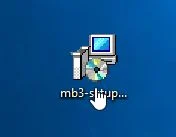
Download MalwarebytesFree official installer. Your download starts right away. - Once downloaded, close all programs, then double-click on the icon on your desktop named “mbam-setup” to start the installation of Malwarebytes Anti-Malware.
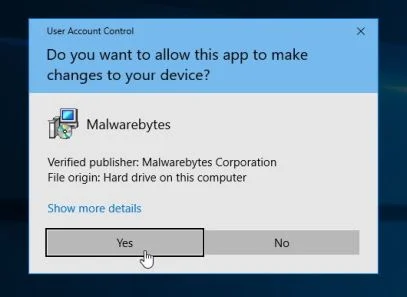
You may be presented with a User Account Control dialog asking you if you want to run this file. If this happens, you should click “Yes” to continue with the installation.
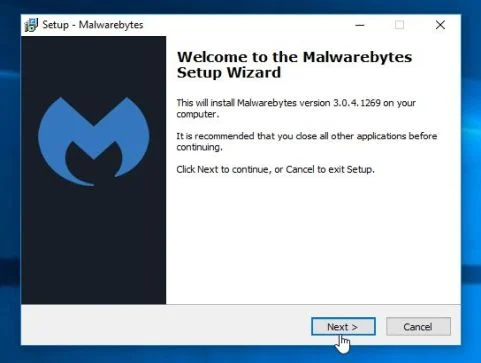
- When the installation begins, you will see the Malwarebytes Anti-Malware Setup Wizard which will guide you through the installation process.
To install Malwarebytes Anti-Malware on your machine, keep following the prompts by clicking the “Next” button.
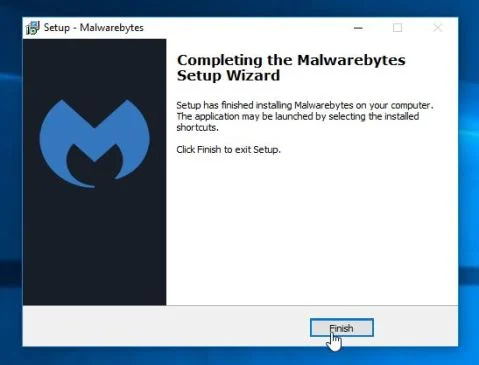
- Once installed, Malwarebytes Anti-Malware will automatically start and will update the antivirus database. To start a system scan you can click on the “Scan Now” button.
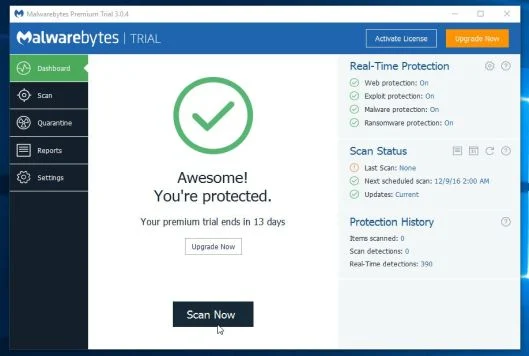
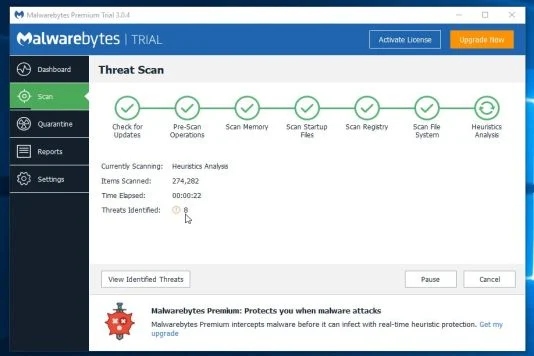
- Malwarebytes Anti-Malware will now start scanning your computer for the Win32:Patched-AWQ [Trj] browser hijacker. When Malwarebytes Anti-Malware is scanning it will look like the image below.
- When the scan has completed, you will be presented with a screen showing the malware infections that Malwarebytes Anti-Malware has detected. To remove the malicious programs that Malwarebytes Anti-malware has found, click on the “Remove Selected” button.
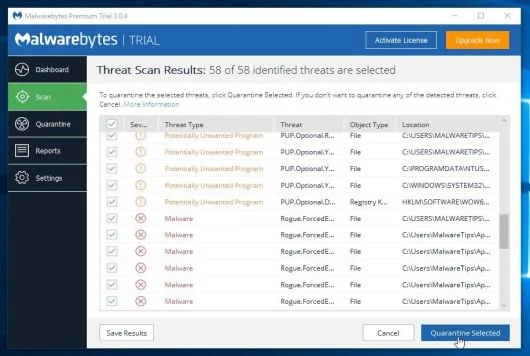
- Malwarebytes Anti-Malware will now quarantine all the malicious files and registry keys that it has found. When removing the files, Malwarebytes Anti-Malware may require a reboot in order to remove some of them. If it displays a message stating that it needs to reboot your computer, please allow it to do so.
When the malware removal process is complete, you can close Malwarebytes Anti-Malware and continue with the rest of the instructions.
STEP 2: Scan your computer with HitmanPro
HitmanPro finds and removes malware, adware, bots and other threats that even the best antivirus suite can oftentimes miss. It’s designed to run alongside your antivirus suite, firewall and other security tools.
- You can download HitmanPro from the below link:
Download HitmanProOfficial Sophos download. Free scan, free 30-day trial to remove threats. - Double-click on the file named “HitmanPro.exe” (for 32-bit versions of Windows) or “HitmanPro_x64.exe” (for 64-bit versions of Windows).
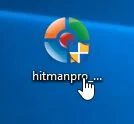
Click on the “Next” button, to install HitmanPro on your computer.
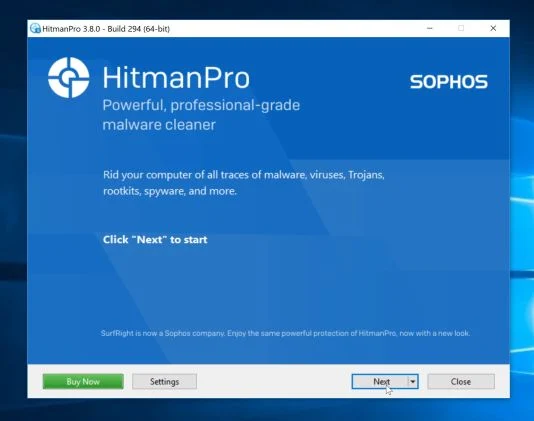
- HitmanPro will now begin to scan your computer for malware.
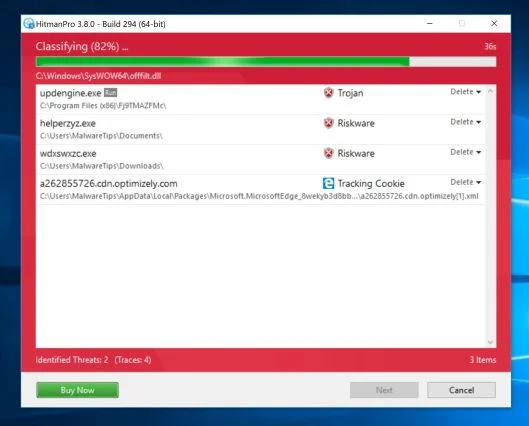
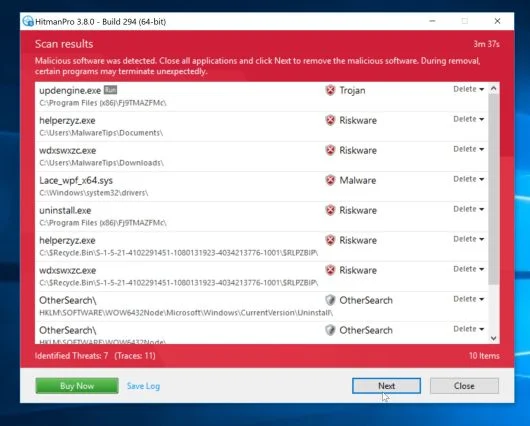
- When it has finished it will display a list of all the malware that the program found as shown in the image below. Click on the “Next” button, to remove malware.
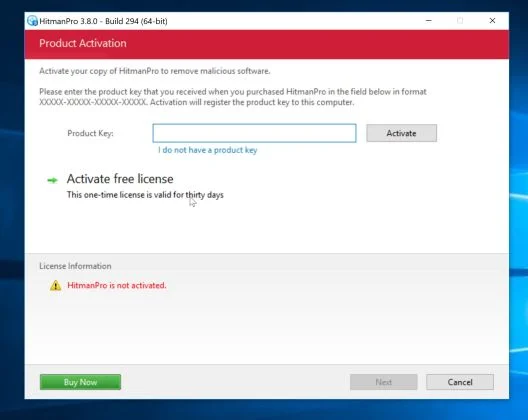
- Click on the “Activate free license” button to begin the free 30 days trial and remove all the malicious files from your computer.
When the process is complete, you can close HitamanPro and continue with the rest of the instructions.
(OPTIONAL) STEP 3: Scan your computer with Zemana AntiMalware Free
Zemana AntiMalware Free is a second opinion malware scanner which can detect malicious programs that your antivirus has failed to find.
- You can download Zemana AntiMalware Free from the below link:
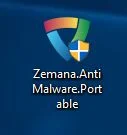
Download Zemana AntiMalwareOpens the download page in a new tab. - Double-click on the file named “Zemana.AntiMalware.Portable” to perform a system scan with Zemana AntiMalware Free.
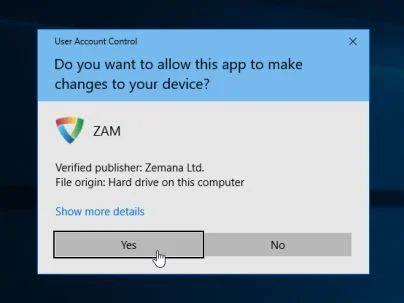
You may be presented with a User Account Control dialog asking you if you want to run this program. If this happens, you should click “Yes” to allow Zemana AntiMalware to run.
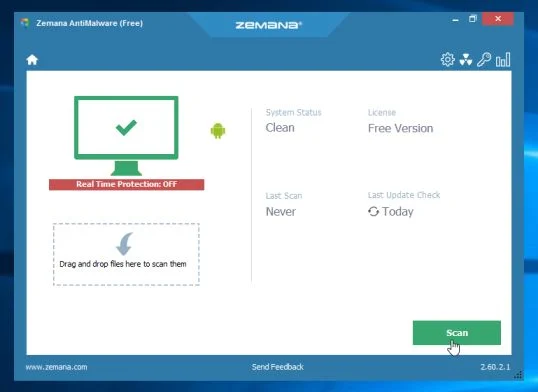
- When Zemana AntiMalware will start, click on the “Scan” button to perform a system scan.
- Zemana AntiMalware will now scan your computer for malicious programs. This process can take up to 10 minutes.
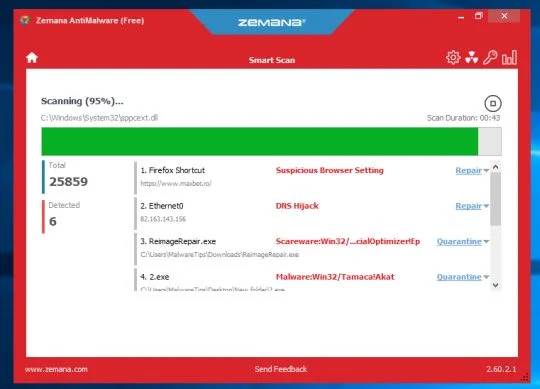
- When Zemana has finished finished scanning it will show a screen that displays any malware that has been detected. To remove all the malicious files, click on the “Next” button.
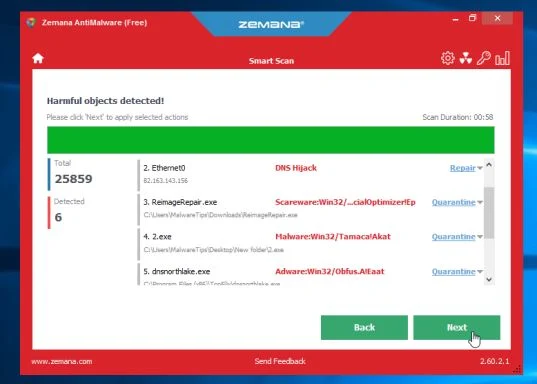
Zemana AntiMalware will now start to remove all the malicious programs from your computer.
If you are still experiencing problems while trying to remove Win32:Patched-AWQ [Trj] malware, you can ask for help in our Malware Removal Assistance forum.

Join the discussion
0 commentsShare your experience or ask a question about this article.
Your progress
Did these steps help?
Let us know how the guide worked for you.
Describe what you see and the step you reached. Keep passwords and other private information out.
Discussion
Start the conversation
Have a question or something useful to share? Add the first comment.