

Scrrun.dll is a dynamic link library file that is an essential component of the Windows operating system. It plays a crucial role in providing scripting support for various applications and services. However, like any other DLL file, scrrun.dll can encounter errors that can disrupt the normal functioning of your computer. In this article, we will explore what scrrun.dll is, common errors associated with it, and how to fix these errors effectively.
Understanding Scrrun.dll
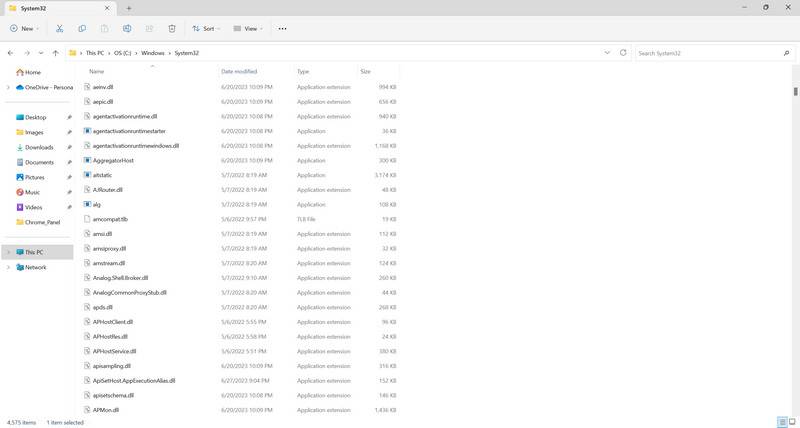
Scrrun.dll, also known as the Microsoft Scripting Runtime, is a system file that provides scripting support for various programming languages, such as VBScript and JScript. It contains a collection of objects and functions that enable developers to create and execute scripts within their applications.
Scrrun.dll is primarily used by applications that require file system manipulation, such as reading and writing files, creating folders, and accessing registry settings. It is an integral part of the Windows Script Host (WSH) and is utilized by many system utilities and scripting languages.
Common Scrrun.dll Errors
Despite its importance, scrrun.dll can encounter errors that can cause various issues on your computer. Some of the most common scrrun.dll errors include:
- Missing or corrupted scrrun.dll file: This error occurs when the scrrun.dll file is either missing or damaged. It can prevent applications from launching or cause them to crash.
- Runtime errors: These errors occur when an application tries to access a function or object within scrrun.dll that is not available or properly registered. This can lead to unexpected program behavior or crashes.
- Compatibility issues: Scrrun.dll may not be compatible with certain versions of Windows or other software. This can result in errors when trying to run scripts or use applications that rely on scrrun.dll.
Fixing Scrrun.dll Errors
When encountering scrrun.dll errors, it is important to take appropriate steps to resolve them. Here are some effective methods to fix scrrun.dll errors:
Method 1: Reinstalling or Repairing Windows Script Host
One of the first steps to fix scrrun.dll errors is to reinstall or repair the Windows Script Host. This can be done by following these steps:
- Press the Windows key + R to open the Run dialog box.
- Type “appwiz.cpl” and press Enter to open the Programs and Features window.
- In the list of installed programs, locate “Windows Script Host” and right-click on it.
- Select either “Repair” or “Uninstall” and follow the on-screen instructions.
- If you choose to uninstall, download the latest version of Windows Script Host from the official Microsoft website and reinstall it.
Method 2: Running System File Checker
The System File Checker (SFC) is a built-in Windows utility that scans for and repairs corrupted system files, including scrrun.dll. To run the SFC, follow these steps:
- Open the Command Prompt as an administrator. You can do this by right-clicking on the Start button and selecting “Command Prompt (Admin)”.
- Type “sfc /scannow” and press Enter.
- Wait for the scan to complete. If any corrupted files are found, the SFC will attempt to repair them automatically.
- Restart your computer and check if the scrrun.dll error persists.
Method 3: Performing a Malware Scan
In some cases, scrrun.dll errors can be caused by malware infections. It is recommended to perform a thorough scan of your system using reliable antivirus software, such as Malwarebytes Free. You can download Malwarebytes Free from their official website here.
Once you have installed Malwarebytes Free, run a full system scan and follow the instructions to remove any detected threats. After the scan is complete, restart your computer and check if the scrrun.dll error is resolved.
Conclusion
Scrrun.dll is a critical component of the Windows operating system that provides scripting support for various applications. However, it can encounter errors that can disrupt the normal functioning of your computer. By following the methods mentioned in this article, such as reinstalling or repairing Windows Script Host, running the System File Checker, and performing a malware scan, you can effectively fix scrrun.dll errors and ensure the smooth operation of your system.

Join the discussion
0 commentsShare your experience or ask a question about this article.
Your progress
Did these steps help?
Let us know how the guide worked for you.
Describe what you see and the step you reached. Keep passwords and other private information out.
Discussion
Start the conversation
Have a question or something useful to share? Add the first comment.