

TorqueBall has recently exploded in popularity thanks to aggressive marketing campaigns across social media. However, many are questioning whether TorqueBall is a scam or if it actually lives up to the bold claims made in its advertisements. This article provides an in-depth investigation into TorqueBall to determine if it is legit or a scam.
Overview of TorqueBall
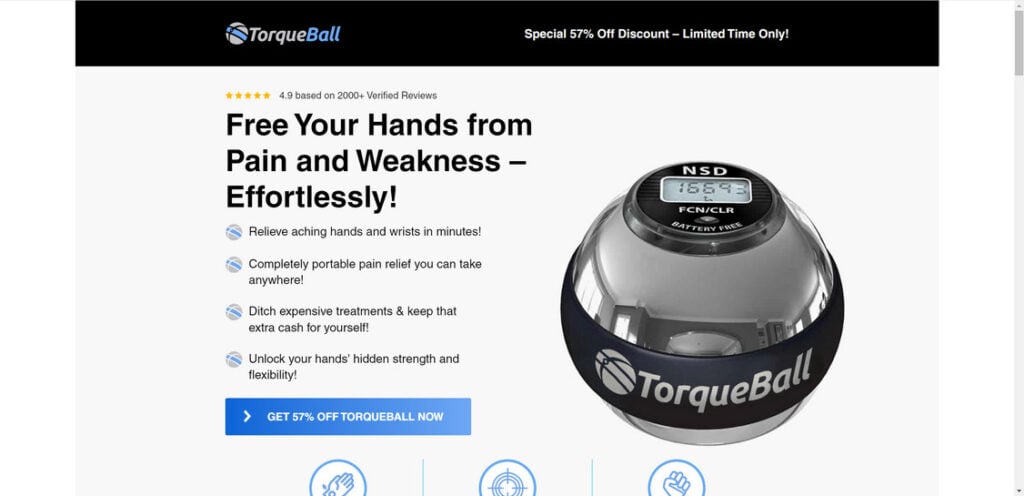
TorqueBall is a grip strength training product advertised as a way to strengthen hands, fingers and forearms through resisted spinning motions. It is a weighted sphere that can be spun using your hands and wrists in different directions to build strength.
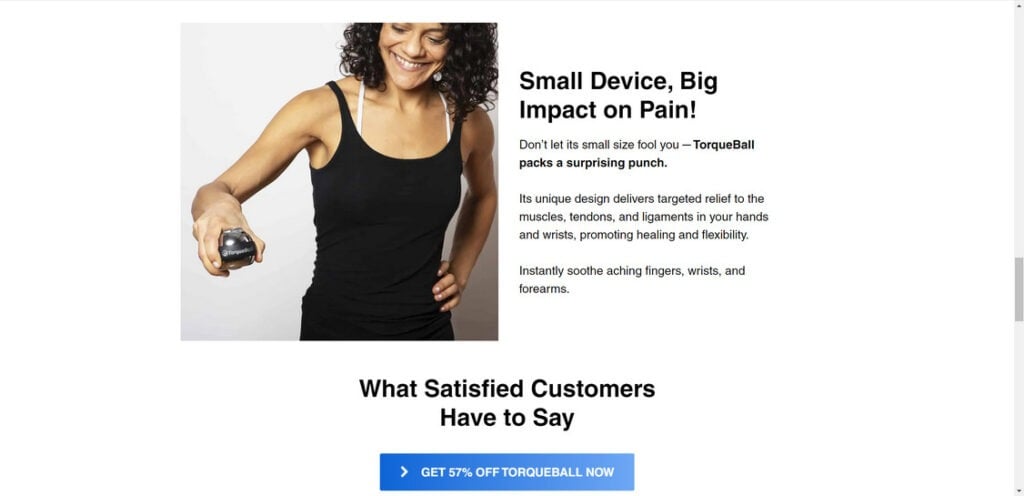
The TorqueBall ads promise that the product will:
- Relieve hand and wrist pain
- Improve overall hand strength and dexterity
- Provide a fun and engaging way to exercise your hands
- Be highly portable so you can use it anywhere
The TorqueBall website and social media ads feature impressive before and after photos, customer testimonials, and claims that TorqueBall is used by pro athletes. Most ads state the price is under $50.
Investigating the Claims
After digging into TorqueBall’s claims, several red flags emerge:
Misrepresentation of the Product
The ads and promotional videos for TorqueBall showcase a high-quality gyroscopic device with features like a digital speed meter. However, customers who have ordered the product report receiving a significantly different item – a cheaper, generic gyroscopic ball without the advertised features. This discrepancy between the marketed product and the actual item received is a clear indication of misleading advertising.
Misleading Product Photos
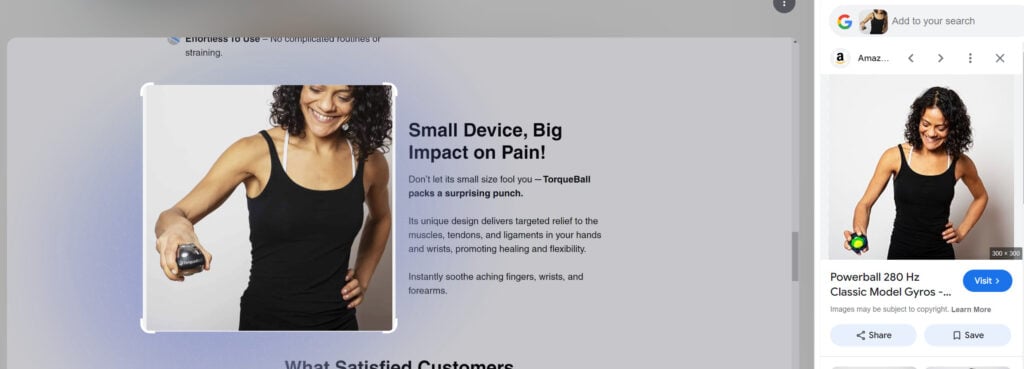
Upon further investigation, it’s evident that the images used on the TorqueBall website have been taken from other sources, such as Amazon product listings, and edited to replace the original product with the TorqueBall name. This deceptive practice is designed to make it appear as though people are using and enjoying the TorqueBall product when, in reality, they are using a different, more established product like the Powerball 280 Hz Classic Model Gyro.
Dubious Customer Reviews
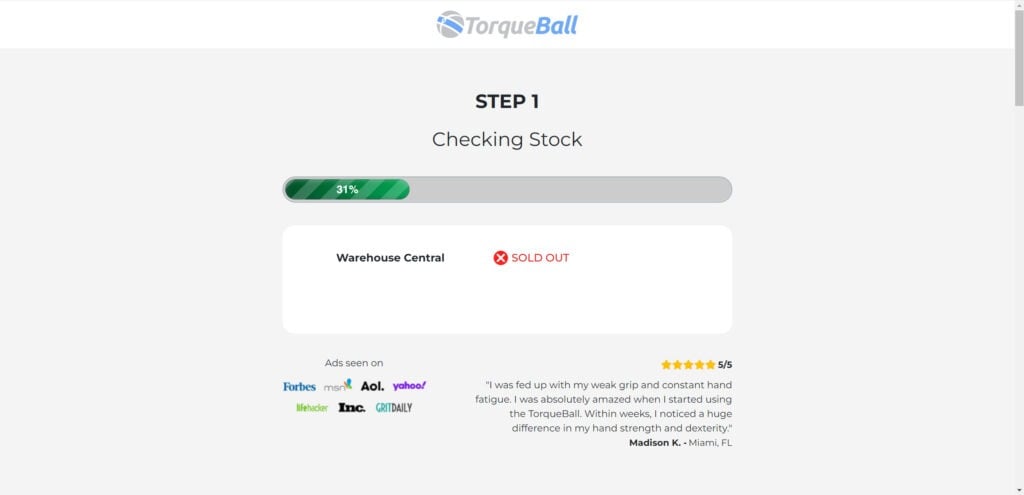
The TorqueBall website features dozens of 5-star customer reviews. However, the reviews look fake with stock images of models instead of real customer photos. The names also look randomly generated.
Website Registered Recently
According to WhoIs domain records, TorqueBall.com was registered in August 2024. This indicates the business is new with little track record.
Actual Cost Much Higher
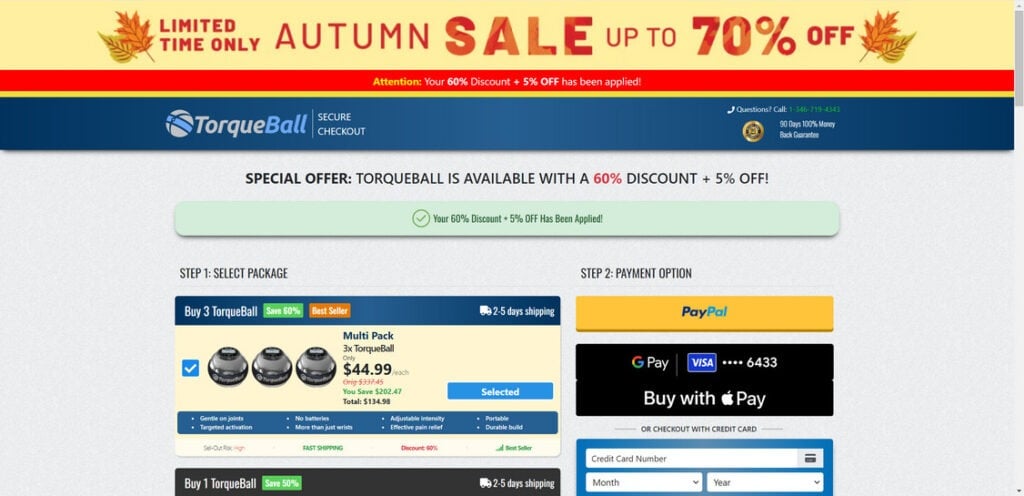
While ads state the price is under $50, the TorqueBall website has pre-selected options where 3 balls cost $134.98. This inflated pricing for a simple fitness product is a typical tactic of dropshipping sites.
Exaggerated Claims and Lack of Credibility
The TorqueBall website makes several bold claims about the product’s effectiveness and recognition, stating that it has been featured on reputable platforms like Forbes, Yahoo, MSN, LifeHacker, and Aol. However, upon searching for mentions of TorqueBall on these websites, no relevant results can be found. This lack of credible endorsements or features raises serious doubts about the legitimacy of the product and its purported benefits.
What Do Customers Actually Receive?
When customers place an order with TorqueBall, the vast majority report receiving a generic grip strength trainer that is available from Chinese suppliers for under $10.
The exact product delivered is usually the Gyro Ball – a similar weighted sphere for exercising hands and wrists. However, it lacks the built-in display, carrying case, and other features advertised by TorqueBall.
Essentially, TorqueBall is a middleman dropshipping business. They buy cheap grip trainers from China, mark up the price significantly, then market them aggressively through fake reviews and misleading ads.
Is TorqueBall a Complete Scam?
Based on all evidence, TorqueBall fits the definition of a scam:
- They make false promises in advertising that don’t match the actual product
- Customers are charged far more than the product’s worth
- There are attempts to manipulate customers through fake reviews and celebrity endorsements
While TorqueBall does ship an actual product, it is clearly not what they claim in the ads. Customers report spending over $100 for a basic grip ball that retails for under $10.
The inflated pricing, bait-and-switch tactics and fake reviews make TorqueBall a scam in my opinion. While not an outright fraud site that takes your money, it relies on misrepresenting its product.
Conclusion
Based on deceptive marketing practices, bait-and-switch tactics, and fraudulent reviews, TorqueBall is a scam preying on unsuspecting customers. Don’t waste money on this overpriced dropshipping product. For an honest and affordable grip strengthening solution, opt for a basic stress ball.
This article is for educational purposes only and does not constitute professional, financial or legal advice. The content is intended for general information and should not be construed as definitive guidance. Information contained herein is subject to change without notice.  For concerns, please contact us via the provided form.
If you are the owner of the website or product in question and wish to offer clarifications regarding your business or website, please reach out to us through the provided Contact Form.








