

The Spy Lens Camera has exploded in popularity recently, with bold claims of being a cutting-edge surveillance device. Marketers boast it has high-tech capabilities like live streaming video to your phone. However, as is often the case with viral gadgets, the reality doesn’t match the hype.
This in-depth investigation will uncover the truth about the Spy Lens Cam. We’ll explore whether it lives up to its lofty promises or is just another rebranded low-cost product being sold at an inflated price.
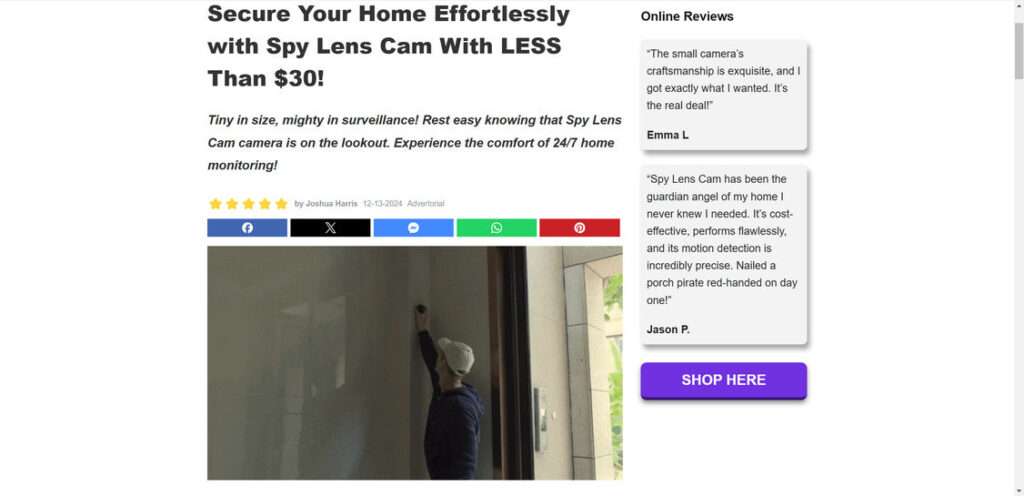
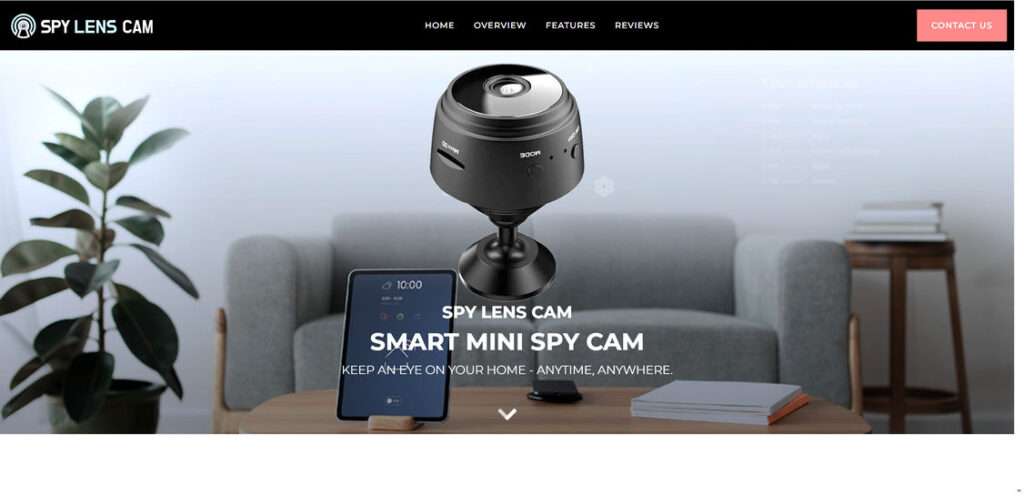
Overview of the Spy Lens Camera
The Spy Lens Cam is a small, round camera that can be mounted discreetly on walls or other surfaces. It connects wirelessly to your phone, allowing you to view live footage from anywhere.
Features highlighted in its marketing include:
- 1080p HD video resolution
- Night vision up to 15 feet
- 130° wide-angle lens
- Free mobile app
- Magnetic mount for easy positioning
- Long battery life
The camera is sold directly through the Spy Lens Cam website for $39.
It’s advertised as a simple, affordable way to monitor your home, office, or other locations remotely. But does it really work as well as claimed? Let’s analyze further.
Investigation into the Spy Lens Camera’s Authenticity
At first glance, the Spy Lens Cam seems like an innovative new take on home security. However, several red flags indicate it may be a scam:
1. Hidden origination
The SpyLensCam website provides no information about the company behind it. There are no mailing addresses, company history, or mentions of where it’s manufactured.
This lack of transparency is concerning. Legitimate brands typically share their origins. The hidden details likely point to a fly-by-night operation.
2. Too-good-to-be-true claims
The marketing materials describe almost unbelievable capabilities from such a tiny, inexpensive camera. The promised HD video, night vision range, battery life, and overall performance seem exaggerated.
Also dubious are claims that the Spy Lens Cam is used by police, government agencies, and universities. No specifics back this up.

Outlandish claims are a hallmark of shady companies using deception and falsehoods.
3. Artificially inflated price
Although the Spy Lens Cam costs $39, that doesn’t reflect its actual value.
Identical generic cameras can be purchased in bulk for just a few dollars apiece on websites like Alibaba.com and Temu.com.
This huge discrepancy reveals the Spy Lens Cam is merely cheap hardware being remarketed at a drastically inflated price.
4. Fake reviews
While some positive Spy Lens Cam reviews exist online, many appear suspiciously disingenuous. The writing quality is subpar, details are vague, and there’s no critical feedback.
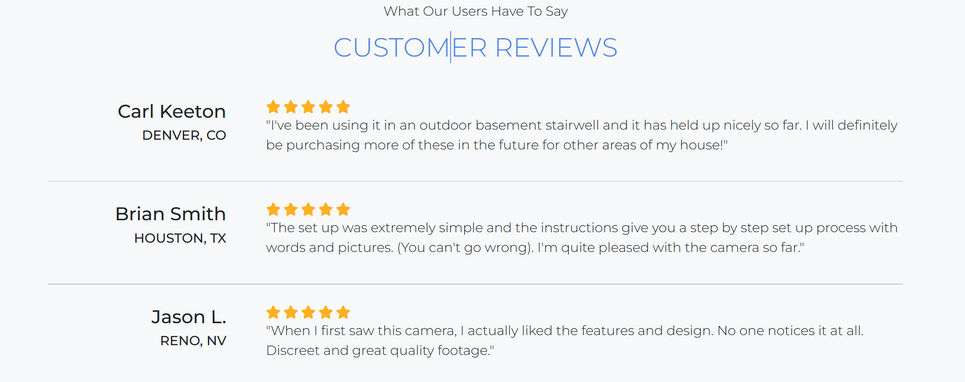
Professional product review analysis indicates these are likely fabricated. It’s a deceptive tactic to boost perceived popularity.
5. Ever-changing brand names
Further searches uncover the same product marketed under other names like MiniPix, CamTrix, and SpyFocus. The branding changes, but the device stays the same.
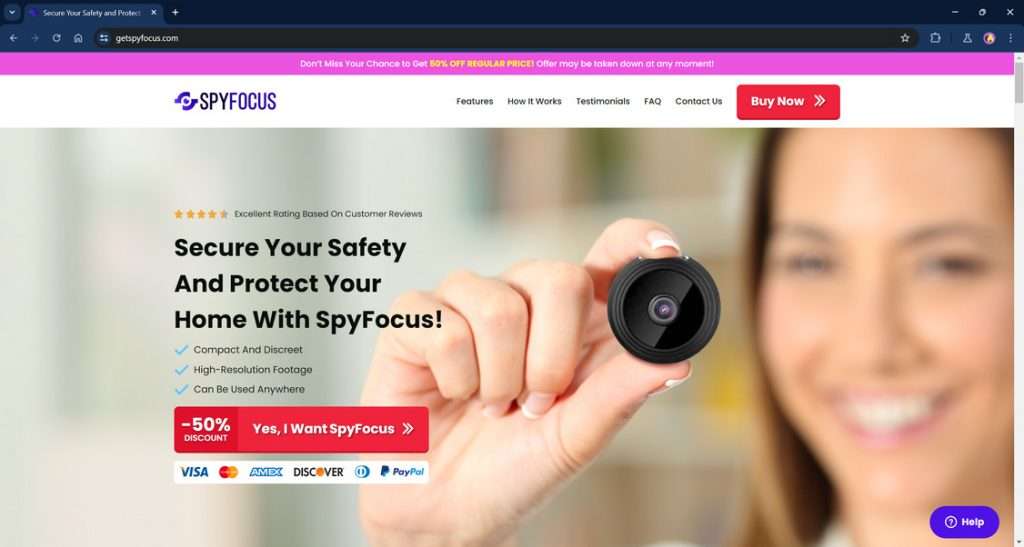
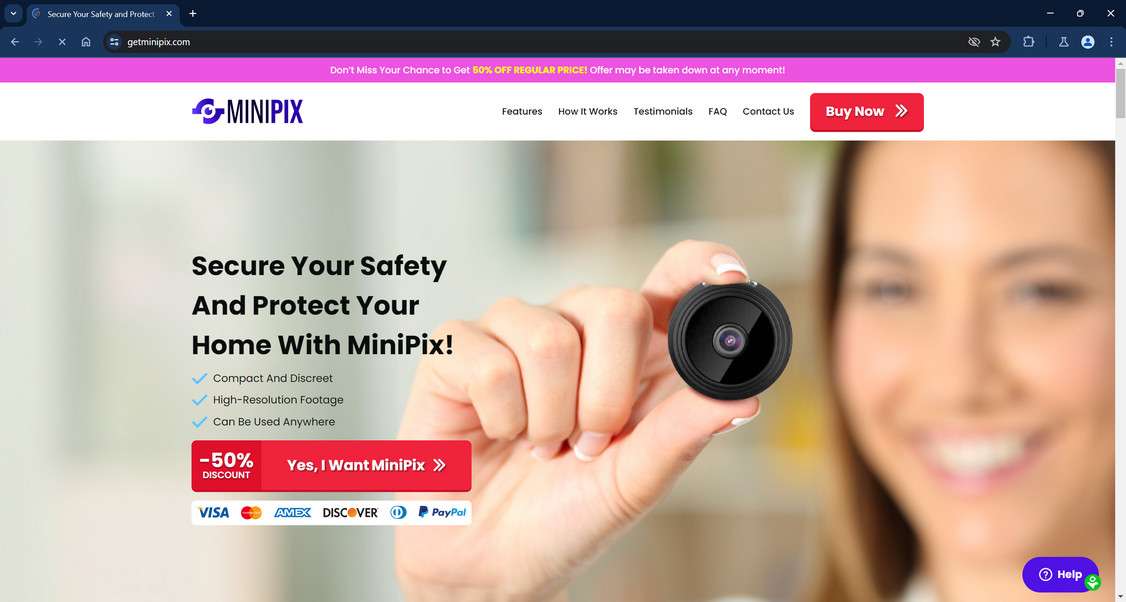
This slippery relabeling enables keeping the scam going even once one name is exposed. It’s a hallmark of shady sellers.
When looking at the facts objectively, the Spy Lens Cam clearly shares multiple red flags common among frauds and counterfeit products. But what about actual customer experiences?
Spy Lens Cam Reviews: What Buyers Report
To better understand how the Spy Lens Cam performs in real-world conditions, we examined reviews from individuals who purchased it:
The most common complaints focused on:
- Extremely short battery life – Often lasting only about an hour, despite claims of extended usage.
- Low video quality – Footage is grainy, pixelated, and far below marketed 1080p HD resolution.
- Buggy app connectivity – Frequent lagging, freezing, and inability to connect to the camera.
- Cheap, faulty manufacturing – Parts break easily, buttons stop working, and it feels junky overall.
- Not as advertised – Completely fails to deliver on promoted specs and features.
While a few of positive reviews do exist, they have the same hallmarks of being fake as discussed earlier. Based on credible experiences, the Spy Lens Cam overwhelmingly appears to be a substandard product.
The Truth Behind the Spy Lens Camera Scam
Given the research conducted, there is little doubt the glorified claims about the Spy Lens Cam are grossly exaggerated if not outright deceptive.
In reality, it’s a low-cost generic camera that offers none of the advertised performance, durability, or specs.
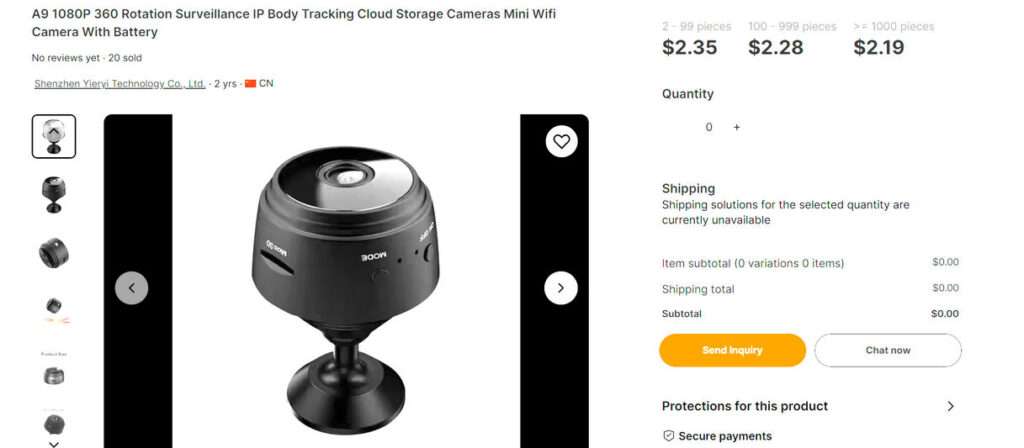
The scam takes advantage of unsuspecting consumers through tactics like:
- Buying cheap hardware wholesale then reselling at a huge markup
- Fabricating false claims about quality and capabilities
- Flooding the internet with fake 5-star reviews
- Constantly rebranding to hide its past
- Refusing refunds or returns
Essentially, it preys on people seeking an easy, affordable way to monitor their home or business remotely. But instead of receiving a great value, they get a useless product and lose their money.
Frequently Asked Questions about the Spy Lens Camera Scam
1. What is the Spy Lens Camera?
The Spy Lens Camera is a small, round security camera that is marketed online as a hi-tech surveillance device. It promises features like 1080p HD video, night vision, and easy mounting with a magnetic base. The Spy Lens Cam is sold directly to consumers for $39.
2. Is the Spy Lens Camera a scam?
Yes, the Spy Lens Camera is a scam. It is simply a generic, low-cost camera sourced from sites like Alibaba or Temu, then resold at an inflated price. Despite exaggerated marketing claims, it offers subpar video quality, extremely short battery life, buggy connectivity, and overall poor performance based on real customer reviews.
3. What are some red flags that indicate it’s a scam product?
Red flags include no company transparency, inflated claims, huge price markups versus the actual manufacturing cost, fabricated positive reviews, constantly rebranding it under different names, and refusing returns or refunds. This matches patterns of other known scam products.
4. What do customers who bought the Spy Lens Cam report about it?
According to verified customer reviews, the Spy Lens Camera has terrible battery life lasting only about an hour, grainy and pixelated video far below its claimed 1080p resolution, constant app connectivity issues, flimsy construction, and failure to work as advertised. Most report it being a waste of money.
5. How does the scam work exactly?
The scam works by purchasing generic cameras wholesale from sites like Alibaba for only a few dollars each, then marketing them under the Spy Lens Cam brand as high-tech surveillance devices. They are sold at a huge markup despite poor quality. Fake reviews and exaggerated claims aim to trick buyers into purchasing it.
6. What’s the bottom line advice for the Spy Lens Camera?
The bottom line is to avoid purchasing the Spy Lens Cam, as it clearly does not live up to its marketing promises. Instead, invest in a quality camera from a reputable security company to ensure you get a product that works as expected without wasting your money.
7. Are there any real customer reviews showing the Spy Lens Cam worked well?
There are a some positive Spy Lens reviews online, but analysis indicates they are likely fabricated. Most credible customer reports detail extensive problems with the video quality, battery life, app connectivity, durability and overall performance. There is little evidence of anyone having a genuinely good experience with it.
8. What legal recourse do customers have if they realize they were scammed?
Unfortunately, customers have very limited legal recourse since the Spy Lens Cam company provides no legitimate contact information or address. Your best bet is to quickly dispute the charges with your credit card company or bank and ask them to reverse the transaction since you were sold a product under fraudulent claims.
9. Are there other brand names this same scam camera is sold under?
Research indicates this same generic camera also gets marketed as the MiniPix, CamTrix, and SpyFocus camera in similar rebranding scams. The camera itself remains unchanged, but the name shifts to perpetuate the scam on more customers.
10. What precautions can I take to avoid being scammed in the future?
Be skeptical of “amazing new tech products” that appear out of nowhere with limited info about the company behind them. Carefully research reviews from trustworthy sources, watch out for exaggerated claims that seem too good to be true, and compare prices to check for inflation. Buying security products from well-known, reputable brands can help avoid scams.
Bottom Line: Look Elsewhere for a Security Camera
Considering its litany of downsides versus benefits, our advice is to avoid the Spy Lens Cam. Don’t be fooled by the slick marketing and promos.
You can find high-quality, reputable security cameras that offer the features you need from trustworthy brands. Take the time to read impartial reviews and compare specs.
Though it may cost a little more upfront, a legit security camera will save you money and headache in the long run. It also won’t jeopardize your safety with subpar performance.
Hopefully this in-depth investigation has revealed the reasons why the Spy Lens Cam fails to live up to its promises. Don’t waste money on this scam! For reliable home security, shop wisely for a camera that meets your specific needs without compromising on quality.

Join the discussion
0 commentsShare your experience or ask a question about this article.
Discussion
Start the conversation
Have a question or something useful to share? Add the first comment.