

A glowing football display can turn a spare room into a game-night corner. Stadium Glow sells that picture with the energy of a launch-day promotion.
Before you chase the countdown, take a minute to see what the store actually lets you inspect. The route from its promise to a purchase is unusually thin.
Overview
A bright product pitch and a fast-moving clock
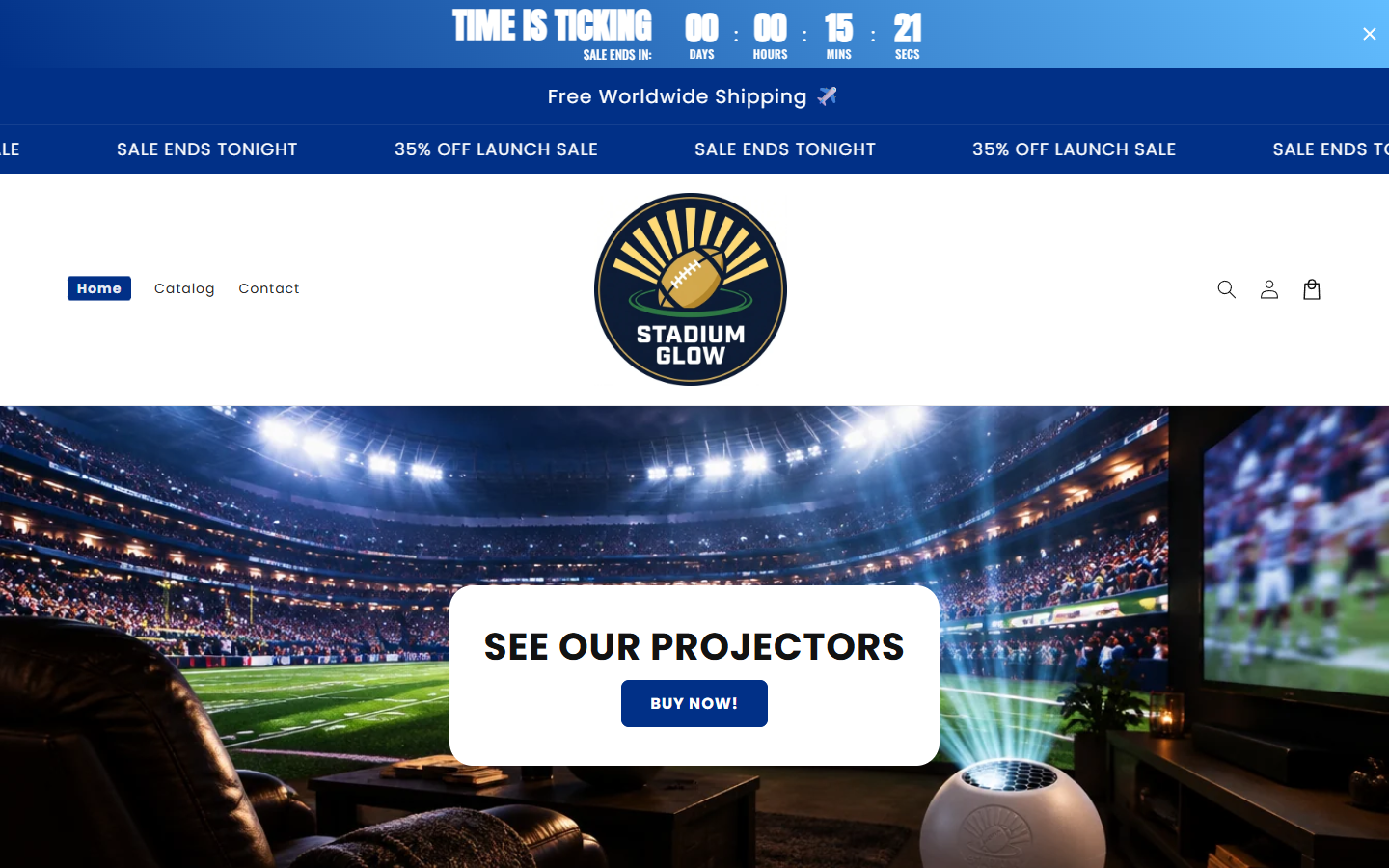
Stadium Glow promotes a football-themed lighting product through a homepage featuring a 35% launch sale, free worldwide shipping, and repeated “sale ends tonight” language.
A prominent countdown began near fifteen minutes during our visit. We could not determine whether that number represents a genuine deadline for every shopper.
The presentation encourages an immediate decision. Yet the ordinary shopping information a buyer needs was difficult to reach in the live version we reviewed.
The catalog did not contain a purchasable item
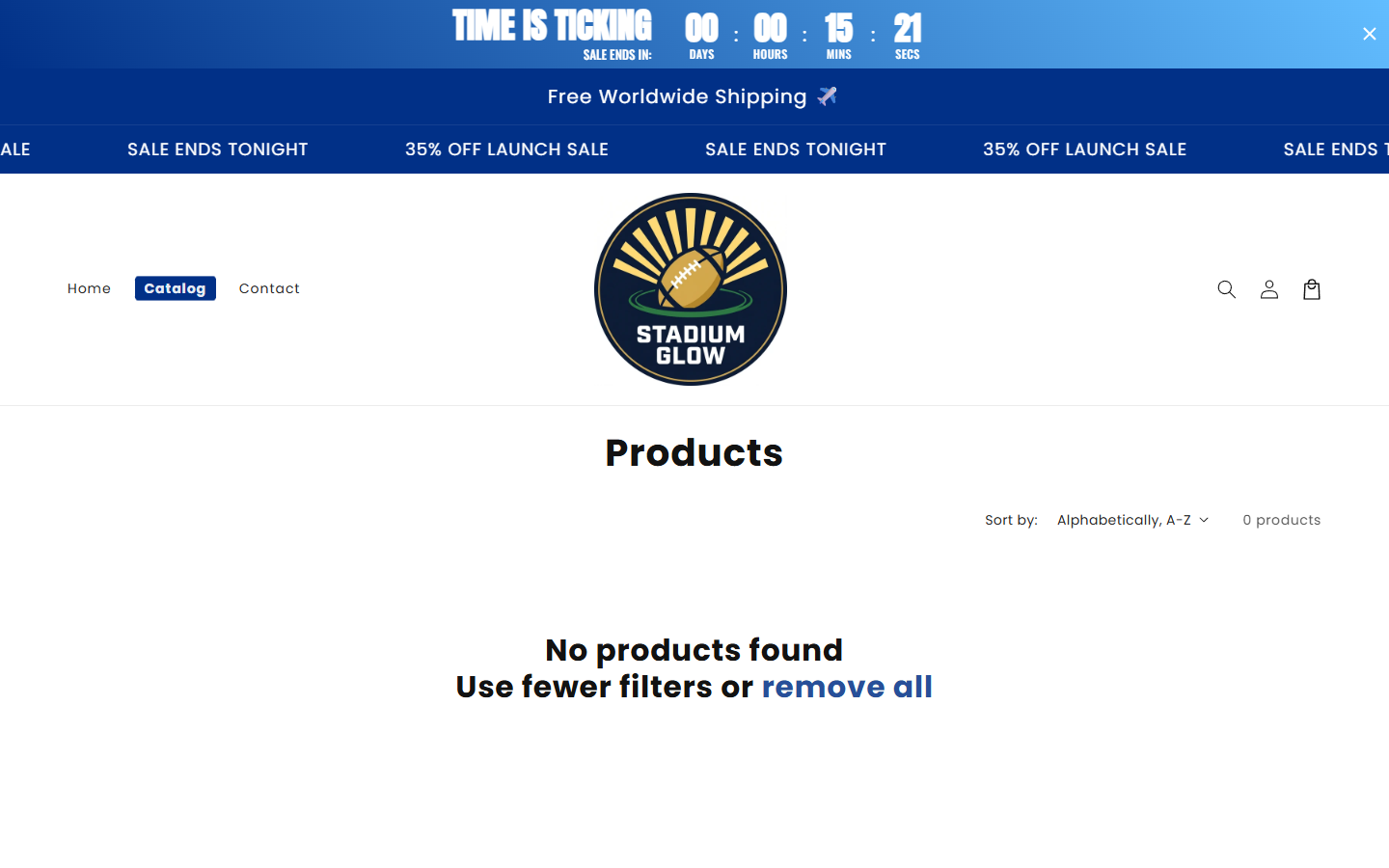
The site’s public catalog showed “0 products” and “No products found” when we checked it. That was a direct observation, not an inference.
We also followed the homepage’s BUY NOW route to `/products/stadium-glow`. It redirected back to the homepage instead of opening a working product detail page.
This could be a temporary setup error or a store in transition. We cannot prove from one live snapshot that the seller never fulfilled past orders.
Basic buyer questions remain unanswered
A working product page should explain dimensions, power source, included accessories, shipping timing, total price, and what happens if the item arrives damaged.
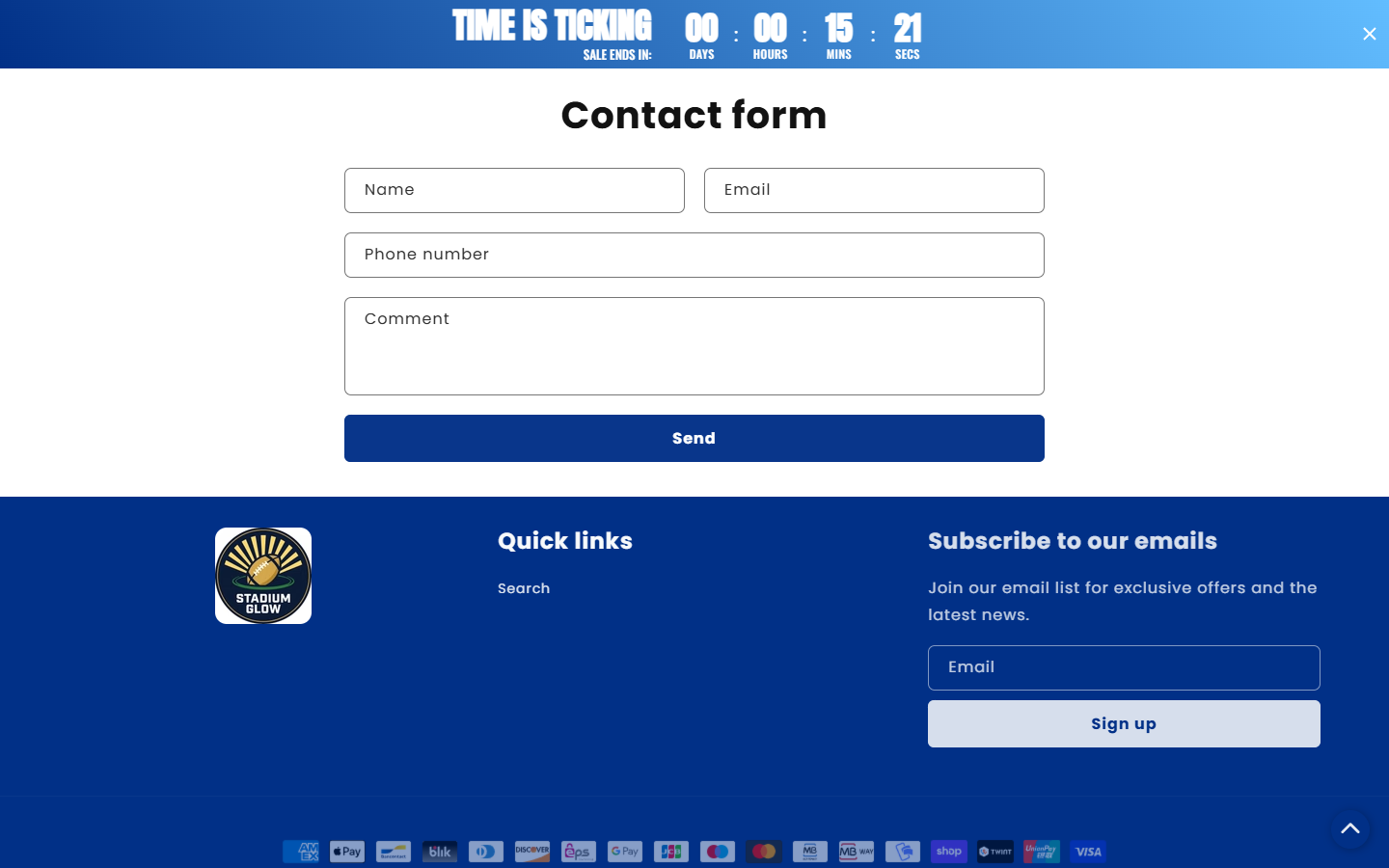
We did not find an easily visible refund, shipping, or legal-company page in the public navigation and footer examined. A contact form and privacy link were visible.
That makes the countdown less useful. A discount means little when a shopper cannot verify the item, final checkout terms, or available return process.
- The homepage advertised 35% off, free worldwide shipping, and an urgent launch countdown.
- The catalog showed zero products during our repeated live check.
- The linked product route returned to the homepage rather than showing product details.
- Seller-controlled testimonials were visible, but we could not verify the reviewers or orders.
- Refund and shipping rules were not readily accessible through the pages we checked.
- These findings support caution, not a claim that every past transaction was fraudulent.
Why an Empty Catalog Matters More Than a Countdown
A buyer cannot evaluate a product that has no detail page
Football-themed lighting can describe many different goods: a projected image, LED strip, wall sign, tabletop lamp, or decorative panel.
Each has different electrical requirements, dimensions, materials, and installation needs. The homepage image cannot tell you exactly which physical item would arrive.
Without a functioning listing, a shopper cannot compare a model number, package contents, warranty, or accurate total price against alternatives.
We did not order a unit, so we cannot establish whether the imagery accurately represents a shipped product. The missing listing prevents even a preliminary check.
Look for a specific product name, measurements, voltage, plug type, and instructions. A decorative electronic item should also state whether a power adapter is included.
Urgency can outrun verification
A fifteen-minute clock suggests that the discount disappears if you pause. “Sale ends tonight” repeats across the page in a moving banner.
Those elements are familiar online sales tactics. Their presence does not by itself establish fraud, but they are a reason to slow down rather than speed up.
Reload the page later and compare the offer. If the timer restarts or the same “tonight” banner persists, ask what deadline actually applies.
We did not monitor the promotion across multiple days. We therefore cannot call it a fabricated perpetual sale based only on this check.
The question for a buyer is simpler: would you still purchase if there were no countdown? If not, the urgency may be doing too much work.
Testimonials cannot fill the missing specification sheet
The homepage includes enthusiastic customer-style comments. They support the impression that other fans have already tried the product.
We could not independently link those statements to verified orders. Even genuine customer praise would not answer electrical compatibility or return costs.
Look for detailed third-party accounts with photographs of the delivered unit, dated purchase information, and descriptions of support after an issue.
A store-controlled testimonial carousel can select only the happiest experiences. It should never be the sole basis for buying a product you cannot inspect elsewhere.
Be careful not to confuse this domain with unrelated businesses using similar “Stadium Glow” names. Another company’s reviews do not validate this storefront.
How the Stadium Glow Sales Journey Works
Step 1: The ad or homepage sells the game-night scene
A shopper encounters a football-themed image and imagines the light at home, perhaps as a gift or a finishing touch for a viewing room.
We did not audit every social advertisement for this brand. The current homepage itself supplies the core visual appeal and sales claims.
The product concept is not suspicious on its own. The difficulty begins when an appealing picture stands in for a complete description.
Before proceeding, write down the physical item you think you are buying. If the site cannot confirm that description, do not supply payment details.
Step 2: A launch promotion pushes for speed
The page frames the offer as a 35% launch discount with a ticking clock and free worldwide shipping. The two claims make delay seem costly.
Ask what the regular price is based on and when it applied. A percentage only has meaning when the comparison price is genuine and visible.
Also ask whether “free worldwide shipping” covers every destination, and whether taxes, duties, or delivery surcharges appear at checkout.
A launch offer may be real. It still does not excuse missing product specifications or unclear seller contact details.
Step 3: The buyer tries to inspect the product
The expected next step is a page showing the item, options, price, and return terms. Our direct product-route check led back to the homepage.
We repeated the test and separately opened the catalog. It showed no products. That leaves the core purchase journey incomplete in our snapshot.
A temporary website problem is plausible. If you are interested, wait until a stable listing exists and can be revisited from a fresh browser session.
Do not accept a payment link sent in a comment or private message as a substitute for a functioning official listing. That creates a separate impersonation risk.
Step 4: The shopper looks for policies and a responsible seller
The pages we inspected showed a privacy link and contact form, but no readily visible dedicated refund, shipping, or company-identification page.
Ask the seller for its legal name, support email, return address, delivery estimate, and warranty terms. Keep the reply before paying.
A contact form alone may work, but it gives buyers less immediate information than published policies. Test it with a concrete question rather than a vague greeting.
Do not infer a product’s origin from a shipping slogan. “Worldwide” describes intended destinations, not where goods are produced or dispatched.
Step 5: A payment attempt needs a final reality check
Because the catalog was empty, we did not complete a checkout or determine the final price, payment provider, taxes, or optional extras.
If the storefront changes, inspect the final cart from a new session. Confirm one unit, total amount, currency, delivery destination, and any recurring term.
We found no evidence of an automatic-refill program in the reviewed football-light presentation. Do not assume the subscription mechanics seen in supplements apply here.
Use a payment method with buyer protections. Avoid transferring money to an individual account after a seller blames a broken checkout.
Step 6: Delivery or refund becomes the actual test
If you have already ordered, compare the confirmation with the advertised item. Keep tracking, the card descriptor, and any support correspondence.
For a delivered electronic decoration, check the correct plug, safe operation, size, and damage before discarding the box.
If it does not arrive, ask for a carrier acceptance scan and a firm resolution date. A tracking number alone may not show handoff.
If it differs materially or fails, request the written return procedure. Do not ship to an address found in a social-media profile without authorization.
Company, Contact, and Fulfillment Checks
Find the legal seller, not just the brand logo
A logo and a domain are a starting point, not an identification of the merchant that will appear on your receipt or card statement.
Ask for the legal business name, registered address, and a support email connected to the domain. A seller should be able to provide these plainly.
We did not independently identify the operating company from the pages reviewed. We will not invent a business entity from a similarly named website.
Request the actual fulfillment and return route
“Free worldwide shipping” leaves open where a package starts, which carrier handles it, how long delivery takes, and whether customs fees apply.
Ask for the dispatch country and estimated delivery window. Request the return country and conditions for a defective item versus a change of mind.
An address used by a parcel warehouse may not be the company’s headquarters or manufacturer. Clear roles matter more than a single impressive-looking address.
Until those details are published, a buyer cannot calculate the total downside of a disappointing purchase.
Check a recent domain without making it the verdict
A third-party WHOIS summary dated the stadiumglow.us registration to late September 2026. That suggests the current web address is new at our review.
A new domain is common for a genuine launch, too. It is context for asking questions, not proof of a scam or evidence about the owner’s identity.
Search the exact domain for independent order histories, not just the brand words. Similar names can belong to unrelated businesses.
Test support with questions the homepage cannot answer
Ask what physical product ships, its dimensions, power specifications, included accessories, and whether the site can send a working product link.
Request the written return policy and legal seller name in the same message. A response that only repeats the discount does not address the missing essentials.
Save the reply. If the seller repairs the site, compare the new listing with the earlier answer and check for inconsistencies.
We did not submit a test purchase or assess how quickly Stadium Glow answers customers. The current storefront problems are observable without assuming future support behavior.
Be wary of a sudden request to continue through a different website. Before entering payment data there, establish whether that address belongs to the same legal seller.
If the store later publishes a policy, read its effective date. It may not describe the terms shown to someone who ordered before the page appeared.
Keep the questions practical: what ships, when, from where, for how much, and where can it be returned? Clear answers would resolve much of today’s uncertainty.
What to Do If You Ordered from Stadium Glow
- Save the order email, checkout total, payment descriptor, product image, and any promise about shipping or discounts. Take dated screenshots of the site.
- Ask support to identify the exact item, quantity, specifications, dispatch date, and carrier. Mention that the public catalog currently shows zero products.
- Check whether tracking includes carrier acceptance and movement. If it remains at “label created,” request a clear explanation and deadline.
- Inspect a delivered item carefully. Photograph the packaging, plugs, labels, accessories, damage, and the display working or failing.
- Request the written return address and instructions before sending anything. Ask who pays return postage for a defective or misdescribed item.
- Keep all contact in writing and avoid moving the dispute to an unverified messaging account. A support timeline helps if a payment dispute becomes necessary.
- If the item never arrives or materially differs from the purchase agreement, contact your card issuer within its dispute window with the evidence.
- Stop using a damaged or overheating electrical product. Safety comes before testing whether it still qualifies for a refund.
Frequently Asked Questions
Is Stadium Glow a confirmed scam?
We cannot establish that. We observed a broken product path, empty public catalog, and missing easily accessible purchase details, which warrant caution.
Why does the catalog show zero products?
We do not know. The store may be incomplete or experiencing a technical issue. Ask the seller and wait for a stable listing before buying.
Does the fifteen-minute timer prove a fake sale?
No. The timer creates urgency, but we did not monitor it long enough to determine whether the promotion restarts or ends as advertised.
Can I trust the homepage testimonials?
They are seller-controlled statements we could not independently connect to orders. Seek detailed off-site accounts and a functioning product description.
Where does Stadium Glow ship from?
The reviewed pages did not establish a dispatch location. “Free worldwide shipping” does not identify the warehouse or manufacturing country.
Should I buy once the product link works?
Only after checking specifications, final price, seller identity, delivery estimate, and written return terms. A working button is necessary, not sufficient.
The Bottom Line
Stadium Glow currently asks shoppers to respond to a vivid product image and urgent discount while its public catalog shows no items and its buy link returns home.
That may be a repairable storefront problem. Until the listing and policies are clear, the sensible move is to wait and ask precise questions before paying.

Join the discussion
0 commentsShare your experience or ask a question about this article.
Discussion
Start the conversation
Have a question or something useful to share? Add the first comment.