

If you are looking for a way to make some extra money online, you may have come across an offer from Testpurple.com, a website that claims to pay you for testing pillows and writing reviews. Sounds easy and fun, right? Well, not so fast. In this post, I will expose the truth behind Testpurple.com and why you should avoid it at all costs.
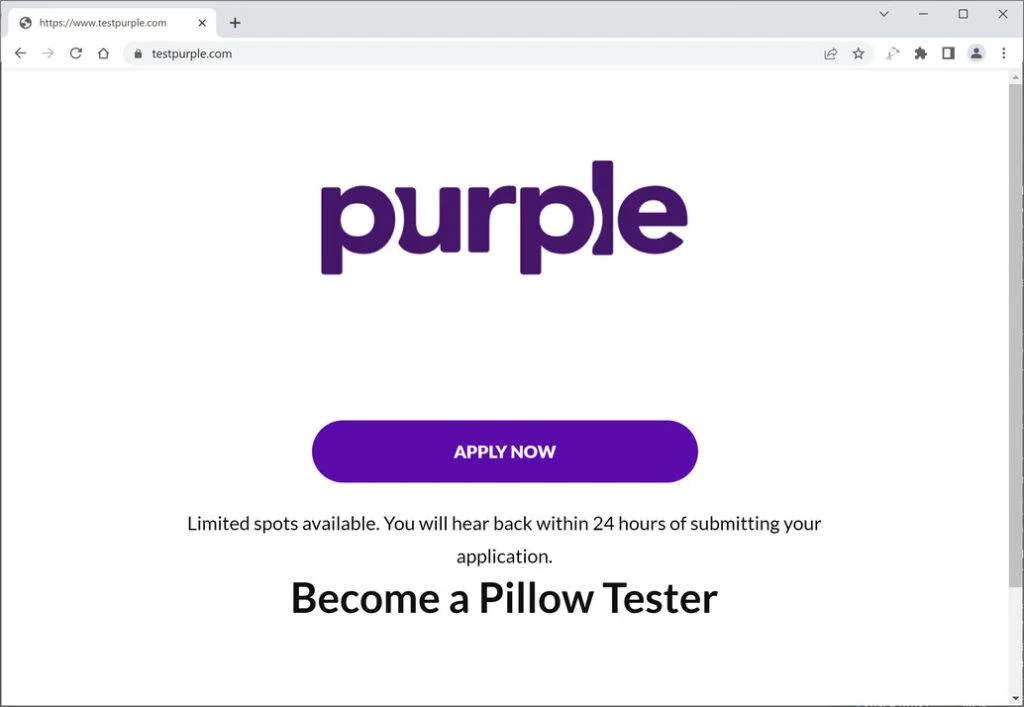
What is Testpurple.com?
Testpurple.com is a website that supposedly connects pillow manufacturers with testers who can provide honest feedback and reviews. The website claims that you can earn up to $50 per pillow test, and that you can keep the pillows after testing them. All you have to do is sign up with your name and email address, and wait for the testing opportunities to arrive in your inbox.
However, there are several red flags that indicate that Testpurple.com is not a legitimate website, but a scam that is designed to trick you into giving away your personal and financial information.
How does the scam work?
The scam works in the following way:
- You sign up with Testpurple.com and receive an email with a link to a survey. The survey asks you about your preferences and habits regarding pillows, such as your sleeping position, preferred firmness, allergies, etc. The survey also asks you for your shipping address, phone number, and credit card information. The website claims that this is necessary to verify your identity and to cover the shipping costs of the pillows.
- You complete the survey and submit your information. You are then redirected to a confirmation page that says that you have successfully joined the testing program and that you will receive your first pillow within 7 days.
- You wait for your pillow to arrive, but it never does. Instead, you start receiving spam emails and phone calls from various companies that try to sell you products or services that you are not interested in. You also notice unauthorized charges on your credit card statement from Testpurple.com or other unknown merchants.
- You try to contact Testpurple.com to cancel your membership and request a refund, but you find out that the website has no customer service or contact details. You realize that you have been scammed and that your personal and financial information has been compromised.
Why is Testpurple.com a scam?
There are many reasons why Testpurple.com is a scam and not a genuine website. Here are some of them:
- The website has no information about the company behind it, such as its name, address, phone number, or email. There is no way to contact them or verify their legitimacy.
- The website has no privacy policy or terms and conditions. This means that they can use your information however they want without your consent or knowledge.
- The website has no reviews or testimonials from real users or testers. There is no evidence that anyone has ever received a pillow or payment from them.
- The website uses fake logos and seals of trust from reputable organizations such as BBB, Trustpilot, McAfee, etc. These are meant to make you think that the website is secure and trustworthy, but they are actually stolen from other websites and have no relation to Testpurple.com.
- The website offers unrealistic and exaggerated rewards for testing pillows. There is no way that they can afford to pay $50 per pillow test and give away free pillows to thousands of testers. This is too good to be true and a common sign of a scam.
- The website asks for your credit card information before sending you any pillows. This is unnecessary and risky, as they can charge you without your authorization or sell your information to other scammers.
How to protect yourself from Testpurple.com and similar scams?
If you have already signed up with Testpurple.com or any similar website, here are some steps that you can take to protect yourself:
- Contact your bank or credit card company immediately and report the fraudulent charges. Ask them to cancel your card and issue a new one.
- Change your passwords and security questions for any online accounts that may have been compromised by the scam.
- Report the scam to the Federal Trade Commission (FTC) at https://reportfraud.ftc.gov/. You can also file a complaint with the Better Business Bureau (BBB) at https://www.bbb.org/.
- Warn your friends and family about the scam and share this post with them.
If you have not signed up with Testpurple.com or any similar website, here are some tips that can help you avoid falling for such scams in the future:
- Do not trust any website that offers easy money for doing simple tasks online. Always do your research before joining any program or giving away your information.
- Do not click on any links or attachments in unsolicited emails or messages that claim to offer testing opportunities or free

Reviews & discussion
0 commentsShare a firsthand experience, or ask a question.
Community reviews
testpurple.com
Moderated reader experiences, not an editorial verdict.
Start the conversation
Have a question or something useful to share? Add the first comment.