

Scammers are constantly finding new ways to exploit unsuspecting individuals, and one of the latest tactics involves a phishing email disguised as a notification from Google Photos. This scam email, titled ‘We Add New Photos,’ aims to trick recipients into clicking on a malicious link that can lead to identity theft, financial loss, or the installation of malware on their devices. In this article, we will delve into the details of this scam, how it works, what to do if you have fallen victim, technical aspects of the scam, and provide statistics to support our points.
What is the ‘We Add New Photos’ Scam Email?
The ‘We Add New Photos’ scam email is a phishing attempt that impersonates Google Photos, a popular cloud storage service for photos and videos. The email appears to be a legitimate notification from Google Photos, informing the recipient that new photos have been added to their account. It often includes a subject line like “New photos added to your Google Photos” or “Your Google Photos account has been updated.”
The email contains a message that urges the recipient to click on a link to view the new photos. However, this link is not what it seems. Instead of directing the user to their Google Photos account, it leads to a fraudulent website designed to steal personal information or infect the user’s device with malware.
How Does the Scam Work?
The ‘We Add New Photos’ scam email relies on social engineering techniques to deceive recipients and trick them into taking action. Here is a step-by-step breakdown of how the scam typically unfolds:
- The scammer crafts an email that appears to be from Google Photos, using official logos, colors, and formatting to make it look authentic.
- The email subject line grabs the recipient’s attention by mentioning new photos added to their account.
- The body of the email contains a message that creates a sense of urgency or curiosity, prompting the recipient to click on the link to view the photos.
- When the recipient clicks on the link, they are redirected to a fake website that closely resembles the legitimate Google Photos login page.
- The fake website prompts the user to enter their Google account credentials, including their email address and password.
- Once the user enters their login information, the scammers capture it and can use it for various malicious purposes, such as identity theft or unauthorized access to the victim’s accounts.
It is important to note that scammers may also use other techniques, such as installing malware on the victim’s device or redirecting them to additional fraudulent websites that request more personal information.
What to Do If You Have Fallen Victim?
If you have fallen victim to the ‘We Add New Photos’ scam email or any similar phishing attempt, it is crucial to take immediate action to protect yourself and minimize the potential damage. Here are the steps you should follow:
- Change your passwords: Start by changing the password for your Google account. Additionally, if you have used the same password for other accounts, change those passwords as well to prevent unauthorized access.
- Enable two-factor authentication (2FA): Set up two-factor authentication for your Google account and any other accounts that offer this security feature. This adds an extra layer of protection by requiring a verification code in addition to your password.
- Scan your device for malware: Run a scan with a reputable antivirus or anti-malware software, such as Malwarebytes Free, to detect and remove any malicious software that may have been installed on your device.
- Monitor your accounts: Keep a close eye on your financial accounts, email, and other online accounts for any suspicious activity. Report any unauthorized transactions or changes immediately.
- Report the scam: Report the phishing email to Google by marking it as spam or phishing. This helps Google improve its filters and protect other users from falling victim to the same scam.
Technical Details of the Scam
The ‘We Add New Photos’ scam email utilizes various techniques to appear legitimate and deceive recipients. Here are some technical details of the scam:
- Email spoofing: Scammers often use email spoofing techniques to make the email appear as if it is coming from a legitimate source, such as Google Photos. They manipulate the email headers to make it seem like the email originated from a trusted domain.
- Phishing website: The link in the email leads to a phishing website that closely mimics the legitimate Google Photos login page. The scammers create these websites to trick users into entering their login credentials.
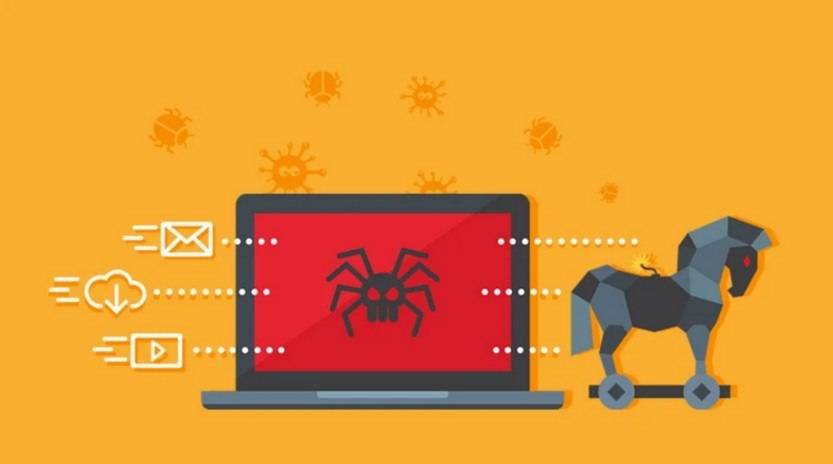
- Malware distribution: In some cases, clicking on the link in the email may lead to the installation of malware on the user’s device. This malware can be used to steal sensitive information, monitor online activities, or gain unauthorized access to the victim’s accounts.
Statistics on Phishing Scams
Phishing scams, including those disguised as Google Photos notifications, continue to be a significant threat to individuals and organizations. Here are some statistics that highlight the prevalence and impact of phishing scams:
- According to the 2021 Verizon Data Breach Investigations Report, phishing was the most common type of social engineering attack, accounting for 36% of all breaches.
- The 2021 Phishing Activity Trends Report by the Anti-Phishing Working Group (APWG) revealed that there were over 222,000 unique phishing websites detected in the first quarter of 2021 alone.
- In a study conducted by Google, it was found that 45% of phishing attacks targeting Google users are related to account takeover, where scammers attempt to gain unauthorized access to user accounts.
Summary
The ‘We Add New Photos’ scam email is a phishing attempt that impersonates Google Photos to deceive recipients and steal their personal information or infect their devices with malware. This scam relies on social engineering techniques and often leads victims to a

Join the discussion
0 commentsShare your experience or ask a question about this article.
Discussion
Start the conversation
Have a question or something useful to share? Add the first comment.