

WildTangent Games is a digital distribution platform that offers a wide range of games for PC and mobile devices. It was founded in 1998 and has since become a popular choice for gamers looking for a diverse selection of titles. However, like any software, WildTangent Games has its pros and cons, and it’s important to understand what it is and whether or not you should uninstall it.
What is WildTangent Games?
WildTangent Games is a platform that allows users to download and play a variety of games. It offers both free and paid games, with a catalog that includes popular titles from various genres such as action, adventure, puzzle, strategy, and more. The platform also features a subscription service called WildCoins, which allows users to access a selection of games for a monthly fee.
One of the unique aspects of WildTangent Games is its integration with PC manufacturers. Many pre-installed games on new computers are powered by WildTangent, giving users immediate access to a range of games without the need for additional downloads or installations.
Should I Uninstall WildTangent Games?
Whether or not you should uninstall WildTangent Games depends on your personal preferences and needs. Here are some factors to consider:
1. Game Selection
If you enjoy playing a wide variety of games and appreciate the convenience of having them all in one place, WildTangent Games can be a great platform for you. It offers a diverse catalog of games, including both popular titles and lesser-known gems. However, if you prefer to stick to a specific gaming platform or have already found alternative sources for your gaming needs, uninstalling WildTangent Games may be a viable option.
2. Performance Impact
Some users have reported that WildTangent Games can have a negative impact on system performance. This can include slower startup times, increased resource usage, and occasional crashes. If you notice any performance issues on your computer after installing WildTangent Games, it may be worth considering uninstalling it to improve overall system performance.
3. Pre-Installed Games
If you have purchased a new computer that came with WildTangent Games pre-installed, you may want to consider whether or not you actually use the platform. If you find that you rarely or never play the pre-installed games, uninstalling WildTangent Games can help free up valuable storage space on your computer.
4. Security Concerns
While WildTangent Games itself is not considered malware or a security threat, it’s worth noting that any software installed on your computer can potentially introduce security risks. It’s always a good idea to regularly scan your computer for malware using a reliable antivirus program like Malwarebytes Free. If you have concerns about the security implications of having WildTangent Games installed, uninstalling it may provide peace of mind.
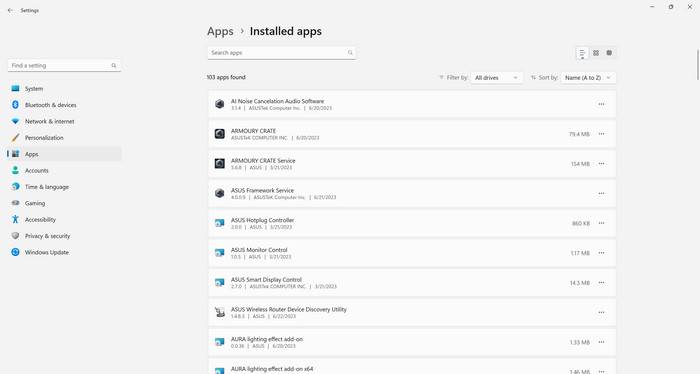
How to Uninstall WildTangent Games
If you’ve decided to uninstall WildTangent Games, here’s how you can do it:
- Open the Control Panel on your computer.
- Select “Uninstall a program” or “Programs and Features.”
- Locate WildTangent Games in the list of installed programs.
- Right-click on WildTangent Games and select “Uninstall.”
- Follow the on-screen prompts to complete the uninstallation process.
After uninstalling WildTangent Games, it’s a good idea to run a scan with Malwarebytes Free to ensure that there are no remaining traces of the software or any potential malware.
Conclusion
WildTangent Games is a digital distribution platform that offers a wide range of games for PC and mobile devices. Whether or not you should uninstall it depends on your personal preferences and needs. Consider factors such as game selection, performance impact, pre-installed games, and security concerns when making your decision.
If you decide to uninstall WildTangent Games, follow the steps outlined above and consider running a scan with Malwarebytes Free to ensure the removal of any potential malware. Ultimately, the choice to uninstall WildTangent Games is yours, and it’s important to prioritize your gaming experience and overall system performance.

Join the discussion
0 commentsShare your experience or ask a question about this article.
Discussion
Start the conversation
Have a question or something useful to share? Add the first comment.