

When it comes to computer security, it’s important to stay vigilant and be aware of potential threats. One file that may catch your attention is winvdedrv6.sys. In this article, we will explore what winvdedrv6.sys is, whether you should remove it, and whether it is considered malware or not.
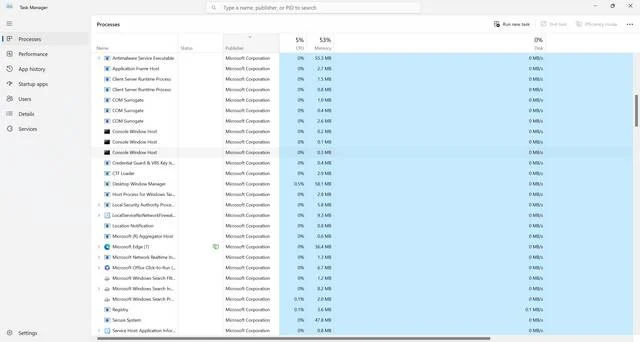
What is winvdedrv6.sys?
Winvdedrv6.sys is a system file that is associated with the Windows operating system. It is a driver file that is responsible for managing certain hardware components or software functionalities on your computer. The “.sys” extension indicates that it is a system file.
It is worth noting that the presence of winvdedrv6.sys on your computer does not necessarily indicate a problem. Many legitimate programs and drivers use similar system files to ensure proper functioning. However, it is essential to verify the source and legitimacy of the file to ensure it is not malicious.
Should I Remove winvdedrv6.sys?
Deciding whether to remove winvdedrv6.sys depends on several factors. Here are a few considerations to help you make an informed decision:
1. Verify the Source
The first step is to determine the source of winvdedrv6.sys. If it is a file associated with a legitimate program or driver, removing it may cause issues with the functionality of that program or driver. In such cases, it is best to leave the file untouched.
However, if you cannot identify the source or suspect that it may be related to malware, it is recommended to proceed with caution and take appropriate measures to ensure your computer’s security.
2. Scan for Malware
If you are unsure about the legitimacy of winvdedrv6.sys, it is crucial to perform a thorough malware scan on your computer. Malware can disguise itself as legitimate system files, making it difficult to differentiate between the two.
We recommend using Malwarebytes Free, a reputable antivirus software, to scan your system for any potential threats. It is always better to err on the side of caution and ensure the security of your computer.
3. Check for System Stability
If you have noticed any unusual behavior or instability on your computer, it may be worth investigating whether winvdedrv6.sys is causing the issue. In such cases, you can try temporarily disabling or removing the file to see if the problem persists.
However, exercise caution when modifying system files, as removing or disabling the wrong file can lead to further complications. It is advisable to seek professional assistance or consult online forums for guidance specific to your situation.
Is winvdedrv6.sys Malware?
Identifying whether winvdedrv6.sys is malware or not can be challenging without proper analysis. Malware often disguises itself as legitimate system files to avoid detection. However, there are a few indicators that can help you determine its legitimacy:
1. File Location
Check the location of winvdedrv6.sys on your computer. Legitimate system files are typically located in specific system folders, such as the Windows or System32 folder. If you find the file in an unusual location or within a suspicious folder, it may be a sign of malware.
2. Digital Signature
Inspect the digital signature of winvdedrv6.sys. Legitimate system files are often signed by trusted publishers, providing assurance of their authenticity. Right-click on the file, select “Properties,” and navigate to the “Digital Signatures” tab to view the signature details. If the file lacks a valid signature or is signed by an unknown publisher, it may be a red flag.
3. Behavior Analysis
Observe the behavior of winvdedrv6.sys. If the file is consuming excessive system resources, causing crashes, or initiating suspicious network connections, it is likely to be malware. Monitor your system’s performance and investigate any unusual activities.
Summary
Winvdedrv6.sys is a system file associated with the Windows operating system. While its presence does not necessarily indicate malware, it is crucial to verify its source and legitimacy. If you are unsure, perform a malware scan using Malwarebytes Free to ensure your computer’s security.
When deciding whether to remove winvdedrv6.sys, consider factors such as the source, system stability, and behavior analysis. If you suspect malware or experience unusual system behavior, seek professional assistance or consult online forums for guidance specific to your situation.
Remember, maintaining a secure and stable computer environment requires constant vigilance and proactive measures. Regularly update your antivirus software, keep your operating system and applications up to date, and exercise caution when downloading or installing unfamiliar programs.

Join the discussion
0 commentsShare your experience or ask a question about this article.
Discussion
Start the conversation
Have a question or something useful to share? Add the first comment.