

The internet has opened up a world of convenient shopping and delivery directly to your doorstep. But cybercriminals have also seized this opportunity for a new kind of scam – phony emails claiming you have a package waiting to be delivered. This article will provide an in-depth examination of how the “You have a package waiting” email scam works, tips for spotting it, steps to take if you fell victim, and key advice for keeping your personal and financial information protected.
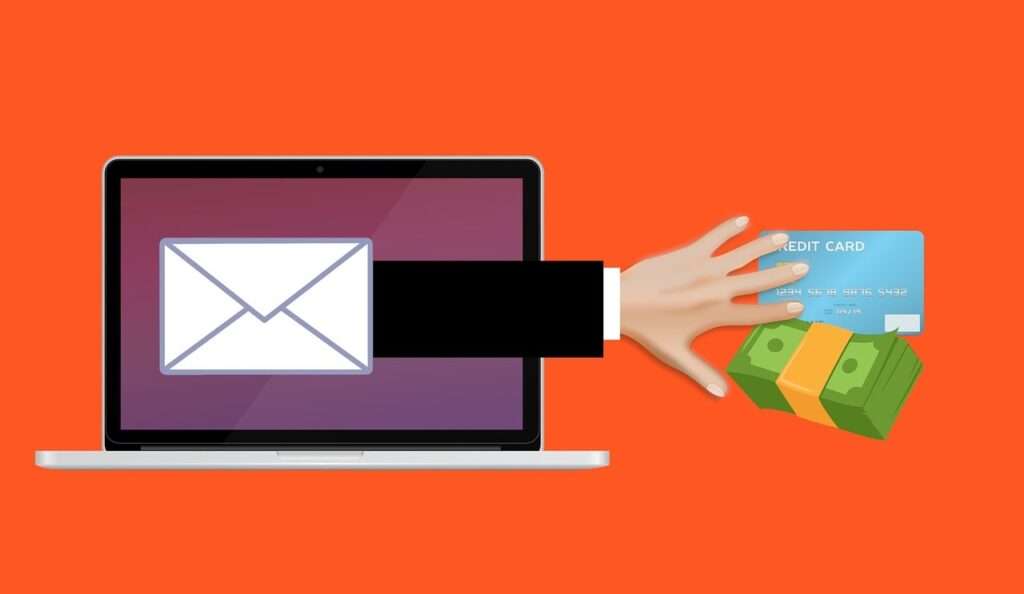
An Overview of the “You Have a Package Waiting” Email Scam
This scam typically starts with an email informing you that you have a package waiting to be delivered. The email appears to come from a legitimate shipping company like UPS, FedEx, Amazon, DHL or the USPS.
The email will include some key details designed to convince you it is real:
- Your name and address – making it seem personalized.
- A tracking number for the “package” – adding legitimacy.
- An urgent call to action – trying to rush you into clicking without thinking.
The message will instruct you to click a link to complete the delivery of your “package.” But when you click through, you are actually taken to a fake phishing website controlled by scammers.
This fraudulent site looks nearly identical to the real shipping company site, complete with official logos, colors, and branding. You are prompted to enter personal information like your name, address, phone number, and sometimes even credit card details.
By submitting this information, you have now handed over valuable personal details that can be used to steal your identity, make fraudulent purchases, or access your other online accounts.
In some cases, you are told you must pay a small “redelivery fee” before they will deliver your package. This is just another way for scammers to collect payment and financial account information from victims. Legitimate delivery companies will not spontaneously ask for payments like this when you are expecting a package.
How the Scam Capitalizes on Everyday Behavior
This scam works precisely because receiving packages is such a common occurrence these days. Most people regularly order items online that are delivered to their homes. Scammers are preying on this routine behavior and expectation of incoming packages.
The “You have a package waiting” phishing scam takes advantage of:
- Habit of online shopping – More people having packages routinely delivered makes this scam seem believable.
- Poor email scrutiny – People expect delivery notifications so they don’t examine these emails as closely.
- Familiarity with tracking numbers – Including a fake tracking number adds legitimacy since people are accustomed to receiving them.
- Urgency to receive packages – Creating a sense of urgency gets people to click without thinking things through.
- Confidence in delivery companies – Consumers generally trust shipping companies, so scammers pretend to be them.
The scammers behind this operate by casting a wide net with these phony emails. While most may identify it as a scam, they only need a small percentage of people to fall for it to make it worthwhile. Staying vigilant and recognizing their tactics is key.
Spotting the Signs of a “You Have a Package” Phishing Scam
While these emails may look convincing at first glance, there are usually some clear warning signs that reveal their fraudulent nature:
Sender’s Email Address Looks Suspicious
Cybercriminals may spoof the name of a legitimate company, but look closely at the full email address of the sender. Often it is clearly not actually from the official company domain.
For example, an email that appears to be from UPS may show in your inbox as coming from something like “deliveryteam@servics.com” instead of @ups.com.
Spelling and Grammar Mistakes
Professional corporations carefully proofread all public communications. Scam emails often contain spelling, grammar and punctuation errors that expose their fraudulent origins.
Requests Sensitive Personal Information
No legitimate company will ever ask you to enter private details like your social security number or banking information solely to receive a package. If asked for this, it’s undoubtedly a scam.
Urgent Demands to Take Action
Language aimed at rushing you to click or provide information is highly suspicious. Scammers want you act quickly without evaluating the legitimacy of their claims.
Asks for Payment of Fees
Genuine shipping companies build delivery costs into the original shipping price paid to them by the retailer. Any new requests for fees required to deliver your package are phony.
Fake Tracking Numbers
While scammers may include convincing tracking numbers, you can check directly on the delivery company’s website to verify if it is real. Bogus numbers will return no results.
Links to Typosquatted Domains
Check where any links lead if you hover over them, but don’t click. Scammers register domains with slight misspellings to impersonate real sites.
Logo and Branding Issues
Look closely at the logos and brand imagery used in the emails. Subtle differences may reveal it is not the actual company’s graphics on their official communications.
Steps to Take if You Receive a Suspicious “Package Waiting” Email
If you get an email about an unexpected package delivery containing any of the red flags described above, take the following steps:
- Do not click on any links within the email itself. They could trigger malware downloads or direct you to a fake site to steal your data.
- Check the full sender’s address to see if it matches the company’s real domain name. Search online for the official website if you need to compare.
- Look for typos, grammar issues, or branding inconsistencies. Read carefully rather than skimming quickly.
- Hover over – but don’t click on – any links to preview the actual URL destination for anything unusual.
- Perform a tracking number lookup on the real shipping company’s website to verify legitimacy.
- Check your recent order history to confirm you are actually expecting a delivery requiring tracking.
- Call the company directly using an official number from their real website to ask if they sent the email and have a package for you.
- Forward any scam emails to your email provider as a phishing attempt and to the Anti-Phishing Working Group at reportphishing@apwg.org to aid prevention efforts.
- Never provide personal or financial information solely based on an unsolicited email. Exercise extreme caution to protect your data.
What to Do If You Already Provided Your Information to Scammers
If you unfortunately already fell victim and supplied personal details or paid fees to the scammers, start addressing the breach of your information right away:
Monitor Accounts for Misuse of Information
Immediately start watching all your financial accounts and credit reports very closely for any signs of unauthorized access or activity. Since scammers have your info, they will likely attempt to misuse it soon after being acquired.
Look for activities like:
- Strange charges on your credit or debit cards
- Suspicious withdrawals from bank accounts
- New accounts opened in your name
- Changes made to existing accounts
Change Passwords on All Accounts
Once scammers have some personal information about you, they may attempt to access online accounts like your Amazon, eBay or even email.
Reset the passwords on any existing online accounts to lock the criminals out. Make the new passwords strong, complex and not used on any other sites. Enable two-factor authentication wherever possible for added security.
Contact Banks and Credit Card Companies
If you provided banking or credit card information, get ahead of the scammers misusing them by immediately contacting these institutions.
Report any charges you don’t recognize as fraudulent. Cancel affected debit and credit cards and request replacements with new account numbers be issued to you.
Ask about fraud alerts, credit freezes or other identity theft protections they can place on your accounts to prevent criminals from abusing your financial information further.
Place Fraud Alerts with Credit Bureaus
Contact the three major credit bureaus – Equifax, Experian and TransUnion – to place fraud alerts on your credit reports. This signals that you suspect you may be a victim of identity theft.
The alert requires businesses to verify your identity before issuing new credit accounts. It makes it much harder for scammers to open fraudulent accounts using your identity.
File an Identity Theft Report
Submit an official identity theft report through the Federal Trade Commission at IdentityTheft.gov. Provide details on what personal information was compromised and how.
This creates an official record that you can share with banks, creditors and the credit bureaus as evidence your identity was stolen. It entitles you to certain legal protections against fraudulent debts or losses.
Monitor Credit Reports and Scores
Check your credit reports frequently for any accounts or inquiries you don’t recognize. Unfamiliar activity indicates your identity is being misused.
You can order free annual credit reports through AnnualCreditReport.com from each of the three credit bureaus. Enroll in monitoring services for daily updates.
Watch for sudden declines in your credit scores as well, which signifies problems. Contact credit bureaus immediately to dispute any fraud.
Protecting Yourself from Future “You Have a Package” Scam Attempts
Even if you avoided falling for this scam before, cybercriminals typically target their victims again in the future through follow-up phishing emails or calls. Implement these measures to protect yourself:
Avoid Unnecessary Email Links and Attachments
Don’t click on links or download attachments from unsolicited emails, even if they seem to come from a company you know. Verify message authenticity directly with the sender first before engaging.
Shop Only on Secure Sites
When making online purchases, ensure the site uses https in their URL and has a small lock icon in the address bar indicating legitimate encryption is enabled. Only enter payment details on sites you know and trust.
Tighten Email Account Security
Use strong, unique passwords on email accounts. Set up two-factor authentication using an authenticator app or phone verification to prevent unauthorized logins.
Check Sender Addresses Carefully
Read email addresses fully to ensure they match official domains. Scammers rely on quickly skimmed senders only showing company names.
Don’t Keep Full Credit Card Details in Emails
Avoid having complete credit card numbers in your emails. If your account is compromised, scammers can steal payment information.
Here is an FAQ section about the “You have a package waiting” email scam:
Frequently Asked Questions about the “You Have a Package Waiting” Email Scam
What is the “You Have a Package Waiting” scam?
This phishing scam sends emails informing recipients they have a package waiting for delivery. The emails pretend to come from shipping companies and provide fake tracking numbers. They instruct people to click a link to resolve delivery issues. The link goes to a fake website that steals personal information.
How does the “You Have a Package” scam work?
Scammers send emails impersonating shipping companies like UPS, FedEx or USPS. The emails use logos and branding to seem real. They make up tracking numbers and issues preventing delivery. The emails urge recipients to click a link and enter info to get their package. The link leads to a phishing site that steals your private data.
What tips off this is a scam email?
Watch for spelling/grammar mistakes, urgent pleas for action, requests for payment or sensitive data, and fake looking tracking numbers. Hover over links to see if they lead to typosquatted domains instead of real sites.
What should I do if I get one of these scam emails?
Do not click any links or enter information. Check the full sender email address for legitimacy. Call the company directly to verify you have a real package coming. Report the scam email to your email provider.
What if I already provided my information to the scammers?
If you supplied any personal or financial details, immediately call banks and credit cards to report unauthorized charges or access. Reset all account passwords and enable two-factor authentication where possible. Place fraud alerts on credit reports and file an identity theft report with the FTC.
How can I avoid falling for this scam in the future?
Use strong unique passwords and two-factor authentication on accounts. Check sender email addresses carefully before engaging with links or requests. Only provide information on sites you initiate access to yourself after verifying legitimacy.
Can I report these scam emails to anyone?
Yes, report phishing emails to the Anti-Phishing Working Group (reportphishing@apwg.org). Also forward scam emails to the FTC (spam@uce.gov) and the shipping company being impersonated.
What are the risks if I click the links or provide my details?
You risk exposing your personal information, which could enable identity theft or allow scammers to access your online accounts. They may also gain financial data to make unauthorized purchases or drain your accounts. Take steps to prevent misuse as soon as possible.
Is there anyway to get my money back if I paid a “redelivery fee”?
Contact your bank or credit card company immediately. Report the charges as fraudulent. Request chargebacks and ask that they issue you new account numbers. Monitor statements closely for further unfamiliar charges from scammers.
The Bottom Line on the “You Have a Package” Scam
This phishing tactic capitalizes on consumers’ habit of routinely receiving deliveries to trick them into revealing valuable personal data. By being aware of the common signs – urgent requests, fake tracking numbers, logos and branding, and pleas for payment – you can identify and avoid this scam. Exercise caution engaging with any unsolicited emails, especially those asking for sensitive information. If you did fall victim already, take swift action by monitoring for misuse, freezing credit reports, and changing account passwords to minimize potential damages from identity fraud. Stay vigilant, and you can protect yourself from this devious phishing technique.








