WebRTC Leak Shield and CSS Sentry

Web Extensions
7 Replies 1,210 Views

HarborFront

Level 74
Verified
Top Poster
Content Creator
Forum Veteran
The below extensions from Chrome Web Store are good.


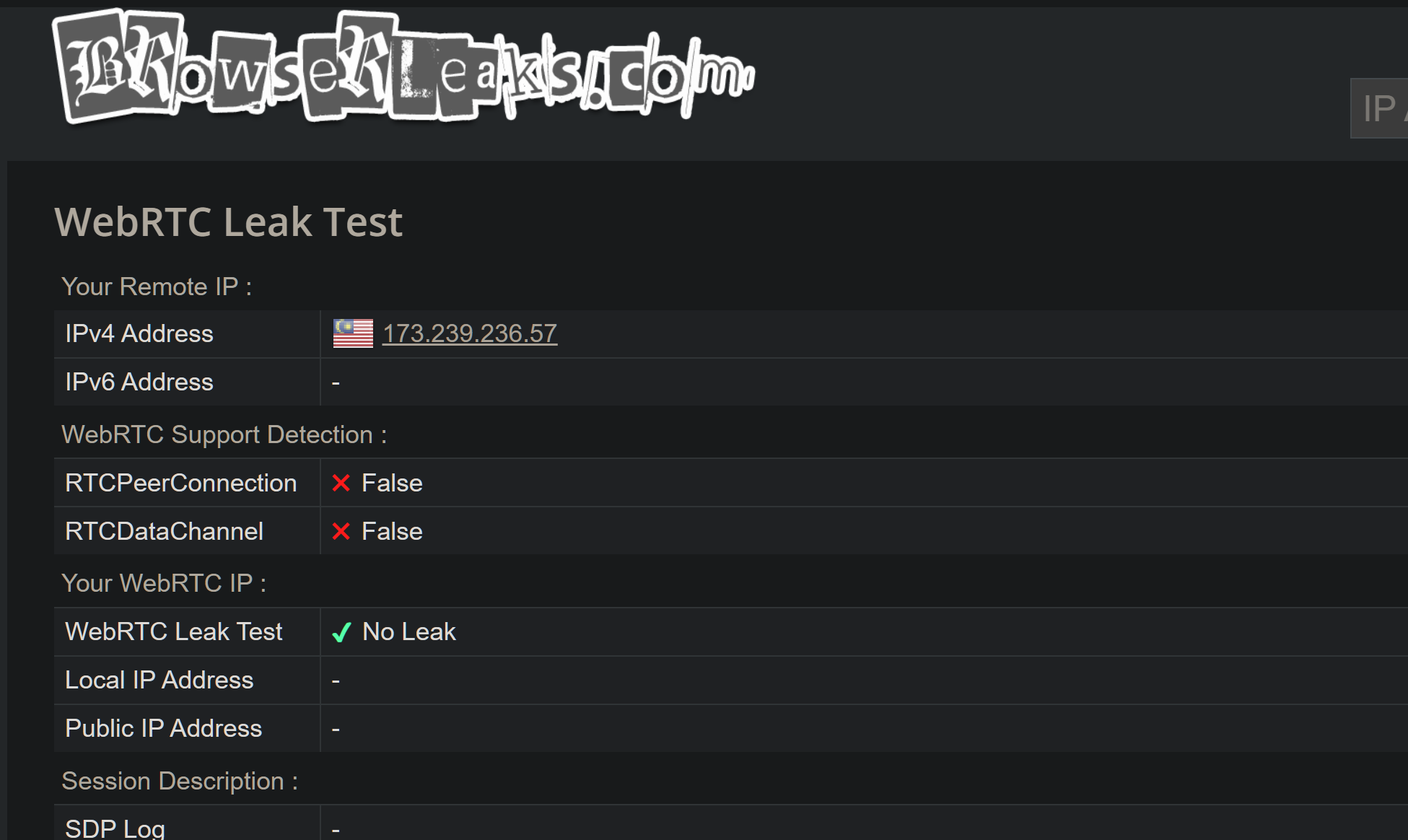
Test result

1779508461887.png


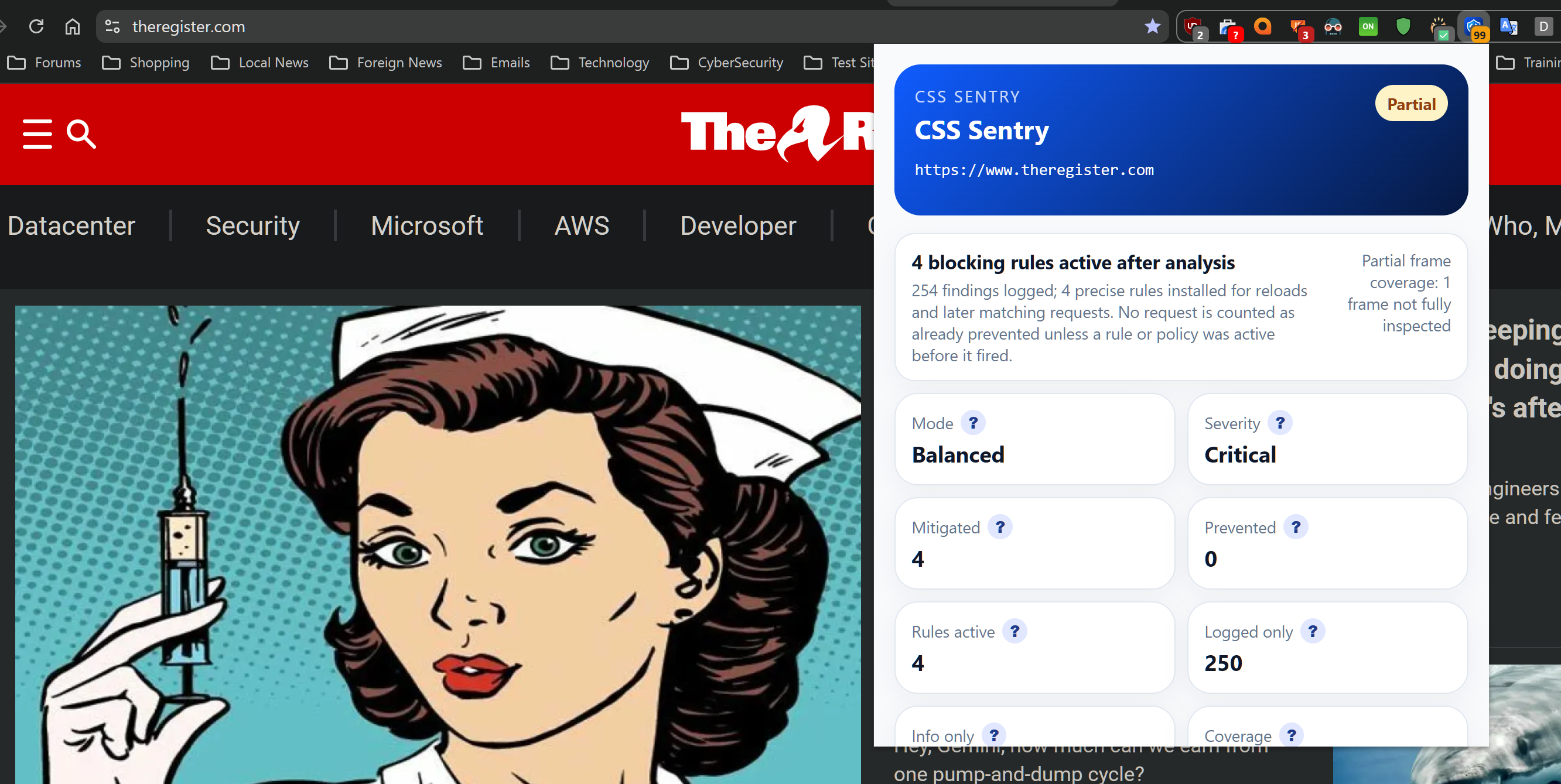
and CSS Sentry (replaces the former CSS Exfil Protection)


1779507231333.png
 

Attachments

  • 1779506954959.png
    1779506954959.png
    171.6 KB · Views: 158
Last edited:
The below extensions from Chrome Web Store are good.


Test result

View attachment 297771


and CSS Sentry (replaces the former CSS Exfil Protection)


View attachment 297772
Short answer

I would not call any browser extension "good" based only on a store page or a single test result.

Why that matters

A Chrome Web Store listing can be useful, but it does not prove an extension is safe, well-maintained, or effective in all setups.

For privacy/security extensions in particular, a proper assessment usually includes:

  • What permissions it requests
  • Whether the developer is known and has a good track record
  • How often it is updated
  • Whether its behavior matches its stated purpose
  • Whether independent users have verified the results across different browsers, VPNs, and WebRTC scenarios

About "WebRTC Leak Shield" specifically

I cannot safely verify from your post alone that it is definitively good or bad.

A "test result" also needs context, because WebRTC leak tests can vary depending on:

  • Whether you are using a VPN
  • Whether IPv6 is enabled
  • Your browser version
  • Your operating system
  • Whether other privacy extensions are installed
  • Which leak test site was used

Better way to evaluate it

If the goal is to see whether it is effective, the safer approach is:

  • Check the extension permissions on the Chrome Web Store page
  • Review the developer/publisher information carefully
  • Test before and after installation on reputable WebRTC/IP test sites
  • Compare results with Chrome’s built-in privacy/network settings
  • Watch for breakage in video calls or sites that rely on WebRTC

Practical note

In many cases, browser settings, VPN configuration, or using a browser with stronger built-in privacy controls can be more reliable than adding extra extensions.

Conclusion

Your result may show that it works in your setup, but that alone is not enough to conclude the extension is generally "good." The safer conclusion is that it may be useful, but it still needs verification for permissions, reputation, maintenance, and consistency.
 
Can you explain why these two extensions would be needed? I realize that first one disables WebRTC, but this breaks A LOT of online apps requiring it to work. Beside, you can disable WebRTC yourself in every web browser with a little bit of tinkering.

Regarding CSS Sentry, CSS exfiltration is extremely rare type of attack, pretty much only limited to research labs. All modern websites already use CSP to protect themselves against it and uBlock Origin prevents it from the user side.
 
Can you explain why these two extensions would be needed? I realize that first one disables WebRTC, but this breaks A LOT of online apps requiring it to work. Beside, you can disable WebRTC yourself in every web browser with a little bit of tinkering.

Regarding CSS Sentry, CSS exfiltration is extremely rare type of attack, pretty much only limited to research labs. All modern websites already use CSP to protect themselves against it and uBlock Origin prevents it from the user side.

So far I have not disable WebRTC for websites I visited. I'm not sure what online apps you are using. So far no issue for my online apps

Neither the use of CSS Sentry that break any site. The description of its uses is detailed in the link provided above
 
So far I have not disable WebRTC for websites I visited. I'm not sure what online apps you are using. So far no issue for my online apps
Pretty much any app that transfers audio, video or files over peer-to-peer protocol in real-time requires WebRTC to work. For instance, Discord, Teams, WhatsApp and such apps.
Neither the use of CSS Sentry that break any site. The description of its uses is detailed in the link provided above
CSS Sentry might not break a lot of websites, but is certainly useless browser extension. The less extensions you have installed in your web browser the better.
 
Pretty much any app that transfers audio, video or files over peer-to-peer protocol in real-time requires WebRTC to work. For instance, Discord, Teams, WhatsApp and such apps.

CSS Sentry might not break a lot of websites, but is certainly useless browser extension. The less extensions you have installed in your web browser the better.

I don't use those apps you mentioned on Windows

Like I mentioned, Helium is by itself unique. Adding extensions will make no difference to its uniqueness
 
Can you explain why these two extensions would be needed? I realize that first one disables WebRTC, but this breaks A LOT of online apps requiring it to work. Beside, you can disable WebRTC yourself in every web browser with a little bit of tinkering.

Regarding CSS Sentry, CSS exfiltration is extremely rare type of attack, pretty much only limited to research labs. All modern websites already use CSP to protect themselves against it and uBlock Origin prevents it from the user side.

This is true for Chromium-based browsers.
I only use 6 WebRTC exceptions to ensure websites work properly.
 
Community
Security tip
Keep older backup versions. Choose backup retention that lets you recover an earlier, clean version. A backup taken after files were damaged may preserve the damage too.
Back
Top