

MyStart by IncrediBar toolbar is an adware program that has changed your browser homepage,default search engine and is causing browsing redirects.
The IncrediBar got on your computer after you have installed other programs that have bundled in their installers this IncrediBar.
This adware has different names depending on which one you’ve installed on your computer: Incredibar Games, Incredibar Essentials, Incredibar Community or Incredibar Music however this is how MyStart by IncrediBar looks on Internet Explorer 9 :
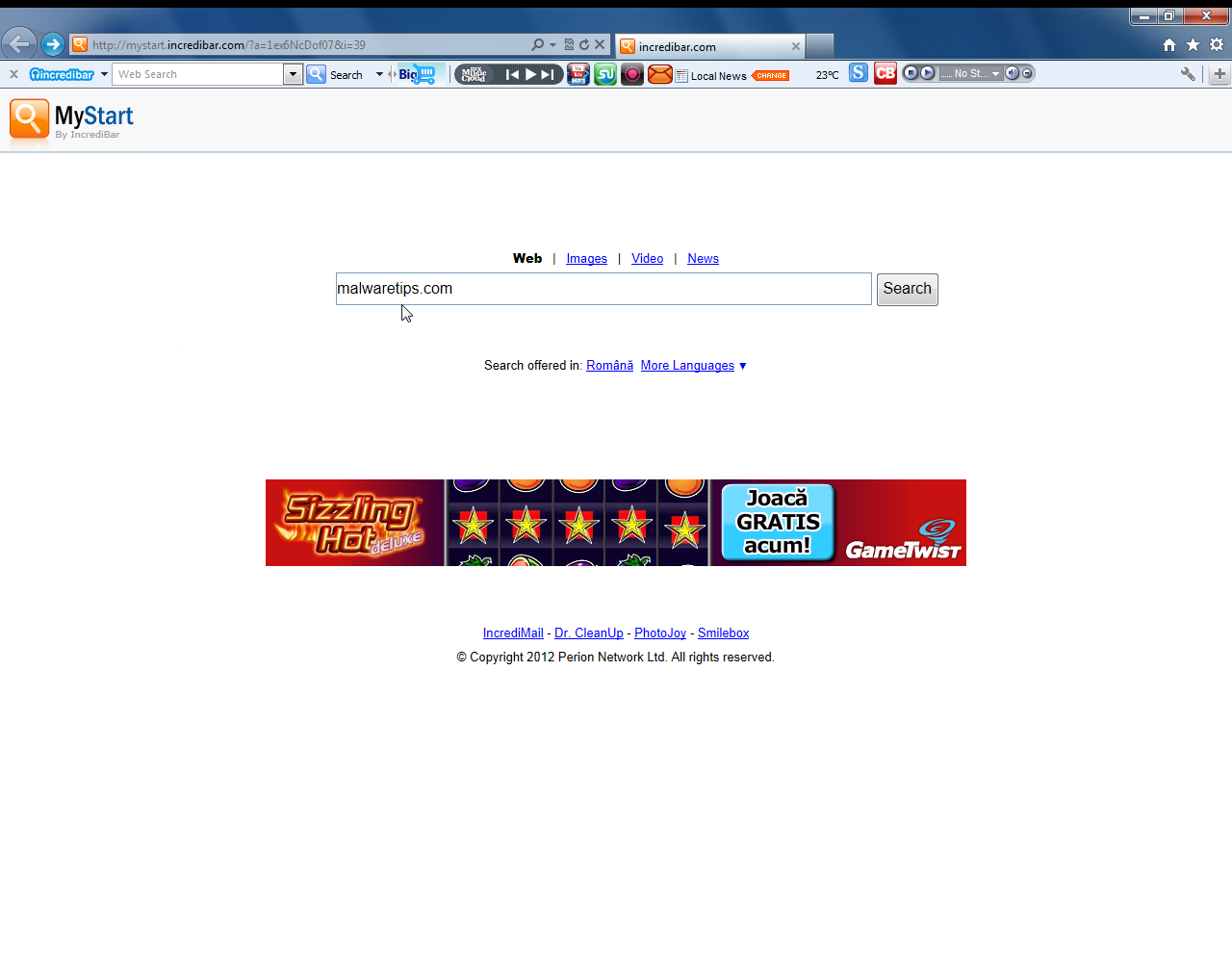
You should always pay attention when installing software because often, a software installer includes optional installs, such as this Incredibar toolbar. Be very careful what you agree to install.Always opt for the custom installation and deselect anything that is not familiar, especially optional software that you never wanted to download and install in the first place.
It goes without saying that you should not install software that you don’t trust.
How to remove MyStart by IncrediBar hijack (Virus Removal Guide)
This page is a comprehensive guide, which will remove “MyStart by IncrediBar” virus from your computer and any other adware program that may have been installed during the setup process.
Please perform all the steps in the correct order. If you have any questions or doubt at any point, STOP and ask for our assistance.
STEP 1: Remove MyStart by IncrediBar redirect with AdwCleaner
STEP 2: Remove MyStart by IncrediBar browse hijacker Junkware Removal Tool
STEP 3: Remove MyStart by IncrediBar virus with Malwarebytes Anti-Malware Free
STEP 4: Double-check for the “MyStart by IncrediBar” malware with HitmanPro
(Optional) STEP 5: Remove MyStart by IncrediBar from Internet Explorer, Firefox and Google Chrome
STEP 1: Remove MyStart by IncrediBar redirect with AdwCleaner
The AdwCleaner utility will scan your computer and web browser for the MyStart by IncrediBar malicious files, browser extensions and registry keys, that may have been installed on your computer without your knowledge.
- You can download AdwCleaner from the below link.
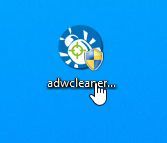
ADWCLEANER DOWNLOAD LINK (This link will download “AdwCleaner” on your computer) - Before starting AdwCleaner, close all open programs and internet browsers, then double-click on the AdwCleaner icon.

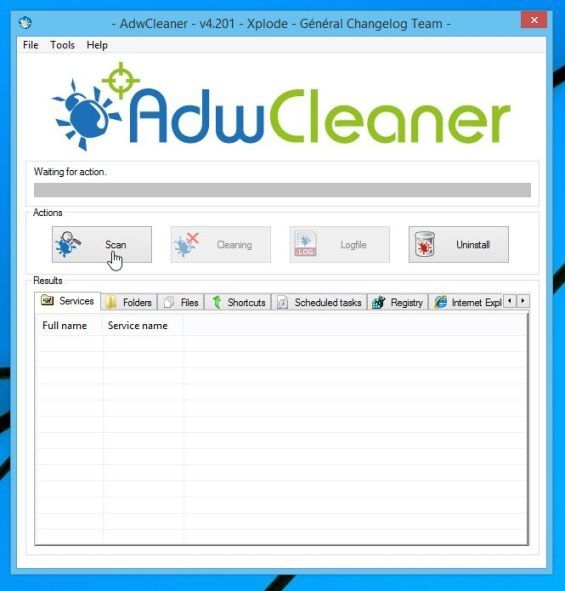
If Windows prompts you as to whether or not you wish to run AdwCleaner, please allow it to run. - When the AdwCleaner program will open, click on the “Scan” button as shown below.
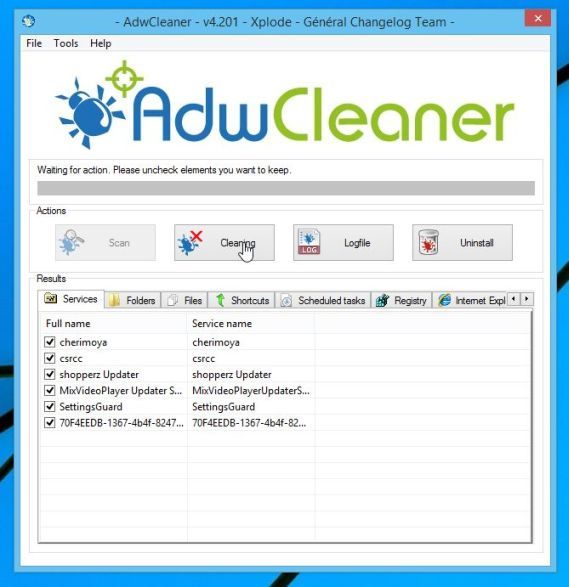
AdwCleaner will now start to search for the “MyStart by IncrediBar” malicious files that may be installed on your computer. - To remove the “MyStart by IncrediBar” malicious files that were detected in the previous step, please click on the “Clean” button.
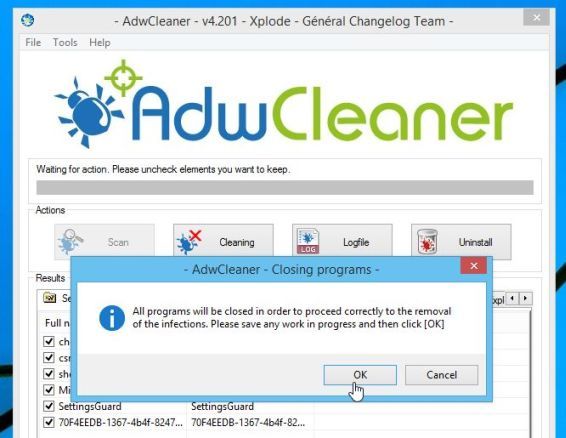
- AdwCleaner will prompt you to save any open files or documents, as the program will need to reboot the computer. Please do so and then click on the OK button.
STEP 2: Remove MyStart by IncrediBar browse hijacker Junkware Removal Tool
Junkware Removal Tool is a powerful utility, which will remove MyStart by IncrediBar any malicious browser extensions from Internet Explorer, Firefox or Google Chrome, and also check your computer other malicious software.
- You can download the Junkware Removal Tool utility from the below link:
JUNKWARE REMOVAL TOOL DOWNLOAD LINK (This link will automatically download the Junkware Removal Tool utility on your computer) - Once Junkware Removal Tool has finished downloading, please double-click on the JRT.exe icon as seen below.
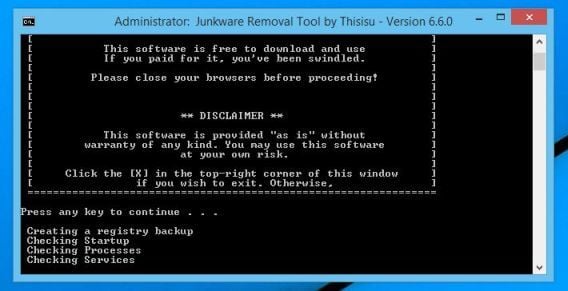
If Windows prompts you as to whether or not you wish to run Junkware Removal Tool, please allow it to run. - Junkware Removal Tool will now start, and at the Command Prompt, you’ll need to press any key to perform a scan for the MyStart by IncrediBar virus.
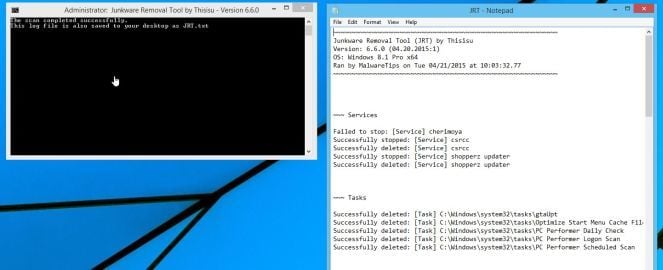
Please be patient as this can take a while to complete (up to 10 minutes) depending on your system’s specifications. - When the scan Junkware Removal Tool will be completed, this utility will display a log with the malicious files and registry keys that were removed from your computer.
STEP 3: Remove MyStart by IncrediBar virus with Malwarebytes Anti-Malware Free
Malwarebytes Anti-Malware Free uses industry-leading technology to detect and remove all traces of malware, including worms, Trojans, rootkits, rogues, dialers, spyware, and more.
It is important to note that Malwarebytes Anti-Malware works well and should run alongside antivirus software without conflicts.
- You can download download Malwarebytes Anti-Malware from the below link.
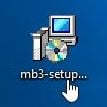
MALWAREBYTES ANTI-MALWARE DOWNLOAD LINK (This link will open a new web page from where you can download “Malwarebytes Anti-Malware Free”) - Once downloaded, close all programs, then double-click on the icon on your desktop named “mbam-setup” to start the installation of Malwarebytes Anti-Malware.
You may be presented with a User Account Control dialog asking you if you want to run this file. If this happens, you should click “Yes” to continue with the installation. - When the installation begins, you will see the Malwarebytes Anti-Malware Setup Wizard which will guide you through the installation process.
To install Malwarebytes Anti-Malware on your machine, keep following the prompts by clicking the “Next” button.
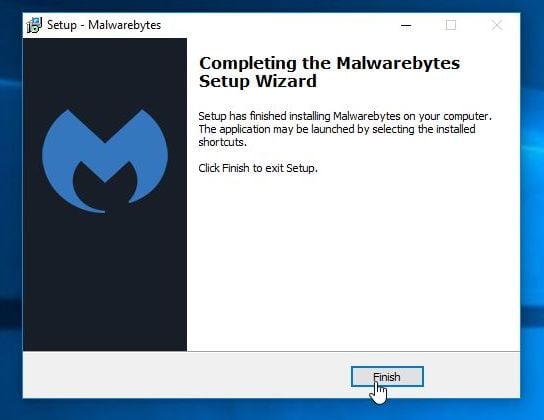
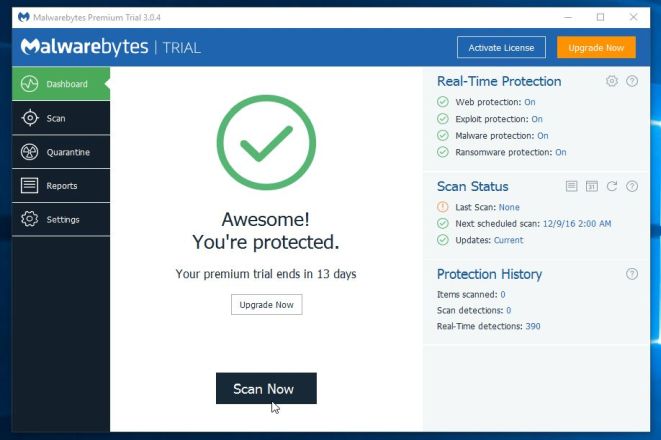
- Once installed, Malwarebytes Anti-Malware will automatically start and you will see a message stating that you should update the program, and that a scan has never been run on your system. To start a system scan you can click on the “Scan Now” button.
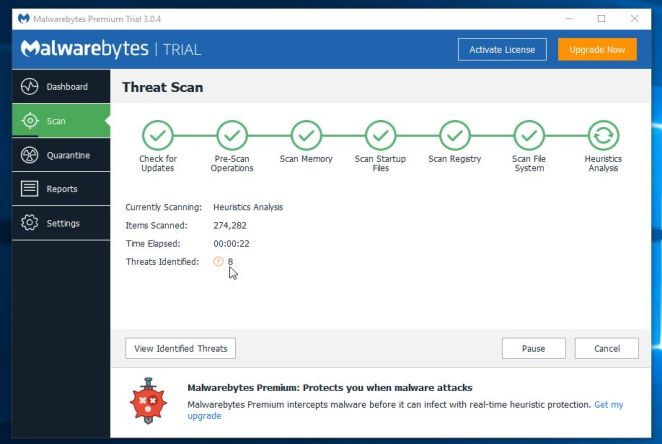
- Malwarebytes Anti-Malware will now start scanning your computer for the MyStart by IncrediBar virus. When Malwarebytes Anti-Malware is scanning it will look like the image below.
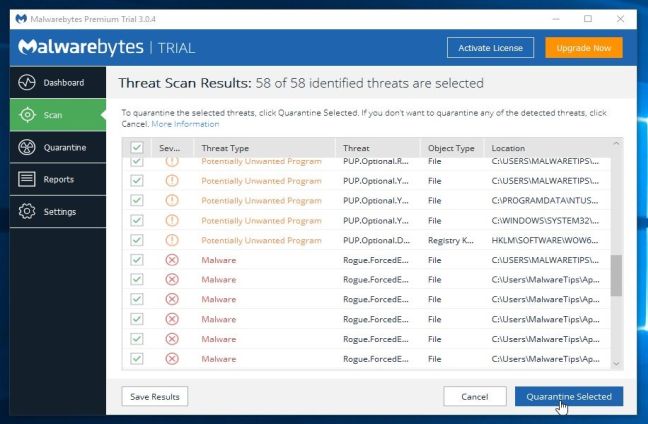
- When the scan has completed, you will now be presented with a screen showing you the malware infections that Malwarebytes Anti-Malware has detected. To remove the malicious programs that Malwarebytes Anti-malware has found, click on the “Remove Seletected” button.
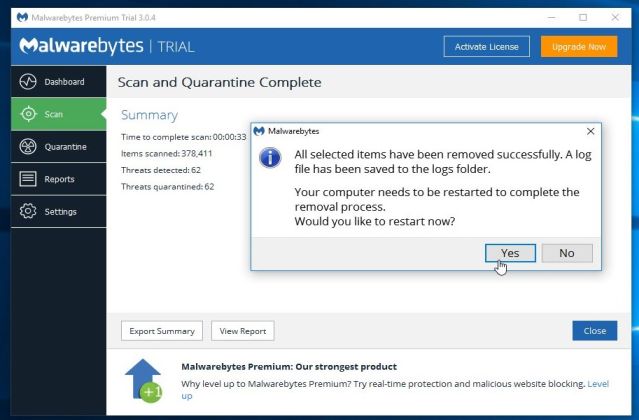
Please note that the infections found may be different than what is shown in the image. - Malwarebytes Anti-Malware will now quarantine all the malicious files and registry keys that it has found. When removing the files, Malwarebytes Anti-Malware may require a reboot in order to remove some of them. If it displays a message stating that it needs to reboot your computer, please allow it to do so.
After your computer will restart, you should open Malwarebytes Anti-Malware and perform another “Threat Scan” scan to verify that there are no remaining threats
 You may be presented with a User Account Control dialog asking you if you want to run this file. If this happens, you should click “Yes” to continue with the installation.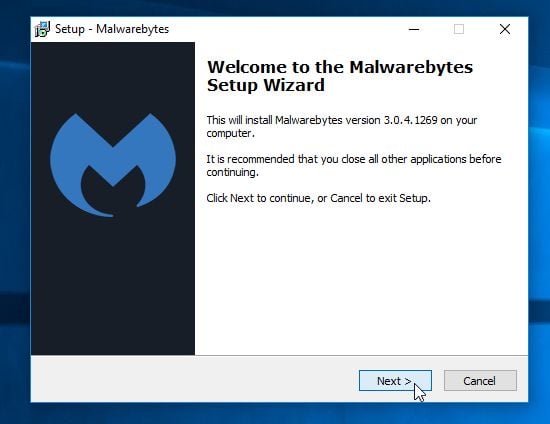
STEP 4: Double-check for the “MyStart by IncrediBar” malware infection with HitmanPro
HitmanPro is a second opinion scanner, designed to rescue your computer from malware (viruses, trojans, rootkits, etc.) that have infected your computer despite all the security measures you have taken (such as anti-virus software, firewalls, etc.). HitmanPro is designed to work alongside existing security programs without any conflicts. It scans the computer quickly (less than 5 minutes) and does not slow down the computer.
- You can download HitmanPro from the below link:
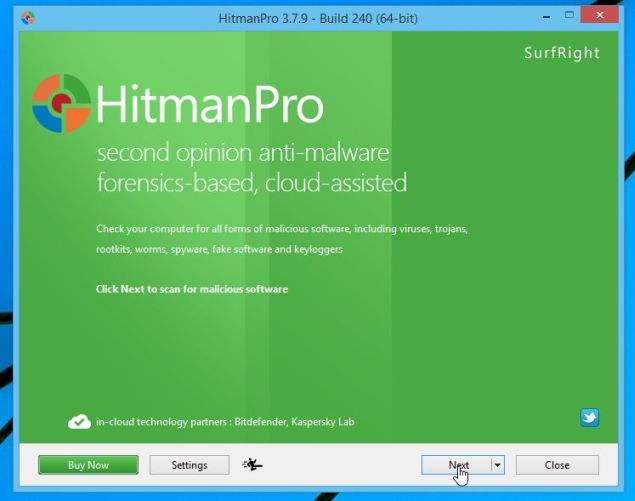
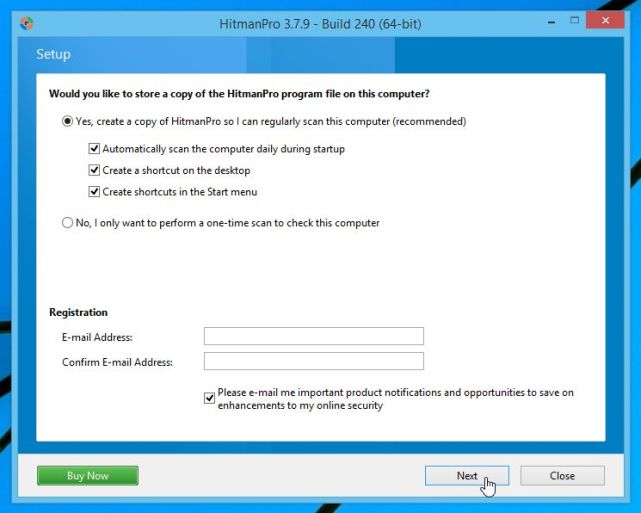
HITMANPRO DOWNLOAD LINK (This link will open a new web page from where you can download “HitmanPro”) - Double-click on the file named “HitmanPro.exe” (for 32-bit versions of Windows) or “HitmanPro_x64.exe” (for 64-bit versions of Windows). When the program starts you will be presented with the start screen as shown below.
Click on the “Next” button, to install HitmanPro on your computer.
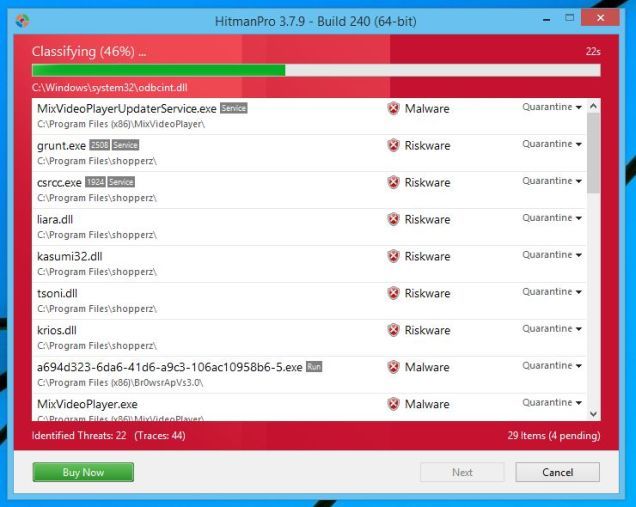
- HitmanPro will now begin to scan your computer for MyStart by IncrediBar malicious files.
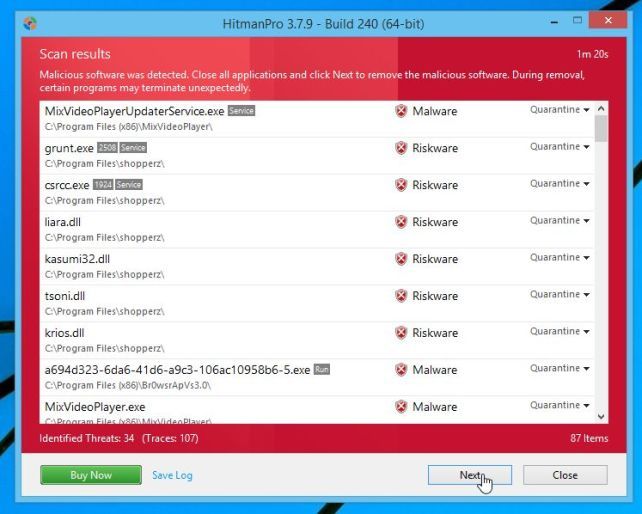
- When it has finished it will display a list of all the malware that the program found as shown in the image below. Click on the “Next” button, to remove MyStart by IncrediBar virus.
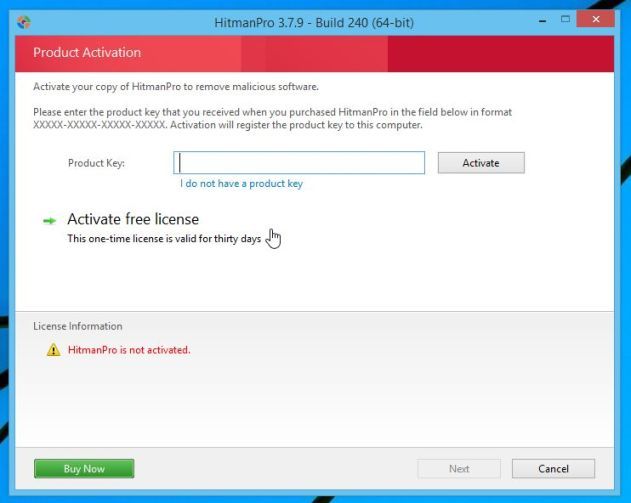
- Click on the “Activate free license” button to begin the free 30 days trial, and remove all the malicious files from your computer.
(Optional) STEP 5: Remove MyStart by IncrediBar from Internet Explorer, Firefox and Google Chrome
If you are still experiencing issues with the MyStart by IncrediBar browser hijacker in Internet Explorer, Firefox or Chrome, we will need to reset your browser to its default settings. This step needs to be performed only if your issues have not been solved by the previous steps.
Reset Internet Explorer
- Open Internet Explorer, click on the “gear icon” in the upper right part of your browser, then click again on Internet Options.
- In the “Internet Options” dialog box, click on the “Advanced” tab, then click on the “Reset” button.
- In the “Reset Internet Explorer settings” section, select the “Delete personal settings” check box, then click on “Reset” button.
- When Internet Explorer has completed its task, click on the “Close” button in the confirmation dialogue box. You will now need to close your browser, and then you can open Internet Explorer again.
 in the upper right part of your browser, then click again on Internet Options.
![[Image: Internet Options in Internet Explorer]](http://malwaretips.com/blogs/wp-content/uploads/2014/03/Internet-Options-Internet-Explorer.jpg "Click on the Gear Icon then on Internet Options")
![[Image: Reset Internet Explorer]](http://malwaretips.com/blogs/wp-content/uploads/2014/03/Reset-Internet-Explorer.jpg "In the Advanced tab click on the Reset button")
![[Image: Reset Internet Explorer to its default settings]](http://malwaretips.com/blogs/wp-content/uploads/2014/03/reset-button-Internet-Explorer.jpg "Click on the Reset button to revert IE to its default settings")
![[Image Reset Internet Explorer settings]](http://malwaretips.com/blogs/wp-content/uploads/2014/03/Close-button-Reset.jpg "Click on the Close button")
Reset Mozilla Firefox
- In the upper-right corner of the Firefox window, click the Firefox menu button (), then click on the “Help” () button.
- From the Help menu, choose Troubleshooting Information.
If you’re unable to access the Help menu, type about:support in your address bar to bring up the Troubleshooting information page.
- Click the “Reset Firefox” button in the upper-right corner of the “Troubleshooting Information” page.
- To continue, click on the “Reset Firefox” button in the new confirmation window that opens.
- Firefox will close itself and will revert to its default settings. When it’s done, a window will list the information that was imported. Click on the “Finish“.
![[Image: Firefox Menu button]](http://malwaretips.com/blogs/wp-content/uploads/2014/04/Firefox-menu-button.png "Firefox Menu button") ), then click on the “Help” (
), then click on the “Help” (![[Image: Firefox Help button]](http://malwaretips.com/blogs/wp-content/uploads/2014/04/Firefox-Help.png "Firefox Help button") ) button.
) button.![[Image: Click on the Menu button then Help]](http://malwaretips.com/blogs/wp-content/uploads/2014/04/Firefox-Help-button.jpg "Click on the Menu button then question mark button")
![[Image: Troubleshooting Information in Firefox]](http://malwaretips.com/blogs/wp-content/uploads/2014/04/Firefox-Troubleshooting-Information.jpg "Troubleshooting Information in Firefox")
![[Image: Reset Firefox to its default settings]](http://malwaretips.com/blogs/wp-content/uploads/2014/04/Reset-Firefox-button.jpg "Reset Firefox to its default settings")
![[Image: Click on the Reset Firefox button]](http://malwaretips.com/blogs/wp-content/uploads/2014/04/Reset-Firefox-to-default-settings.jpg "Click on the Reset Firefox button")
Note: Your old Firefox profile will be placed on your desktop in a folder named “Old Firefox Data“. If the reset didn’t fix your problem you can restore some of the information not saved by copying files to the new profile that was created. If you don’t need this folder any longer, you should delete it as it contains sensitive information.
Reset Google Chrome
- Click on the “Chrome menu button” () on the browser toolbar, select “Settings“, and then click on “Extensions“.
- In the “Extensions” tab, remove SavePass, Pic Enhance, Sm23mS, Salus, SS8, Save Daily Deals, Word Proser, Desktop Temperature Monitor, PriceLEess, Savefier, Savepass, Couponarific and any other unknown extensions, by clicking the trash can icon.
Basically, if you have not installed an extension then you should remove it from Google Chrome.
 ) on the browser toolbar, select “Settings“, and then click on “Extensions“.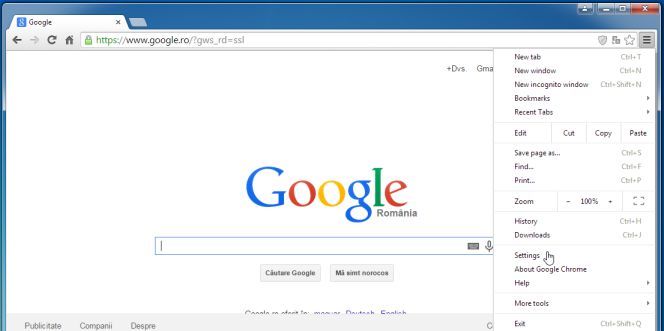
![[Image: Remove an extension from Chrome]](http://malwaretips.com/blogs/wp-content/uploads/2013/07/Trash-Can-Chrome.png "Remove an extension from Chrome") icon.
icon.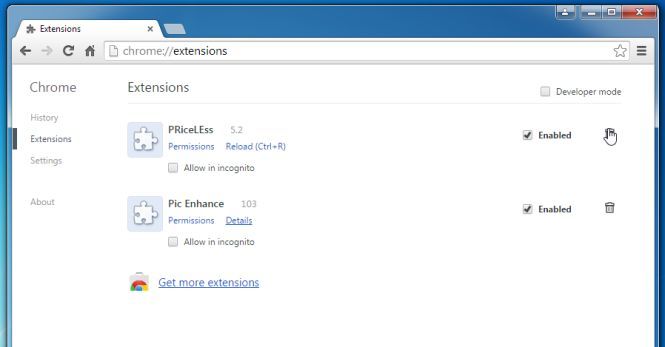
If you are still experiencing problems while trying to remove MyStart by IncrediBara adware from your machine, please start a new thread in our Malware Removal Assistance forum.









Hello and thank you .. Is there a fix for apple ipad?
Hello and thank you .. Is there a fix for apple ipad please
My hat is off to you, mate. Thank you very much!
MyStart used to be a cancer in my computer. Thanks to you I got rid off it.
thank you so much dude…
My-startsearch makes me so crazyyy tonight, but now it’s gone. Thank you so much guy. I love you!!!!!
Thanks dude, you were a big help.
That was so helpful thank you so much!!!!!!!
thanks man.
Thank you very much, this information and advices were really good,dissertation arena uk
thank you!!!! you are awesome!!!
Thank you so much!
well done!
thanks it dit removed my start search from Mozilla Firefox fialy
thanks i removed my start search from Mozilla Firefox
Exelente! Funciona perfectamente! Gracias