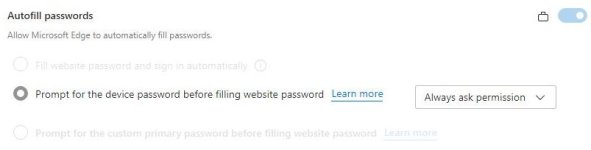
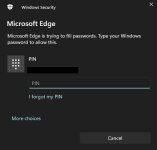
Ok, after having hardened Windows with SpyNetGirls module, I decided this morning to check out Edge's Password Manager, to see if I liked it enough to at least replace Bitwarden in my Edge Browser. No not because Bitwarden is bad, it is definitely safe to say it is not. And I will keep using it in my backup browser Firefox once I have it installed. No because of the security setup I have now I wanted to try Edges Password manager. (Because it would benefit from a lot of security measures.)
I entered a few websites and their passwords, but when I went to those sites, Edge did not autofill the fields and did not load the sites? It did not do anything, even when I reloaded the page. Although not impossible of course, I doubt I did something wrong. Or would uBlock maybe do something to stop it? (I really doubt that, but still.)
I entered a few websites and their passwords, but when I went to those sites, Edge did not autofill the fields and did not load the sites? It did not do anything, even when I reloaded the page. Although not impossible of course, I doubt I did something wrong. Or would uBlock maybe do something to stop it? (I really doubt that, but still.)