

You are using an out of date browser. It may not display this or other websites correctly.
You should upgrade or use an alternative browser.
You should upgrade or use an alternative browser.
The associated guide may contain user-generated or external content.

D
Deleted member 178
Thread author
Im sometimes using a VPN alongside, i don't have issues. In the GUI , you can include/exclude your VPN

Im sometimes using a VPN alongside, i don't have issues. In the GUI , you can include/exclude your VPN
thanks!

basically you have to secure the transmission via encryption , for this we use the DNScrypt protocol:
There is a simple apps called Simple DnsCrypt that will automatize and really simplify the implementation of this protocol
Simple DNSCrypt - Official Project Home Page
We will then choose from the list a DNS provider using DNSSEC.
Simple as that
just double checking if it's too simple for me,
ie, is it working? How do I know it's working? Looking at the network with killswitch I do see dnscrypt-proxy.exe with 3 tcp & 1 udp connection, but sent traffic= 0, received traffic= 0. Does this sound right? Do I need to tweak something in browser, chrome, or does the installation of simplednscrypt do everything needed automagically? sometimes I don't see the forest looking at the trees. thanks!
D
Deleted member 178
Thread author
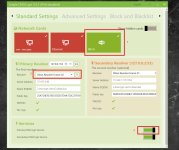
it is automatic , select a server, enable it and the appropriate network device (if it wasn't) .just double checking if it's too simple for me,
Normally your dns should be changed to : 127.0.0.1 or 2 , check via ipconfig -all in cmd.
Attachments
Last edited by a moderator:
it is automatic , select a server, enable it and the appropriate network device (if it wasn't) .
Normally your dns should be changed to : 127.0.0.1 or 2 , check via ipconfig -all in cmd.
ok thanks! will update.
it is automatic , select a server, enable it and the appropriate network device (if it wasn't) .
Normally your dns should be changed to : 127.0.0.1 or 2 , check via ipconfig -all in cmd.
now I see, my network cards were NOT selected, so I just selected and it add checkmark, so now will test and see if anything seems or looks different. thanks!!

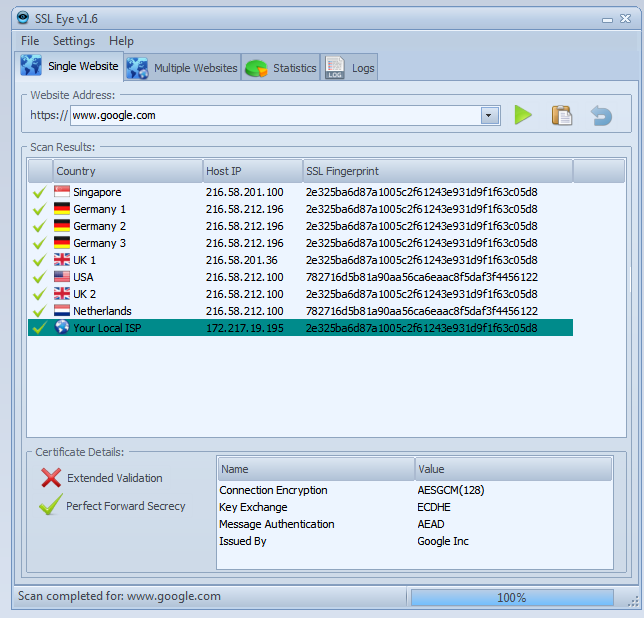
Nice free program to check against MITM relays is SSL eye (SSL Eye Protects You From Prism | Eagle Eye Digital Solutions | Muscat Oman)
D
Deleted member 178
Thread author
@Windows_Security yep i mentioned it in another "guide" : Q&A - Umbra's Great Paranoid Guide (Update in progress)

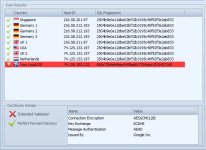

its free but Updated on: 8.11.2014
IDK it's useful or not
Hello@Windows_Security yep i mentioned it in another "guide" : Q&A - Umbra's Great Paranoid Guide (Update in progress)
can I use this tool with open DNS home ?
D
Deleted member 178
Thread author
which one?Hello
can I use this tool with open DNS home ?
D
Deleted member 178
Thread author
yes it can work, SSL eye just check the path to see if some points have been compromised.

@Windows_Security yep i mentioned it in another "guide" : Q&A - Umbra's Great Paranoid Guide (Update in progress)
Paranoid as always but I love it!
You may also like...
-
 Serious Discussion Laptop in an Internet cafe.
- Started by Andy Ful
- Replies: 25
-
 Serious Discussion Security & Networking Protocols – Quick Reference
- Started by Divergent
- Replies: 10
-
 Hot Take How to Protect Your Windows NTLM Credentials from Zero Day Threats
- Started by lokamoka820
- Replies: 1
-

-
Serious Discussion The Unkillable King of Recon: Nmap in the Age of Encryption
- Started by Divergent
- Replies: 3