


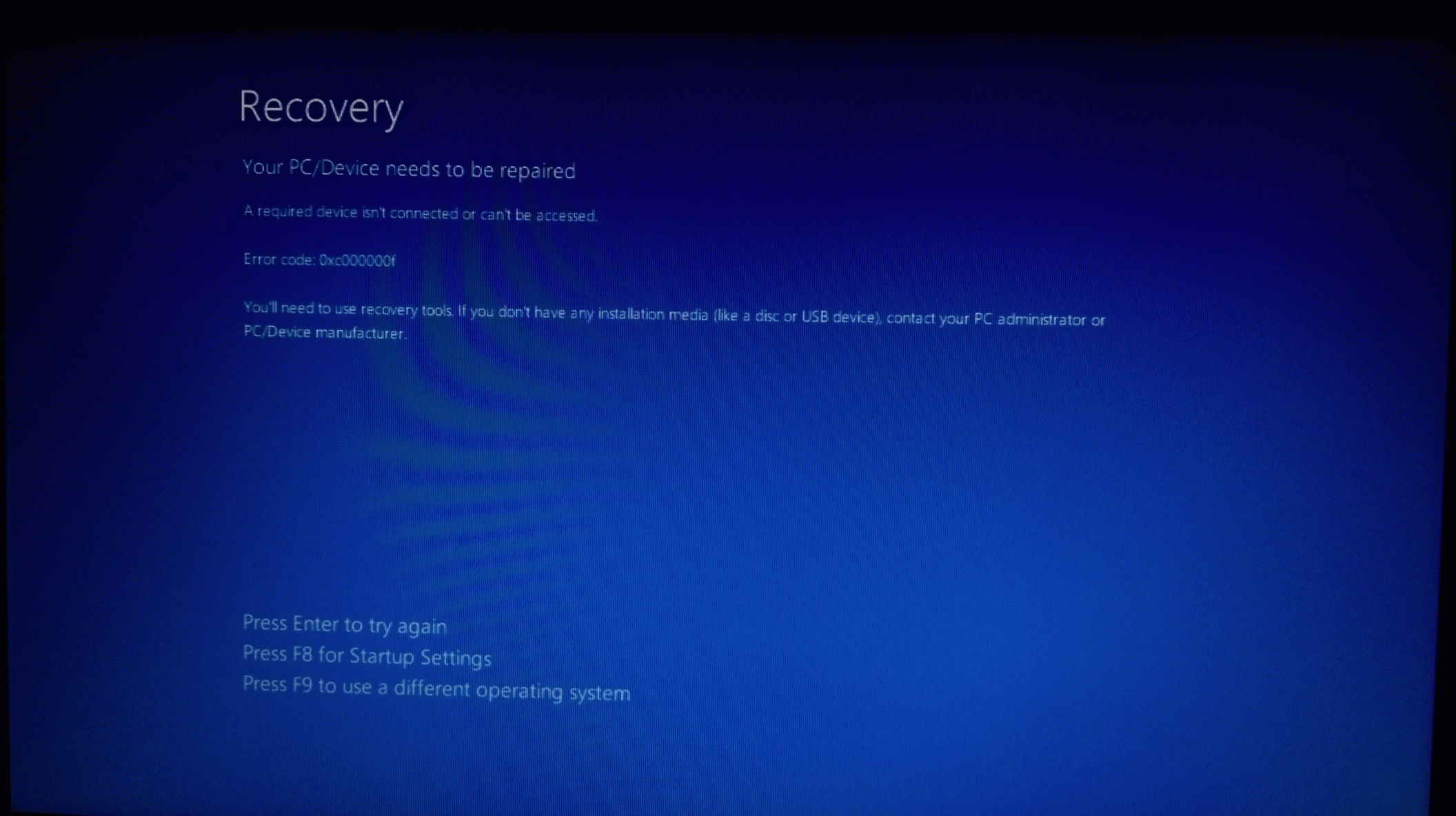
I tried upgrading from my Windows 7 Home to Windows 10. Things went fine before a system restart ended in the below error. I searched for solution but  . Any idea any one ?
. Any idea any one ?
. Any idea any one ?
 This is far from ending
I tried upgrading from my Windows 7 Home to Windows 10. Things went fine before a system restart ended in the below error. I searched for solution but
View attachment 67296
It is frustrating as no body actually knows even at Microsoft


I tried this already. There were some errors but still getting the same errorRun chkdsk \r c using elevated command prompt.
It is virtually impossible to know for sure without direct access to your specific system, but you might have hard disk issues - that code, 0x000000f is often associated with Boot\memory failure.
If chkdsk indicates problem, then it would be advisable to run hardware mfr's diagnostic tools.
There's a lot of sharp users here at MT, perhaps some others will think of something I have not even considered.
Best Regards,
HJLBX
Didn't work dear.Go into your BIOS and load default settings to clear the CMOS memory.
- Save Settings and exit the BIOS.
- Shut down and turn off the computer.
- Unplug the computer from the wall or surge protector (then remove the battery if it is a laptop).
- Hold down the power button for 30 seconds. This closes the circuit and ensures all power from components is drained to clear the software connections between the BIOS and hardware and clear any corruption in the temporary memory.
- (If it is a laptop, plug the battery back into the laptop and then) Plug the computer back into the wall.
- Turn it on to reinitialize the software connections between the BIOS and hardware, and post back your results.
I tried this already. There were some errors but still getting the same error
Reparse points were deleted.chkdsk returned Error message(s)? If yes, what did the message(s) state ?

About KIS... I experienced that my BitDefender install barely worked after the upgrade. Forgot to uninstall it. So, good call there.The same happened to me while upgrading from Win 8.1 . My PC back to Win 8.1 automatically.
I use this tool from microsoft to upgrade but after uninstall KIS :
https://www.microsoft.com/en-us/software-download/windows10
By this tool you can make iso file for DVD or make USB boot, Use it for Upgrading from outside windows
-- ( during installation select upgrade not clean install ) .
If you asked for a Key normally press " skip " ,
--- you should do upgrade for the first time to keep your activation ,
After upgrading , you can make clean installation and you will not lose your activation " tested ".

About KIS... I experienced that my BitDefender install barely worked after the upgrade. Forgot to uninstall it. So, good call there.
Thanks, though just wanted to ask, I read on several forums that KIS can also lead to such errors? Is it. I have KIS installed on my system.Ok then you may need to follow these links= http://superuser.com/questions/628038/boot-bcd-status-0xc000000f-error
or http://www.bleepingcomputer.com/tutorials/windows-7-recovery-environment-command-prompt/
Tell me if that helps.
U mean to stay that before I upgrade, I must uninstall KIS. I have KIS on my system and have been facing this error thriceThe same happened to me while upgrading from Win 8.1 . My PC back to Win 8.1 automatically.
I use this tool from microsoft to upgrade but after uninstall KIS :
https://www.microsoft.com/en-us/software-download/windows10
By this tool you can make iso file for DVD or make USB boot, Use it for Upgrading from outside windows
-- ( during installation select upgrade not clean install ) .
If you asked for a Key normally press " skip " ,
--- you should do upgrade for the first time to keep your activation ,
After upgrading , you can make clean installation and you will not lose your activation " tested ".

Hahaha, now even I feel the samebetter to wait with the upgrade for at least a month until problems solved.


