


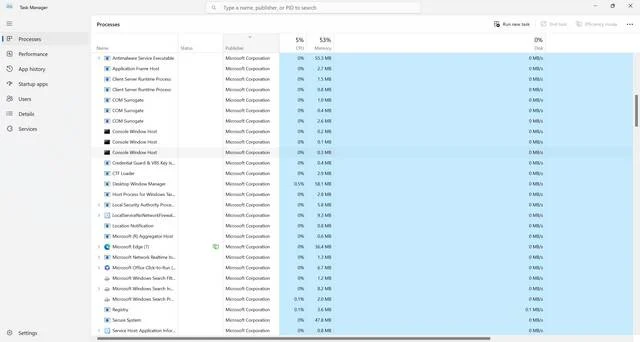
When you open the Task Manager on your Windows computer, you may notice a process called “sppsvc.exe” running in the background. This process is related to the Microsoft Software Protection Platform Service, which plays a crucial role in ensuring the authenticity and legality of your Windows operating system. In this article, we will explore why the Microsoft Software Protection Platform Service process is running in Task Manager and its significance in maintaining a secure and genuine Windows environment.
What is the Microsoft Software Protection Platform Service?
The Microsoft Software Protection Platform (SPP) is a technology developed by Microsoft to protect its software products from unauthorized use and piracy. It is responsible for managing product activation, licensing, and validation processes on Windows operating systems.
The SPP service ensures that only genuine and properly licensed copies of Windows are being used. It verifies the authenticity of the operating system by checking the product key and activation status. If the system is found to be using an unauthorized or pirated copy of Windows, the SPP service takes appropriate actions to enforce compliance with licensing terms.
Why is the Microsoft Software Protection Platform Service Process Running?
The presence of the sppsvc.exe process in Task Manager indicates that the SPP service is actively running on your computer. Here are some reasons why the SPP service process is running:
- The SPP service ensures that your Windows operating system is genuine and properly activated. It constantly monitors the activation status and validates the product key to prevent the use of unauthorized copies.
- The SPP service performs periodic checks to ensure that your Windows license is still valid. It verifies the license status with Microsoft’s activation servers to confirm that the license has not been revoked or tampered with.
- The SPP service also handles the activation process when you install a new copy of Windows or make significant hardware changes to your computer. It ensures that the new installation or hardware change is properly licensed and activated.
- The SPP service collects and sends anonymous data to Microsoft about your system’s activation status. This data helps Microsoft improve its anti-piracy measures and identify potential security threats.
Is the Microsoft Software Protection Platform Service Process Safe?
The sppsvc.exe process is a legitimate system process and is not a threat to your computer. However, like any other system process, it is possible for malware to disguise itself as sppsvc.exe to avoid detection. Therefore, it is essential to ensure that the process running on your computer is genuine and not a malicious imposter.
If you suspect any malicious activity or encounter unusual behavior related to the sppsvc.exe process, it is recommended to scan your computer for viruses and malware. Malwarebytes Free is a reliable and effective tool for scanning and removing malware from your system.
How to Verify the Authenticity of the Microsoft Software Protection Platform Service Process?
To ensure that the sppsvc.exe process running on your computer is genuine, you can follow these steps:
- Open the Task Manager by pressing Ctrl + Shift + Esc or right-clicking on the taskbar and selecting “Task Manager.”
- Click on the “Details” tab to view the detailed processes.
- Locate the “sppsvc.exe” process in the list.
- Right-click on the process and select “Properties.”
- In the Properties window, go to the “Digital Signatures” tab.
- Verify that the digital signature is from “Microsoft Corporation” and is marked as “OK.”
If the digital signature is not from “Microsoft Corporation” or is marked as “Not Verified,” it is advisable to perform a thorough scan of your system using a reliable antivirus or anti-malware software.
Conclusion
The Microsoft Software Protection Platform Service process, represented by sppsvc.exe, is an essential component of Windows operating systems. It ensures the authenticity and legality of your Windows installation by managing product activation, licensing, and validation processes. The presence of the sppsvc.exe process in Task Manager indicates that the SPP service is actively running and protecting your system from unauthorized use and piracy.
While the sppsvc.exe process itself is not a threat, it is crucial to verify its authenticity to prevent potential malware disguising as sppsvc.exe. Regularly scanning your system for viruses and malware using tools like Malwarebytes Free can help ensure the security and integrity of your Windows environment.

Join the discussion
0 commentsShare your experience or ask a question about this article.
Discussion
Start the conversation
Have a question or something useful to share? Add the first comment.