

An open business meeting is supposed to make a firm approachable. A stranger joins, describes an unusual inheritance opportunity, and seems eager to talk about a company that may soon need financial help.
Then another guest appears with a distorted video feed and an oddly coordinated story. The meeting may be the first stage of something far more expensive than an awkward call.
Overview
The suspicious meeting began through a public link
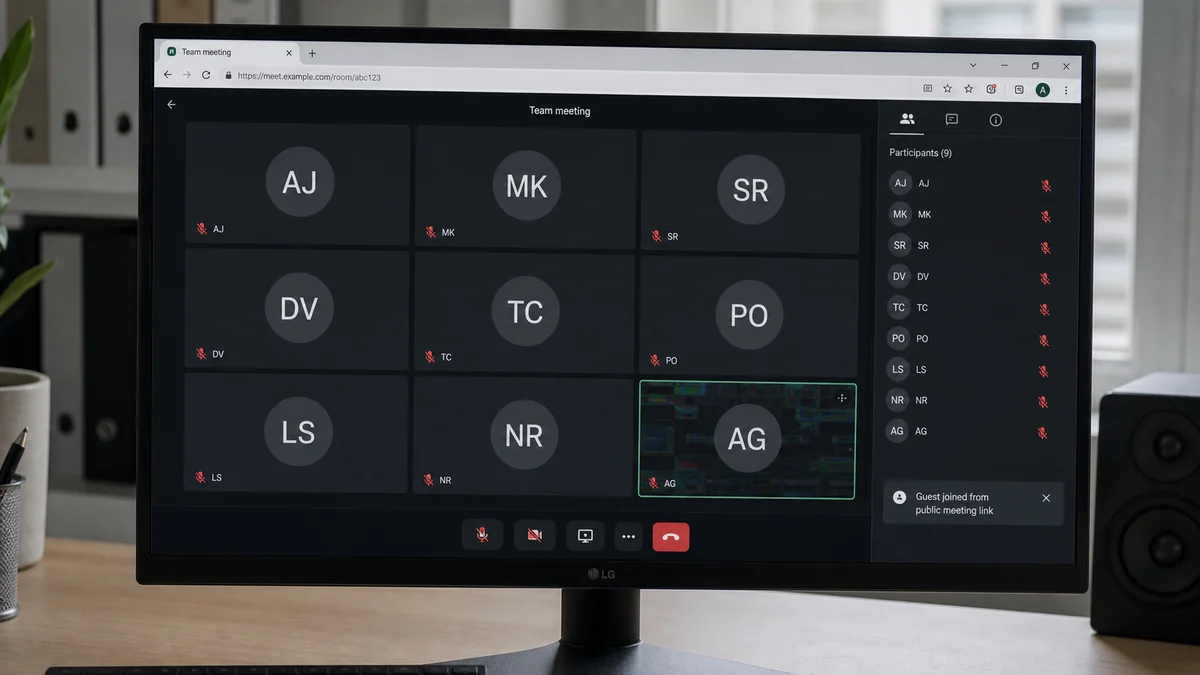
A recent consumer report described a financial business promoting open office hours on Meetup. Two unknown guests entered the video meeting.
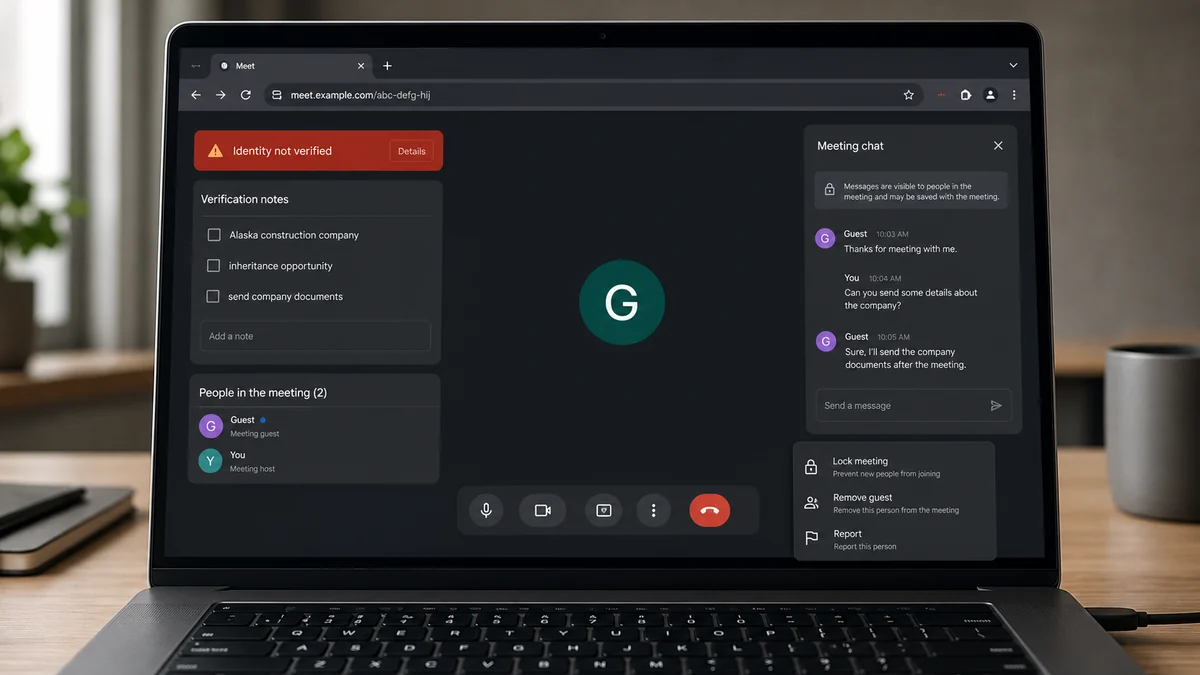
One guest reportedly said he lived in Alaska and expected to inherit a construction business. The second made a strange reference to Serbia even though no one had previously mentioned Serbia.
The poster also noticed that the second guest’s video looked distorted, as if a filter were failing or a printed mesh covering were being used.
Those details are suspicious, but they do not prove that either guest was a scammer. Video compression, a weak connection, accessibility equipment, a novelty mask, virtual-camera software, or an ordinary filter can all create visual artifacts. The right response is controlled verification, not a public accusation based on one glitch.
A convincing face is not proof of identity
Business owners often treat live video as stronger evidence than email or chat. Seeing movement and hearing a voice feels like identity confirmation, especially when the guest answers questions in real time.
That assumption is no longer safe. A meeting can use stolen video, face-swapping software, a virtual camera, synthetic audio, a mask, or a second person following a script. Even a completely real face may belong to someone using a false name and invented business story.
Identity comes from independently checked records and control of known channels. It does not come from a face appearing in a participant tile.
The real target may be information before money
A financial firm’s open meeting can expose employee names, services, client intake procedures, calendars, pricing, and the questions used to qualify prospects. A staged caller can collect that information without asking for money immediately.
The next contact may request a proposal, banking instructions, tax forms, identity documents, wire details, remote access, or an introduction to a partner. The original meeting then acts as the trust anchor: “We already met on video.”
Before continuing with an unexpected video prospect, check:
- Was the meeting link public, reusable, or posted on an open event page?
- Did the guest provide a legal name and company before requesting details?
- Can the company be found in the relevant state registry?
- Does the guest control an email address on that company’s real domain?
- Can the story be confirmed through a number you found independently?
- Do two guests repeat strangely coordinated details?
- Are video and audio movements consistently synchronized?
- Does the conversation move toward documents, payments, or access?
Why a Video Mask or Filter Can Change the Risk
A face filter does not create a scam by itself. Many legitimate users blur backgrounds, improve lighting, use avatars, or rely on accessibility tools. The concern appears when concealment is combined with a high-value story and resistance to independent verification.
A mesh mask printed with facial features can look more convincing at low resolution than it does in person. Compression removes fine texture, weak lighting hides edges, and a small meeting tile prevents close inspection.
Virtual-camera software can feed prerecorded or generated video into a meeting as if it were a webcam. A participant can switch clips, add effects, or overlay another face without the meeting platform knowing who is physically present.
Real-time face manipulation may struggle with hands crossing the face, rapid head turns, glasses, hair edges, extreme expressions, side profiles, or changing light. Artifacts around those areas can be useful warnings, but they are not conclusive forensic tests.
Audio creates another layer. A caller can use cloned speech, prerecorded lines, or a human partner speaking off camera. Delays, unnatural cadence, and mismatched mouth movement deserve attention, yet network latency can produce similar symptoms.
The strongest defense does not require guessing which technology is being used. Treat the video as an introduction, then verify identity and authority through records the caller cannot control.
A legitimate prospective client should understand why a financial firm verifies a new identity before exchanging sensitive information. Refusal, urgency, secrecy, or pressure to bypass normal onboarding is more important than an imperfect image.
How the Zoom Video Mask Scam Works
Step 1: The attacker finds a public business meeting
Open office hours, networking events, webinars, investor calls, consultations, and community meetings may publish reusable links on Meetup, social media, calendars, or company pages.
The attacker learns when staff will be present and what services they offer. No phishing email is required to enter if the host admits every guest automatically.
Step 2: A high-value prospect story opens the door
The guest claims an inheritance, business sale, construction company, investment, settlement, estate, tax problem, or major contract. The story is valuable enough that the firm wants to keep the conversation alive.
Important details remain vague. The guest may say documents are coming later, ownership is still transferring, or an advisor controls the records.
Step 3: A second participant adds social proof
Another guest can pose as a partner, relative, lawyer, accountant, translator, or colleague. Two voices make the opportunity seem larger and reduce the chance that one person’s inconsistencies end the call.
Script errors can expose coordination. A participant may respond to a fact that was never said aloud, use the wrong location, or repeat a phrase from another conversation.
Step 4: Video creates false identity assurance
A real person, altered face, mask, avatar, or prerecorded feed appears in the tile. The host feels that the guest has crossed a verification threshold simply by turning on the camera.
The attacker benefits even if the image is imperfect. Politeness and the value of the supposed prospect can discourage staff from challenging unusual appearance or behavior.
Step 5: The meeting collects operational details
The guest asks how accounts are opened, which documents are required, who approves transfers, how invoices are paid, or which employee handles confidential matters.
These questions can sound like normal due diligence. They also map the firm’s controls and identify the right employee for the next impersonation attempt.
Step 6: The scam moves to a controllable channel
After the meeting, the attacker sends a document link, identity file, investment proposal, payment request, or calendar invitation. The follow-up email may come from a free mailbox or a lookalike company domain.
Because the recipient remembers the video call, the link receives less scrutiny. The attacker may seek credentials, malware installation, bank details, or a wire.
Step 7: Urgency turns the story into action
A deadline appears: a deal closes today, an inheritance needs a fee, a vendor must be paid, or funds need temporary custody. The guest asks the firm to skip a verification step because the relationship supposedly began face to face.
That is the decisive moment. A live meeting cannot authorize a transfer or document release when the identity behind it remains unverified.
What the FBI Says About Virtual Meeting Impersonation
The FBI’s Internet Crime Complaint Center has warned that criminals use virtual meeting platforms in business email compromise schemes. Its virtual meeting advisory describes attackers using a still image of an executive, deepfake audio, and compromised email to request fraudulent transfers.
The scenario in that advisory focuses on company executives, but the control failure is the same: staff treat the meeting as proof that the person has authority.
Another FBI notice about deepfakes in remote hiring highlights mismatches between lip movement and audio, as well as coughing or sneezing sounds that do not match visible actions. It also warns about stolen identity information.
Those signs can guide attention, not deliver certainty. A high-quality manipulation may show none of them, while an honest caller on a bad connection may show several.
Verification must move outside the media stream. Check the legal entity, registration, physical address, professional license when relevant, domain ownership, and contact route independently.
For a claimed inheritance or business transfer, request documents through the firm’s normal secure intake process. Verify the lawyer, executor, company officer, or state filing using independently sourced contact details.
Never use a phone number printed only inside a document supplied by the caller. A polished letter can direct every verification attempt back to the same group.
If the prospect involves a construction company in Alaska, for example, check the state’s business registry and licensing resources. Then contact the entity using information from the registry or its established public presence.
How to Secure Open Office Hours Without Closing Them
Public access and security can coexist. The meeting link should lead to a waiting room rather than directly into the conversation. A host can admit guests individually and remove anyone who disrupts the session.
Use unique meeting IDs and passcodes for each event. Avoid posting a personal meeting room that remains valid indefinitely. Reusable links give attackers time to test access and return under new names.
Require registration when the meeting concerns financial services. A registration form will not prove identity, but it creates a record and allows staff to screen obviously inconsistent details before admission.
Separate public orientation from private intake. Open office hours can explain services and answer general questions, while document exchange and account-specific discussions move to an authenticated portal or scheduled verified appointment.
Do not expose client names, account screens, internal contact lists, invoices, or banking workflows during a public session. Screen sharing should default to host only.
Assign one employee to moderate while another speaks. The moderator can watch the participant list, lock the meeting, review chat links, and remove unexpected guests without interrupting the presentation.
Zoom’s official security guidance explains that hosts can suspend participant activities, remove participants, and report abuse. Reporting can include a screenshot, so avoid displaying unrelated confidential data.
Create a written rule that no transfer, payment-detail change, credential reset, or document release can be approved solely through video. Require a second verified channel and, for high-value actions, a second employee.
After a suspicious meeting, rotate the link, export available logs, preserve the registration and chat, and warn staff about likely follow-up messages. The attacker may contact a different employee who did not see the glitch.
Document why a guest was removed without labeling the person a criminal. A neutral incident note can record the public link, inconsistent identity claims, unusual video behavior, and requests made during the call. This keeps the response factual if the person later contacts support or if another employee receives the same story.
Company, Address, and Fulfillment Checks
Verify the legal business behind the prospect
Ask for the exact legal name, jurisdiction, registration number, and official domain. Search the state or national registry yourself instead of using a link the guest provides.
A real registry entry does not prove the caller controls the company. It gives you a starting point for an independent callback.
Confirm the physical and professional details
Compare the claimed address with public filings, licensing databases, established directories, and prior company records. Verify any lawyer, accountant, contractor, or advisor through the relevant professional body.
New businesses can have limited footprints. In that case, reduce access and transaction limits until stronger verification is available.
Use an independently found communication channel
Send a confirmation to the domain listed in official records or call a number found outside the meeting and its follow-up documents. Ask for the guest by name and describe the claimed opportunity.
If every route leads back to a free mailbox, messaging app, or number supplied by the guest, identity is still unverified.
Define what legitimate fulfillment would look like
A real prospect can provide consistent records, complete normal onboarding, pass identity checks, and wait for compliance review. The relationship should not depend on a rushed transfer or secret exception.
If the story is an inheritance or future business handover, no financial professional should release funds merely because a person described the event on video.
Warning Signs in a Suspicious Video Prospect
- The guest enters through a public or reusable meeting link.
- The name changes between the event registration, participant tile, and email.
- The prospect describes sudden wealth, an inheritance, or a major company transfer.
- A second guest appears to follow the same script.
- Someone references a detail that was never mentioned.
- Face edges, glasses, hair, or lighting behave unnaturally.
- Audio and visible movement repeatedly fail to align.
- The guest refuses to continue with the camera off while identity is verified another way.
- Company records do not match the name, location, or role.
- Follow-up messages use free or lookalike email domains.
- The caller asks for internal procedures, wire details, or confidential forms early.
- Urgency is used to bypass normal onboarding or dual approval.
MalwareTips’ deepfake impersonation guide explains how synthetic media can support a false financial identity. The central lesson is not to become a video detective. It is to make video insufficient for high-risk approval.
A filter glitch is a clue, not a conviction. Combine it with inconsistent identity, business records, contact channels, and requested actions before deciding how to proceed.
What to Do if You Have Fallen Victim to This Scam
- End the sensitive discussion. Do not share more documents, credentials, bank details, client information, or internal procedures while identity remains uncertain.
- Lock and preserve the meeting. Remove the guest, save the participant list, chat, registration, recording if lawfully created, timestamps, display names, and follow-up addresses.
- Verify the claimed company independently. Use government registries, professional licensing databases, and contact details not supplied by the caller.
- Warn the entire team. Share the names, story, domains, and requested actions internally. Attackers often contact another employee after the first person resists.
- Reset exposed credentials. If a link captured a password or code, change it from the provider’s known site, revoke sessions, inspect forwarding rules, and enable strong multifactor authentication.
- Quarantine supplied files. Do not keep opening identity documents or proposals. Submit them to the organization’s security team and scan affected devices.
- Contact the bank immediately if money moved. Use the known bank number, request a wire recall or fraud review, and provide the exact destination and timestamps.
- Report the meeting account. Use the platform’s in-meeting or account reporting tools and include only the evidence necessary for review.
- Report financial impersonation. File at IC3.gov and ReportFraud.ftc.gov when applicable. Preserve transaction and identity details.
- Run a full security scan. Use Malwarebytes if the guest persuaded anyone to install software, open an unknown file, or grant remote access.
- Block follow-up infrastructure. AdGuard can reduce exposure to known phishing and malware domains used in later messages. It cannot authenticate a live video participant.
- Watch for recovery and follow-up scams. Anyone promising to recover a transfer for an upfront fee, crypto payment, or remote access may be targeting the same victim again.
Frequently Asked Questions
Does a distorted face prove someone is using a deepfake?
No. Compression, poor lighting, filters, masks, accessibility equipment, and network problems can all distort video. Treat the artifact as a reason to verify, not proof of fraud.
Can a scammer answer questions live on video?
Yes. A real accomplice can use a false identity, or software can alter a live feed. Real-time conversation does not establish the person’s legal identity or authority.
Should businesses stop offering public video meetings?
Not necessarily. Use waiting rooms, unique links, registration, host controls, and a strict boundary between public information and verified private intake.
What is the safest way to verify a claimed investor?
Check legal records, professional roles, company domains, and independently found contact details. Require normal onboarding before sharing sensitive information or moving money.
Can a video call authorize a bank-detail change?
It should not. High-risk changes need a second verified channel and dual approval, even when the face and voice appear familiar.
What if the person was legitimate and simply had a bad camera?
A legitimate prospect can complete verification through records and established channels. Respectful verification protects both sides and does not require accusing anyone.
The Bottom Line
A live face can make an invented opportunity feel real, but video is only one communication channel. It does not prove a name, a company, an inheritance, or authority to move money.
When the story is valuable and the image is strange, pause without accusing. Verify outside the meeting, preserve the evidence, and never let a participant tile bypass normal financial controls.








